In a busy maintenance room or factory tool area, knowing that a tool is missing is useful. Knowing about it while the problem is happening is much more useful.
A technician may check out a torque wrench for a two-hour job and forget to return it. Another employee may reserve the same tool for the next shift. A calibrated instrument may pass its inspection date. Or a restricted tool may be accessed by a user without the required permission.
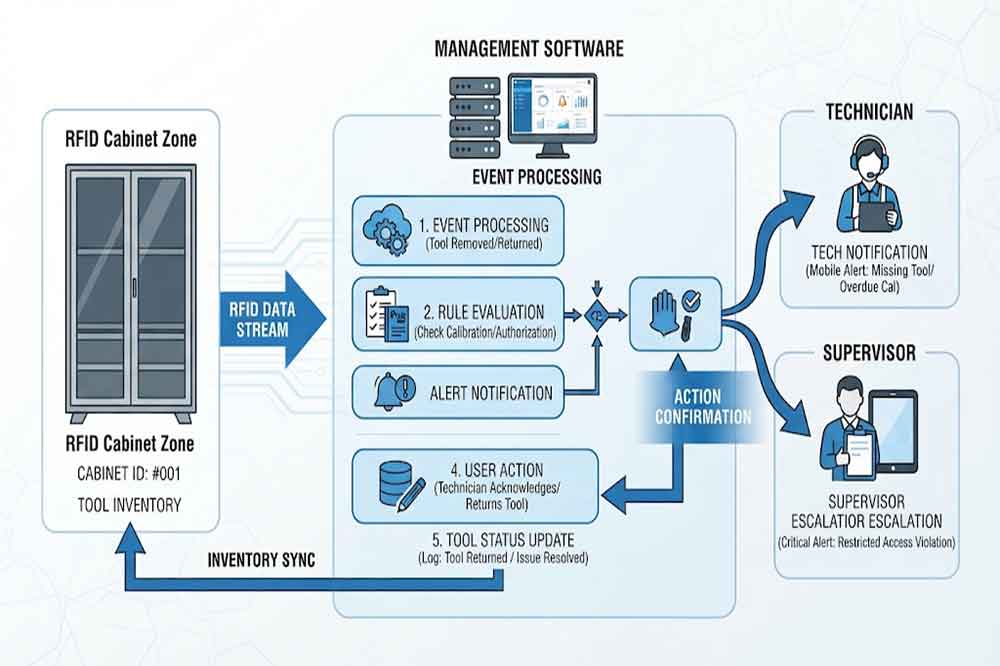
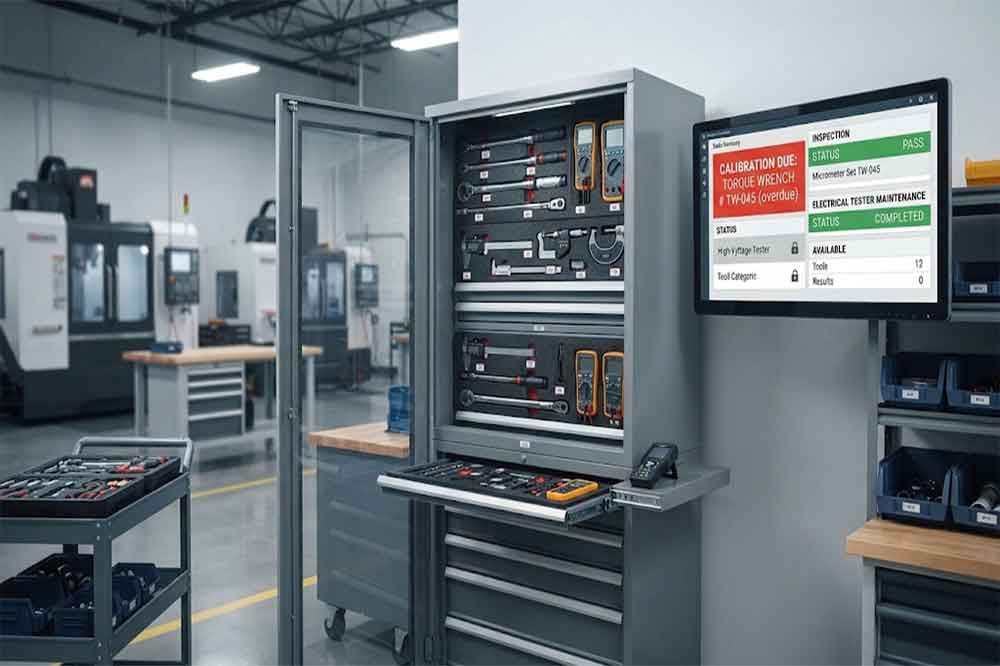
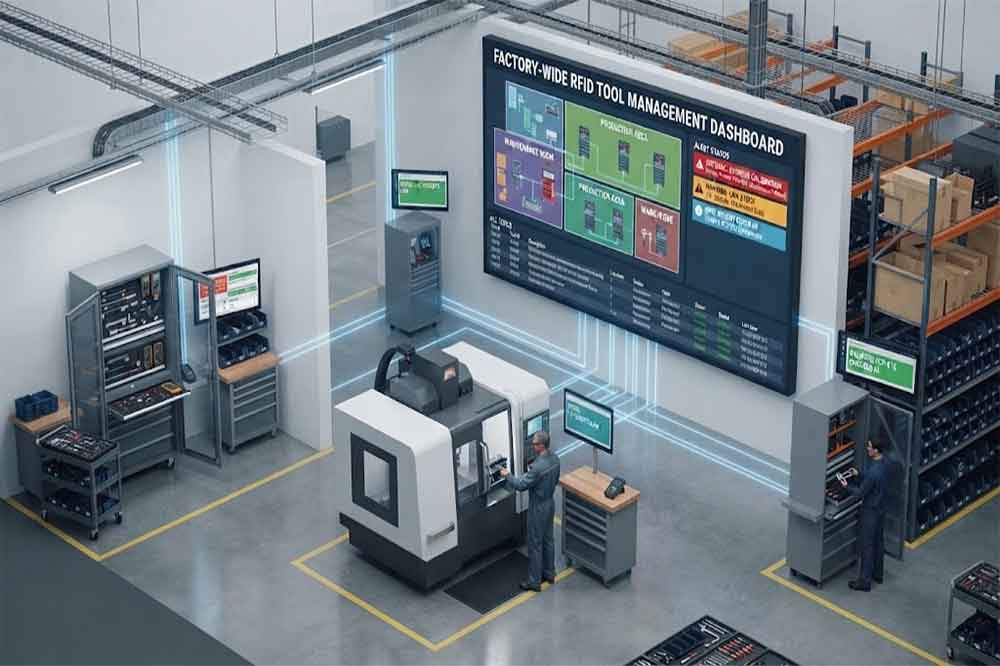
RFID tool cabinet can connect these events with an alert and notification system.
The RFID reader identifies the tool, while the management software evaluates its status, user, location, reservation, or time condition. When a predefined rule is triggered, the system can notify the appropriate person through a dashboard, software interface, email, or another connected system.
The important part is not simply sending more alerts. The goal is to send the right alert to the right person at the right time.
What Alerts Can an RFID Tool Cabinet Generate?
The exact notification types depend on the cabinet software and integration design. Common examples include the following.
Overdue Tool Alerts
A tool can be assigned a checkout time or expected return time.
If the tool is not returned within the defined period, the system can create an overdue event.
For example, a maintenance department may allow a technician to keep a specialized inspection tool for four hours. After that period, the system can notify the technician or supervisor.
The threshold should reflect the actual workflow. A fixed short time limit may create unnecessary alerts for jobs that normally take longer.
Missing Tool Alerts
A tool can become a missing-tool exception when the expected inventory does not match the RFID reading.
This may happen during:
Scheduled inventory checks
Shift handovers
Cabinet audits
Tool returns
End-of-day checks
The system can identify the missing tool and show its last recorded user, location, or transaction when that information is available.
RFID does not automatically determine why a tool is missing. It provides identification and event data that can help staff investigate.
Unauthorized Access Alerts
Some tools require additional permissions.
For example, a factory may restrict access to:
Calibration equipment
Specialized electrical tools
High-value tools
Safety-related equipment
Production-specific tools
When a user attempts to access a restricted tool without the required permission, the system can record the event and generate an alert.
Tool reservations can create another useful notification.
Imagine two maintenance teams need the same inspection instrument during the same shift.
Instead of discovering the conflict when someone arrives at the cabinet, the software can identify overlapping reservations and notify the responsible users or supervisor.
A notification is more useful when the underlying event remains searchable.
The system can potentially retain information such as:
Tool ID
User ID
Cabinet ID
Location
Event type
Event time
Previous status
New status
Alert status
Resolution time
This allows managers to identify repeated problems.
For example, one particular tool may repeatedly become overdue. The issue might not be the employee. The tool may simply have a checkout period that does not match the actual maintenance workflow.
Users may ignore alerts if almost every RFID event creates one.
Using the Same Rule for Every Tool
A production screwdriver and a specialized calibration instrument may need very different alert rules.
Ignoring User Roles
A technician, supervisor, administrator, and IT engineer may need different information.
Forgetting Offline Conditions
Network interruptions should have a defined handling process.
Not Measuring Alert Effectiveness
The number of alerts alone does not show whether the system is useful.
Skipping Real-World Testing
Alert rules should be tested with actual tools, employees, shifts, and workflows before wider deployment.
Practical Deployment Approach
A practical rollout can start with several high-value notifications:
Overdue tool
Missing tool
Unauthorized access
Calibration due
Reservation conflict
After several weeks of real operation, review which alerts generate useful actions.
Then adjust:
Thresholds
Recipients
Escalation rules
Notification frequency
Reporting intervals
This approach keeps the system manageable while allowing the notification logic to develop around real factory requirements.
FAQs
Can an RFID tool cabinet send overdue tool alerts?
Yes. If the software records checkout time and expected return time, it can apply an overdue rule and notify defined users.
Can the system alert users when a tool is missing?
It can generate a missing-tool exception when expected inventory does not match RFID-detected inventory. The exact detection method depends on the cabinet and software design.
Can alerts be connected to CMMS or ERP?
Yes. An integrated system can pass RFID events to CMMS, ERP, MES, WMS, or custom software when suitable interfaces are available.
Can different users receive different alerts?
Yes. Alert recipients can be assigned according to roles, departments, tool types, locations, or workflow requirements.
How can I prevent too many alerts?
Start with important exceptions, define practical thresholds, and test alert frequency during a pilot. Scheduled reports can handle less urgent information.
Cykeo’s RFID Smart Tool Cabinet enables 10-second tool audits, user access control & real-time alerts for construction/oil/gas. Features 21.5″ touchscreen, IP54 steel body & -30°C~60°C operation. Supports SAP/Oracle integration.
Cykeo’s industrial RFID Tool Cart features 14″ touchscreen, 400+ tool scanning, and carbon steel construction for aviation MRO, power plants and construction sites. 5-second inventory scans.
Cykeo CYKEO-TC RFID multi-drawer tool cart manages 300+ tools via UHF RFID, features fingerprint/face recognition, Android/Windows OS, and SAP integration for nuclear/railway/fire safety sectors. IP54 rated for harsh environments.
Cykeo CYKEO-GTC4 RFID tool inventory cart manages 300+ tools via UHF RFID, features instant scanning, fingerprint/face recognition, and SAP integration for nuclear/railway/fire safety sectors. IP54 rated for harsh environments.
Cykeo CYKEO-GTC7A RFID real-time tool tracking cart features 99.9% accuracy, FOD prevention, and SAP integration for aviation/plant maintenance. Military-grade construction.
Cykeo CYKEO-GTC4B RFID mobile tool cart delivers 300-tool verification in 7 seconds with modular drawers, ≤150W power, and SAP integration for industrial/aviation use.
Cykeo CYKEO-GTC4C RFID workshop tool control cart delivers 300-tool inventory in 3 seconds with 10hr battery, SAP integration, and FOD prevention for industrial workshops.
Cykeo’s off-grid RFID tool inventory system features solar/wind power, -30°C~60°C operation, and military-grade durability for mining/energy/military sectors.
Cykeo’s RFID multi-drawer tool cabinet features 5 adjustable drawers, biometric access, and 99.9% scan accuracy for automotive/aerospace manufacturing.
Cykeo CYKEO-GT1B industrial RFID tool storage cabinet features Impinj R2000 UHF technology, 1,000+ tool capacity, IP54 protection, and Windows/Android OS for manufacturing/aviation MRO. Includes auto check-in/out and SAP/Oracle sync.
Cykeo CYKEO-GT3C industrial RFID tool checkout system Cabinet features millimeter-wave scanning, 280-layer storage, dual OS, and 99.9% accuracy for aviation/semiconductor sectors. Supports auto check-in/out and real-time SAP sync.
Discover the CYKEO-B1A Industrial RFID Backpack featuring advanced tool tracking technology with 25cm RF shielding, 7-day battery life, and wearable design for field maintenance professionals.
RFID Industry Writer | IoT & Asset Tracking Analyst
James writes about RFID technology, asset tracking, and the practical challenges of digital transformation across warehousing, retail, manufacturing, and logistics.
His work focuses on how RFID is applied in real-world operations—improving inventory visibility, automating workflows, and helping businesses manage assets with greater accuracy and efficiency.
He regularly covers topics including UHF RFID, smart cabinets, RFID portals, tool tracking, warehouse automation, and industrial IoT trends..
A practical breakdown of RFID parking access control for system integrators and solution providers. Learn how RFID vehicle access control works step by step, what affects reading distance, and why real parking projects behave differently from lab ...
A practical guide on how to read RFID with Android. Learn why your phone's NFC fails for most tags and the steps to connect an external UHF reader for real scanning apps.
Learn how does passive RFID work using reader-powered energy and backscatter. Discover real data, field insights, and Cykeo solutions for efficient tracking systems.
Get past the theory. See exactly what is RFID antenna used for in daily operations—from speeding up shipping to stopping theft. Learn why it’s your system's workhorse.
 Cykeo RFID IoT Solution Products R&D Manufacturer