 Cykeo RFID IoT Solution Products R&D Manufacturer

What Is an RFID Reader and How Does It Work?
212RFID reader is the device that sends radio signals to RFID tags, receives their responses, and passes the tag data to a software system. The right reader dep...
MoreAll RFID Product
Installing one RFID tool cabinet is very different from deploying twenty cabinets across a factory.
A pilot project provides a controlled environment where companies can test RFID tags, reading performance, cabinet layout, user workflows, software integration, and actual employee behavior before making a larger investment.
For industrial tool management, the goal of a pilot is not simply to prove that RFID can read a tag.
The real question is:
Can the complete tool-management workflow work reliably in the actual operating environment?
RFID tool cabinet pilot is a limited deployment used to evaluate an RFID-based tool management system before wider implementation.
A typical pilot may include:
The pilot should represent the real working environment as closely as possible.
A demonstration in a showroom may look impressive, but it does not necessarily represent what happens inside a busy maintenance workshop.
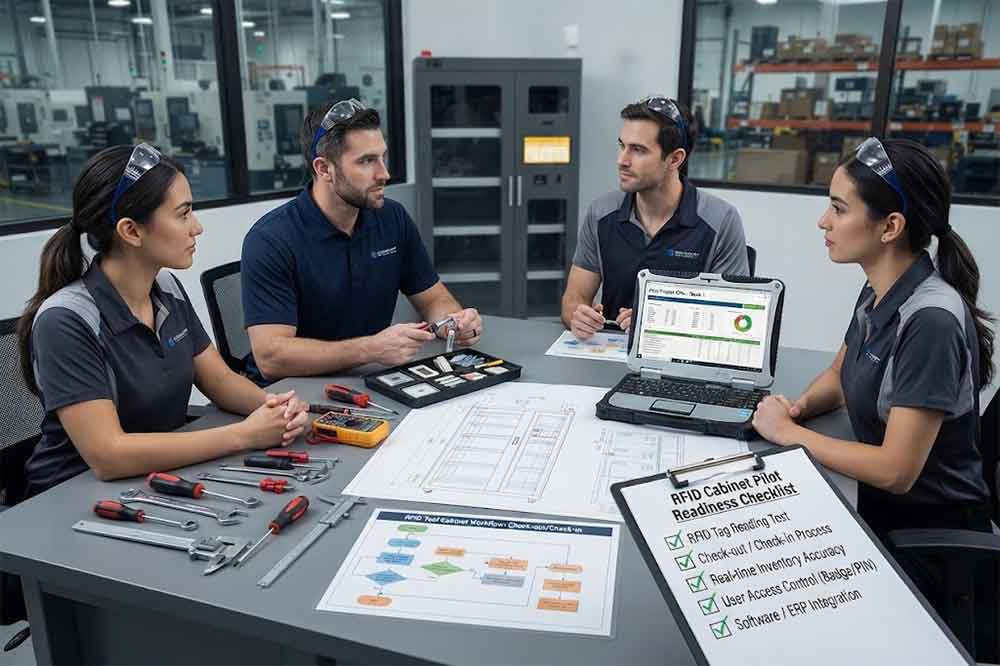
Start by deciding what the pilot needs to prove.
Different projects may have different priorities.
For example:
RFID performance:
Can the system reliably identify the selected tools?
Workflow:
Can technicians check tools in and out without slowing their work?
Inventory:
Can the system provide useful cabinet inventory information?
Access control:
Can different employees receive different permissions?
Integration:
Can tool transactions reach the company’s existing software?
Management value:
Can the collected data support real operational decisions?
Avoid defining the pilot as simply “test the RFID cabinet.”
A more specific objective produces more useful results.
Do not choose only the easiest tools for testing.
The pilot should include tools that represent actual operating conditions.
Consider including:
Tool materials and shapes can affect RFID performance.
The selected group should therefore represent the difficult cases as well as the normal ones.
The location can influence the test results.
A good pilot location should be close to the real workflow.
Possible locations include:
Consider network coverage, power supply, temperature, dust, oil, traffic, and available space.
A cabinet installed in a quiet office may not reveal problems that appear in an active factory.
Tagging is one of the most important pilot activities.
Before applying tags to hundreds or thousands of tools, test the tag type and mounting position.
Check:
For metal tools, use tags designed for metal applications when appropriate.
The tag should also remain attached during normal tool handling.
A tag that performs well electrically but falls off during daily use is not a successful solution.
The pilot should test actual tools under actual storage conditions.
Test tools:
The goal is to identify both successful and problematic scenarios.
Pay attention to:
Missed reads — an expected tool is not detected.
Unexpected reads — another tag is detected when it should not be.
Duplicate events — one action creates confusing or repeated records.
These conditions should be documented rather than ignored.
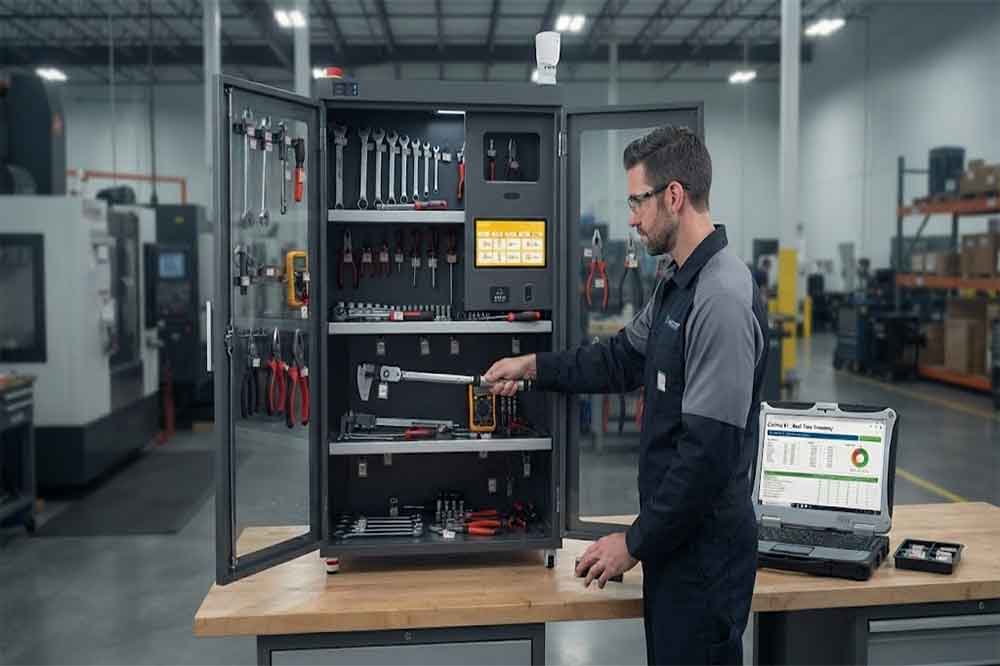
A tool cabinet rarely contains only one item.
Multiple-tool testing should therefore be part of the pilot.
Create realistic test groups.
For example:
Then test both removal and return.
The purpose is to understand how the system behaves when several tagged tools are stored close together.
A pilot should involve actual users.
Ask technicians to complete normal tasks rather than simply watching a supplier demonstration.
A typical workflow could be:
Measure the time required.
Also ask users where they feel the process is inconvenient.
Small workflow problems can become major issues when repeated hundreds of times every week.
User management should also be tested.
Create several user types.
For example:
Then assign different permissions.
Test whether users can:
This confirms that access control matches the actual organizational structure.
The pilot should verify whether the system can accurately represent cabinet inventory.
Create several situations:
Normal inventory:
All expected tools are present.
Missing tool:
Remove one tool without completing the expected return process.
Unexpected tool:
Place another tagged tool inside.
Checked-out tool:
Remove a tool through the normal workflow.
Returned tool:
Place the tool back into the cabinet.
Then compare the physical condition with the software record.
This is one of the most useful pilot tests because it connects RFID identification with real inventory management.
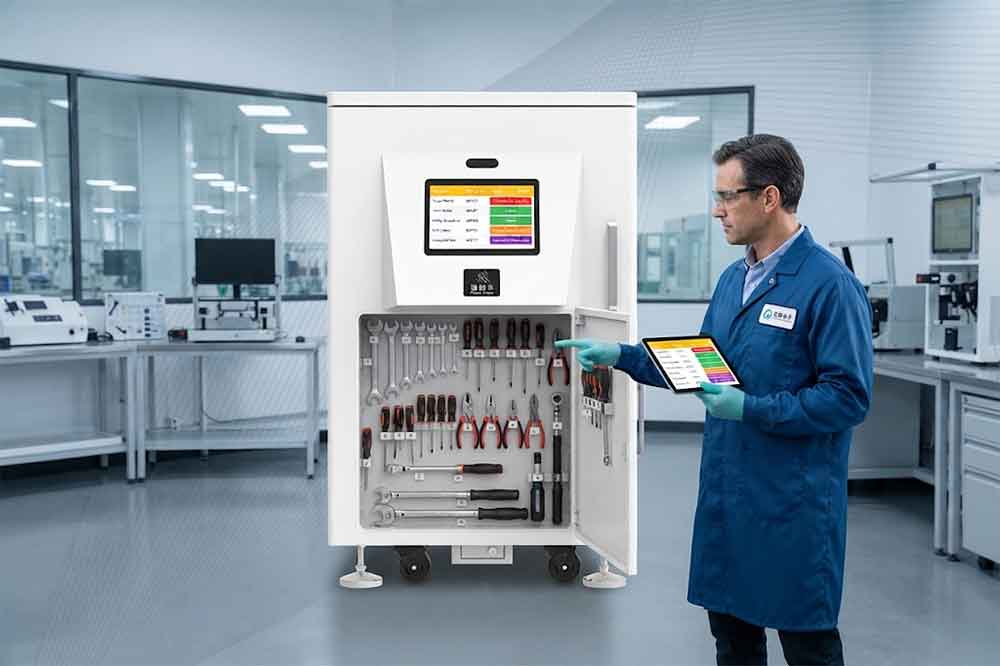
If the final project will connect with enterprise software, integration should be included in the pilot where practical.
Potential systems include:
Test the required data flow.
For example:
RFID event → Tool management software → API → CMMS
The pilot should verify whether the required information is transferred correctly.
Do not wait until full deployment to discover that the selected API does not provide the necessary data.
Industrial networks are not always perfect.
The pilot should include controlled communication testing.
For example, temporarily interrupt network communication and observe:
The exact behavior depends on the system architecture.
The important point is to understand what happens when communication is interrupted.
A pilot needs measurable results.
Useful indicators include:
| Metric | What to Measure |
|---|---|
| Tool Identification | Correctly identified tools |
| Missed Reads | Expected tools not detected |
| Unexpected Reads | Unwanted tag detection |
| Checkout Time | Time per transaction |
| Return Time | Time per return |
| Inventory Time | Time for inventory checking |
| Search Time | Time required to locate tools |
| User Errors | Incorrect workflow actions |
| System Availability | Operational availability |
| Integration | Successful data exchange |
Not every project needs every metric.
Select indicators that directly relate to the original pilot objectives.
Technical performance is only part of the pilot.
Technicians should also provide feedback.
Ask questions such as:
Users often identify workflow problems that are difficult to see from a technical specification.
A good pilot should not only test normal conditions.
Consider testing:
This helps reveal problems that may not appear during a simple demonstration.
Before the pilot starts, define what counts as success.
Acceptance criteria may cover:
The criteria should be measurable where possible.
For example, instead of saying:
“The RFID reading should be reliable.”
Define the actual test method and expected result for the selected tool group.
This creates a clearer basis for the final decision.
Every pilot will reveal something.
Create a simple issue log.
Record:
Common adjustments may include changing tag positions, modifying cabinet layout, adjusting RFID reader parameters, changing user permissions, or improving software workflows.
The purpose of the pilot is to discover these issues while the project is still small.
After testing, compare the pilot results with the original baseline.
Measure:
Then compare the operational results with the estimated full-project cost.
This connects the pilot directly with the RFID tool cabinet ROI evaluation.
A pilot should end with a documented decision.
Possible outcomes include:
Scale:
The system meets the required technical and workflow conditions.
Adjust and retest:
Some issues remain but can potentially be solved through configuration, tagging, cabinet layout, or software changes.
Stop:
The tested solution does not meet important project requirements.
The decision should be based on the agreed criteria and actual pilot data.
If the pilot succeeds, document what was learned.
Prepare:
This creates a repeatable deployment model for additional locations.
A pilot made entirely from plastic or easy-to-read tools may not represent the actual tool inventory.
A quiet demonstration does not represent a busy maintenance department.
Technicians interact with the system every day. Their feedback can reveal practical problems early.
A cabinet may work independently while the complete enterprise workflow still has data problems.
Without defined criteria, pilot results can become subjective.
Adding many cabinets before resolving pilot issues can multiply the same problem across the factory.
Before starting:
During testing:
After testing:
RFID tool cabinet pilot project gives manufacturers and maintenance departments a practical way to test the complete tool-management workflow before full deployment.
The pilot should cover more than RFID tag detection. It should test real tools, multiple-tool reading, checkout and return, inventory, authentication, permissions, software integration, network conditions, user experience, and measurable operational results.
A successful pilot produces more than a working demonstration. It creates a tested configuration and a clearer deployment plan.
For larger RFID tool management projects, this approach can reduce uncertainty and provide stronger evidence for the next stage of deployment.
It is a limited deployment used to test RFID hardware, tags, software, workflows, users, and integration under realistic operating conditions before wider deployment.
There is no universal number. The pilot should include enough tools to represent different materials, sizes, usage patterns, and difficult RFID conditions.
Yes. Actual technicians and other intended users can reveal workflow problems that may not appear during a supplier demonstration.
Test RFID identification, multiple-tool reading, checkout, return, inventory, authentication, permissions, software integration, network behavior, and user experience.
Expansion should follow the project’s predefined acceptance criteria. Critical technical or workflow problems should be resolved and retested before wider deployment.

Cykeo’s RFID Smart Tool Cabinet enables 10-second tool audits, user access control & real-time alerts for construction/oil/gas. Features 21.5″ touchscreen, IP54 steel body & -30°C~60°C operation. Supports SAP/Oracle integration.

Cykeo’s Intelligent Weighing Tool Cabinet combines weight sensors & RFID for 100% tool accountability. Features solar/4G options, IP54 steel-glass body & nuclear/rail compliance. Supports SAP/Oracle integration.

Cykeo’s solar-powered RFID Inventory Tool Cabinet enables 5-second audits for remote sites. Features 160W solar, Android 7.1, 4G & extreme temp operation for oil/energy/mining sectors.

Cykeo’s industrial RFID Tool Cart features 14″ touchscreen, 400+ tool scanning, and carbon steel construction for aviation MRO, power plants and construction sites. 5-second inventory scans.

Cykeo CYKEO-TC RFID multi-drawer tool cart manages 300+ tools via UHF RFID, features fingerprint/face recognition, Android/Windows OS, and SAP integration for nuclear/railway/fire safety sectors. IP54 rated for harsh environments.

Cykeo CYKEO-GTC4 RFID tool inventory cart manages 300+ tools via UHF RFID, features instant scanning, fingerprint/face recognition, and SAP integration for nuclear/railway/fire safety sectors. IP54 rated for harsh environments.

Cykeo CYKEO-GTC7 RFID aviation maintenance cart features military-grade build, blockchain audits, and predictive tool alerts for aircraft MRO. Achieves EASA/FAA compliance.

Cykeo CYKEO-GTC7A RFID real-time tool tracking cart features 99.9% accuracy, FOD prevention, and SAP integration for aviation/plant maintenance. Military-grade construction.

Cykeo CYKEO-GTC4B RFID mobile tool cart delivers 300-tool verification in 7 seconds with modular drawers, ≤150W power, and SAP integration for industrial/aviation use.

Cykeo CYKEO-GTC4C RFID workshop tool control cart delivers 300-tool inventory in 3 seconds with 10hr battery, SAP integration, and FOD prevention for industrial workshops.

Cykeo’s CYKEO-GTC4A multi-drawer RFID tool cart delivers 7-second aviation tool inventories, 10-hour battery, and dual authentication. ISO 18000-6C compliant for MRO/manufacturing.

Cykeo’s MIL-STD RFID tool tracking cart scans 300 tools in 7 seconds, with -20°C~60°C operation and FOD prevention for aviation/energy industries.

Cykeo’s space-saving RFID tool management cabinet offers 1000-tool capacity, ≤5s scans, and 24/7 unmanned operation for manufacturing/assembly plants.

Cykeo’s RFID industrial tool cabinet offers modular shelves, 21.5″ touchscreen, and voice guidance for manufacturing/energy sectors. 24/7 operation with ≤80W power.

Cykeo’s RFID secure tool cabinet features 4 lockable compartments, ≤150W power, and 24/7 monitoring for pharma/aerospace/electronics industries.

Cykeo’s RFID aviation tool cabinet features triple authentication, 14″ HD touchscreen, and thermostatic control for aircraft MRO/FAA compliance.

Cykeo’s RFID tool tracking system delivers self-service check-in/out, real-time alerts, and multilingual interface for correctional/military security.

Cykeo’s off-grid RFID tool inventory system features solar/wind power, -30°C~60°C operation, and military-grade durability for mining/energy/military sectors.

Cykeo’s industrial RFID tool accountability cabinet delivers 99.9% scan accuracy, adjustable shelves, and 24/7 operation for automotive/aerospace manufacturing.

Cykeo’s RFID multi-drawer tool cabinet features 5 adjustable drawers, biometric access, and 99.9% scan accuracy for automotive/aerospace manufacturing.

Cykeo’s RFID Automated Tool Cabinet delivers military security, adjustable shelving, and Java/C# SDK integration for defense/aerospace manufacturing.

Cykeo’s RFID scalable tool cabinet features multi-unit management, voice guidance, and semi-outdoor durability for automotive/construction/logistics.

Cykeo CYKEO-GT1B industrial RFID tool storage cabinet features Impinj R2000 UHF technology, 1,000+ tool capacity, IP54 protection, and Windows/Android OS for manufacturing/aviation MRO. Includes auto check-in/out and SAP/Oracle sync.

Cykeo CYKEO-GT3C industrial RFID tool checkout system Cabinet features millimeter-wave scanning, 280-layer storage, dual OS, and 99.9% accuracy for aviation/semiconductor sectors. Supports auto check-in/out and real-time SAP sync.


Cykeo CYKEO-GT3D RFID smart tool cabinet offers 5-second inventory scanning for 300+ tools, dual authentication, and 24/7 automated management for industrial facilities.

Discover the CYKEO-B1A Industrial RFID Backpack featuring advanced tool tracking technology with 25cm RF shielding, 7-day battery life, and wearable design for field maintenance professionals.
RFID Industry Writer | IoT & Asset Tracking Analyst
James writes about RFID technology, asset tracking, and the practical challenges of digital transformation across warehousing, retail, manufacturing, and logistics.
His work focuses on how RFID is applied in real-world operations—improving inventory visibility, automating workflows, and helping businesses manage assets with greater accuracy and efficiency.
He regularly covers topics including UHF RFID, smart cabinets, RFID portals, tool tracking, warehouse automation, and industrial IoT trends..

RFID reader is the device that sends radio signals to RFID tags, receives their responses, and passes the tag data to a software system. The right reader dep...
More
Discover the essential features of handheld RFID scanners for logistics and supply chain management. Compare durability, read range, software integration, and more.
More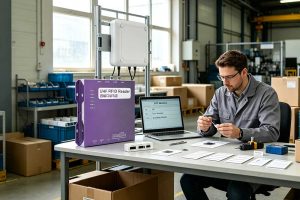
An RFID chip typically stores a 96- or 128-bit EPC, while higher-memory chips can provide hundreds or thousands of additional User Memory bits.
More
Learn the difference between RFID antennas and RFID readers, how they work together, and what businesses should consider when selecting RFID hardware for industrial and bulk RFID projects
More