 Cykeo RFID IoT Solution Products R&D Manufacturer

Can iPhone 13 Read RFID? Let’s Get This Sorted.
483Got an iPhone 13 and wondering "can iPhone 13 read RFID"? Here's exactly what it can do with NFC, what it can't do, and when you need professional hardware.
MoreAll RFID Product
Finding USB RFID reader manufacturer is not difficult. Finding one that can supply the right reader, support your software integration, and maintain consistent product quality over several production batches takes more work.
For a distributor, an unreliable shipment can delay customer deliveries. For a system integrator, a reader that works on a test bench but fails inside a metal cabinet can create weeks of troubleshooting. These problems are often harder to solve than the initial price difference between two suppliers.
Before requesting a quotation, buyers should look beyond the product listing. Here are the main points worth checking when evaluating a manufacturer for a new RFID project.
A manufacturer cannot recommend the right reader without understanding the application. Two USB RFID readers may look similar but operate on different frequencies, support different tags, or behave differently when installed in an actual working environment.
First, confirm which RFID technology the project requires.
Frequency alone is not enough. Ask the manufacturer to confirm the supported tag standards, protocols, and chip types. For example, a reader designed for a particular HF protocol may not support every 13.56 MHz tag.
If your application uses a specific tag, provide its model or datasheet before selecting the reader.
Published read range figures are useful for initial comparison, but they do not guarantee the same results at your installation site.
Tag antenna size, orientation, mounting materials, nearby metal, electromagnetic interference, and reader antenna design can all affect performance. A compact USB reader used at a desktop workstation has different requirements from a reader installed inside a tool cabinet.
Ask the manufacturer to test representative tags under conditions close to your application. A practical test is more useful than relying on a maximum distance quoted without explaining how it was measured.
A reader that works correctly in a sample test is only the starting point. Buyers also need confidence that subsequent production batches will perform similarly.
Discuss the manufacturer’s inspection process before placing a production order. Depending on the product design, relevant checks may include:
Ask whether these checks are performed on every unit or through sampling. The appropriate method depends on the product, application risk, and agreed quality requirements.
For projects with multiple deployment sites, consistent configuration is particularly important. Different firmware versions or reader settings can introduce problems when units are installed months apart.
A sample should be tested with the actual tags, computers, software, and mounting arrangements used in the project.
Check whether the reader reconnects reliably after a computer restarts, whether it handles repeated scans correctly, and whether its performance remains stable during normal operation. For applications involving many tagged objects, test the expected tag placement and reading workflow rather than relying on a single tag demonstration.
Record the sample’s model number, firmware version, interface settings, and test results. These details provide a useful reference when approving production units later.
Hardware compatibility is only one part of an RFID project. The reader must also communicate with the software that processes tag data.
Some USB RFID readers operate as keyboard-emulation devices, commonly described as HID keyboard interfaces. They send tag information as keyboard input, which can be convenient for simple data-entry workflows.
Other readers use a software development kit (SDK), a documented command interface, or an application programming interface (API). These options may offer more control over reader configuration, event handling, error reporting, and application-specific functions.
Neither approach is automatically better. The right choice depends on the software architecture and how much control the application requires.
Before ordering, ask the manufacturer which interface modes are supported and whether switching between them requires a different model, firmware, or configuration.
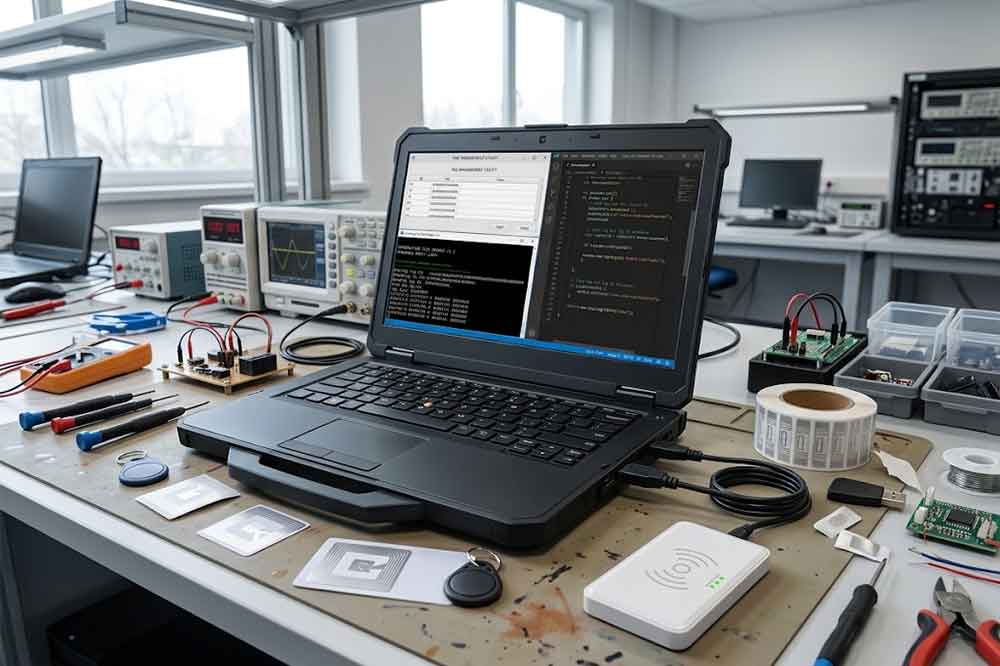
Confirm the supported operating systems and connection requirements. If the reader will connect to a Windows PC, an Android terminal, an embedded computer, or a custom workstation, state that clearly during the initial discussion.
For SDK-based projects, request the relevant documentation and example code. Ask about supported programming languages, available libraries, software dependencies, and the process for handling firmware or driver updates.
A useful next step is to review a technical guide to USB RFID reader SDK and API integration. Buyers should confirm that the manufacturer can provide documentation for the specific reader model being evaluated, rather than assuming every product shares the same SDK.
Standard products are suitable for many projects, but some applications require changes to the physical design or communication behavior.
A capable USB RFID reader manufacturer should be able to explain which options are available and which changes would require engineering work.
Depending on the product platform, customization may include:
These changes can affect tooling costs, sample schedules, minimum order quantities, and production lead times. Ask the supplier to distinguish standard options from new design work.
Some projects require changes to output formatting, communication commands, buzzer or LED behavior, or reader configuration. Others need a customized integration package for a particular application.
Before approving development, document the expected behavior and acceptance criteria. Confirm who owns the resulting software or design, how updates will be delivered, and whether future orders can use the same approved configuration.
Not every request is practical on every reader platform. A reliable manufacturer should identify technical limitations early instead of promising that every change can be completed without additional cost or testing.
A supplier may have a suitable product but still struggle to support a larger rollout. Buyers should understand how the manufacturer handles repeat orders, component availability, production planning, and quality issues.
Request separate estimates for samples, pilot quantities, and regular production orders. These schedules can differ considerably, especially when custom housings, firmware changes, or special packaging are involved.
For recurring projects, ask how the manufacturer manages component substitutions and product revisions. A change in a key component may affect reading performance or software behavior, so buyers should establish whether changes require prior approval.
You can also ask for the supplier’s process for handling defective units, replacement shipments, and technical escalation. These arrangements matter more when the readers become part of a larger system that must remain operational.
A manufacturer supplying desktop readers for retail checkout may have different experience from one focused on industrial tool tracking or library workstations.
Ask for examples of comparable applications, product documentation, and relevant test results. You do not necessarily need a supplier with experience in every industry. You need one that understands the technical conditions and commercial requirements of your particular project.
A lower quotation does not always produce a lower project cost.
The full cost may include the reader, cables, accessories, SDK licensing if applicable, customization, engineering support, testing, shipping, and replacement handling. Development fees and tooling costs can be significant when the project requires a non-standard design.
Ask suppliers to quote against the same specification. Otherwise, one quotation may include software support and customized packaging while another covers only a standard reader.
Lead time should also be part of the comparison. A small unit-price saving can be outweighed by integration delays or repeated engineering changes.
For distributors, it is worth checking whether the manufacturer can maintain the same model and configuration across repeat orders. For system integrators, the availability of technical support may matter more than a minor difference in the initial quotation.
The manufacturer’s response during the quotation stage can reveal how the project may be handled later.
Notice whether the supplier asks about the RFID standard, tag type, installation environment, operating system, and intended software interface. These questions show that the supplier is trying to match the product to the application rather than simply recommending a stock model.
Ask how technical issues are handled after delivery. Find out whether you can contact an engineer, what information is needed to diagnose a problem, and whether firmware updates or replacement units are available when required.
For a long-term B2B relationship, clear documentation and consistent communication help prevent small technical issues from becoming costly delays.
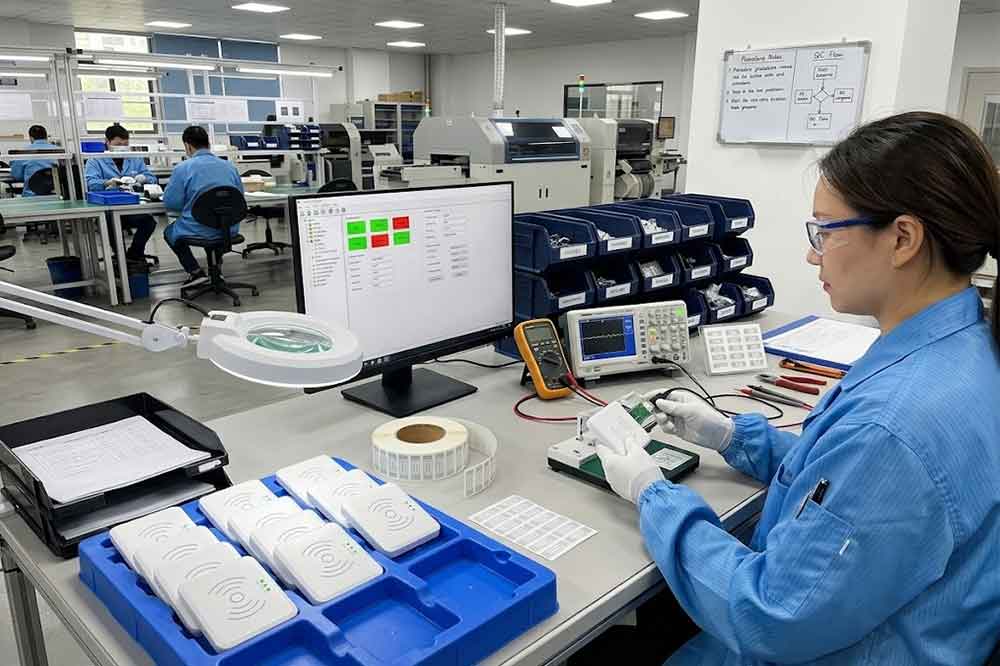
Before shortlisting a USB RFID reader manufacturer, make sure the following questions have been answered:
You do not need the supplier with the longest product catalog. You need one that can demonstrate that its reader fits your application and that it can support the project after the sample has been approved.
Choosing a USB RFID reader manufacturer is a technical and commercial decision. Product compatibility, repeatable quality, integration resources, customization options, and after-sales support all influence whether a reader can be deployed successfully.
Prepare the application requirements before requesting quotations, test samples in the intended environment, and agree on the product configuration and acceptance criteria before production. This approach gives buyers a more reliable basis for comparing suppliers and building a long-term working relationship.
If you are sourcing USB RFID readers for distribution, equipment manufacturing, or system integration, share your RFID frequency, tag type, interface requirements, and estimated quantity with the manufacturer. Those details make it easier to identify a suitable product and prepare a meaningful quotation.
For projects targeting Android devices rather than a conventional desktop environment, see our guide to connecting a USB RFID reader to Android for additional hardware and software considerations.”
When a USB RFID reader is detected by the computer but does not return tag data to your application, the problem may lie in device initialization or communication settings. Our USB RFID reader SDK and API integration guide explains how to connect the reader to software and handle tag data correctly.
For a practical application example, our guide to USB RFID readers for warehouse inventory explains how desktop RFID workflows can support item identification and inventory operations.
Developers building equipment or fixed-asset management systems can also explore RFID reader integration for asset tracking to understand how tag identification fits into an operational workflow.
If the reader can detect a tag but your inventory system or business application does not process the result, check how the application receives and interprets the data. This guide explains how to integrate a USB RFID reader into existing software, including the communication and data-handling steps involved.
The correct troubleshooting method depends partly on how the reader communicates with your computer. Before changing configuration settings, compare HID vs SDK for USB RFID readers to understand which interface suits your application and how each handles tag data.
“For a more integration-focused buying perspective, read our guide to a [USB RFID reader supplier for RFID system integrators].”
Look for a manufacturer that can demonstrate tag compatibility, stable reading performance, quality control, software integration support, and consistent production. Test samples before committing to a larger order.
Provide the RFID frequency, tag standard, expected reading distance, operating system, USB interface requirements, application environment, customization needs, estimated quantity, and target delivery schedule.
Many manufacturers offer options such as housing changes, logo printing, cable selection, firmware configuration, and software integration support. Availability depends on the product platform, order quantity, and engineering requirements.
An SDK is useful when your application needs direct control over the reader, structured data handling, or custom software integration. For simple keyboard-input workflows, an HID-compatible reader may be sufficient. Choose according to the project requirements.
Sample testing helps verify tag compatibility, reading performance, connection stability, and software behavior under actual operating conditions. It also provides a reference for approving production units and identifying problems before deployment.

Discover SSD-D4AL, a USB-HID UHF RFID reader with 4/8/16 antenna options, Impinj E710/X3M1 chipset, plug-and-play USB power, and OEM customization.

SSD-D3AL is a USB-HID UHF RFID reader with 0–30 cm reading, 0–15 cm writing, over 600 tags/s recognition, USB plug-and-play operation and OEM Logo customization.

SSD-D1AL is a compact USB UHF RFID reader with Impinj E710/X3M1 chipset, USB-HID, 600+ tags/s recognition, 4/8/16 antenna support and plug-and-play USB power.

CYKEO CYKEO-D1LA USB RFID Reader is a compact desktop solution with near-field control for precise tag reading and encoding. Powered by USB, supporting ISO 18000-6C, and built for stable batch writing, this usb rfid tag reader fits retail, libraries, offices, and controlled RFID encoding tasks.

CYKEO CYKEO-D1L RFID scanner USB is a compact desktop UHF RFID scanner designed for short-range tag writing and verification. This usb rfid scanner supports batch encoding, stable 0–26 dBm output, and works across Windows, Linux, and Android systems.

CYKEO CYKEO-D1C USB RFID Card Reader is a near-field UHF desktop writer designed for secure, short-range tag encoding. With USB-C connectivity and stable 26 dBm output, this rfid reader usb c is ideal for badge issuance, label encoding, and controlled desktop RFID workflows.

CYKEO CYKEO-D2L RFID Reader USB is a compact desktop encoder built on the Impinj R500 chip. With near-field control and stable USB power, this usb rfid card reader delivers precise tag writing for offices, retail counters, and small-scale logistics encoding tasks.

CYKEO CYKEO-D3L USB RFID Tag Reader delivers stable UHF tag reading and writing for daily desktop and light industrial tasks. Designed for controlled short-range operation, this USB RFID Tag Reader works reliably with rfid tag and reader systems in libraries, tool tracking, and inventory registration.

The CYKEO CYKEO-D4L UHF RFID Tag Reader is a stable Desktop RFID Reader designed for accurate tag registration, borrowing, and return workflows. Built with the Impinj R2000 chip, this UHF RFID Tag Reader delivers controlled short-range reads for libraries, asset tracking, and inventory management environments.

The CYKEO CYKEO-D5L Desktop RFID Card Reader is a stable UHF RFID Card Reader designed for controlled short-range reading and writing. Built for libraries, tool rooms, and asset desks, this UHF RFID Card Reader supports dense tag handling, secure data processing, and easy USB integration.

The CYKEO CYKEO-D6L RFID Reader Writer is a heavy-duty Desktop RFID Reader designed for short-range, high-accuracy tag programming. Built for libraries, labs, and asset desks, this RFID Reader Writer supports batch processing, stable 33dBm output, and seamless integration with existing management systems.

Cykeo CYKEO-D8B UHF RFID tunnel and RFID Desktop Reader features 30+ items batch reading,

Cykeo CYKEO-D8A embedded RFID badge reader offers 30+ tags/sec scanning, 20cm anti-crosstalk precision, and DC 12V power for unmanned stores, warehouses, and smart inventory systems.

Cykeo’s CYKEO-D8C UHF RFID gate reader achieves 200-tag/batch scanning with adjustable power control, ideal for retail inventory and smart warehouse management.
RFID Industry Writer | IoT & Asset Tracking Analyst
James writes about RFID technology, asset tracking, and the practical challenges of digital transformation across warehousing, retail, manufacturing, and logistics.
His work focuses on how RFID is applied in real-world operations—improving inventory visibility, automating workflows, and helping businesses manage assets with greater accuracy and efficiency.
He regularly covers topics including UHF RFID, smart cabinets, RFID portals, tool tracking, warehouse automation, and industrial IoT trends..

Got an iPhone 13 and wondering "can iPhone 13 read RFID"? Here's exactly what it can do with NFC, what it can't do, and when you need professional hardware.
More
Learn how to choose RFID antennas for metal environments. Discover why metal affects RFID signals and how industrial RFID projects solve interference, missed reads, and performance issues.
More
I’m sharing my hard-earned experience installing and tuning RFID access systems—everything from card read delays and signal interference to power tweaks. From datasheets to the real world, here’s how to avoid the mistakes I made.
More
Learn the different RFID types including LF, HF, and UHF RFID and understand how to choose the right RFID technology for asset tracking, logistics, and inventory management.
More