 Cykeo RFID IoT Solution Products R&D Manufacturer

How to Use RFID: Complete Guide for Real-World RFID Applications
143Learn how to use rfid for inventory, asset tracking, retail, and industrial automation. Discover RFID implementation methods and expert solutions from Cykeo.
MoreAll RFID Product
RFID tool standardization means creating consistent rules for identifying, categorizing, storing, tracking, and managing tools with RFID technology.
A standardized tool record might contain:
The goal is to make these records consistent across the organization.
For example, the same type of torque tool should not appear as completely different asset types simply because two departments use different naming conventions.
A tool cabinet can identify a tool very accurately while the underlying data remains inconsistent.
Consider two records:
Department A:Torque Wrench 20-100Nm
Department B:TW-100
They may refer to the same tool type.
Without standard naming or classification rules, reporting and searching become more difficult.
Standardization creates a common language between:
Tools → Employees → Cabinets → Software → Departments
This becomes particularly important when the organization wants to connect RFID cabinets with ERP, MES, WMS, CMMS, or custom software.
The tool ID is one of the most important fields in an RFID tool management system.
A practical ID structure may include:
Tool Category + Sequence Number
For example:
TW-000125
The exact format depends on the organization.
The important principles are:
The RFID tag ID and internal tool ID do not necessarily need to be identical.
The RFID identifier can act as the electronic identity, while the internal tool number remains the business identifier.
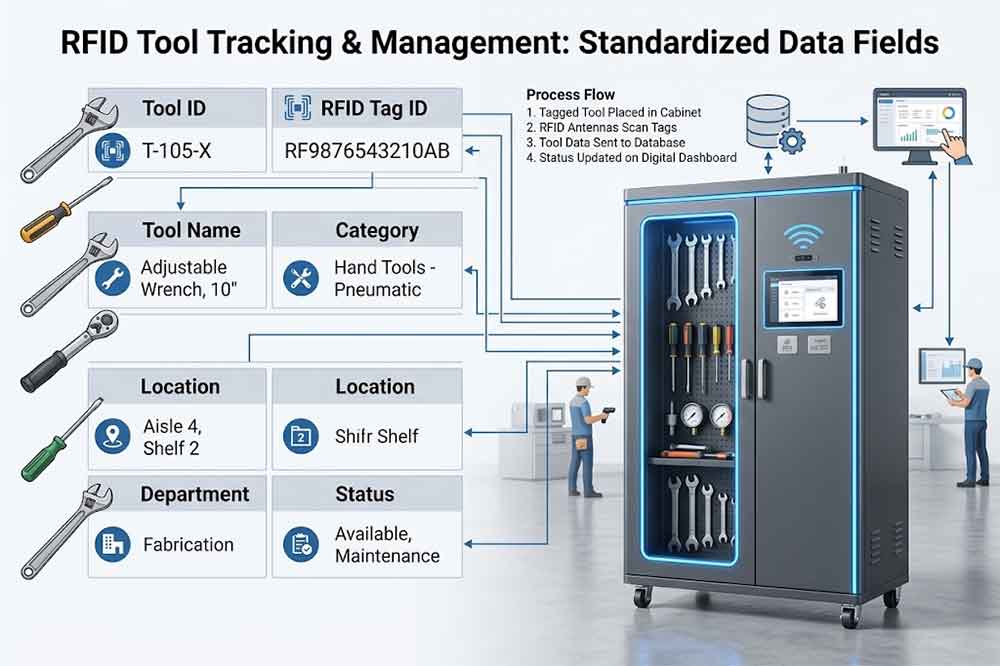
Tool names should follow a consistent naming structure.
A useful naming system may include:
Tool Type + Specification + Key Attribute
For example:
Torque Wrench 20-100 Nm
rather than using informal descriptions such as:
Small Torque Tool
Consistent names make searching and reporting easier.
However, names should not become unnecessarily long.
A separate specification field can store detailed information.
Tool categories help organize large tool inventories.
Possible categories include:
The category structure should reflect the organization’s actual tool population.
A very detailed classification can become difficult to maintain.
A simple hierarchy may work better:
Tool → Category → Subcategory → Tool Type
For example:
Tool → Measuring Tools → Electrical Measurement → Multimeter
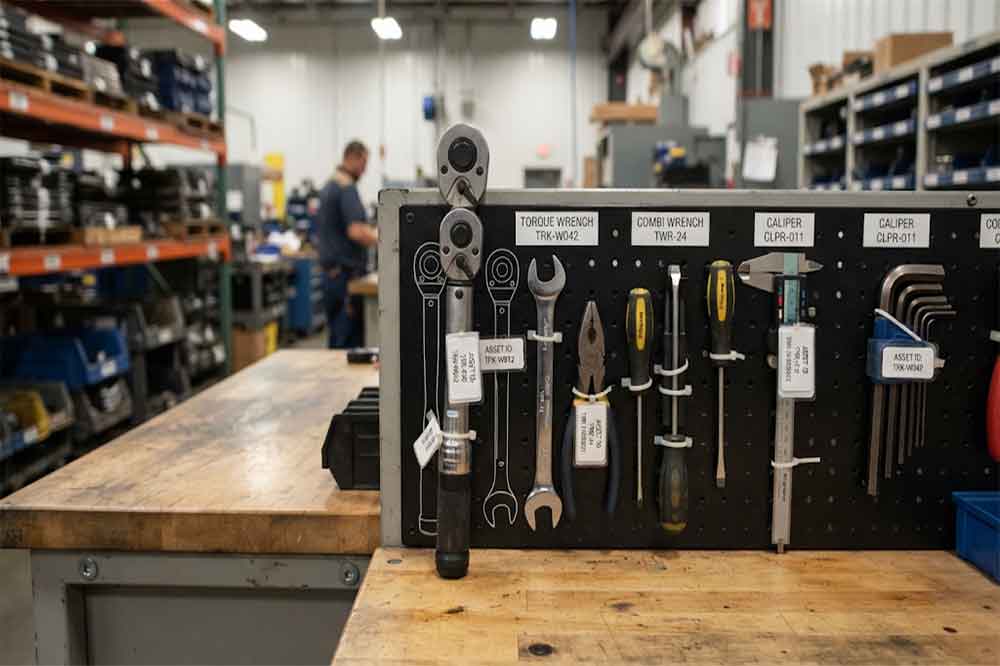
RFID tags should also follow a consistent management rule.
The physical tag may vary depending on the tool.
For example, a metal tool may require a tag designed for metal surfaces, while another tool may use a different tag format.
The important part is that the tag-to-tool relationship remains consistent.
A standard tagging process should define:
Standardization does not mean using exactly the same physical tag on every tool.
Different departments should use consistent status definitions where possible.
For example:
| Status | Meaning |
|---|---|
| Available | Ready for authorized use |
| Checked Out | Assigned to a user |
| Inspection Required | Awaiting inspection |
| Maintenance | Under repair or service |
| Calibration Required | Calibration is due |
| Restricted | Temporarily unavailable |
| Retired | No longer active |
Without standard status definitions, one department may use “Repair” while another uses “Maintenance” for the same condition.
This creates confusion in centralized reporting.
Location naming becomes important when multiple cabinets are deployed.
A location structure might look like:
Factory → Building → Floor → Department → Cabinet
For example:
Plant A → Building 2 → Floor 1 → Maintenance → Cabinet 03
This structure helps software distinguish cabinets that may have similar names.
It also makes tool movement easier to understand.
A tool can then have a location history such as:
Cabinet 03 → Production Line 2 → Inspection Room → Cabinet 03
Tool transactions should use consistent event names.
Examples include:
This is especially important when RFID events are sent to another software system.
A standardized event structure makes the data easier for external applications to interpret.
Employees do not necessarily need identical permissions.
Instead, the organization should define standard role types.
For example:
Can check out and return authorized tools.
Can approve exceptions and review transactions.
Can manage inventory and tool records.
Can update maintenance status.
Can manage inspection or calibration information.
Can configure users, permissions, and system settings.
The exact roles should match the organization’s workflow.
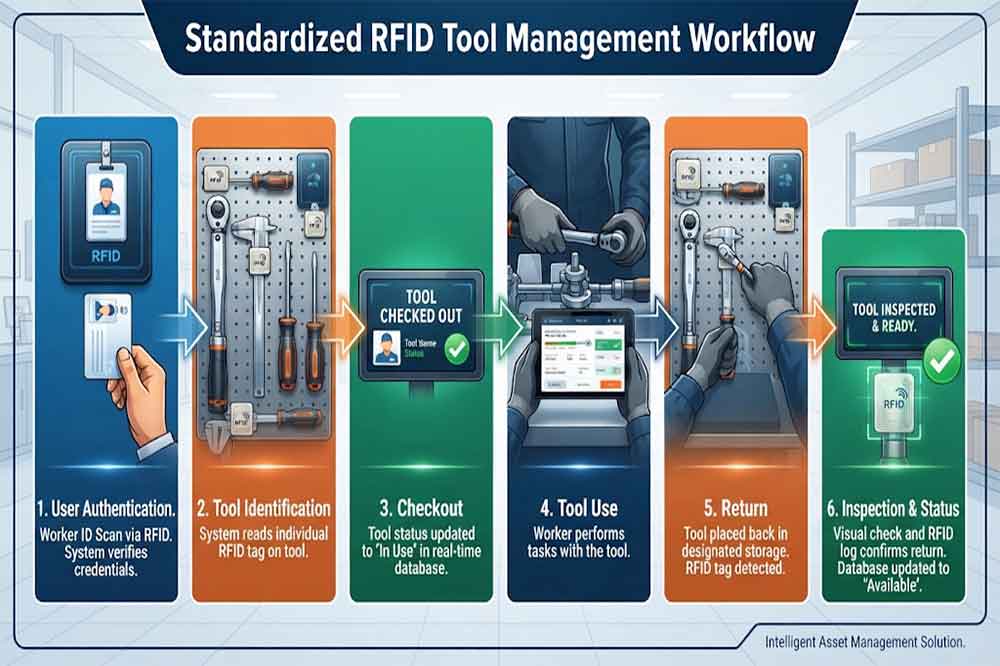
Employees should encounter similar workflows across different cabinets.
For example:
Authenticate → Select or Identify Tool → Remove Tool → Confirm Transaction
Return may follow:
Authenticate → Return Tool → RFID Identification → Status Check → Complete Return
A different cabinet may have a slightly different interface, but the basic logic should remain familiar.
This can reduce training requirements when employees move between departments.
See RFID Tool Cabinet User Training for more information.
Different departments often have different requirements.
Maintenance may manage hand tools.
Production may manage line-side tools.
Quality may manage precision measuring equipment.
These differences should not be eliminated.
Instead, organizations can standardize the common data structure while allowing department-specific fields.
For example:
Common fields:
Department-specific fields:
This provides consistency without forcing every department into exactly the same workflow.
Standardized data becomes especially valuable when integrating RFID cabinets with enterprise systems.
For example:
RFID Cabinet → Tool Event → API → CMMS / ERP / MES
If every cabinet uses different status names and field structures, integration becomes more complicated.
A standard data model can define:
This gives developers and integrators a clearer foundation.
See RFID tool cabinet software integration.
Standardization also improves traceability.
If tool IDs, locations, users, and events follow consistent rules, historical records become easier to interpret.
For example:
Tool ID: TW-000125
could have a history of:
Registered → Cabinet A → Checked Out → Production → Returned → Maintenance → Calibration → Cabinet A
If the same tool is renamed differently at every stage, the historical record becomes harder to analyze.
See RFID Tool Cabinet for Tool Traceability.
Tool standardization should also support the complete tool lifecycle.
A standard lifecycle may include:
Registration → Active → Checked Out → Inspection → Maintenance → Calibration → Available → Retired
This allows the same lifecycle concepts to be applied across different cabinets.
The exact requirements can still vary by tool category.
See RFID Tool Cabinet for Tool Lifecycle Management.
Usage data becomes more useful when tool IDs and transaction types are consistent.
For example, if three cabinets use different event names for checkout, a centralized report may struggle to calculate total usage correctly.
With consistent event definitions, the system can analyze:
See RFID Tool Cabinet for Tool Usage Monitoring.
Review current spreadsheets, ERP records, labels, asset numbers, and tool room records.
Identify tools that appear multiple times under different names or numbers.
Create a consistent identification structure.
Build a practical category hierarchy.
Specify tag selection, placement, registration, and replacement procedures.
Create a shared vocabulary for tool conditions.
Create consistent cabinet and department location codes.
Standardize checkout, return, transfer, inspection, maintenance, and retirement events.
Create consistent permission groups.
Use real tool records before deploying across the entire organization.
Before deployment, confirm:
A standard becomes difficult to use when every small difference requires another rule.
Keep the core rules simple.
Tool IDs should normally remain stable throughout the tool lifecycle.
Different words for the same condition create reporting problems.
Existing ERP, spreadsheet, or CMMS records should be considered before creating a new structure.
Using identical RFID cabinets does not guarantee consistent management.
Standardization should provide a common foundation while allowing legitimate operational differences.
It is the use of consistent rules for tool IDs, RFID tags, categories, statuses, locations, transactions, users, and digital records.
Not necessarily. Tag selection should depend on the tool material, shape, environment, and reading requirements. The registration process should remain standardized.
Yes. Common data and core rules can be standardized while department-specific workflows remain flexible.
Unique and stable IDs reduce duplicate records and make inventory, traceability, lifecycle, usage, and software integration easier.
Yes. Consistent field names, tool IDs, locations, statuses, and event types can simplify data mapping and system integration.

Cykeo’s RFID Smart Tool Cabinet enables 10-second tool audits, user access control & real-time alerts for construction/oil/gas. Features 21.5″ touchscreen, IP54 steel body & -30°C~60°C operation. Supports SAP/Oracle integration.

Cykeo’s Intelligent Weighing Tool Cabinet combines weight sensors & RFID for 100% tool accountability. Features solar/4G options, IP54 steel-glass body & nuclear/rail compliance. Supports SAP/Oracle integration.

Cykeo’s solar-powered RFID Inventory Tool Cabinet enables 5-second audits for remote sites. Features 160W solar, Android 7.1, 4G & extreme temp operation for oil/energy/mining sectors.

Cykeo’s industrial RFID Tool Cart features 14″ touchscreen, 400+ tool scanning, and carbon steel construction for aviation MRO, power plants and construction sites. 5-second inventory scans.

Cykeo CYKEO-TC RFID multi-drawer tool cart manages 300+ tools via UHF RFID, features fingerprint/face recognition, Android/Windows OS, and SAP integration for nuclear/railway/fire safety sectors. IP54 rated for harsh environments.

Cykeo CYKEO-GTC4 RFID tool inventory cart manages 300+ tools via UHF RFID, features instant scanning, fingerprint/face recognition, and SAP integration for nuclear/railway/fire safety sectors. IP54 rated for harsh environments.

Cykeo CYKEO-GTC7 RFID aviation maintenance cart features military-grade build, blockchain audits, and predictive tool alerts for aircraft MRO. Achieves EASA/FAA compliance.

Cykeo CYKEO-GTC7A RFID real-time tool tracking cart features 99.9% accuracy, FOD prevention, and SAP integration for aviation/plant maintenance. Military-grade construction.

Cykeo CYKEO-GTC4B RFID mobile tool cart delivers 300-tool verification in 7 seconds with modular drawers, ≤150W power, and SAP integration for industrial/aviation use.

Cykeo CYKEO-GTC4C RFID workshop tool control cart delivers 300-tool inventory in 3 seconds with 10hr battery, SAP integration, and FOD prevention for industrial workshops.

Cykeo’s CYKEO-GTC4A multi-drawer RFID tool cart delivers 7-second aviation tool inventories, 10-hour battery, and dual authentication. ISO 18000-6C compliant for MRO/manufacturing.

Cykeo’s MIL-STD RFID tool tracking cart scans 300 tools in 7 seconds, with -20°C~60°C operation and FOD prevention for aviation/energy industries.

Cykeo’s space-saving RFID tool management cabinet offers 1000-tool capacity, ≤5s scans, and 24/7 unmanned operation for manufacturing/assembly plants.

Cykeo’s RFID industrial tool cabinet offers modular shelves, 21.5″ touchscreen, and voice guidance for manufacturing/energy sectors. 24/7 operation with ≤80W power.

Cykeo’s RFID secure tool cabinet features 4 lockable compartments, ≤150W power, and 24/7 monitoring for pharma/aerospace/electronics industries.

Cykeo’s RFID aviation tool cabinet features triple authentication, 14″ HD touchscreen, and thermostatic control for aircraft MRO/FAA compliance.

Cykeo’s RFID tool tracking system delivers self-service check-in/out, real-time alerts, and multilingual interface for correctional/military security.

Cykeo’s off-grid RFID tool inventory system features solar/wind power, -30°C~60°C operation, and military-grade durability for mining/energy/military sectors.

Cykeo’s industrial RFID tool accountability cabinet delivers 99.9% scan accuracy, adjustable shelves, and 24/7 operation for automotive/aerospace manufacturing.

Cykeo’s RFID multi-drawer tool cabinet features 5 adjustable drawers, biometric access, and 99.9% scan accuracy for automotive/aerospace manufacturing.

Cykeo’s RFID Automated Tool Cabinet delivers military security, adjustable shelving, and Java/C# SDK integration for defense/aerospace manufacturing.

Cykeo’s RFID scalable tool cabinet features multi-unit management, voice guidance, and semi-outdoor durability for automotive/construction/logistics.

Cykeo CYKEO-GT1B industrial RFID tool storage cabinet features Impinj R2000 UHF technology, 1,000+ tool capacity, IP54 protection, and Windows/Android OS for manufacturing/aviation MRO. Includes auto check-in/out and SAP/Oracle sync.

Cykeo CYKEO-GT3C industrial RFID tool checkout system Cabinet features millimeter-wave scanning, 280-layer storage, dual OS, and 99.9% accuracy for aviation/semiconductor sectors. Supports auto check-in/out and real-time SAP sync.


Cykeo CYKEO-GT3D RFID smart tool cabinet offers 5-second inventory scanning for 300+ tools, dual authentication, and 24/7 automated management for industrial facilities.

Discover the CYKEO-B1A Industrial RFID Backpack featuring advanced tool tracking technology with 25cm RF shielding, 7-day battery life, and wearable design for field maintenance professionals.
RFID Industry Writer | IoT & Asset Tracking Analyst
James writes about RFID technology, asset tracking, and the practical challenges of digital transformation across warehousing, retail, manufacturing, and logistics.
His work focuses on how RFID is applied in real-world operations—improving inventory visibility, automating workflows, and helping businesses manage assets with greater accuracy and efficiency.
He regularly covers topics including UHF RFID, smart cabinets, RFID portals, tool tracking, warehouse automation, and industrial IoT trends..

Learn how to use rfid for inventory, asset tracking, retail, and industrial automation. Discover RFID implementation methods and expert solutions from Cykeo.
More
A technical guide for selecting long-range RFID readers for industrial applications. Covers reading distance, throughput, protocol compatibility, and environmental durability for warehouses, production lines, and gate access systems.
More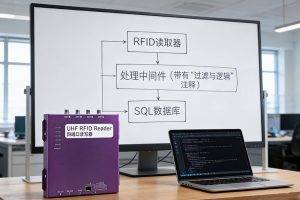
Learn how to connect RFID reader to SQL database. Our guide covers data flow architecture, deduplication strategies, and reliable integration using CYKEO tools.
More
What is RFID in inventory management? Learn how RFID improves stock accuracy, real-time visibility, and warehouse efficiency with Cykeo smart inventory tracking solutions.
More