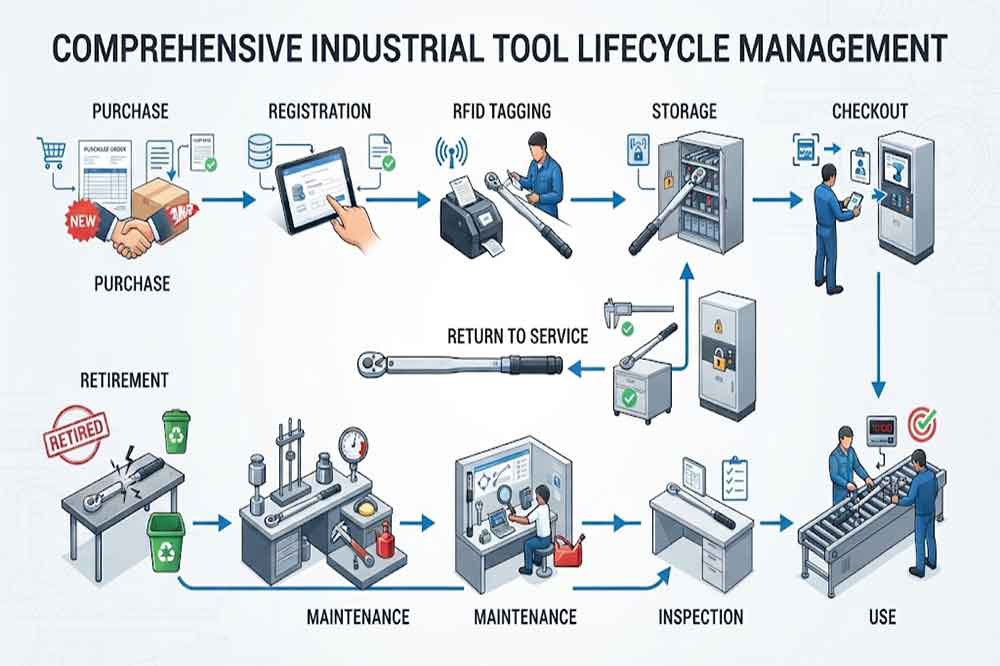
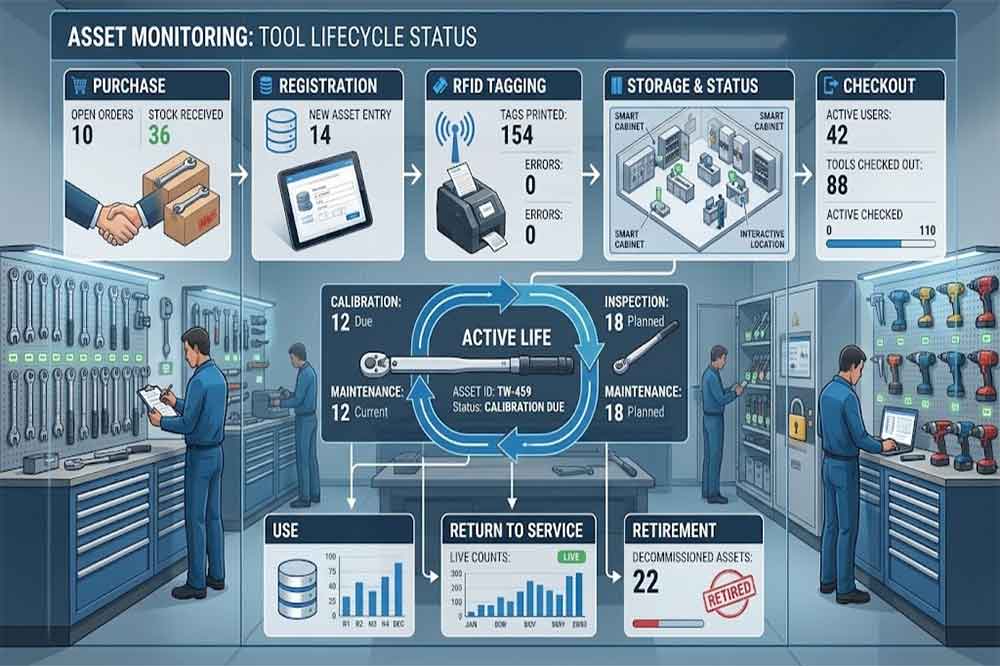
Tool lifecycle management means managing a tool through the different stages of its working life.
A typical lifecycle may look like:
Purchase → Registration → RFID Tagging → Storage → Issue → Use → Inspection → Maintenance → Calibration → Return to Service → Retirement
Not every tool will pass through every stage.
For example, a simple hand tool may require only registration, issue, return, inspection, and retirement.
A precision measuring instrument may require much more information, including calibration certificates, inspection results, service history, and restricted-use rules.
The lifecycle should therefore be designed around the actual tool category.
Stage 1: Tool Registration
The lifecycle starts when the tool enters the organization.
The digital record may include:
Tool ID
Tool name
Manufacturer information
Model
Specification
Purchase date
Supplier
Department
Tool category
Ownership
RFID tag ID
Calibration requirement
Maintenance requirement
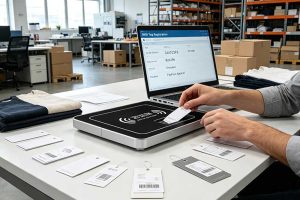
The RFID tag connects the physical tool to this record.
This is important because two tools can look almost identical while having completely different service histories.
A unique tool ID helps prevent these records from being mixed.
Stage 2: RFID Tagging and Identification
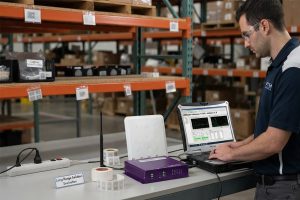
The RFID tag should be selected according to the tool’s physical characteristics.
Metal surfaces, curved surfaces, small tools, high-temperature environments, chemicals, and frequent handling can all affect tag selection.
A tag that works well on one tool may not perform the same way on another.
For this reason, organizations should test representative tools before applying tags to the entire tool population.
The objective is not simply to attach an RFID label.
The objective is to create a stable relationship between:
Physical Tool ↔ RFID Identity ↔ Digital Tool Record
Stage 3: Storage and Availability
After registration, tools may be placed inside an RFID smart tool cabinet or another controlled storage location.
The system can associate the tool with:
Cabinet
Shelf or position
Department
Location
Availability
Current status
This gives employees a more useful view than simply seeing a physical storage cabinet.
For example, a tool may exist in the inventory database but still be unavailable because it is undergoing calibration.
The system should distinguish between inventory existence and actual availability.
Why Lifecycle Management Is Different From Inventory Management
Inventory management mainly asks:
“What tools do we have?”
Lifecycle management asks:
“What stage is each tool in, and what should happen next?”
For example, two identical torque tools may both exist in inventory.
But:
Tool A is available.
Tool B is overdue for calibration.
Inventory counting alone may treat both as available assets.
Lifecycle management distinguishes their operational status.
This is one reason lifecycle data can become more useful than simple inventory totals.
Practical Implementation Workflow
A practical project can follow these steps:
1. Classify tool types
Separate general hand tools, precision tools, high-value tools, specialized equipment, and other categories.
2. Define lifecycle stages
Document what happens from tool registration through retirement.
3. Create unique IDs
Make sure every managed tool has one clear digital identity.
4. Select RFID tags
Test tag performance on representative tools.
5. Define status rules
Specify who can change a tool from available to maintenance, calibration, restricted, or retired.
6. Configure cabinet workflows
Connect RFID identification with checkout, return, inventory, and status changes.
7. Connect software
Map tool events to ERP, MES, CMMS, calibration, or custom systems where required.
8. Test real scenarios
Test normal use, damaged returns, calibration expiry, maintenance, missing tools, and retirement.
9. Train employees
Users should understand what each tool status means and what action is required.
10. Review lifecycle data
After deployment, review whether the system is producing useful information rather than unnecessary records.
Common Mistakes in Tool Lifecycle Management
Treating Every Tool the Same
A screwdriver and a precision measuring instrument may need completely different lifecycle rules.
Deleting Retired Tools
Retirement should normally close the lifecycle rather than erase the historical record.
Using Too Many Statuses
Complex status systems can confuse employees and reduce adoption.
Ignoring Maintenance Data
Tool lifecycle management becomes less useful when maintenance events are kept outside the main tool record.
Skipping RFID Tag Testing
Tags should be tested on actual tools and in the real cabinet environment.
Automating Before Defining the Workflow
RFID hardware cannot fix an unclear lifecycle process.
Tool Lifecycle Management Checklist
Before deployment, confirm:
Tool categories are defined
Unique tool IDs are available
RFID tags are tested
Lifecycle stages are documented
Tool statuses are clear
User permissions are defined
Checkout rules are documented
Return inspection is defined
Maintenance workflow is defined
Calibration workflow is defined
Retirement rules are defined
Software integration is tested
Historical records are retained
Users are trained
Acceptance criteria are documented
FAQs
1. What is RFID tool lifecycle management?
It is the management of a tool from registration and storage through use, inspection, maintenance, calibration, and eventual retirement, using RFID identification and connected software.
2. Can an RFID cabinet manage tool maintenance status?
Yes. RFID identifies the tool, while connected software can store maintenance status and update availability according to the organization’s workflow.
3. Can retired tools remain in the system?
Yes. Keeping retired records can preserve purchase, usage, maintenance, calibration, and retirement history for future reference.
4. Does every tool need the same lifecycle?
No. Lifecycle rules should match the tool category. Precision and regulated tools may require more inspection and calibration stages than basic hand tools.
5. Can lifecycle management connect with a CMMS?
Yes. An RFID cabinet can provide tool identification and transaction events that may be integrated with a CMMS through the available software interface.
Cykeo’s RFID Smart Tool Cabinet enables 10-second tool audits, user access control & real-time alerts for construction/oil/gas. Features 21.5″ touchscreen, IP54 steel body & -30°C~60°C operation. Supports SAP/Oracle integration.
Cykeo’s industrial RFID Tool Cart features 14″ touchscreen, 400+ tool scanning, and carbon steel construction for aviation MRO, power plants and construction sites. 5-second inventory scans.
Cykeo CYKEO-TC RFID multi-drawer tool cart manages 300+ tools via UHF RFID, features fingerprint/face recognition, Android/Windows OS, and SAP integration for nuclear/railway/fire safety sectors. IP54 rated for harsh environments.
Cykeo CYKEO-GTC4 RFID tool inventory cart manages 300+ tools via UHF RFID, features instant scanning, fingerprint/face recognition, and SAP integration for nuclear/railway/fire safety sectors. IP54 rated for harsh environments.
Cykeo CYKEO-GTC7A RFID real-time tool tracking cart features 99.9% accuracy, FOD prevention, and SAP integration for aviation/plant maintenance. Military-grade construction.
Cykeo CYKEO-GTC4B RFID mobile tool cart delivers 300-tool verification in 7 seconds with modular drawers, ≤150W power, and SAP integration for industrial/aviation use.
Cykeo CYKEO-GTC4C RFID workshop tool control cart delivers 300-tool inventory in 3 seconds with 10hr battery, SAP integration, and FOD prevention for industrial workshops.
Cykeo’s off-grid RFID tool inventory system features solar/wind power, -30°C~60°C operation, and military-grade durability for mining/energy/military sectors.
Cykeo’s RFID multi-drawer tool cabinet features 5 adjustable drawers, biometric access, and 99.9% scan accuracy for automotive/aerospace manufacturing.
Cykeo CYKEO-GT1B industrial RFID tool storage cabinet features Impinj R2000 UHF technology, 1,000+ tool capacity, IP54 protection, and Windows/Android OS for manufacturing/aviation MRO. Includes auto check-in/out and SAP/Oracle sync.
Cykeo CYKEO-GT3C industrial RFID tool checkout system Cabinet features millimeter-wave scanning, 280-layer storage, dual OS, and 99.9% accuracy for aviation/semiconductor sectors. Supports auto check-in/out and real-time SAP sync.
Discover the CYKEO-B1A Industrial RFID Backpack featuring advanced tool tracking technology with 25cm RF shielding, 7-day battery life, and wearable design for field maintenance professionals.
RFID Industry Writer | IoT & Asset Tracking Analyst
James writes about RFID technology, asset tracking, and the practical challenges of digital transformation across warehousing, retail, manufacturing, and logistics.
His work focuses on how RFID is applied in real-world operations—improving inventory visibility, automating workflows, and helping businesses manage assets with greater accuracy and efficiency.
He regularly covers topics including UHF RFID, smart cabinets, RFID portals, tool tracking, warehouse automation, and industrial IoT trends..
Choosing the right long range RFID scanner is not only about reading distance. Learn what RFID solution providers should consider before buying readers for warehouse, logistics, and industrial projects.
Discover how an RFID door lock access control system works, its key benefits, and real-world applications in offices, hotels, schools, warehouses, and hospitals. Learn why RFID access control is more secure and flexible than traditional locks.
CYKEO CK-B4L is a compact RFID Card Reader Android, designed for developers building Android systems and apps. RFID Reader for Android App Connect via Type-C to enable fast, stable RFID tag reading for anti-counterfeiting, inspection, picking, an...
Can you print RFID tags? Learn how RFID labels are printed, encoded, tested, and deployed, with practical guidance on tag memory, EPC data, printers, and reliable encoding for retail and industrial use.
 Cykeo RFID IoT Solution Products R&D Manufacturer