 Cykeo RFID IoT Solution Products R&D Manufacturer

How Do RFID Tags Modulate?
401Wondering how do RFID tags modulate data? We explain the practical backscatter method used by passive tags and how it impacts your real-world system performance.
MoreAll RFID Product
RFID tool cabinet data management is the process of creating, organizing, updating, synchronizing, and maintaining the digital information associated with RFID-managed tools.
A typical tool record may contain:
Not every project needs every field.
The data structure should reflect the actual management workflow.
A common assumption is that RFID automatically makes tool data accurate.
It does not.
RFID can identify a tag, but the system still needs to know what that tag represents.
For example:
RFID Tag: E200123456789
The software needs to know:
Tool ID: TW-00125
Tool Name: Torque Wrench
Specification: 20–100 Nm
Location: Maintenance Cabinet 02
If the RFID tag is assigned to the wrong tool record, every later transaction can also become incorrect.
This is why RFID deployment should include a data preparation stage.
A tool master record is the central digital record for an individual tool.
A practical master record may include:
The exact structure should be adapted to the organization’s requirements.
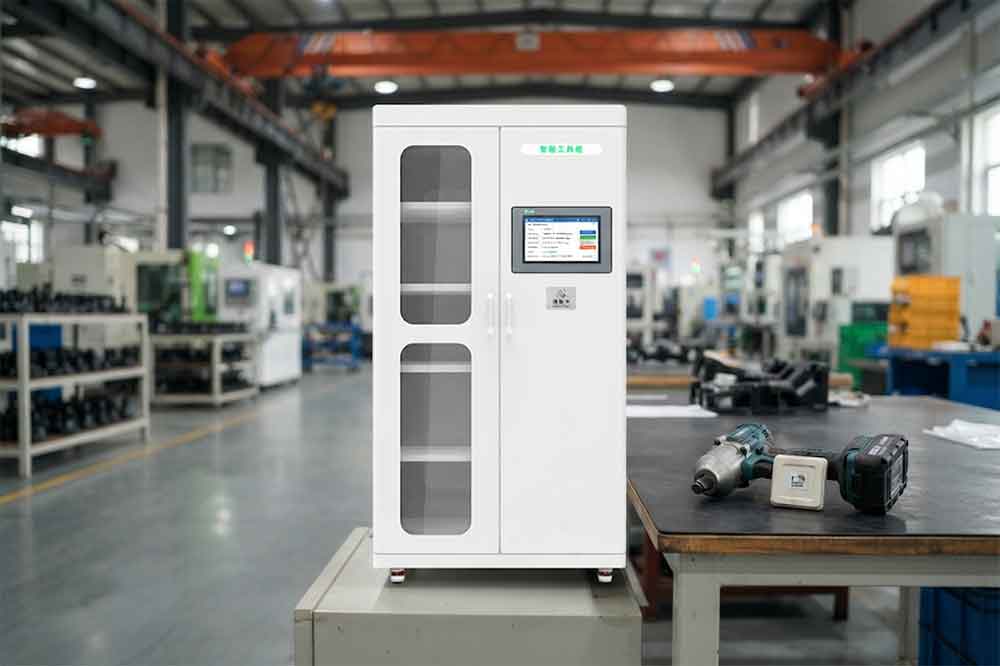
These two types of information should not be confused.
The RFID tag contains or provides an electronic identifier.
The tool master record contains the business information associated with that identifier.
A simplified relationship is:
RFID Tag ID → Tool Master Record → Tool Management Information
This separation can make the system easier to maintain.
If a damaged RFID tag needs to be replaced, the new tag can be linked to the existing tool record instead of creating a completely new tool.
Tool records should use consistent field definitions.
For example, one system should not use:
Department
while another uses:
Dept.
and a third uses:
Responsible Area
for exactly the same concept without a defined mapping.
Common fields may include:
This supports cleaner reporting and easier software integration.
For a broader standardization strategy, see RFID Tool Cabinet for Tool Standardization.
Duplicate records can appear during migration or manual data entry.
For example:
TW-00125
and
Torque-125
may represent the same physical tool.
If both remain active, the organization may see incorrect inventory totals.
A data cleaning process should identify:
Duplicates should be resolved before large-scale RFID deployment.
RFID tags can eventually become damaged or unreadable.
A replacement process should preserve the existing tool identity.
For example:
Old RFID Tag → Tool ID TW-00125 → Retired Tag
then:
New RFID Tag → Tool ID TW-00125 → Active Tag
The tool’s historical transactions should remain associated with the tool.
This is especially important for tools with maintenance, calibration, or quality records.
Tool status should be updated consistently.
A practical status structure might include:
The exact terminology can vary.
The important point is that every status should have a clear definition.
For example, “Unavailable” could mean:
If these situations are operationally different, they may need separate status or reason fields.
Location information is another important part of RFID tool data.
A simple location structure may be:
Factory → Building → Department → Cabinet
For example:
Plant A → Building 1 → Maintenance → Cabinet 04
When a tool moves, the location should be updated according to the workflow.
The system should also distinguish between:
Current Location
and
Location History
The current location supports daily operations.
The historical location supports traceability.
Tool transactions may need to connect with employee identities.
A tool event could contain:
Tool ID + User ID + Cabinet ID + Time + Event
The system should define where user information comes from.
Possible sources include:
The RFID cabinet should not become an isolated user database unless there is a specific reason to do so.
One important question is:
Who is responsible for each piece of tool information?
For example:
| Data | Possible Owner |
|---|---|
| Tool ID | Tool Management |
| RFID Tag ID | Tool Room |
| Location | Tool Room |
| User | IT / HR |
| Maintenance Status | Maintenance |
| Calibration Status | Quality |
| Purchase Data | Procurement |
| Work Order | CMMS / Production |
The exact ownership model varies.
What matters is that responsibility is clearly defined.
In a larger system, RFID cabinets may exchange data with other software.
For example:
RFID Cabinet ↔ Tool Database ↔ CMMS ↔ ERP
Synchronization can be:
Events are transferred immediately.
Data is synchronized at fixed intervals.
Specific actions trigger data updates.
The appropriate method depends on the business process and system architecture.
Industrial environments may occasionally experience network interruptions.
The system should define what happens when a cabinet cannot reach the central server.
Possible approaches include:
The exact implementation depends on the hardware and software architecture.
The key requirement is that temporary communication problems should not silently create missing transactions.
Many organizations already have tool records.
These may exist in:
Before importing this data into a new RFID system, it should be reviewed.
A migration process may include:
Export → Clean → Match → Deduplicate → Validate → Import → Test
For large tool inventories, this step can take significant effort.
The quality of the starting data can strongly affect the quality of the final RFID system.
After importing tool records, sample checks should be performed.
For example:
Physical Tool → RFID Tag → Digital Record → Cabinet → Status
A technician can physically verify a sample of tools.
This can identify:
Testing real tools is more reliable than checking only spreadsheets.
Not every employee needs permission to change every tool field.
For example:
A technician may check out a tool.
A tool room manager may update its location.
A maintenance manager may update maintenance status.
A quality administrator may update calibration information.
An administrator may manage system configuration.
Role-based permissions can reduce accidental data changes.
When multiple cabinets share one platform, centralized data management becomes increasingly important.
Each cabinet should have a unique cabinet ID.
Each tool should have a unique tool ID.
Each RFID tag should have a unique tag identity.
Each user should have a unique user identity.
This creates a basic structure:
Tool + Tag + User + Cabinet + Event + Time
From this structure, the system can build inventory, traceability, usage, lifecycle, and reporting functions.
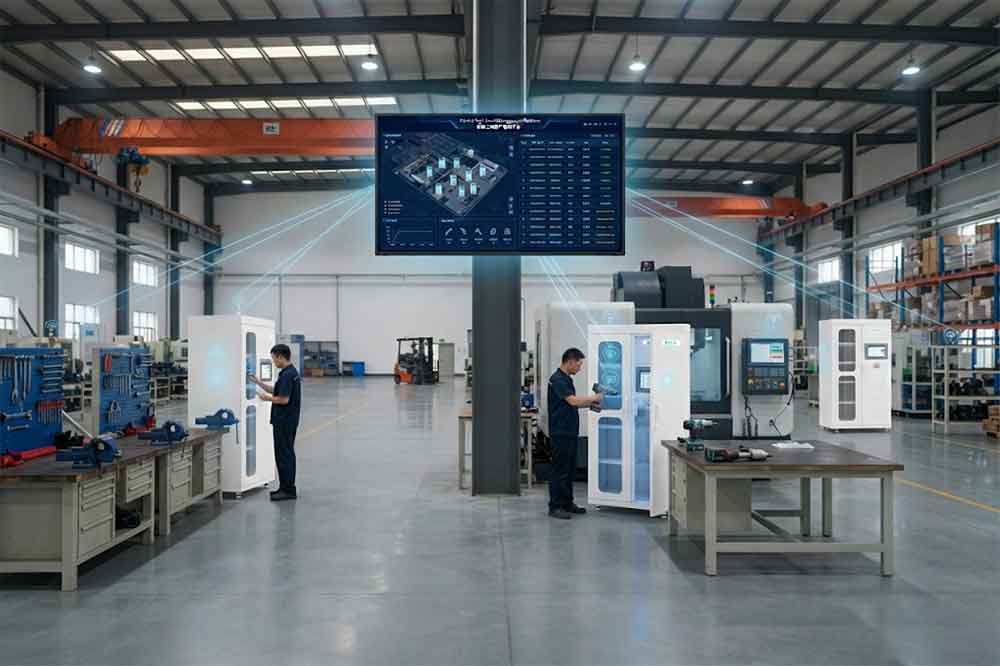
Clean data improves reporting.
A management dashboard may show:
Poor data can make these reports misleading.
For example, if one department uses “Maintenance” and another uses “Repair” for the same status, a report may incorrectly show two separate groups.
Traceability depends heavily on consistent data.
A historical record might show:
Tool TW-00125
→ Cabinet 02
→ User 1024
→ Work Order 8502
→ Return
→ Maintenance
→ Calibration
→ Cabinet 02
If the tool ID or event structure changes incorrectly, the historical chain becomes difficult to interpret.
See RFID Tool Cabinet for Tool Traceability.
Lifecycle management also depends on reliable records.
A tool may move through:
Registered → Active → Checked Out → Maintenance → Calibration → Active → Retired
Each transition should update the relevant data fields.
See RFID Tool Cabinet for Tool Lifecycle Management.
Collect current tool lists and system records.
Decide which fields are required.
Assign responsibility for each important field.
Remove duplicates and outdated information.
Link each physical tag to the correct tool record.
Check representative tools against the database.
Define how data moves between systems.
Control who can create or change records.
Test checkout, return, transfer, maintenance, calibration, and retirement.
Continue checking for duplicate, missing, or inconsistent information after deployment.
Two records represent one physical tool.
The tag is linked to the wrong tool.
The tool has moved but the database was not updated.
The system shows a tool as available even though it is under maintenance.
A transaction exists without a valid user identity.
Similar tools are classified differently.
RFID events do not reach the central system correctly.
Old records contain incomplete or conflicting information.
Before deployment, confirm:
It is the process of creating, maintaining, validating, synchronizing, and securing the digital records associated with RFID-managed tools.
Not necessarily. The RFID tag normally provides an identifier, while the main tool information is stored in a connected database or management system.
The old tag can be retired and a new tag assigned to the existing tool record, allowing the tool’s history to remain intact.
Responsibility can be divided by data type. Tool rooms may manage locations, maintenance may manage service status, quality may manage calibration, and IT may manage user integration.
Yes. RFID events and tool records can be integrated with ERP, CMMS, MES, WMS, or custom software depending on available interfaces and system architecture.

Cykeo’s RFID Smart Tool Cabinet enables 10-second tool audits, user access control & real-time alerts for construction/oil/gas. Features 21.5″ touchscreen, IP54 steel body & -30°C~60°C operation. Supports SAP/Oracle integration.

Cykeo’s Intelligent Weighing Tool Cabinet combines weight sensors & RFID for 100% tool accountability. Features solar/4G options, IP54 steel-glass body & nuclear/rail compliance. Supports SAP/Oracle integration.

Cykeo’s solar-powered RFID Inventory Tool Cabinet enables 5-second audits for remote sites. Features 160W solar, Android 7.1, 4G & extreme temp operation for oil/energy/mining sectors.

Cykeo’s industrial RFID Tool Cart features 14″ touchscreen, 400+ tool scanning, and carbon steel construction for aviation MRO, power plants and construction sites. 5-second inventory scans.

Cykeo CYKEO-TC RFID multi-drawer tool cart manages 300+ tools via UHF RFID, features fingerprint/face recognition, Android/Windows OS, and SAP integration for nuclear/railway/fire safety sectors. IP54 rated for harsh environments.

Cykeo CYKEO-GTC4 RFID tool inventory cart manages 300+ tools via UHF RFID, features instant scanning, fingerprint/face recognition, and SAP integration for nuclear/railway/fire safety sectors. IP54 rated for harsh environments.

Cykeo CYKEO-GTC7 RFID aviation maintenance cart features military-grade build, blockchain audits, and predictive tool alerts for aircraft MRO. Achieves EASA/FAA compliance.

Cykeo CYKEO-GTC7A RFID real-time tool tracking cart features 99.9% accuracy, FOD prevention, and SAP integration for aviation/plant maintenance. Military-grade construction.

Cykeo CYKEO-GTC4B RFID mobile tool cart delivers 300-tool verification in 7 seconds with modular drawers, ≤150W power, and SAP integration for industrial/aviation use.

Cykeo CYKEO-GTC4C RFID workshop tool control cart delivers 300-tool inventory in 3 seconds with 10hr battery, SAP integration, and FOD prevention for industrial workshops.

Cykeo’s CYKEO-GTC4A multi-drawer RFID tool cart delivers 7-second aviation tool inventories, 10-hour battery, and dual authentication. ISO 18000-6C compliant for MRO/manufacturing.

Cykeo’s MIL-STD RFID tool tracking cart scans 300 tools in 7 seconds, with -20°C~60°C operation and FOD prevention for aviation/energy industries.

Cykeo’s space-saving RFID tool management cabinet offers 1000-tool capacity, ≤5s scans, and 24/7 unmanned operation for manufacturing/assembly plants.

Cykeo’s RFID industrial tool cabinet offers modular shelves, 21.5″ touchscreen, and voice guidance for manufacturing/energy sectors. 24/7 operation with ≤80W power.

Cykeo’s RFID secure tool cabinet features 4 lockable compartments, ≤150W power, and 24/7 monitoring for pharma/aerospace/electronics industries.

Cykeo’s RFID aviation tool cabinet features triple authentication, 14″ HD touchscreen, and thermostatic control for aircraft MRO/FAA compliance.

Cykeo’s RFID tool tracking system delivers self-service check-in/out, real-time alerts, and multilingual interface for correctional/military security.

Cykeo’s off-grid RFID tool inventory system features solar/wind power, -30°C~60°C operation, and military-grade durability for mining/energy/military sectors.

Cykeo’s industrial RFID tool accountability cabinet delivers 99.9% scan accuracy, adjustable shelves, and 24/7 operation for automotive/aerospace manufacturing.

Cykeo’s RFID multi-drawer tool cabinet features 5 adjustable drawers, biometric access, and 99.9% scan accuracy for automotive/aerospace manufacturing.

Cykeo’s RFID Automated Tool Cabinet delivers military security, adjustable shelving, and Java/C# SDK integration for defense/aerospace manufacturing.

Cykeo’s RFID scalable tool cabinet features multi-unit management, voice guidance, and semi-outdoor durability for automotive/construction/logistics.

Cykeo CYKEO-GT1B industrial RFID tool storage cabinet features Impinj R2000 UHF technology, 1,000+ tool capacity, IP54 protection, and Windows/Android OS for manufacturing/aviation MRO. Includes auto check-in/out and SAP/Oracle sync.

Cykeo CYKEO-GT3C industrial RFID tool checkout system Cabinet features millimeter-wave scanning, 280-layer storage, dual OS, and 99.9% accuracy for aviation/semiconductor sectors. Supports auto check-in/out and real-time SAP sync.


Cykeo CYKEO-GT3D RFID smart tool cabinet offers 5-second inventory scanning for 300+ tools, dual authentication, and 24/7 automated management for industrial facilities.

Discover the CYKEO-B1A Industrial RFID Backpack featuring advanced tool tracking technology with 25cm RF shielding, 7-day battery life, and wearable design for field maintenance professionals.
RFID Industry Writer | IoT & Asset Tracking Analyst
James writes about RFID technology, asset tracking, and the practical challenges of digital transformation across warehousing, retail, manufacturing, and logistics.
His work focuses on how RFID is applied in real-world operations—improving inventory visibility, automating workflows, and helping businesses manage assets with greater accuracy and efficiency.
He regularly covers topics including UHF RFID, smart cabinets, RFID portals, tool tracking, warehouse automation, and industrial IoT trends..

Wondering how do RFID tags modulate data? We explain the practical backscatter method used by passive tags and how it impacts your real-world system performance.
More
Understand the real meaning of RFID labels, how they are built, their types, and why they matter. See how RFID labels are used in retail, healthcare, logistics, and manufacturing.
More
Cykeo hosted UAE industry leaders to demonstrate RFID solutions for supply chain optimization, smart retail, and sustainable cities. Explore how our partnership drives operational efficiency.
More
A developer’s real-world experience integrating an RFID tool cabinet with ERP and IoT systems using RESTful and native APIs. Covers system workflows, real-time events, and practical integration insights for software teams and system integrators.
More