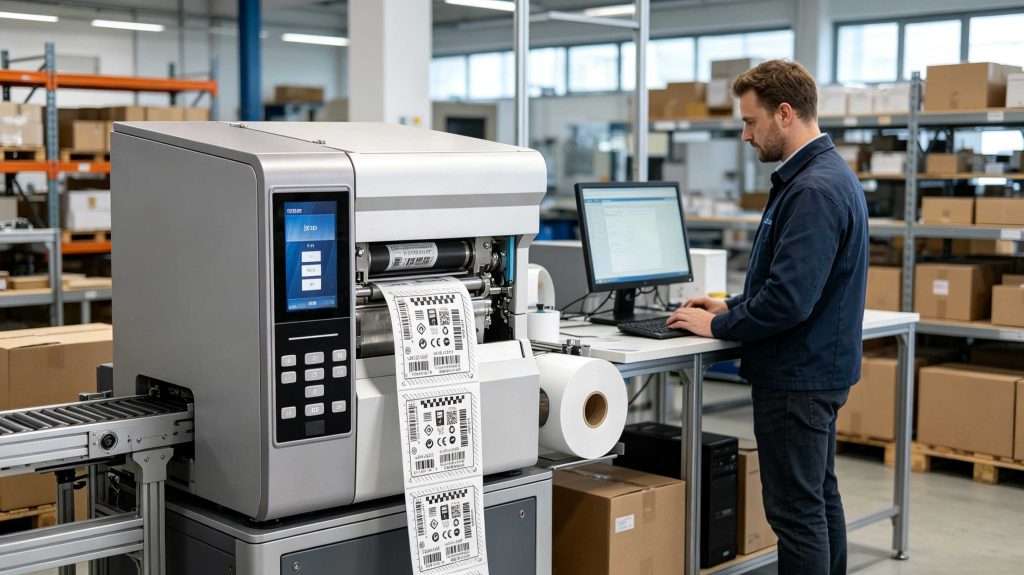
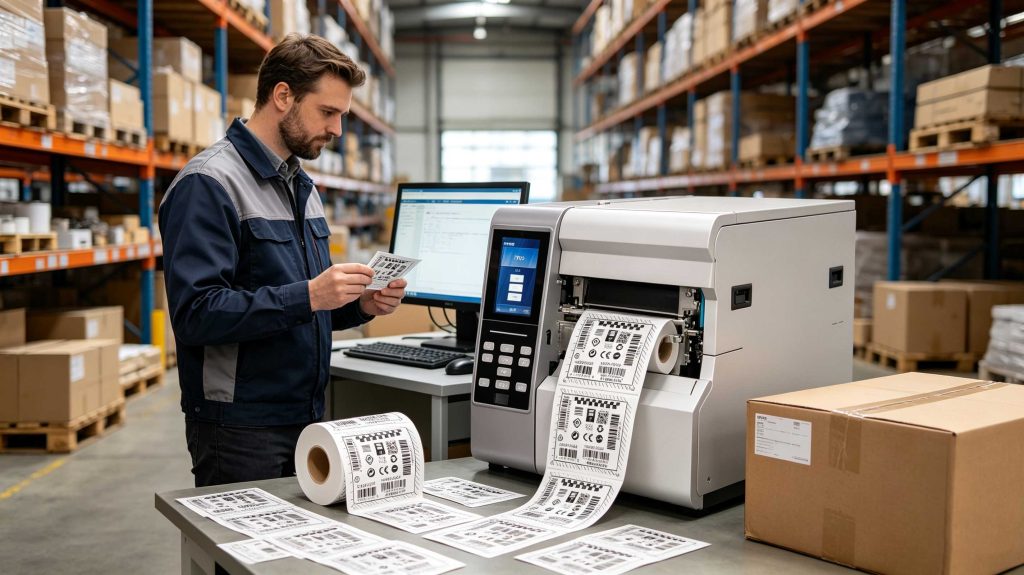
How do RFID printers work? RFID printers combine conventional label printing with RFID encoding. They position an RFID inlay inside the printer, write electronic data such as an EPC, verify the tag, and print matching text or barcodes on the same label. This creates a readable and electronically identifiable smart label.
What Is an RFID Printer?
An RFID printer is essentially two machines working in the same media path: a label printer and an RFID reader/encoder.
The printer handles the visible side of the label—text, numbers, graphics, barcodes. The RFID section handles the invisible side, communicating with the chip embedded in the label’s inlay.
Avery Dennison describes RFID printer/encoders as systems that test the chip, write information to it, verify that information, and print human-readable data on the label.
That distinction becomes important on a production floor.
A barcode can look perfect and still be attached to the wrong electronic identity.
RFID printing therefore involves data integrity as much as print quality.
How RFID Printers Encode a Tag
Inside an RFID smart label is an RFID inlay, normally consisting of an antenna connected to an integrated circuit. The chip contains RF circuitry and memory where electronic identification data can be stored.
The printer moves the label through a defined RF programming area.
A simplified production cycle is:
The host system sends the label data.
The printer advances the RFID media.
The RFID antenna communicates with the inlay.
The encoder writes the required RFID data.
The printer verifies the tag response.
The printhead produces the visible label information.
The completed label advances for application.
RFID commands explicitly support reading and writing RFID tags, including EPC-formatted data.
The physical sequence varies between printer models, but the principle remains the same.
What Data Does an RFID Printer Write?
For many UHF RFID applications, the key electronic identifier is the Electronic Product Code (EPC).
GS1’s EPC Tag Data Standard defines EPC structures and their relationship with GS1 identification keys. It also defines data carried on RAIN RFID tags, including EPC, User Memory, control information, and tag-manufacturing information.
A typical serialized label might contain:
Label element
Example
Product number
SKU-45821
Serial number
000184
Printed barcode
SKU-45821-000184
RFID EPC
Serialized EPC identity
User Memory
Optional application data
The important part is synchronization.
The printed serial and RFID EPC should represent the same physical item.
GS1 also notes that shorter EPC binary schemes such as SGTIN-96 can use fewer bits and therefore support tags with less memory, while longer schemes support broader serial-number ranges but require more bits.
Why RFID Programming Position Matters
This is one of the details that usually becomes obvious only after the first production test.
An RFID inlay is not simply “somewhere inside the label.”
Its location is defined by the label construction.
The printer therefore needs to know where the RFID inlay reaches its most suitable programming position.
Provides a dedicated RFID programming-position parameter. The printer can move the media forward or backward before beginning the RFID programming operation.
For example, a printer may be configured to begin programming after the label has advanced 15 mm from its leading edge.
That sounds minor.
It is not.
Change the label construction and the same printer setting may no longer be appropriate. <h2>RFID Media Is Part of the System</h2>
RFID labels are not ordinary blank labels with a chip added as an afterthought.
The inlay has its own antenna geometry, chip, frequency characteristics, physical location, and memory structure.
Avery Dennison’s RFID printer documentation identifies different RFID printer settings for parameters such as read power, write power, encoding position, verification position, and retry behavior.
This is why media qualification should happen before large-scale production.
During an actual setup, I would want to know:
Which RFID chip is used?
Where is the inlay positioned?
What frequency region is required?
What is the label pitch?
What writing power is appropriate?
Does the printer require calibration?
How are failed tags rejected?
Is the EPC serialized automatically?
A label roll can be mechanically compatible with a printer and still require different RFID settings.
RFID Printer Calibration
Modern RFID printers can calibrate themselves for particular RFID media.
Documents an RFID tag calibration process that moves the media and determines settings such as the programming position, antenna element, and read/write power level, depending on the printer.
That is useful because RFID media is not perfectly generic.
The same label width does not guarantee the same RF behavior.
When commissioning a new roll, calibration is therefore more meaningful than simply loading the media and checking whether the first label prints.
Printing and RFID Encoding Are Separate Operations
A useful way to understand how do rfid printers work is to separate the two outputs.
Printed output
Human-readable text
Barcode
Product number
Serial number
Logo or graphics
Electronic output
EPC
TID identification
User Memory, when supported and required
RFID access-related information
The two must remain synchronized.
Imagine a warehouse printing 5,000 asset labels.
Label 1 prints ASSET-00001.
Its RFID EPC must correspond to ASSET-00001.
Label 2 prints ASSET-00002.
Its EPC must correspond to ASSET-00002.
A beautiful printed label with an incorrect EPC is still a bad label.
Why RFID Verification Matters
RFID printers do not simply assume that a write command succeeded.
Many models include testing, verification, calibration, and error-handling functions.
For example, RFID printer documentation describes an RFID test in which the printer attempts both read and write operations on a transponder.
Avery Dennison likewise describes RFID printer/encoder systems that verify the information written to the RFID chip.
That creates a much safer production sequence:
Write → Read → Compare → Accept / Reject
Not:
Write → Assume → Ship
The difference becomes significant when thousands of serialized labels are produced every day.
What Happens When an RFID Tag Fails?
RFID encoding failures can come from several sources:
Damaged RFID inlay
Incorrect media configuration
Incorrect programming position
Unsuitable RFID settings
Incorrect label format
Data or serialization problems
Transponder placement issues
Notes that consistent encoding failures can indicate problems with RFID tags, label formats, or transponder placement. Its RFID printer documentation also describes handling failed RFID labels, including printing a VOID indication on certain printer models.
That is a practical quality-control feature.
A rejected RFID label should be visibly different from a successful one.
Otherwise, the failure can travel downstream into receiving, inventory, or shipping.
An RFID printer writes electronic identification data to an embedded RFID inlay while printing matching information on the label
RFID Printers and EPC Serialization
Serialization is where the printer becomes more than a label-making device.
Consider a manufacturing line producing 10,000 components.
Each label might carry:
Printed:PART-000872
Barcode:PART-000872
RFID: unique EPC corresponding to component 000872
The printer can repeat this process label after label while the host software supplies the changing data.
GS1’s standards specifically address serialization schemes and EPC encoding, including the trade-off between shorter and longer binary coding schemes.
The printer does not need to contain the entire business record.
It needs to reliably establish the electronic identity.
The ERP, WMS, MES, or asset-management platform can then associate that identity with the rest of the item’s information.
RFID Printer vs. Conventional Label Printer
Capability
Conventional printer
RFID printer
Text printing
✓
✓
Barcode printing
✓
✓
Graphics
✓
✓
RFID encoding
—
✓
RFID read/write test
—
✓
RFID programming position
—
✓
RFID media calibration
—
✓
EPC serialization
External
Integrated workflow possible
RFID failure handling
—
✓
The hardware difference is not only an antenna.
The printer’s firmware, media handling, RFID calibration, data interface, and error-handling logic all become part of the labeling system.
Cykeo RFID Desktop Encoding
For workstation-based RFID issuance, Cykeo approaches the problem differently from a high-throughput industrial printer.
The Cykeo RFID desktop reading platform uses a near-field antenna to deliberately control the operating area. Its effective reading range is designed to stay within approximately 30 cm, while the writing range is controlled to approximately 10 cm.
That is useful when an operator has several RFID labels on a desk but wants to write only the intended tag.
The platform uses the Impinj R500 RFID reader platform and supports up to 33 dBm maximum port output.
Its workflow supports:
Automatic tag writing
Rapid batch writing
Tag filtering
Tag registration
RFID reading
Desktop issuing
Demonstration software
Mini USB communication
C# development resources
Java development resources
For a production printer, throughput is usually the priority.
For a desktop issuance station, control can matter more.
If five unused RFID labels are sitting beside the one being registered, a deliberately limited writing zone can be a practical advantage.
What Makes an RFID Printer Reliable?
From an engineering perspective, I would not judge an RFID printer only by print resolution or mechanical speed.
The more useful questions are:
How consistently does it encode the selected RFID media?
Can the RFID position be calibrated?
Can the EPC be verified?
How are failed labels identified?
Can serialization be automated?
How easily can the printer communicate with the host system?
Can the media be changed without rebuilding the entire workflow?
Avery Dennison’s current RFID printer portfolio similarly emphasizes integrated printing, encoding, and verification rather than treating RFID as an isolated accessory.
That is the engineering reality behind how do rfid printers work.
The printer is creating two things at once:
a physical label people can read, and an electronic identity machines can capture.
RFID Printer Workflow: From Data to Finished Label
A production RFID printer is best understood as a controlled data-and-media system rather than simply a printer with an RFID module.
A typical workflow is:
Business data → EPC generation → label formatting → RFID encoding → verification → visual printing → application
The host system may provide the product number and serial number. The printer converts that information into the appropriate RFID encoding command, communicates with the inlay, and produces the corresponding printed label.
GS1 defines the EPC Tag Data Standard as the specification for EPC structure and the data carried on EPC/RFID tags, including EPC, User Memory, control information, and tag-manufacturing information.
Why Serialization Matters
For RFID, identifying the product category is often not enough.
Two identical products need distinguishable electronic identities if the system must track them individually.
For example:
Physical item
Printed identity
RFID identity
Product A
SKU-10001 / 001
Unique EPC
Product A
SKU-10001 / 002
Unique EPC
Product A
SKU-10001 / 003
Unique EPC
GS1 explains that EPC provides a bridge between GS1 identifiers and RAIN RFID, allowing identifiers such as GTIN to be serialized for individual product visibility.
GS1’s serialization guidance also distinguishes shorter and longer EPC coding schemes. Shorter schemes such as SGTIN-96 require fewer bits, while longer schemes provide larger serial-number capacity but require more encoded bits.
That choice should be made before printing thousands of labels.
RFID Printer Calibration: The Step Operators Often Miss
Changing RFID media is not equivalent to changing an ordinary paper label.
The RFID inlay may move.
The antenna geometry may change.
The chip may be different.
The label pitch may be different.
Documentation specifically separates RFID calibration from ordinary media calibration. During RFID calibration, the printer determines parameters such as the programming position, antenna element, and read/write power for the RFID media being used.
This is a practical point from installation work: if the media changes, repeat the qualification instead of assuming yesterday’s printer settings still apply.
RFID Printer Quality Control
RFID Printer Quality Control
A reliable workflow should distinguish three different outcomes:
Printed correctly
The barcode and human-readable information look correct.
Encoded correctly
The RFID chip contains the intended data.
Matched correctly
The printed identity and RFID identity refer to the same physical item.
The third check is the one that is easy to overlook.
A label reading ASSET-1058 with an EPC belonging to ASSET-1059 is worse than an obvious printer error because it can enter the supply chain looking completely normal.
Industrial RFID printers therefore provide RFID testing and status functions. current industrial printer documentation describes RFID testing that attempts to read and write a transponder, as well as dedicated RFID calibration procedures.
What Happens When RFID Encoding Fails?
RFID encoding failures should have a visible production response.
Possible causes include:
Incorrect RFID programming position
Incompatible RFID media
Damaged inlay
Incorrect read/write power
Incorrect EPC data
Poor media calibration
RF interference
Incorrect printer configuration
Mechanical positioning problems
A useful production rule is:
Failed RFID write → identify the label → reject or rework → verify replacement
Do not allow the operator to simply continue printing if the system has lost confidence in the electronic identity.
For high-volume operations, this small control can prevent a much larger traceability problem later.
RFID Printer Applications
Retail RFID Label Printing
Retailers can print and encode item-level labels for:
Apparel
Footwear
Accessories
General merchandise
Cartons
Store inventory
The same label can display a barcode for conventional scanning while carrying an EPC for RFID inventory processes.
GS1 notes that RAIN RFID tags can be captured without line-of-sight and can support very high-rate identification, making serialized EPCs useful for supply-chain visibility and inventory applications.
Warehouse and Logistics
RFID printers can produce labels for:
Shipping cartons
Pallets
Returnable containers
Warehouse assets
Distribution units
The important distinction is that the printer creates the identity; the later RFID readers capture it.
Manufacturing
Manufacturers can encode labels for:
Work-in-process items
Components
Finished products
Tooling
Production containers
Maintenance assets
The label can remain with the object while the associated business record changes throughout production.
RFID Printer vs. RFID Desktop Writer
Not every RFID writing application requires an industrial RFID printer.
Requirement
RFID Printer
Cykeo Desktop RFID Platform
Print labels
Yes
Not its primary function
Encode RFID
Yes
Yes
Automated label production
Excellent fit
Limited
Individual tag registration
Possible
Strong fit
Controlled writing zone
Model dependent
Approx. 10 cm writing range
Reading range
Model dependent
Within approx. 30 cm
Batch tag writing
Supported by suitable models
Supported
Tag filtering
Model/software dependent
Supported
Development access
Vendor dependent
C# and Java materials
Communication
Model dependent
Mini USB
For a distribution center producing large batches of printed RFID labels, an RFID printer is the natural choice.
For a workstation where an operator registers, writes, filters, and verifies RFID tags, a desktop RFID writer can be more practical.
Cykeo RFID Desktop Encoding Platform
Cykeo’s desktop RFID reading and writing platform is designed around controlled near-field operation.
The antenna deliberately keeps the effective reading range within approximately 30 cm, while the writing range is controlled to approximately 10 cm.
That short writing zone is useful when several RFID labels are physically close together.
The operator can place the target tag in the working area instead of exposing a large surrounding region to the writing field.
The platform incorporates the Impinj R500 reader platform and supports up to 33 dBm maximum port output. It is designed for practical tag administration and desktop issuance rather than replacing a high-speed industrial label-printing line.
Its functions include:
Automatic tag writing
Rapid batch writing
RFID tag filtering
Tag registration
Reading and writing demonstrations
Desktop tag issuance
Mini USB communication
C# development materials
Java development materials
The distinction is important.
Industrial RFID printers optimize print-and-encode production.
Cykeo’s desktop platform emphasizes controlled tag writing and registration.
Printed RFID labels are checked for both visible information and electronic identity before entering warehouse operations.
How to Choose an RFID Printer
The right printer depends on the workflow rather than the RFID specification alone.
Before selecting a model, evaluate:
RFID frequency and protocol Confirm compatibility with the intended RFID inlays.
Label dimensions The physical label format affects media handling and RFID positioning.
Inlay location Confirm where the chip and antenna sit inside the label.
Encoding verification Make sure the printer can identify unsuccessful writes.
Serialization method Determine whether EPC values come from ERP, WMS, MES, middleware, or another application.
Daily volume A workstation producing several hundred labels has very different requirements from a line producing tens of thousands.
Integration Check communication interfaces, printer language, SDK availability, and application compatibility.
Challenging surfaces If the label will ultimately be attached to metal, liquids, or other RF-sensitive materials, qualify the actual finished tag rather than testing the label in free air.
Common RFID Printer Mistakes
Using the Wrong RFID Label
A label can fit the printer mechanically while performing poorly electronically.
Skipping RFID Calibration
Ordinary media calibration does not necessarily establish the correct RFID programming position or RF power.
Writing Without Verification
Sending an encoding command does not by itself prove that the expected EPC was stored.
Ignoring Serialization
RFID becomes much more useful when each physical item receives a unique electronic identity.
Testing Only One Label
Production qualification should use the actual media, printer settings, data flow, and operating conditions expected in daily work.
FAQ: How Do RFID Printers Work?
1. Do RFID printers print and encode simultaneously?
Yes. RFID printers combine conventional label printing with RFID encoding. The RFID section writes electronic data to the embedded inlay while the print system produces visible information.
2. What does an RFID printer normally write?
For many UHF applications, it writes an EPC. GS1’s EPC Tag Data Standard defines EPC structure and also covers other information that may be carried on RAIN RFID tags.
3. Does every RFID label need a unique EPC?
Not every application requires item-level serialization, but individual tracking normally benefits from unique EPCs. GS1 describes EPC serialization as a method for giving individual physical objects distinct electronic identities
4. Why does RFID media require calibration?
Because RFID media differs in inlay position and RF characteristics. Printer calibration can determine the programming position and suitable read/write power for the selected RFID media.
5. What happens if an RFID label fails to encode?
The failed label should be identified and rejected or reworked according to the production process. It should not be treated as successful merely because the visible printing is correct.
6. Can RFID labels also contain barcodes?
Yes. RFID smart labels commonly combine printed human-readable information and barcodes with an embedded RFID inlay. This allows conventional scanning and RFID identification to coexist on the same physical label.
7. Is an RFID printer necessary for every RFID project?
No. High-volume print-and-encode operations benefit from RFID printers. For controlled desktop registration, tag writing, filtering, and batch encoding, a dedicated RFID desktop platform such as Cykeo’s can be a better fit.
Technical References
The technical principles in this article are based on established RFID and identification standards rather than assumed printer behavior:
GS1 EPC Tag Data Standard — defines EPC structure and data carried on EPC/RFID tags.
GS1 RFID Standards — explains EPC/RFID identification and RAIN RFID applications.
RFID Calibration Documentation — documents RFID media calibration, programming position, antenna selection, and read/write power.
Industrial RFID Printer Documentation — documents RFID testing and calibration functions.
Final Takeaway
An RFID printer is not simply a thermal printer with an RFID reader attached.
It is a controlled production system that connects data serialization, RFID encoding, verification, label printing, and physical identification.
The best implementations pay attention to the details that are easy to miss: inlay position, media calibration, EPC structure, verification, rejected-label handling, and synchronization between the printed identity and electronic identity.
For high-volume operations, that combination turns a roll of labels into a repeatable identification process.
For desktop RFID registration, Cykeo’s controlled near-field platform provides another practical approach, particularly where writing should be confined to a small working area.
Ultimately, how do rfid printers work has a straightforward technical answer: they print the visible label, encode the embedded RFID identity, verify the electronic data, and deliver one physical label that can be understood by both people and RFID systems.
Explore the SSD-A07 UHF RFID antenna with 7 dBi gain, circular polarization, adjustable 840–960 MHz frequency, and 60°/75° beamwidth for stable RFID read/write performance.
SSD-A06 UHF RFID antenna with circular polarization, adjustable 840–960 MHz frequency, ≥4.5 dBi gain, and a compact directional design for RFID systems.
SSD-D3AL is a USB-HID UHF RFID reader with 0–30 cm reading, 0–15 cm writing, over 600 tags/s recognition, USB plug-and-play operation and OEM Logo customization.
SSD-D1AL is a compact USB UHF RFID reader with Impinj E710/X3M1 chipset, USB-HID, 600+ tags/s recognition, 4/8/16 antenna support and plug-and-play USB power.
SSD-R16L Multi-Channel RFID Infrastructure for Automated Inventory Management ✔️ 16-Port High-Density RFID Reading Equipped with 16 SMA antenna ports, SSD-R16L supports multi-antenna deployment for warehouses, retail stores, logistics, production lines, and large-area RFID identification. ✔️ High-Speed & Long-Range Performance With up to 33…
SSD-R8L 8-port UHF RFID reader with 33dBm output, up to 20m reading range and 600+ tags/s recognition. Ideal for warehouse, logistics, retail and asset tracking.
CYKEO CYKEO-D1LA USB RFID Reader is a compact desktop solution with near-field control for precise tag reading and encoding. Powered by USB, supporting ISO 18000-6C, and built for stable batch writing, this usb rfid tag reader fits retail, libraries, offices, and controlled RFID encoding tasks.
CYKEO CYKEO-D1L RFID scanner USB is a compact desktop UHF RFID scanner designed for short-range tag writing and verification. This usb rfid scanner supports batch encoding, stable 0–26 dBm output, and works across Windows, Linux, and Android systems.
CYKEO CYKEO-D1C USB RFID Card Reader is a near-field UHF desktop writer designed for secure, short-range tag encoding. With USB-C connectivity and stable 26 dBm output, this rfid reader usb c is ideal for badge issuance, label encoding, and controlled desktop RFID workflows.
CYKEO CYKEO-D2L RFID Reader USB is a compact desktop encoder built on the Impinj R500 chip. With near-field control and stable USB power, this usb rfid card reader delivers precise tag writing for offices, retail counters, and small-scale logistics encoding tasks.
CYKEO CYKEO-D3L USB RFID Tag Reader delivers stable UHF tag reading and writing for daily desktop and light industrial tasks. Designed for controlled short-range operation, this USB RFID Tag Reader works reliably with rfid tag and reader systems in libraries, tool tracking, and inventory registration.
The CYKEO CYKEO-D4L UHF RFID Tag Reader is a stable Desktop RFID Reader designed for accurate tag registration, borrowing, and return workflows. Built with the Impinj R2000 chip, this UHF RFID Tag Reader delivers controlled short-range reads for libraries, asset tracking, and inventory management environments.
The CYKEO CYKEO-D5L Desktop RFID Card Reader is a stable UHF RFID Card Reader designed for controlled short-range reading and writing. Built for libraries, tool rooms, and asset desks, this UHF RFID Card Reader supports dense tag handling, secure data processing, and easy USB integration.
The CYKEO CYKEO-D6L RFID Reader Writer is a heavy-duty Desktop RFID Reader designed for short-range, high-accuracy tag programming. Built for libraries, labs, and asset desks, this RFID Reader Writer supports batch processing, stable 33dBm output, and seamless integration with existing management systems.
Cykeo CYKEO-D8A embedded RFID badge reader offers 30+ tags/sec scanning, 20cm anti-crosstalk precision, and DC 12V power for unmanned stores, warehouses, and smart inventory systems.
Cykeo’s CYKEO-D8C UHF RFID gate reader achieves 200-tag/batch scanning with adjustable power control, ideal for retail inventory and smart warehouse management.
CYKEO Embedded RFID Modules are designed for compact industrial and IoT devices that require stable UHF performance. These UHF RFID Modules support global protocols, flexible power control, and reliable multi-tag reading for smart cabinets, production lines, and asset tracking systems.
CYKEO Embedded RFID Module is built for compact IoT and industrial devices that need stable UHF performance. This UHF module supports global protocols, low power operation, and reliable multi-tag reading for smart lockers, production lines, and always-on RFID systems.
CYKEO CYKEO-M1 drone rfid module is a compact UHF RFID reader module designed for drones and UAV platforms. It supports long-range aerial scanning, fast multi-tag reading, and stable performance in wind, vibration, and outdoor environments.
CYKEO CYKEO-M4 RC522 RFID Module is an industrial-grade UHF RFID reader with 4 ports, supporting ISO, EPC, and GB protocols. High-speed, accurate reading for IoT, automation, and warehouse applications.
CYKEO CYKEO-M8 Module RFID is an 8-port UHF R2000 RFID Module designed for high-density, multi-tag environments. Stable 33dBm output, ISO & GB protocol support, ideal for warehouses, factories, and automated systems.
CYKEO CYKEO-M16 RFID Module is a 16-port UHF RFID reader module based on the R2000 chipset. Designed for dense tag environments, it supports ISO and GB standards and delivers stable multi-antenna control for industrial automation.
The CYKEO CYKEO-M16L RFID Reader Module is a 16-channel UHF RFID core designed for dense tag environments. With adjustable 33dBm output, multi-protocol support, and stable multi-antenna control, this RFID Tag Reader Module fits industrial automation, warehouse systems, and large-scale IoT deployments.
CYKEO CYKEO-M8L module RFID is a compact industrial UHF module built for dense tag and multi-antenna environments. With 8 RF ports, adjustable 33 dBm output, and ISO & GB protocol support, it is widely used in factories, warehouses, and automated tracking systems.
CYKEOCYKEO-M4L UHF RFID Module is a compact 4-channel RFID tag reader module designed for dense tag environments. Supporting ISO and GB protocols, it delivers stable reads up to 10 meters for industrial and IoT systems.
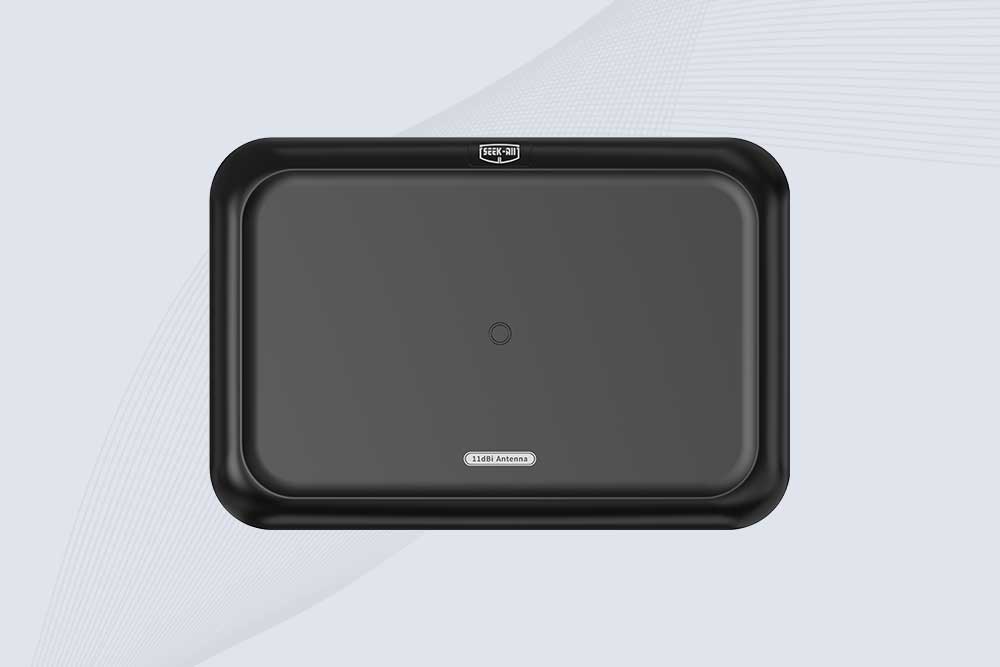
Cykeo CYKEO-A11 UHF RFID reader antenna delivers 11dBi gain, 840-960MHz frequency range, and IP65 ruggedness for retail, logistics, and industrial RFID systems. Features low VSWR and easy installation.
CYKEO Antenna RFID Reader delivers stable long-range UHF performance with a 10.5dBi directional design, built for warehouses, conveyor portals, and industrial RFID systems. This rfid reader antenna provides 20m+ read distance and rugged IP67 protection.
Cykeo CYKEO-A5B industrial Linear RFID Antenna delivers 5dBi gain, ≤1.5:1 VSWR, and IP65 rugged design for warehouse, production line, and logistics UHF systems.
Cykeo’s CYKEO-B12 Long Range RFID Antenna delivers 15m+ read range with 12dBi gain, IP65 rugged design, and global 840-960MHz UHF support. Ideal for warehouse/logistics asset tracking.
Cykeo CYKEO-B10 Long Distance RFID Antenna offers 10dBi gain, 840-960MHz frequency range, IP65 rating, and 20m+ coverage for logistics/warehousing/ETC systems. Low VSWR ensures stable signal transmission.
Cykeo CYKEO-A6 UHF RFID panel antenna features 6dBi gain, 840-960MHz broadband, IP65 metal-ready housing for logistics/smart retail. 18mm ultra-thin design with tool-free mounting.
Cykeo CK-A3 industrial antenna RFID UHF offers 5m+ tag detection, ≤1.3:1 VSWR, IP65 rugged design, and global UHF spectrum compatibility (840-960MHz) for warehouses, factories, and retail.
Cykeo CYKEO-B5 directional RFID antenna provides 5dBi gain with 60° narrow beamwidth for precise inventory tracking. IP65-rated, global UHF frequency support, and low VSWR.
Create your own high-performance DIY RFID antenna! 5dBi gain, 840-960MHz tunable, step-by-step guides. Compatible with Arduino, Raspberry Pi, and commercial UHF readers.
Cykeo CYKEO-A7 Flexible RFID Antenna features 840-960MHz wideband tuning, 7dBi gain, and IP68 rating for medical/retail/industrial curved surface deployments. 98% read accuracy with peel-and-stick installation.
Cykeo CYKEO-B5A industrial Passive RFID Antenna delivers 5dBi gain, 70° beamwidth, and -40°C~55°C operation for warehouses/smart cabinets. Compatible with Zebra/Impinj readers.
Cykeo’s CYKEO-A9B High Gain RFID Antenna delivers 15m+ read range with 9dBi amplification. Features IP54 rugged design, 840-960MHz bandwidth, and 80° beamwidth for warehouse/manufacturing RFID systems.
Cykeo’s enterprise-grade 8dbi Impinj RFID Antenna 10m+ read range with 840-960MHz tuning. Features IP65 housing, 1.4 VSWR, 35° beamwidth for retail/warehouse RFID systems.
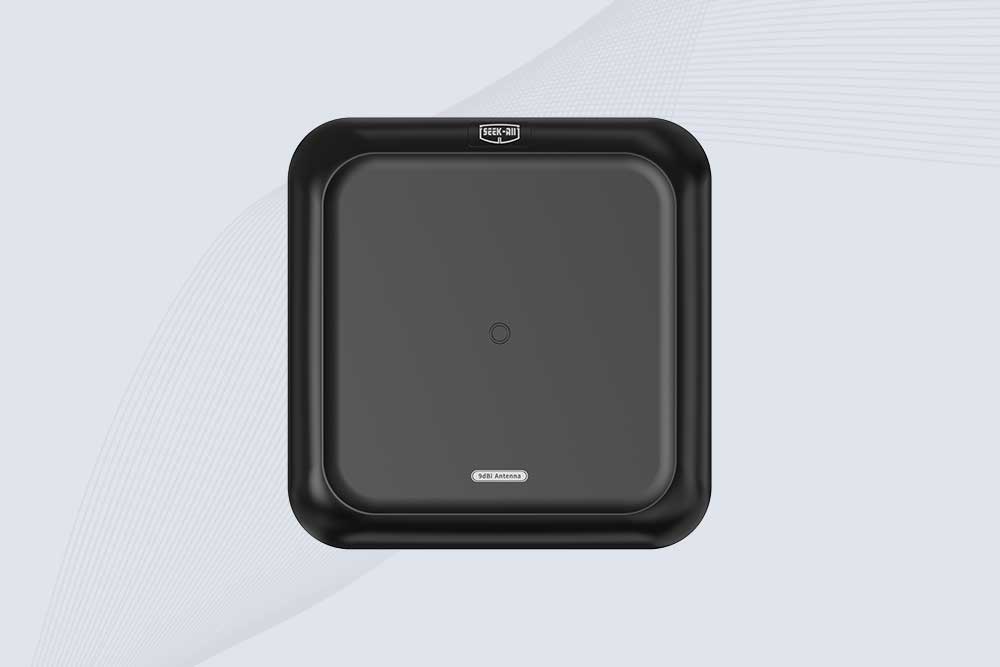
Cykeo CYKEO-A9 industrial UHF RFID antenna delivers 9dBi gain, 840-960MHz frequency range, and IP65 protection for warehouse/logistics/retail RFID systems. Features N-type connector and ≤1.3:1 VSWR.
CYKEO UHF RFID Antenna built for long-distance and industrial applications. This antenna rfid uhf delivers strong gain, outdoor durability, and reliable tag performance in warehouses, yards, and vehicle ID systems.
CYKEO Antenna RFID delivers reliable long-range UHF performance in warehouses, retail shelves, and cold-chain environments. This compact uhf rfid antenna provides stable reads with circular polarization and ultra-wide 840–960 MHz support, ideal for industrial tracking, smart shelves, and asset monitoring.
Cykeo’s CYKEO-C8 UHF RFID antennas delivers 8dBi gain, 840-960MHz full-band coverage, and IP65 ruggedness for manufacturing/warehouse RFID systems. Industrial RFID Antennas Features
Cykeo’s 8dBi UHF RFID antenna and reader kit delivers 10m+ range, 840-960MHz broadband, and IP65 ruggedness for factories, warehouses, and logistics. ISO 18000-6C & EPC Gen2 certified.
Does aluminum foil block RFID signals? Learn how RFID shielding works, why foil sometimes fails, and what RFID manufacturers and bulk buyers should consider for reliable protection.
Tired of confusing tech jargon? We give you a straight answer on what is an RFID antenna, why it matters, and how to avoid common setup mistakes that waste money.
Discover how multi-protocol RFID readers drive retail innovation with unmatched flexibility and efficiency. Explore Cykeo’s cutting-edge retail RFID solutions.
 Cykeo RFID IoT Solution Products R&D Manufacturer