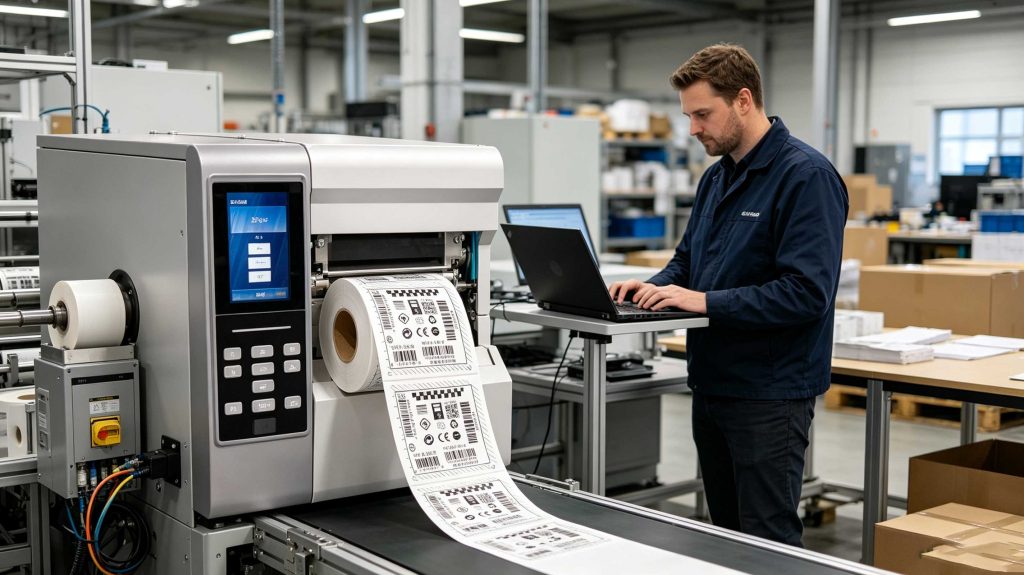
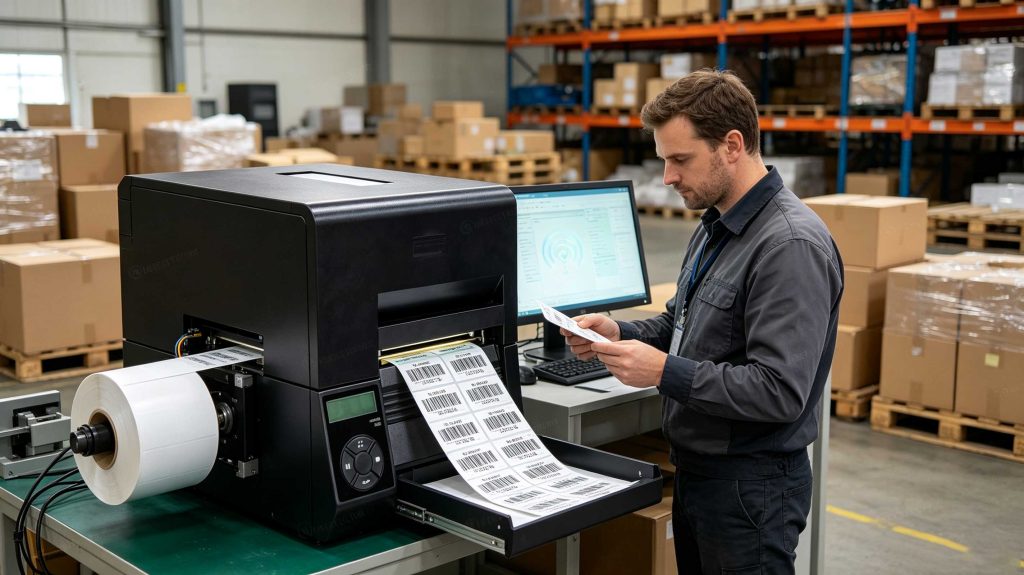
How do RFID label printers work? RFID label printers print information on the label while simultaneously encoding the embedded RFID inlay. An integrated RFID encoder communicates with the chip, writes identification data such as an EPC, verifies the result, and then produces a readable printed label for the tagged item.
What Is an RFID Label Printer?
An RFID label printer is not simply a conventional thermal printer with an RFID sticker attached to it.
It combines two operations inside one workflow:
Printing — text, barcodes, serial numbers, graphics, or product information.
RFID encoding — writing electronic identification data into the RFID inlay embedded inside the label.
RFID programming documentation describes an RFID printer as a device that encodes information onto HF or UHF RFID transponders embedded in smart labels, verifies the encoding, and prints barcodes, graphics, or text on the label surface.
That distinction is important.
A conventional printer only changes what you can see.
An RFID label printer changes what you can see and electronically identify.
What Is Inside an RFID Label Printer?
A typical RFID printer/encoder contains several functional sections:
The RFID inlay itself normally contains an antenna connected to an IC chip. RFID documentation describes the IC as containing the RF circuit, coding/decoding functions, and memory.
The inlay is extremely thin.
It sits inside the label material.
From the operator’s perspective, it may look like an ordinary adhesive label.
How Does an RFID Label Printer Encode a Tag?
The process is more precise than simply sending a print command.
A typical production cycle looks like this:
The printer advances an RFID label.
The label reaches the programmed RFID encoding position.
The integrated RFID reader/encoder communicates with the inlay.
The required EPC or other tag data is written.
The printer verifies the RFID response.
The printer prints the corresponding visible information.
The completed label advances for application.
programming documentation includes dedicated commands for reading and writing RFID tags and for defining the RFID encoding position within the label path.
This is why RFID printer setup is not just a matter of selecting a paper size.
The physical position of the inlay inside the label matters.
Why RFID Encoding Position Matters
An RFID inlay is not necessarily located in the exact center of a label.
Different label constructions use different inlay positions, antenna sizes, and substrates.
The encoder therefore needs to communicate with the RFID inlay at a suitable point in the printer’s media path.
publishes specific RFID inlay placement guidelines for different printer families, including its industrial, desktop, and mobile RFID printers.
This is one of those details that tends to disappear in a product brochure.
Then it appears during commissioning.
A label prints perfectly but fails to encode consistently.
The first suspicion is often the RFID chip.
In practice, the media construction, inlay location, antenna position, printer configuration, and encoding settings all need to be checked together.
What Data Does an RFID Printer Write?
For UHF RFID, the most common application data is the Electronic Product Code (EPC).
The EPC provides an electronic identity for the physical object.
For example:
Printed label
RFID data
Product: A10025
EPC: A10025-000184
Serial: 000184
Same serialized identity
Barcode
Machine-readable visual backup
The printed serial number and RFID EPC can therefore represent the same physical item.
That is particularly useful in logistics.
A worker can read the barcode.
An automated RFID portal can read the EPC.
Both point toward the same record in the enterprise system.
GS1 explains that RAIN RFID tag memory can include EPC, TID, User Memory, and Reserved memory areas.
The EPC is normally the key identity field used by applications, while other memory areas have different purposes.
RFID Printer Encoding Is Not the Same as Printing
This is the distinction I would emphasize when evaluating an RFID printer.
A label can look perfect and still contain the wrong RFID data.
Conversely, the RFID data can be correct while the printed barcode is wrong.
The two outputs need to be checked separately.
A robust RFID label workflow therefore verifies:
Printed content
EPC value
Tag response
Association between EPC and product record
Encoding status
Label position
Failed-label handling
RFID programming guide specifically describes encoding verification and notes that persistent failures can indicate problems with RFID media, label formats, or transponder placement.
That is why a proper RFID printer is better understood as a print-and-encode system, not merely a printer.
How RFID Label Printers Handle Failed Encodings
RFID encoding is a physical RF operation, so failures can occur.
A label may contain a defective inlay.
The inlay may not be positioned correctly.
The media may not match the printer configuration.
The RFID encoding position may be wrong.
The reader may not receive enough RF response.
Industrial RFID printers therefore include error-handling mechanisms.
current RFID programming documentation includes configurable behavior for persistent RFID errors, including advancing past a failed label, pausing the printer, or placing the printer into an error state.
For high-volume issuance, this matters.
You do not want a production line quietly producing 5,000 printed labels while a percentage of them contain unverified RFID data.
An RFID label printer combines thermal printing with RFID encoding to create a printed and electronically identifiable label.
How Printing and RFID Encoding Work Together
The strongest RFID printer workflows synchronize the two outputs.
Imagine a clothing distribution center producing labels for 10,000 garments.
The system may generate:
Garment 000001
Printed barcode: 000001
Printed human-readable serial: 000001
RFID EPC: serialized identifier for garment 000001
Then:
Garment 000002
Printed barcode: 000002
Printed serial: 000002
RFID EPC: serialized identifier for garment 000002
The printer repeats the operation rapidly.
The result is not just a roll of printed labels.
It is a sequence of electronically identified physical objects.
Avery Dennison’s RFID portfolio illustrates how different UHF inlays can be supplied as pressure-sensitive labels and optimized for specific applications and frequency regions. For example, its AD-327 U9 is offered in both ETSI and FCC configurations, with 96-bit EPC memory and a factory-locked TID.
So the printer is only one part of the system.
Printer + encoder + RFID media + software + data source determine the final result.
What Makes RFID Label Printing Different From Barcode Printing?
Barcode printing is primarily a visual process.
RFID printing is a visual plus electronic process.
Operation
Standard barcode printer
RFID label printer
Print text
Yes
Yes
Print barcode
Yes
Yes
Print graphics
Yes
Yes
Write electronic tag data
No
Yes
RFID read-back verification
No
Yes
Handle RFID encoding errors
No
Yes
RFID inlay positioning
Not relevant
Critical
EPC serialization
External process
Can be integrated
The extra electronic step changes the production workflow.
It also changes quality control.
Why RFID Label Media Must Match the Printer
RFID labels are not interchangeable in the same way ordinary blank labels sometimes are.
The inlay can differ in:
Chip manufacturer
Chip model
Antenna geometry
Frequency region
Inlay position
Label dimensions
Face material
Adhesive
Backing material
Performance on specific surfaces
Avery Dennison, for example, offers UHF RFID inlays in different dimensions and delivery formats, including dry inlays, wet inlays, and pressure-sensitive labels.
This is why RFID media qualification should happen before a production printer is locked into a particular label specification.
A label that works perfectly on cardboard may require another construction for a different substrate.
Cykeo RFID Desktop Encoding Approach
For applications where RFID labels are manually issued, registered, or written at a workstation, Cykeo uses a different philosophy from long-range warehouse portals.
Its RFID desktop issuing platform uses a near-field antenna to control the effective read range to approximately 30 cm, with the writing range controlled to approximately 10 cm.
The platform is designed for practical label-management work, including:
RFID tag registration
Tag writing
Automatic card/tag writing
Batch fast writing
Tag filtering
Reading demonstrations
Desktop issuing
Label conversion
Tag verification workflows
The device uses a high-performance Impinj R500 reader platform and supports up to 33 dBm maximum port output, helping provide stable RFID writing performance.
For development teams, Cykeo provides:
C# development materials
Java development materials
Mini USB communication
Reader/writer demonstration software
The near-field design is particularly useful at a desk.
Suppose 50 blank RFID labels are sitting in front of an operator.
A long-range antenna could detect many of them.
A controlled writing area is much easier to manage.
That is not a weakness.
For label issuance, it is the point.
What Happens After the RFID Label Is Encoded?
The encoded label can then be applied to the physical object.
From there, fixed, handheld, or integrated RFID readers can detect its EPC.
The enterprise system may associate the read with:
Receiving
Inventory
Picking
Packing
Shipping
Return
Asset movement
Maintenance
Retail replenishment
The printer creates the identity.
The reader captures the identity later.
The software gives that identity context.
That separation is one reason RFID can remain useful across an item’s entire lifecycle.
How RFID Label Printers Encode and Verify Labels
The real value of an RFID label printer appears when printing and encoding are treated as one controlled production process.
A typical job starts with a data record:
Item ID → EPC → printed text → barcode → RFID encoding → verification
The printer receives the label format and moves the RFID media to its programmed encoding position. It then writes the RFID data before completing the printed label.
RFID documentation confirms that RFID printers can encode information onto embedded HF or UHF transponders, verify the encoding, and print text, graphics, or barcodes on the same label.
This matters because a printed label can look completely correct while its electronic identity is wrong.
In a production environment, that is not a cosmetic defect. It is a traceability problem.
RFID Label Encoding Position
One of the less visible engineering details is where the RFID inlay sits inside the printer.
The printer must bring the RFID chip and antenna into a suitable RF position before writing.
current documentation provides a programmable RFID read/write position and allows the encoding point to be specified relative to the label.
This is why RFID media calibration matters.
Consider a 100 mm label. The RFID inlay may not occupy the same location on another manufacturer’s 100 mm label. The printer still sees a 100 mm label, but the RFID encoder sees a completely different RF target.
During commissioning, I would check:
Label length and width
Inlay position
Chip type
Antenna geometry
Encoding position
Printhead alignment
Media calibration
RFID read/write performance
A printer can mechanically transport the label correctly and still fail at the RFID stage.
How RFID Printers Handle Serialization
Serialization is where RFID printing becomes particularly useful.
Suppose a warehouse needs 20,000 asset labels.
The system can assign a unique identity to every physical item:
Item
Printed ID
RFID EPC
Asset 00001
CYK-00001
Serialized EPC
Asset 00002
CYK-00002
Serialized EPC
Asset 00003
CYK-00003
Serialized EPC
Asset 00004
CYK-00004
Serialized EPC
The RFID printer does not need to store the entire business database on the tag.
In many deployments, the EPC acts as the electronic identity while detailed information remains in the enterprise system.
GS1 defines EPC as a system for identifying individual physical objects and explains that EPC representations can be encoded specifically for RFID systems.
This is an important architectural choice.
The RFID label identifies the object. The database explains the object.
How Much Data Can an RFID Label Store?
It depends on the chip.
GS1 states that RAIN RFID tags typically carry no more than 8 KB of data, while simple license-plate-style tags may use only 96 or 128 bits for the identifier.
For most inventory systems, there is little reason to fill every available bit.
A compact EPC can be easier to manage and faster to communicate.
Additional application information can be stored in User Memory when the application genuinely requires it. GS1 provides an encoder specifically for converting application data into a format suitable for the User Memory bank.
Potential User Memory information can include:
Production date
Lot or batch
Country of origin
Material
Handling information
Product number
Traceability information
Expiry information
GS1’s current EPC Tag Data Standard also supports encoding additional AIDC data and defines how EPC and User Memory data are represented.
RFID Printer Verification Is a Production Control
Verification deserves more attention than it normally receives.
The printer should not simply assume:
Write command sent = successful RFID label
A better workflow is:
Write → Read back → Compare → Accept or reject
RFID printer documentation explicitly provides procedures for checking RFID data after printing and encoding.
In a real production environment, rejected labels should be identifiable.
A failed RFID write should never quietly enter the normal shipment stream.
This becomes especially important when thousands of labels are produced in one batch.
What Causes RFID Label Encoding Failures?
Several issues can produce inconsistent encoding.
RFID Media Problems
The RFID inlay may be damaged, defective, or incompatible with the printer’s configuration.
Incorrect Inlay Position
The RFID antenna may not reach the optimum programming position.
Incorrect Printer Calibration
The label may advance correctly from a printing perspective but arrive at the wrong RF position.
Poor RFID Media Selection
A label designed for one application may perform poorly in another, particularly when attached to metal or other challenging materials.
Data Problems
The RFID write command may contain an incorrect EPC, memory address, length, or format.
Environmental Effects
Nearby conductive structures and other RF conditions can influence the encoder’s performance.
The important point is that an RFID encoding failure is not necessarily a printer failure.
The media, data, software, physical positioning, and RF environment all need to be considered. <h2>Why RFID Label Printers Need the Right RFID Media</h2>
An RFID label is a system component, not just consumable paper.
The inlay has its own:
Chip
Antenna
Frequency characteristics
Memory capacity
Physical dimensions
Read/write behavior
Mounting limitations
GS1 notes that different RFID tags support different memory capacities and applications.
For production work, I recommend validating the actual media roll before approving the printer configuration.
Do not test one RFID inlay and assume another inlay with the same label dimensions will behave identically.
The printed label may look identical.
The RF behavior may not be.
RFID Label Printer Applications
RFID printers are particularly useful where an organization needs to create large numbers of electronically identifiable labels.
Retail
RFID labels can be printed and encoded for:
Garments
Footwear
Accessories
Merchandise
Cartons
Store inventory
A serialized RFID identity allows automated inventory systems to distinguish individual tagged items.
Logistics
RFID printers can create labels for:
Shipping cartons
Pallets
Containers
Returnable transport items
Warehouse assets
The encoded EPC can later be captured at receiving docks, conveyors, storage areas, and shipping portals.
Manufacturing
Labels can identify:
Work-in-process components
Finished products
Tooling
Containers
Production batches
Asset Management
Organizations can print durable RFID labels for equipment, tools, cabinets, and other physical assets.
The label becomes the bridge between the physical object and the digital record.
RFID printers create labels that combine visible product information with electronically encoded RFID identities.
Cykeo RFID Desktop Label Encoding
For smaller-scale label issuance, Cykeo’s RFID desktop reading and writing platform takes a deliberately controlled approach.
The device uses a near-field antenna, with the effective reading range controlled to approximately 30 cm and the writing range controlled to approximately 10 cm.
That configuration is particularly useful when an operator is working with individual labels on a desk.
The platform supports:
Automatic tag writing
RFID reading
Batch rapid writing
Tag filtering
Tag registration
Desktop label issuance
Read/write demonstration software
Mini USB communication
C# development resources
Java development resources
The device uses the Impinj R500 platform and provides up to 33 dBm maximum port output.
For an operator encoding one label at a time, the short writing zone is valuable.
There may be ten unused RFID labels sitting nearby.
The system should not casually program all ten.
It should program the intended label.
That is where near-field control becomes a practical productivity feature rather than merely a technical specification.
RFID Label Printer vs. Desktop RFID Writer
These devices can appear similar because both can encode RFID tags, but their workflows are different.
Feature
RFID label printer
Cykeo desktop RFID writer
Primary task
Print + encode
Read + write
Typical workflow
Automated label production
Controlled desktop issuing
Label printing
Yes
External/optional
RFID writing
Yes
Yes
Batch operation
Strong
Supported
Short controlled writing
Possible
Core design
Near-field antenna
Model dependent
Yes
Read filtering
Model/software dependent
Supported
USB communication
Model dependent
Mini USB
C# / Java development
Vendor dependent
Provided
A warehouse producing tens of thousands of labels may favor a dedicated RFID printer.
A technician registering and writing labels at a workstation may benefit more from a compact RFID desktop platform.
The right tool depends on the workflow, not the word “RFID.”
How to Improve RFID Label Printing Accuracy
A few practical controls make a disproportionate difference.
1. Use a Defined EPC Format
Decide how EPC values will be constructed before production begins.
GS1’s EPC Tag Data Standard defines standardized EPC encoding schemes and their relationship with GS1 identification keys.
2. Keep Serialization Under Software Control
Do not rely on operators manually entering thousands of unique IDs.
Generate serialization from the production system.
3. Verify Every RFID Write
Read the tag after encoding and compare the returned value against the expected EPC.
4. Separate Failed Labels
A failed RFID encoding should trigger a defined rejection or reprint process.
5. Validate the Media
Test the actual RFID label construction that will be used in production.
6. Match the Label to the Asset
Metal equipment, liquids, curved surfaces, and small objects may require specialized RFID label designs.
7. Test Before Full Production
Run a meaningful batch.
Do not approve a printer after successfully encoding three labels.
FAQ: How Do RFID Label Printers Work?
1. Can an RFID label printer print and encode at the same time?
Yes. RFID printers are designed to print visible information while encoding the RFID transponder embedded in the label. describes this as a combined encoding, verification, and printing process.
2. What does an RFID label printer encode?
Most UHF applications primarily encode an EPC. Depending on the tag and application, additional information can also be stored in User Memory.
3. Does an RFID printer verify the tag after writing?
Many RFID printers support RFID verification. Verification reads the encoded data and confirms that the intended information was successfully stored.
4. Why does an RFID printer need an encoding position?
The RFID inlay must be positioned appropriately relative to the printer’s RFID antenna. Printer software can define the programming position so the RFID encoder communicates with the inlay at the intended point.
5. Can RFID printers encode different RFID labels?
Yes, provided the printer supports the relevant RFID technology and the media is compatible. Different inlays can have different antenna structures, chip types, dimensions, and positioning requirements.
6. Can RFID labels also contain barcodes?
Yes. This is one of the major advantages of smart labels. The same physical label can contain printed text and barcodes while also carrying electronic RFID data.
7. Is an RFID label printer necessary for every RFID project?
No. A dedicated RFID printer is most useful when organizations need to produce and encode printed RFID labels repeatedly. For smaller registration or tag-writing tasks, a desktop RFID reader/writer such as Cykeo’s platform can be more appropriate.
Technical Perspective: What Makes an RFID Printer Reliable?
A reliable RFID label printer is not defined by print quality alone.
The production chain has several points where data can be lost:
GS1’s standards provide the data structure and encoding rules; the printer provides the physical encoding mechanism; the RFID inlay provides the electronic carrier.
The engineering challenge is connecting those pieces without introducing ambiguity.
That is why a useful RFID printer specification should include more than print resolution and printing speed.
Look at:
RFID encoding capability
Supported tag protocols
Encoding position adjustment
Read/write verification
Failed-label handling
Media compatibility
Serialization workflow
Host communication
Software integration
Maintenance and calibration
Final Answer: How Do RFID Label Printers Work?
How do RFID label printers work? They combine thermal or other label printing with an integrated RFID encoder. The printer positions the RFID inlay, writes the required electronic identity, verifies the tag, and prints matching human-readable information.
For a high-volume labeling line, this creates a repeatable print → encode → verify → apply workflow.
For a desktop RFID workstation, the priority can be different: controlled writing, tag filtering, simple software, and reliable operator interaction.
Cykeo’s desktop RFID platform is designed for this second type of environment, using near-field RFID control, up to 33 dBm output, Impinj R500 technology, batch writing, filtering, Mini USB communication, and C#/Java development resources.
The central idea remains simple:
The printed label tells people what the item is. The RFID encoding gives the system an electronic identity for the same physical item.
That is the practical answer to how do rfid label printers work.
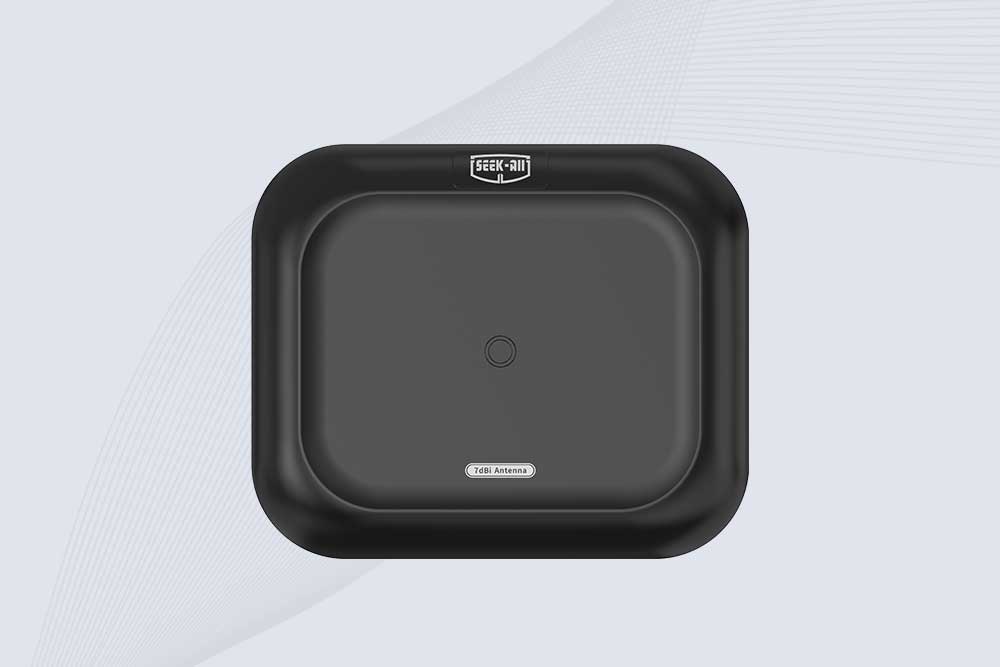
Explore the SSD-A07 UHF RFID antenna with 7 dBi gain, circular polarization, adjustable 840–960 MHz frequency, and 60°/75° beamwidth for stable RFID read/write performance.
SSD-A06 UHF RFID antenna with circular polarization, adjustable 840–960 MHz frequency, ≥4.5 dBi gain, and a compact directional design for RFID systems.
SSD-D3AL is a USB-HID UHF RFID reader with 0–30 cm reading, 0–15 cm writing, over 600 tags/s recognition, USB plug-and-play operation and OEM Logo customization.
SSD-D1AL is a compact USB UHF RFID reader with Impinj E710/X3M1 chipset, USB-HID, 600+ tags/s recognition, 4/8/16 antenna support and plug-and-play USB power.
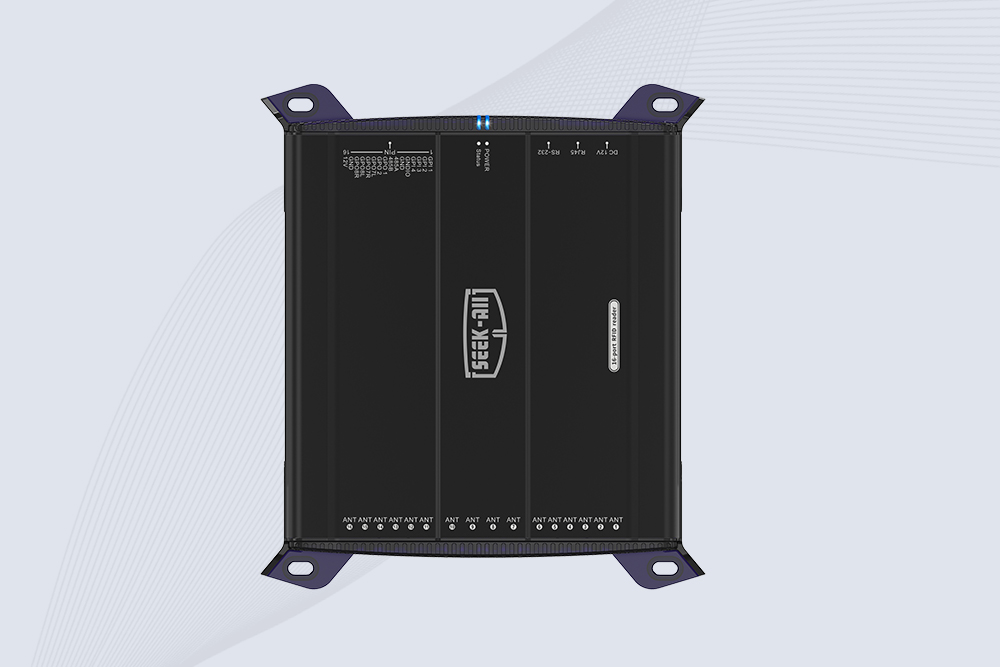
SSD-R16L Multi-Channel RFID Infrastructure for Automated Inventory Management ✔️ 16-Port High-Density RFID Reading Equipped with 16 SMA antenna ports, SSD-R16L supports multi-antenna deployment for warehouses, retail stores, logistics, production lines, and large-area RFID identification. ✔️ High-Speed & Long-Range Performance With up to 33…
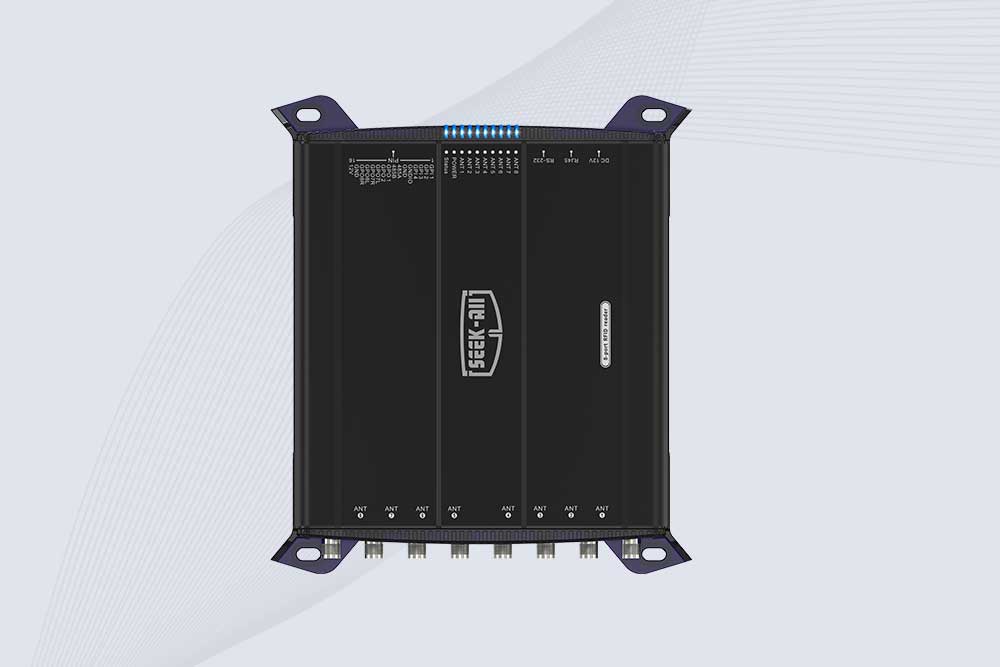
SSD-R8L 8-port UHF RFID reader with 33dBm output, up to 20m reading range and 600+ tags/s recognition. Ideal for warehouse, logistics, retail and asset tracking.
CYKEO CYKEO-D1LA USB RFID Reader is a compact desktop solution with near-field control for precise tag reading and encoding. Powered by USB, supporting ISO 18000-6C, and built for stable batch writing, this usb rfid tag reader fits retail, libraries, offices, and controlled RFID encoding tasks.
CYKEO CYKEO-D1L RFID scanner USB is a compact desktop UHF RFID scanner designed for short-range tag writing and verification. This usb rfid scanner supports batch encoding, stable 0–26 dBm output, and works across Windows, Linux, and Android systems.
CYKEO CYKEO-D1C USB RFID Card Reader is a near-field UHF desktop writer designed for secure, short-range tag encoding. With USB-C connectivity and stable 26 dBm output, this rfid reader usb c is ideal for badge issuance, label encoding, and controlled desktop RFID workflows.
CYKEO CYKEO-D2L RFID Reader USB is a compact desktop encoder built on the Impinj R500 chip. With near-field control and stable USB power, this usb rfid card reader delivers precise tag writing for offices, retail counters, and small-scale logistics encoding tasks.
CYKEO CYKEO-D3L USB RFID Tag Reader delivers stable UHF tag reading and writing for daily desktop and light industrial tasks. Designed for controlled short-range operation, this USB RFID Tag Reader works reliably with rfid tag and reader systems in libraries, tool tracking, and inventory registration.
The CYKEO CYKEO-D4L UHF RFID Tag Reader is a stable Desktop RFID Reader designed for accurate tag registration, borrowing, and return workflows. Built with the Impinj R2000 chip, this UHF RFID Tag Reader delivers controlled short-range reads for libraries, asset tracking, and inventory management environments.
The CYKEO CYKEO-D5L Desktop RFID Card Reader is a stable UHF RFID Card Reader designed for controlled short-range reading and writing. Built for libraries, tool rooms, and asset desks, this UHF RFID Card Reader supports dense tag handling, secure data processing, and easy USB integration.
The CYKEO CYKEO-D6L RFID Reader Writer is a heavy-duty Desktop RFID Reader designed for short-range, high-accuracy tag programming. Built for libraries, labs, and asset desks, this RFID Reader Writer supports batch processing, stable 33dBm output, and seamless integration with existing management systems.
Cykeo CYKEO-D8A embedded RFID badge reader offers 30+ tags/sec scanning, 20cm anti-crosstalk precision, and DC 12V power for unmanned stores, warehouses, and smart inventory systems.
Cykeo’s CYKEO-D8C UHF RFID gate reader achieves 200-tag/batch scanning with adjustable power control, ideal for retail inventory and smart warehouse management.
CYKEO Embedded RFID Modules are designed for compact industrial and IoT devices that require stable UHF performance. These UHF RFID Modules support global protocols, flexible power control, and reliable multi-tag reading for smart cabinets, production lines, and asset tracking systems.
CYKEO Embedded RFID Module is built for compact IoT and industrial devices that need stable UHF performance. This UHF module supports global protocols, low power operation, and reliable multi-tag reading for smart lockers, production lines, and always-on RFID systems.
CYKEO CYKEO-M1 drone rfid module is a compact UHF RFID reader module designed for drones and UAV platforms. It supports long-range aerial scanning, fast multi-tag reading, and stable performance in wind, vibration, and outdoor environments.
CYKEO CYKEO-M4 RC522 RFID Module is an industrial-grade UHF RFID reader with 4 ports, supporting ISO, EPC, and GB protocols. High-speed, accurate reading for IoT, automation, and warehouse applications.
CYKEO CYKEO-M8 Module RFID is an 8-port UHF R2000 RFID Module designed for high-density, multi-tag environments. Stable 33dBm output, ISO & GB protocol support, ideal for warehouses, factories, and automated systems.
CYKEO CYKEO-M16 RFID Module is a 16-port UHF RFID reader module based on the R2000 chipset. Designed for dense tag environments, it supports ISO and GB standards and delivers stable multi-antenna control for industrial automation.
The CYKEO CYKEO-M16L RFID Reader Module is a 16-channel UHF RFID core designed for dense tag environments. With adjustable 33dBm output, multi-protocol support, and stable multi-antenna control, this RFID Tag Reader Module fits industrial automation, warehouse systems, and large-scale IoT deployments.
CYKEO CYKEO-M8L module RFID is a compact industrial UHF module built for dense tag and multi-antenna environments. With 8 RF ports, adjustable 33 dBm output, and ISO & GB protocol support, it is widely used in factories, warehouses, and automated tracking systems.
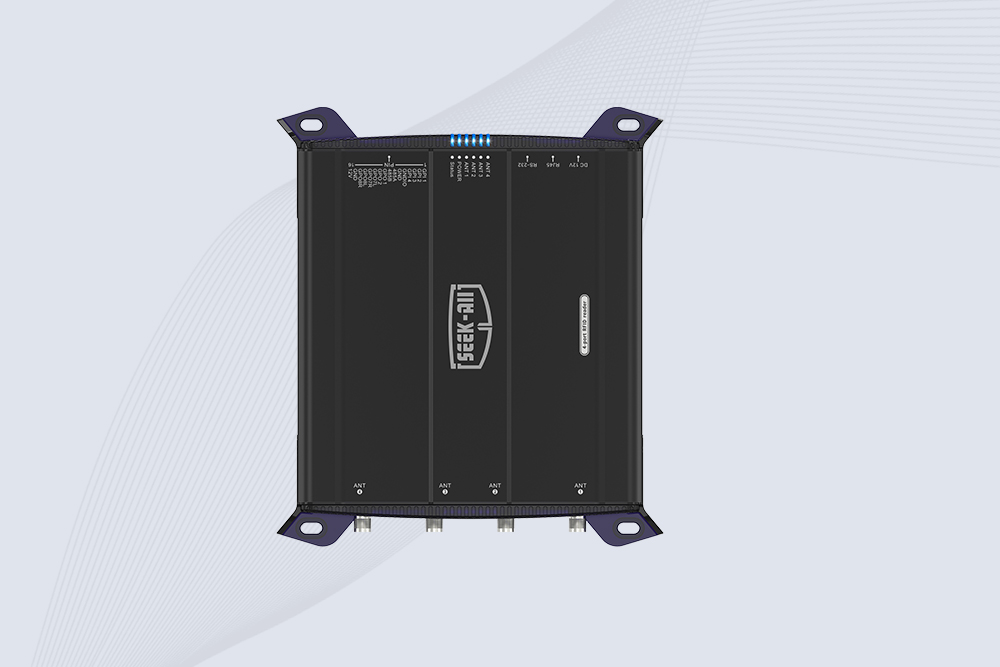
CYKEOCYKEO-M4L UHF RFID Module is a compact 4-channel RFID tag reader module designed for dense tag environments. Supporting ISO and GB protocols, it delivers stable reads up to 10 meters for industrial and IoT systems.
Cykeo CYKEO-A11 UHF RFID reader antenna delivers 11dBi gain, 840-960MHz frequency range, and IP65 ruggedness for retail, logistics, and industrial RFID systems. Features low VSWR and easy installation.
CYKEO Antenna RFID Reader delivers stable long-range UHF performance with a 10.5dBi directional design, built for warehouses, conveyor portals, and industrial RFID systems. This rfid reader antenna provides 20m+ read distance and rugged IP67 protection.
Cykeo CYKEO-A5B industrial Linear RFID Antenna delivers 5dBi gain, ≤1.5:1 VSWR, and IP65 rugged design for warehouse, production line, and logistics UHF systems.
Cykeo’s CYKEO-B12 Long Range RFID Antenna delivers 15m+ read range with 12dBi gain, IP65 rugged design, and global 840-960MHz UHF support. Ideal for warehouse/logistics asset tracking.
Cykeo CYKEO-B10 Long Distance RFID Antenna offers 10dBi gain, 840-960MHz frequency range, IP65 rating, and 20m+ coverage for logistics/warehousing/ETC systems. Low VSWR ensures stable signal transmission.
Cykeo CYKEO-A6 UHF RFID panel antenna features 6dBi gain, 840-960MHz broadband, IP65 metal-ready housing for logistics/smart retail. 18mm ultra-thin design with tool-free mounting.
Cykeo CK-A3 industrial antenna RFID UHF offers 5m+ tag detection, ≤1.3:1 VSWR, IP65 rugged design, and global UHF spectrum compatibility (840-960MHz) for warehouses, factories, and retail.
Cykeo CYKEO-B5 directional RFID antenna provides 5dBi gain with 60° narrow beamwidth for precise inventory tracking. IP65-rated, global UHF frequency support, and low VSWR.
Create your own high-performance DIY RFID antenna! 5dBi gain, 840-960MHz tunable, step-by-step guides. Compatible with Arduino, Raspberry Pi, and commercial UHF readers.
Cykeo CYKEO-A7 Flexible RFID Antenna features 840-960MHz wideband tuning, 7dBi gain, and IP68 rating for medical/retail/industrial curved surface deployments. 98% read accuracy with peel-and-stick installation.
Cykeo CYKEO-B5A industrial Passive RFID Antenna delivers 5dBi gain, 70° beamwidth, and -40°C~55°C operation for warehouses/smart cabinets. Compatible with Zebra/Impinj readers.
Cykeo’s CYKEO-A9B High Gain RFID Antenna delivers 15m+ read range with 9dBi amplification. Features IP54 rugged design, 840-960MHz bandwidth, and 80° beamwidth for warehouse/manufacturing RFID systems.
Cykeo’s enterprise-grade 8dbi Impinj RFID Antenna 10m+ read range with 840-960MHz tuning. Features IP65 housing, 1.4 VSWR, 35° beamwidth for retail/warehouse RFID systems.
Cykeo CYKEO-A9 industrial UHF RFID antenna delivers 9dBi gain, 840-960MHz frequency range, and IP65 protection for warehouse/logistics/retail RFID systems. Features N-type connector and ≤1.3:1 VSWR.
CYKEO UHF RFID Antenna built for long-distance and industrial applications. This antenna rfid uhf delivers strong gain, outdoor durability, and reliable tag performance in warehouses, yards, and vehicle ID systems.
CYKEO Antenna RFID delivers reliable long-range UHF performance in warehouses, retail shelves, and cold-chain environments. This compact uhf rfid antenna provides stable reads with circular polarization and ultra-wide 840–960 MHz support, ideal for industrial tracking, smart shelves, and asset monitoring.
Cykeo’s CYKEO-C8 UHF RFID antennas delivers 8dBi gain, 840-960MHz full-band coverage, and IP65 ruggedness for manufacturing/warehouse RFID systems. Industrial RFID Antennas Features
Cykeo’s 8dBi UHF RFID antenna and reader kit delivers 10m+ range, 840-960MHz broadband, and IP65 ruggedness for factories, warehouses, and logistics. ISO 18000-6C & EPC Gen2 certified.
When you start looking for an rfid label supplier, you’ll quickly notice the market is full of promises like “high precision” or “covering all industries.” But when it comes down to actually solving problems with RFID labels, these slogans don’t g...
Wondering "how far away can an active RFID tag be read"? Discover maximum distances from 40m to 100m+, factors affecting range, and real-world performance data with CYKEO.
CYKEO long range RFID tag reader with 9dBi integrated antenna, rugged design, outdoor-ready, real-time tag reading, and multi-protocol support. Perfect for warehouses, logistics, and industrial automation.
Discover the essential features of a warehouse-ready RFID reader—durability, long-range scanning, and anti-interference. Learn how Cykeo’s solutions optimize inventory accuracy.
 Cykeo RFID IoT Solution Products R&D Manufacturer