 Cykeo RFID IoT Solution Products R&D Manufacturer

Can RFID Readers Track Items in Real-Time? Accuracy Unveiled
1026Can RFID readers track items in real-time? Discover the technology behind RFID accuracy, latency limits, and how Cykeo optimizes tracking for critical industries.
MoreAll RFID Product
USB RFID reader may connect to a computer in seconds, but getting it to work reliably with business software can take more planning. A reader that works on a Windows workstation may need different drivers, permissions, or integration steps on a macOS or Linux system.
For businesses deploying RFID in inventory management, asset tracking, manufacturing, or product identification, operating system compatibility is more than a technical detail. It affects installation time, software development, maintenance, and the cost of supporting multiple workstations.
Before selecting USB RFID reader, buyers should check not only the USB connection, but also the reader’s communication mode, driver availability, SDK or API support, and compatibility with the target application.
USB RFID readers communicate with a host computer through a USB interface. The computer then needs a way to receive tag data or send commands to the reader.
Some devices operate as keyboard emulators. When a compatible tag is scanned, the reader sends the tag information as keyboard input. This can be convenient for basic identification tasks because it may work with standard text fields without a custom application.
Other readers use a vendor-specific driver, software development kit (SDK), API, or command interface. These options can provide more control over reading, writing, tag selection, configuration, and error handling.
The operating system must support the interface required by the reader and the application. A physically compatible USB connector does not guarantee that all software functions will work.
For example, a warehouse may need a reader to send an identifier into an inventory form. A production line may need to issue commands, write data to a tag, verify the result, and return status information to a manufacturing application. The second workflow generally requires more integration than simple keyboard input.
Windows is commonly used in business workstations, warehouse computers, and industrial PCs. Many USB RFID readers are supplied with Windows software, configuration tools, or SDKs.
However, support still varies by product. Before deployment, confirm the supported Windows versions, processor architecture where relevant, driver package, and application requirements.
If a reader supports USB keyboard emulation or a standard interface recognized by the operating system, basic tag identification may require little additional setup.
For example, an operator may scan an RFID card and have its identifier entered into an asset management form. This approach can be practical when the application only needs the tag value.
Advanced functions may require a manufacturer-provided driver or SDK. These can be necessary when the application needs to control reading parameters, write tag data, manage multiple operations, or receive detailed device status.
Before purchasing, test the supplier’s demo software and development resources on the same Windows environment used by the business. Do not assume that software tested on one Windows version will behave identically on every workstation.
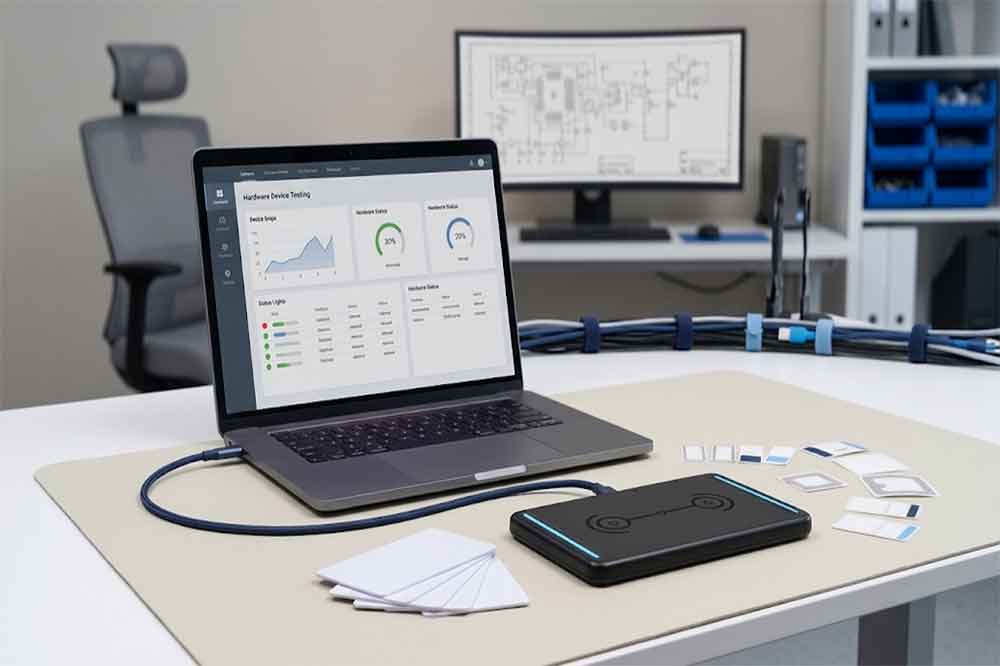
Mac computers can be suitable for RFID development, desktop identification, and selected business applications. The main question is whether the reader exposes an interface supported by macOS and whether the required software is available.
A reader that behaves as a standard USB keyboard may be easier to use for simple tag input. A reader that depends on a Windows-only configuration tool or SDK may require an alternative integration approach.
Some readers need no separate driver for basic functions, while others depend on vendor software or system-level components. Availability and installation requirements can vary by model and macOS release.
Developers should check whether the supplier provides a macOS SDK, API documentation, example code, or a supported command interface. If the application needs advanced tag operations, confirm that those functions are exposed on macOS rather than assuming that the same features available on Windows will also be available.
A successful USB connection is only the first step. Test the reader with the actual tags, application, and operating system version.
For a tag-encoding workstation, for example, verify that the application can issue the required command, receive the response, and confirm the written data. This helps identify integration gaps before the reader is deployed to multiple users.
Linux is used in embedded systems, industrial computers, development environments, and custom automation projects. It can provide flexibility, but the amount of setup depends on the reader’s interface and the target Linux distribution.
Some devices can communicate through standard USB interfaces. Others require a supported kernel driver, vendor library, permissions configuration, or a community-maintained software package.
A Linux application may need appropriate permissions to access a USB device. Depending on the interface, the developer may also need a compatible library or a documented command protocol.
Check the manufacturer’s Linux support before selecting a reader for long-term deployment. Confirm which distributions and versions have been tested, whether example code is provided, and how software updates will be handled.
A reader that works on a developer’s computer should also be tested on the production system. Differences in distribution versions, kernel configuration, permissions, and installed libraries may affect behavior.
For large deployments, document the setup process and keep a known-good configuration. This makes it easier to reproduce the installation when computers are replaced or systems are updated.
| Compatibility factor | Windows | macOS | Linux |
|---|---|---|---|
| Basic USB input | Depends on device interface | Depends on device interface | Depends on device interface and configuration |
| Vendor drivers | Check supported versions | Check macOS support | Check driver and distribution support |
| SDK/API availability | Confirm model-specific package | Confirm macOS development support | Confirm libraries and supported distributions |
| Advanced read/write operations | Verify commands and examples | Verify feature parity | Verify command and library support |
| Installation | Test on target PCs | Test on target Macs | Test on target distribution and kernel |
| Long-term maintenance | Plan driver and OS updates | Plan OS and SDK updates | Plan library, kernel, and distribution updates |
This comparison is a starting point, not a guarantee that a specific reader supports all three operating systems. Compatibility must be verified for the exact model, firmware, software interface, and application.
The reader’s communication mode can be as important as the operating system itself.
USB keyboard emulation: The reader sends tag data as keyboard input. This can simplify basic identification workflows, although data formatting, focus control, and application behavior still need testing.
USB serial or virtual COM interface: The host application communicates through a serial-style interface. The operating system must expose and support the interface, and the application must handle the relevant commands and responses.
Vendor SDK or API: The developer uses a software package or documented interface to control the reader. This can support more advanced operations, but compatibility depends on the SDK’s operating system support and the required runtime or dependencies.
Custom command interface: Some devices offer a documented protocol for direct communication. This may provide flexibility, but it requires development and testing to ensure stable communication and correct error handling.
When comparing devices, ask the supplier which interface is available and which functions can be performed through it. If the project requires writing RFID data, confirm that the selected interface supports the required write operations.
For more information about read and write capabilities, see our guide to the USB RFID reader read/write function.
Before placing a bulk order, prepare a small test plan that reflects the intended deployment.
Record the reader model, firmware version, RFID frequency, supported protocol, and tag model. Different products in the same category may not provide identical functions.
Test on the actual operating system version and computer type. For Linux, record the distribution and relevant kernel environment. For macOS and Windows, document the version used during validation.
Read several representative tags and confirm that the returned values match the expected identifiers. Test tag positioning and repeatability in the intended environment.
If the application needs writing, configuration, or other advanced functions, test these operations using the supplier’s documented interface. Confirm both successful results and expected behavior when an operation fails.
Check that tag data reaches the correct application field or database record. Test repeated scans, duplicate values, disconnected devices, and application restarts where relevant.
Confirm the availability of software updates, technical documentation, SDK examples, and technical support. For OEM or multi-site projects, agree on how the device and software will be maintained after deployment.
This process is more reliable than testing a reader only with the supplier’s demonstration program.
One common problem is assuming that USB plug-and-play means every feature is available. Basic tag input may work immediately while advanced commands remain unavailable without an SDK or supported driver.
Another issue is choosing hardware before confirming the software interface. A development team may need a particular programming language, API, or command response that the selected model does not provide.
Operating system updates can also affect drivers, libraries, and application dependencies. This is particularly important in installations that must remain operational for several years.
Finally, avoid testing only one computer and one tag. Use the target system, representative tag samples, and the full application workflow. For multi-platform deployments, maintain a compatibility record for every supported combination.
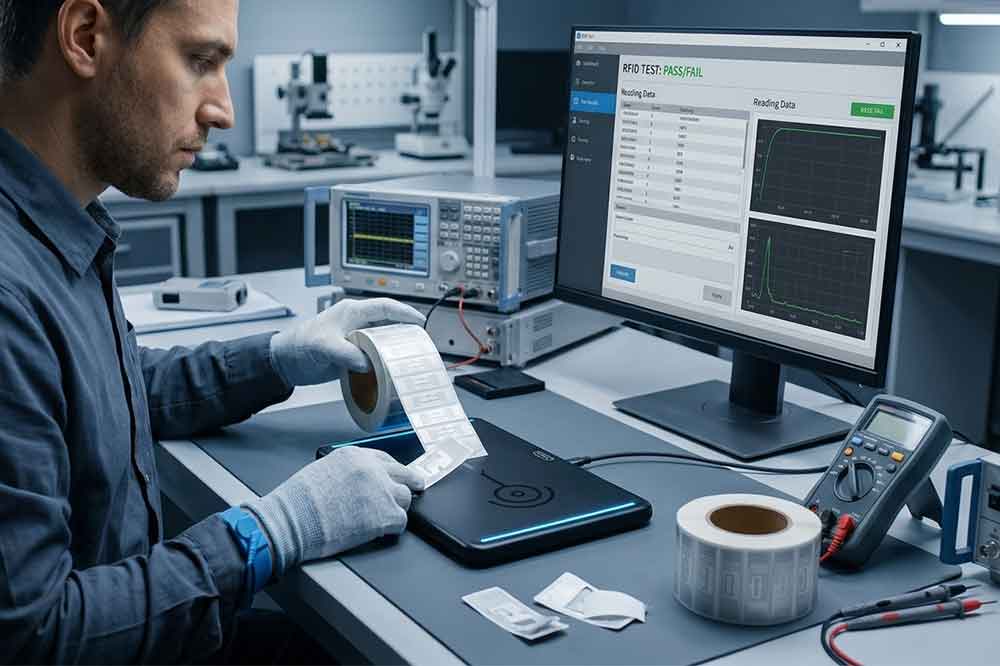
Start by defining where the reader will be used and what it must do. A basic desktop application may need only reliable tag input. A custom inventory or manufacturing system may need an SDK, write commands, configurable parameters, and detailed error responses.
Next, provide the supplier with the operating systems, software environment, RFID tags, and required operations. Ask for documentation and sample code before finalizing the selection.
If the project involves several operating systems, test the same reader model on each target platform. Do not assume that a feature demonstrated on one system is automatically available on another.
You can also review our guide to choosing the right USB RFID reader and the USB RFID reader buying guide for businesses before requesting samples or quotations.
USB RFID reader compatibility depends on more than the physical connection. Operating system support, communication mode, drivers, SDKs, APIs, and application requirements all influence whether a reader will work reliably.
For B2B buyers and system integrators, the safest approach is to verify compatibility for the exact device and target environment, then test the complete workflow before deployment. This reduces integration risk and helps prevent unexpected software or maintenance costs.
If you are evaluating USB RFID readers for a Windows, macOS, or Linux project, contact Cykeo with your target system, tag specifications, and required functions to discuss a suitable configuration.
Q1. Do USB RFID readers work with Windows, macOS, and Linux?
Some do, but support varies by model. Check the reader’s interface, drivers, SDKs, and supported operating system versions.
Q2. Do I always need to install a driver?
No. Some readers support standard interfaces or keyboard emulation. Others require vendor drivers, libraries, or configuration tools.
Q3. Can the same reader work across multiple operating systems?
Yes, if the device and its required software interfaces support each target system. Test all required functions on each platform.
Q4. Can I use an SDK designed for Windows on macOS or Linux?
Not necessarily. Confirm whether the supplier provides a compatible SDK, API, library, or documented command interface for the target system.
Q5. What should I test before bulk purchasing?
Test tag identification, required read/write operations, software integration, error handling, installation, and performance on the intended hardware and operating system.

Discover SSD-D4AL, a USB-HID UHF RFID reader with 4/8/16 antenna options, Impinj E710/X3M1 chipset, plug-and-play USB power, and OEM customization.

SSD-D3AL is a USB-HID UHF RFID reader with 0–30 cm reading, 0–15 cm writing, over 600 tags/s recognition, USB plug-and-play operation and OEM Logo customization.

SSD-D1AL is a compact USB UHF RFID reader with Impinj E710/X3M1 chipset, USB-HID, 600+ tags/s recognition, 4/8/16 antenna support and plug-and-play USB power.

CYKEO CYKEO-D1LA USB RFID Reader is a compact desktop solution with near-field control for precise tag reading and encoding. Powered by USB, supporting ISO 18000-6C, and built for stable batch writing, this usb rfid tag reader fits retail, libraries, offices, and controlled RFID encoding tasks.

CYKEO CYKEO-D1L RFID scanner USB is a compact desktop UHF RFID scanner designed for short-range tag writing and verification. This usb rfid scanner supports batch encoding, stable 0–26 dBm output, and works across Windows, Linux, and Android systems.

CYKEO CYKEO-D1C USB RFID Card Reader is a near-field UHF desktop writer designed for secure, short-range tag encoding. With USB-C connectivity and stable 26 dBm output, this rfid reader usb c is ideal for badge issuance, label encoding, and controlled desktop RFID workflows.

CYKEO CYKEO-D2L RFID Reader USB is a compact desktop encoder built on the Impinj R500 chip. With near-field control and stable USB power, this usb rfid card reader delivers precise tag writing for offices, retail counters, and small-scale logistics encoding tasks.

CYKEO CYKEO-D3L USB RFID Tag Reader delivers stable UHF tag reading and writing for daily desktop and light industrial tasks. Designed for controlled short-range operation, this USB RFID Tag Reader works reliably with rfid tag and reader systems in libraries, tool tracking, and inventory registration.

The CYKEO CYKEO-D4L UHF RFID Tag Reader is a stable Desktop RFID Reader designed for accurate tag registration, borrowing, and return workflows. Built with the Impinj R2000 chip, this UHF RFID Tag Reader delivers controlled short-range reads for libraries, asset tracking, and inventory management environments.

The CYKEO CYKEO-D5L Desktop RFID Card Reader is a stable UHF RFID Card Reader designed for controlled short-range reading and writing. Built for libraries, tool rooms, and asset desks, this UHF RFID Card Reader supports dense tag handling, secure data processing, and easy USB integration.

The CYKEO CYKEO-D6L RFID Reader Writer is a heavy-duty Desktop RFID Reader designed for short-range, high-accuracy tag programming. Built for libraries, labs, and asset desks, this RFID Reader Writer supports batch processing, stable 33dBm output, and seamless integration with existing management systems.

Cykeo CYKEO-D8B UHF RFID tunnel and RFID Desktop Reader features 30+ items batch reading,

Cykeo CYKEO-D8A embedded RFID badge reader offers 30+ tags/sec scanning, 20cm anti-crosstalk precision, and DC 12V power for unmanned stores, warehouses, and smart inventory systems.

Cykeo’s CYKEO-D8C UHF RFID gate reader achieves 200-tag/batch scanning with adjustable power control, ideal for retail inventory and smart warehouse management.
RFID Industry Writer | IoT & Asset Tracking Analyst
James writes about RFID technology, asset tracking, and the practical challenges of digital transformation across warehousing, retail, manufacturing, and logistics.
His work focuses on how RFID is applied in real-world operations—improving inventory visibility, automating workflows, and helping businesses manage assets with greater accuracy and efficiency.
He regularly covers topics including UHF RFID, smart cabinets, RFID portals, tool tracking, warehouse automation, and industrial IoT trends..
Can RFID readers track items in real-time? Discover the technology behind RFID accuracy, latency limits, and how Cykeo optimizes tracking for critical industries.
More
Learn how to connect RFID reader modules with ERP systems like SAP or Oracle. Explore middleware solutions, API compatibility, and real-time data synchronization.
More
retail tag systems protect stores from theft and improve inventory accuracy. Learn real retail deployment insights, loss prevention data, and RFID integration with Cykeo.
More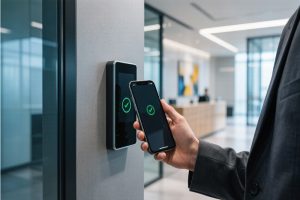
Can you copy an access card to your iPhone? Learn the difference between RFID and NFC access cards, what iPhones can and cannot do, and why some access cards cannot be cloned to a smartphone.
More