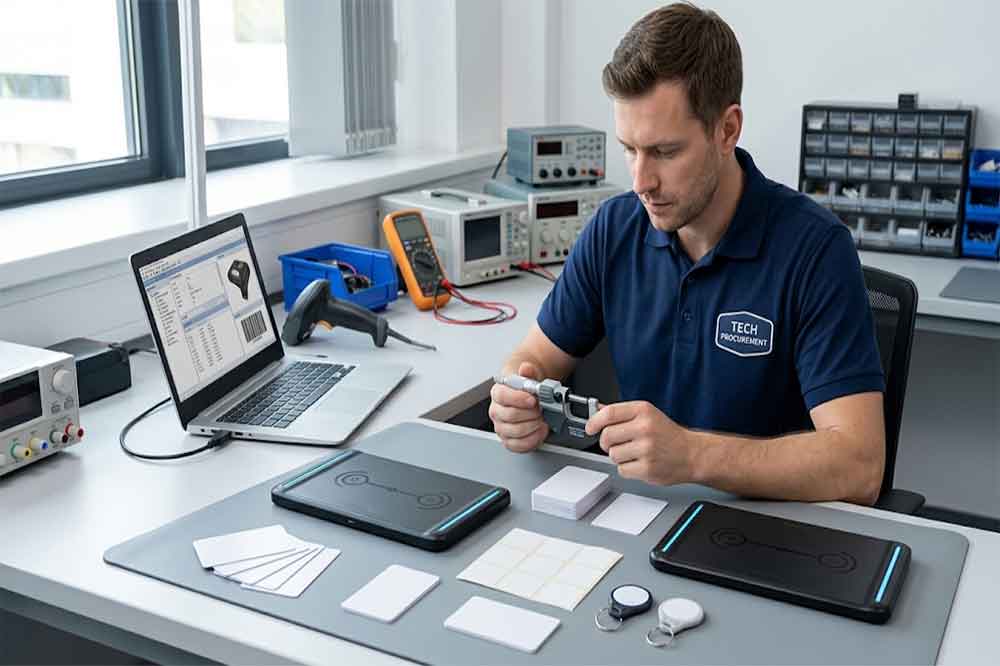
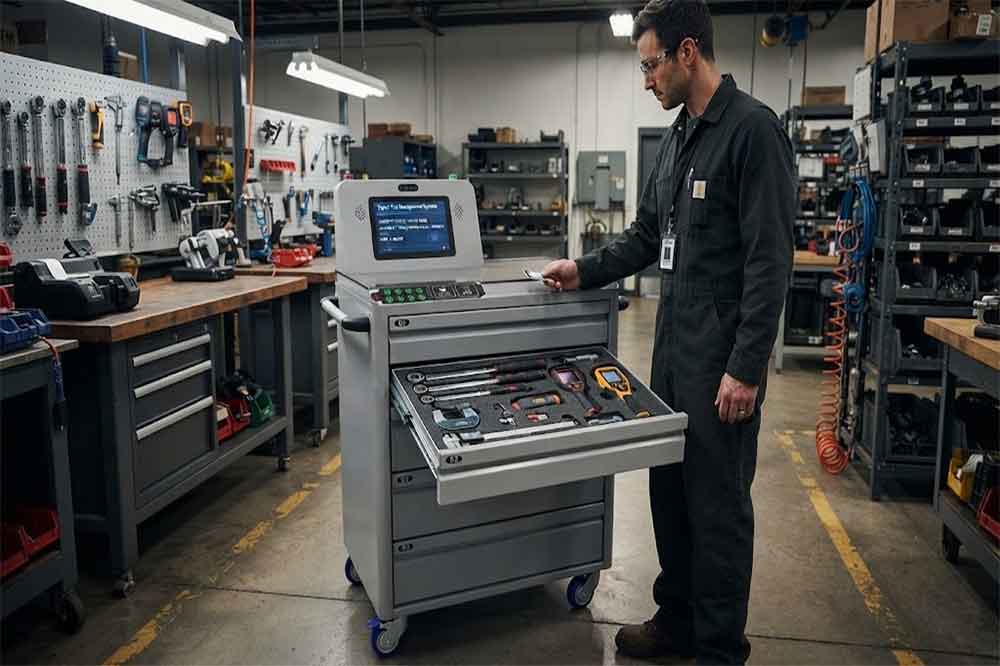
Buying a USB RFID reader for a business project involves more than comparing product photos and interface specifications. A reader that works well for a simple card-registration task may not be suitable for a UHF inventory station, an RFID encoding workstation, or a software integration project.
For purchasing teams, the challenge is to find equipment that meets the application requirements without creating unnecessary integration work. System integrators also need to consider tag compatibility, communication methods, testing requirements, and long-term project support.
This USB RFID reader buying guide explains what to check before requesting quotations, ordering samples, or purchasing readers in bulk.
1. Define the Project Before Comparing Products
Start by describing what the reader needs to do. This sounds obvious, but many purchasing problems begin when a buyer requests a USB RFID reader without providing enough information about the intended application.
A supplier may need to know whether the project involves employee identification, retail inventory, tool management, library systems, product registration, or RFID tag encoding.
These applications can require different hardware and software functions.
For example, a reader used to identify one employee card at a desk may not need multi-tag inventory functions. A workstation used to register multiple UHF-tagged products may require different antenna performance and reading capabilities.
Prepare a short project specification before contacting suppliers. Include the application, tag type, expected reading distance, host device, required functions, and estimated quantity.
2. Verify Frequency, Protocol, and Tag Compatibility
Frequency compatibility should be one of the first items on your purchasing checklist.
RFID readers commonly operate in LF, HF, or UHF frequency bands. The correct choice depends on the tags and standards used by the project.
HF readers operating at 13.56 MHz are commonly used with compatible cards, document systems, and selected encoding applications. UHF readers are frequently used for item-level inventory and applications that require multi-tag identification. LF readers support particular identification and access-control applications.
However, frequency alone does not guarantee compatibility.
Two tags operating in the same frequency band may use different chips, protocols, or data formats. Before ordering, confirm the supported tag standards and the exact operations required.
If you already have samples of the intended tags, provide their specifications to the supplier. Testing with actual tags can help identify compatibility issues before a larger order is placed.
3. Compare the Specifications That Affect Daily Use
A product specification sheet should answer practical questions about the intended workflow.
Reading distance and antenna performance
Determine how far the reader needs to detect a tag and how the tag will be positioned. A compact desktop reader may suit a controlled workstation, while a project involving moving products or a larger reading zone may require another type of RFID device.
Do not evaluate reading distance without considering tag size, orientation, mounting material, and surrounding RF conditions.
Read and write functions
Some projects only need to retrieve tag identifiers. Others require encoding or updating supported tag memory.
If writing is required, confirm the supported commands, memory operations, and tag permissions. A general RFID reader description does not necessarily mean that every memory-writing function is available.
Multi-tag performance
For inventory applications, determine whether the reader supports the expected number of tags and the required reading workflow.
The actual result depends on the reader, antenna, tag arrangement, interference, and application configuration. Where multi-tag performance is important, a practical test is more useful than relying on a single advertised number.
USB interface and power requirements
Confirm the connector, cable arrangement, host compatibility, and power requirements. USB-A and USB-C describe connection interfaces, not the RFID frequency or tag protocols supported by the device.
These details should be documented before the purchasing team approves a model.
4. Check Software Compatibility Before Ordering
Hardware selection is only part of the purchasing decision. The reader must also work with the software and host device used by the project.
Some readers support keyboard emulation, allowing tag data to appear in an active text field. Others use serial communication, vendor software, an SDK, or an API.
Each method has different capabilities.
For a simple registration application, keyboard-style output may be sufficient. For a custom inventory platform, developers may need direct control over tag reading, writing, reader configuration, or other device functions.
Before purchasing, confirm:
Supported operating systems and versions.
Driver and installation requirements.
Communication interface and protocol documentation.
SDK or API availability, if required.
Supported programming environments and sample code.
Whether the intended application needs advanced reader control.
For Android deployments, also confirm the specific device’s USB OTG and software compatibility. A USB-C connector alone does not guarantee that a reader will work with every Android phone or tablet.
If the reader will be integrated into an existing system, ask the engineering team to review the documentation before approving the hardware.
5. Request Samples and Test Real Working Conditions
A sample order can reduce risk when a reader will be deployed across multiple workstations or integrated into a commercial product.
The purpose of sample testing is not simply to confirm that the device powers on. It is to determine whether the reader works with the actual tags, host devices, and software used by the project.
A useful evaluation should cover several areas.
First, test reading consistency with representative tags. Check whether tag placement, orientation, and distance affect results.
Second, test the device under the intended operating conditions. Tags attached to metal tools, liquid containers, or different packaging materials may behave differently from tags tested on an empty desk.
Third, verify the data received by the application. Confirm that the output format, communication method, and software behavior match the project requirements.
Finally, test any required writing functions and document the configuration needed to reproduce the results.
For system integrators, recording these results helps the engineering team evaluate whether the same configuration can be used across the planned deployment.
6. Evaluate the Supplier’s Technical Support
For B2B purchases, the supplier’s ability to answer technical questions can be as important as the device itself.
A suitable supplier should be able to explain the supported RFID standards, interface options, operating requirements, and limitations of the proposed model.
If the project requires SDK integration, ask for the relevant documentation and confirm which functions are supported. If the project involves custom hardware or software, clarify the available engineering support and the scope of any customization.
You should also establish how technical issues will be handled during testing and deployment.
Avoid assuming that every product in a supplier’s catalog shares the same firmware, SDK, read/write functions, or operating system compatibility. Verify the exact model and configuration being quoted.
For OEM projects, clarify whether the request involves standard products, modified configurations, custom enclosures, branding, or a new hardware design. These options may involve different costs, development work, and lead times.
7. Understand the Total Cost of Ownership
The lowest unit price does not always produce the lowest project cost.
A reader with an attractive purchase price may require additional development, accessories, driver work, or testing. A more suitable device may reduce integration effort and simplify deployment.
When comparing quotations, review the full scope of supply:
Reader model and hardware configuration.
Included cables, accessories, and software.
SDK or API availability and any associated conditions.
Sample costs and potential customization charges.
Production lead time and order quantity.
Warranty terms and technical support.
Shipping, packaging, and applicable import costs.
For bulk orders, request a quotation based on the intended quantity and configuration. Make sure all suppliers are quoting comparable specifications before comparing unit prices.
For projects with several deployment stages, it may also be useful to separate sample evaluation, pilot deployment, and the planned production order.
8. Prepare a Clear RFQ for Bulk Purchasing
A clear request for quotation helps suppliers recommend appropriate equipment and reduces repeated clarification.
Include the following information whenever possible:
Application: Describe how the reader will be used.
RFID tags: Specify frequency, chip type, protocol, or provide tag samples.
Reading requirements: State the expected distance, number of tags, and whether simultaneous reading is required.
Functions: Indicate whether reading, writing, encoding, or advanced configuration is needed.
Host platform: Specify Windows, Android, an industrial PC, or another supported system.
Integration: Explain whether keyboard emulation, serial communication, an SDK, or an API is required.
Quantity: Provide the sample quantity, expected initial order, and estimated future demand.
Project timing: State the expected evaluation and delivery schedule.
If some specifications are not yet confirmed, identify them as open questions rather than guessing. A qualified supplier can then help evaluate suitable options and clarify the remaining requirements.
Explore Cykeo USB RFID Reader Options
Choosing a USB RFID reader for a business project requires a balance between tag compatibility, reading performance, software integration, purchasing cost, and technical support.
For a small desktop application, a standard reader with compatible data output may be sufficient. For a more complex inventory or encoding project, the purchasing team should verify the reader’s protocol support, antenna performance, software functions, and behavior with actual tags.
When requesting a quotation, share the intended application, tag specifications, interface requirements, expected quantity, and any special integration needs. This gives the supplier a clearer basis for evaluating compatibility and preparing a relevant proposal.
Conclusion
A successful USB RFID reader purchase begins with a clear project specification. Buyers should confirm tag compatibility, evaluate the required reading and writing functions, check software integration, and test samples under realistic conditions.
For system integrators, distributors, and OEM buyers, reviewing technical support and total project costs before placing a bulk order can help prevent avoidable delays and improve deployment planning.
SSD-D3AL is a USB-HID UHF RFID reader with 0–30 cm reading, 0–15 cm writing, over 600 tags/s recognition, USB plug-and-play operation and OEM Logo customization.
SSD-D1AL is a compact USB UHF RFID reader with Impinj E710/X3M1 chipset, USB-HID, 600+ tags/s recognition, 4/8/16 antenna support and plug-and-play USB power.
CYKEO CYKEO-D1LA USB RFID Reader is a compact desktop solution with near-field control for precise tag reading and encoding. Powered by USB, supporting ISO 18000-6C, and built for stable batch writing, this usb rfid tag reader fits retail, libraries, offices, and controlled RFID encoding tasks.
CYKEO CYKEO-D1L RFID scanner USB is a compact desktop UHF RFID scanner designed for short-range tag writing and verification. This usb rfid scanner supports batch encoding, stable 0–26 dBm output, and works across Windows, Linux, and Android systems.
CYKEO CYKEO-D1C USB RFID Card Reader is a near-field UHF desktop writer designed for secure, short-range tag encoding. With USB-C connectivity and stable 26 dBm output, this rfid reader usb c is ideal for badge issuance, label encoding, and controlled desktop RFID workflows.
CYKEO CYKEO-D2L RFID Reader USB is a compact desktop encoder built on the Impinj R500 chip. With near-field control and stable USB power, this usb rfid card reader delivers precise tag writing for offices, retail counters, and small-scale logistics encoding tasks.
CYKEO CYKEO-D3L USB RFID Tag Reader delivers stable UHF tag reading and writing for daily desktop and light industrial tasks. Designed for controlled short-range operation, this USB RFID Tag Reader works reliably with rfid tag and reader systems in libraries, tool tracking, and inventory registration.
The CYKEO CYKEO-D4L UHF RFID Tag Reader is a stable Desktop RFID Reader designed for accurate tag registration, borrowing, and return workflows. Built with the Impinj R2000 chip, this UHF RFID Tag Reader delivers controlled short-range reads for libraries, asset tracking, and inventory management environments.
The CYKEO CYKEO-D5L Desktop RFID Card Reader is a stable UHF RFID Card Reader designed for controlled short-range reading and writing. Built for libraries, tool rooms, and asset desks, this UHF RFID Card Reader supports dense tag handling, secure data processing, and easy USB integration.
The CYKEO CYKEO-D6L RFID Reader Writer is a heavy-duty Desktop RFID Reader designed for short-range, high-accuracy tag programming. Built for libraries, labs, and asset desks, this RFID Reader Writer supports batch processing, stable 33dBm output, and seamless integration with existing management systems.
Cykeo CYKEO-D8A embedded RFID badge reader offers 30+ tags/sec scanning, 20cm anti-crosstalk precision, and DC 12V power for unmanned stores, warehouses, and smart inventory systems.
Cykeo’s CYKEO-D8C UHF RFID gate reader achieves 200-tag/batch scanning with adjustable power control, ideal for retail inventory and smart warehouse management.
RFID Industry Writer | IoT & Asset Tracking Analyst
James writes about RFID technology, asset tracking, and the practical challenges of digital transformation across warehousing, retail, manufacturing, and logistics.
His work focuses on how RFID is applied in real-world operations—improving inventory visibility, automating workflows, and helping businesses manage assets with greater accuracy and efficiency.
He regularly covers topics including UHF RFID, smart cabinets, RFID portals, tool tracking, warehouse automation, and industrial IoT trends..
Learn the critical maintenance requirements for industrial RFID systems to ensure longevity and accuracy. Discover Cykeo’s strategies for minimizing downtime in harsh environments.
RFID tool cabinet can provide individual identification, controlled access, checkout records, and audit history for expensive or operationally critical tools...
Discover how a tool tracking tool for IT equipment improves asset visibility, prevents device loss, and automates inventory management using Cykeo UHF RFID technology.
RFID writer reader devices streamline tag registration, asset lending, returns, inventory control, and RFID data encoding. Discover how Cykeo improves RFID workflow efficiency.
 Cykeo RFID IoT Solution Products R&D Manufacturer