 Cykeo RFID IoT Solution Products R&D Manufacturer

RFID Tool Cabinet for Tool Issuing and Return Management
75RFID tool cabinet can connect tool issuing and return processes with user identity, tool status, inventory, and transaction records. This helps tool rooms re...
MoreAll RFID Product
When businesses compare a USB RFID reader with an RFID scanner, the terminology can be confusing. Some suppliers use “RFID scanner” as a general term for an RFID reader, while others use “scanner” to describe a barcode scanning device. These products can support similar workflows, but they do not identify items in the same way.
The right choice depends on the tags attached to your products, the number of items you need to identify at once, the required reading distance, and how the device connects to your software.
For purchasing teams, system integrators, and developers, understanding these differences before ordering samples can help avoid compatibility problems during deployment.
A USB RFID reader is a device that communicates with RFID tags through radio frequency signals and transfers the collected data to a computer or another compatible host through a USB connection.
Unlike a barcode scanner, an RFID reader does not normally need a visible barcode to be aimed at a camera or laser. Instead, it uses a compatible antenna and radio frequency technology to communicate with tags within its effective reading area.
USB RFID readers are commonly used at workstations, service counters, laboratories, production stations, and desktop inventory terminals. Depending on the model, a reader may identify individual tags, read or write supported tag data, or process multiple tags within its operating capabilities.
Not every USB RFID reader supports the same tags. Frequency and protocol compatibility must be checked before purchase.
For example, an HF or NFC reader is designed for compatible high-frequency tags, while a UHF reader is intended for compatible ultra-high-frequency tags. These devices are not automatically interchangeable.
A USB connection also does not guarantee that the reader will work with every application. The host software may require a specific communication mode, driver, SDK, or programming interface.
The term “RFID scanner” is often used informally to describe equipment that detects or reads RFID tags. In many purchasing discussions, an RFID scanner and an RFID reader may refer to the same general type of product.
However, the term can also describe handheld RFID equipment, fixed RFID scanning systems, or integrated devices used in inventory and tracking applications.
For this reason, buyers should look beyond the product name and check the actual specifications.
Important questions include:
A supplier may advertise a “USB RFID scanner” that is functionally a USB RFID reader. Another product with a similar name may be a handheld device with a different interface and operating workflow.
The product description alone is not enough to determine whether a device meets your project requirements.
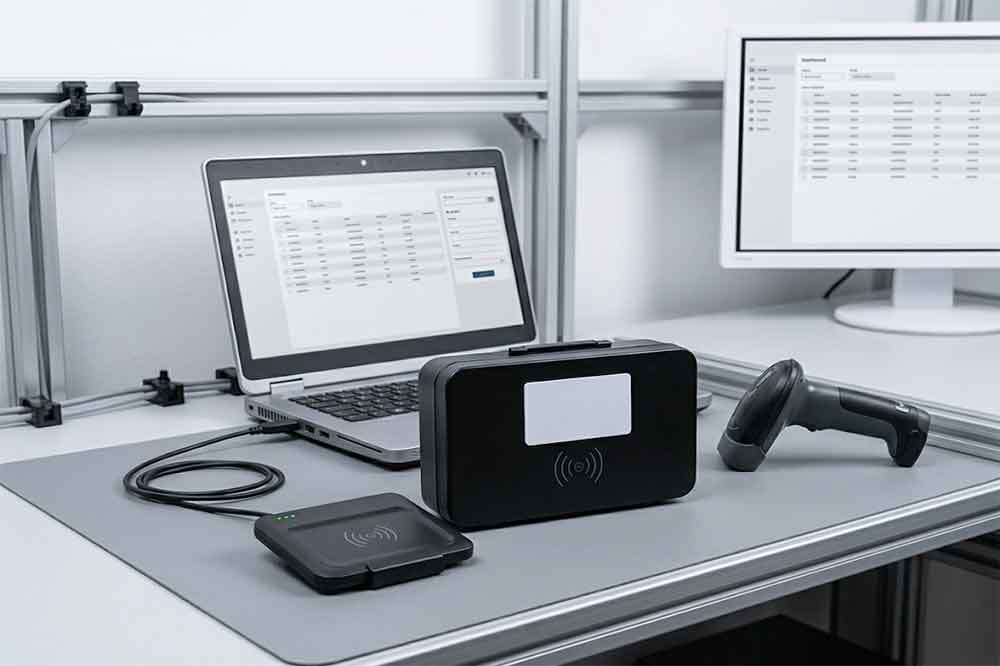
An RFID reader and a barcode scanner both help identify items, but they use different identification methods.
A barcode scanner captures the information encoded in a printed barcode or another supported optical code. An RFID reader communicates with an electronic RFID tag using radio frequency signals.
The practical differences affect how employees handle items, how quickly inventory can be processed, and how a system should be designed.
A barcode scanner reads visual information printed on a label or displayed on a screen. Depending on the scanner and barcode type, the code usually needs to be visible to the scanning sensor.
An RFID reader communicates with an RFID tag through radio waves. The tag does not normally need to be visually exposed, although materials, tag orientation, surrounding objects, and the reader’s operating frequency can affect performance.
This difference matters when labels may be hidden, items are packed in containers, or staff need to identify products without manually aiming at each code.
A barcode workflow often requires the operator or an automated system to present each barcode to the scanner individually.
An RFID system can sometimes identify multiple compatible tags during one inventory operation. Actual performance depends on the reader, antenna design, tag placement, radio environment, and software configuration.
Multi-tag reading can be useful for stocktaking, asset tracking, and item-level inventory. It should not, however, be treated as a guarantee that every tag in a crowded box or on a shelf will be read correctly.
For projects that require high accuracy, testing with representative products and tag positions is essential.
Barcode scanners vary considerably. Some are designed for close-range desktop scanning, while industrial models can read supported codes from greater distances.
RFID readers also have different operating ranges. A compact USB desktop reader may be intended for short-range identification, whereas a suitable UHF system may support longer-range applications with an appropriate antenna and tag setup.
Neither technology has one universal reading distance. The working range must be evaluated against the actual product, label, environment, and device specifications.
Barcode systems require readable optical codes. Damaged, dirty, covered, or poorly printed labels can create scanning problems.
RFID systems require compatible RFID tags. A barcode scanner cannot read an RFID tag’s electronic data simply because the tag is present, and an RFID reader cannot automatically decode an ordinary printed barcode.
Some labels contain both a barcode and an RFID inlay. These can support both workflows, but each identification method still needs compatible equipment.
A USB barcode scanner may send decoded barcode data to a computer as keyboard input, through a serial interface, or by using a vendor-specific interface.
A USB RFID reader may also support keyboard-emulation or serial communication, but other models require a driver, SDK, API, or application-level integration.
Before ordering, confirm how the device delivers tag data, how your software will receive it, and whether the required operating system and development environment are supported.
| Feature | USB RFID Reader | Barcode Scanner |
|---|---|---|
| Identification method | Radio communication with RFID tags | Optical reading of printed or displayed codes |
| Visual line of sight | Often not required | Usually required |
| Multiple-item reading | Possible with supported RFID systems | Usually processed code by code |
| Required label | Compatible RFID tag | Readable barcode or supported optical code |
| Common workflows | Asset tracking, RFID inventory, tag encoding | Checkout, shipping labels, order picking |
| Integration | USB mode, driver, SDK or API, depending on model | Keyboard, serial, driver or SDK, depending on model |
The table describes common characteristics, not every product. Specifications and actual performance vary by device.
A USB RFID reader is worth considering when your project uses RFID tags and needs a direct connection to a computer or workstation.
A service desk or IT department may use an RFID reader to register tagged equipment, update asset records, or verify an item’s identity during maintenance.
The reader can help staff collect tag information without locating and scanning a visible barcode, provided the asset has a compatible RFID tag.
Businesses using RFID-tagged items may want to speed up inventory checks or reduce the amount of manual item handling. A USB reader can support workstation-based workflows, while other reader types may be more appropriate for larger areas or mobile inventory operations.
Consider the number of tags in the reading area, the desired workflow, and whether the system needs to distinguish items located close together.
Some USB RFID readers support writing data to compatible tags. This can be useful when assigning tag identifiers, preparing items for deployment, or managing tag data during production.
Read and write capabilities vary by model, frequency, protocol, and tag type. Confirm the required memory operation and software interface before selecting a reader.
Developers may need a USB RFID reader to connect physical tags with an inventory platform, laboratory application, access management system, or production database.
In this case, communication documentation can be as important as the hardware. Confirm whether the device provides the required SDK, API, sample code, supported operating systems, and data format.
For a broader introduction, see our guide to what a USB RFID reader is and how it works.
A barcode scanner may be the more practical choice when your workflow already relies on printed labels and requires a simple, well-established way to capture their contents.
Warehouse employees often scan parcel labels, product codes, or shipping documents to confirm order information. If every item already has a readable barcode and the workflow processes items individually, a barcode scanner may be sufficient.
Retail checkout systems commonly use barcodes to identify products and retrieve pricing or product records from a database. A barcode scanner is often the natural choice when the existing product identification process is based on printed codes.
Not every identification project needs RFID. If operators can easily access each label and only need to capture one code at a time, adding RFID tags and readers may increase project complexity without delivering enough practical value.
The decision should be based on operational needs rather than assuming one technology is always better.
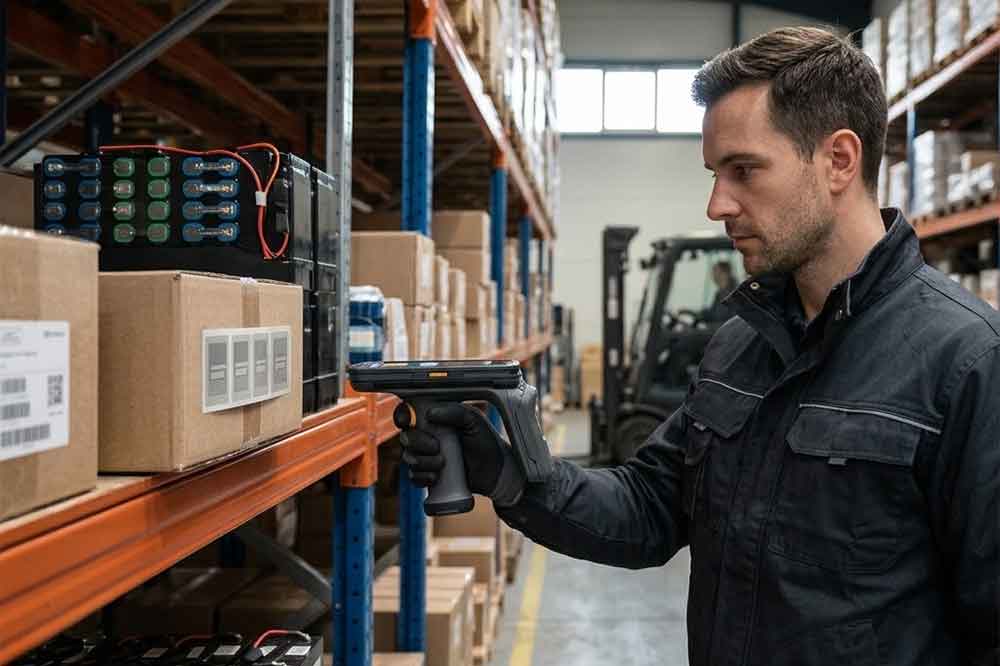
Yes. Many businesses use both technologies in the same workflow.
For example, a warehouse may use barcode scanners to receive supplier cartons and scan shipping documents, while RFID readers track tagged assets or support inventory checks. A production line may use barcodes to identify work orders and RFID tags to associate reusable tools, containers, or components with process records.
Using both technologies can be useful when different items or stages of a process have different identification requirements.
However, combining them requires a clear data model. The software should define how a barcode relates to an RFID identifier, which identifier is authoritative for each task, and how duplicate or inconsistent records are handled.
Hardware compatibility should also be verified. A combined workflow may require separate devices, a multi-technology reader, or an integrated terminal. Do not assume a standard USB RFID reader can scan barcodes unless that capability is explicitly supported.
Before purchasing a USB RFID reader or barcode scanner, write down the actual requirements of the application.
First, identify the label technology. Confirm whether the items use barcodes, HF RFID tags, NFC tags, UHF RFID tags, or a combination. If RFID is required, specify the tag frequency and relevant protocol.
Second, define the operating distance. Measure the distance between the device and the tag or barcode during normal operation. Include the position of the item, the surrounding materials, and whether staff will handle one item or many.
Third, confirm the software interface. Ask whether the device supports the communication mode, operating system, SDK, or API needed by your application. If the device will connect to existing software, test the actual data output rather than relying on a general compatibility statement.
Fourth, test representative samples. Use the intended labels, products, packaging, and working environment. For RFID, test tag orientation and the number of tags in the reading area. For barcodes, test label quality, code types, and scanning angles.
Finally, review supplier support and future requirements. For business deployments, confirm documentation, sample availability, customization options, and support for integration. If you plan to purchase in volume, share the expected usage scenario and required specifications before requesting a quotation.
If you have not yet finalized the technical requirements, our guide on how to choose the right USB RFID reader for your application explains the main selection factors. For supplier evaluation, sample testing, and bulk orders, see our USB RFID reader buying guide for businesses.
You can also review the Cykeo USB RFID Reader product category to explore available device options.
The terms are often used interchangeably. Both may refer to equipment that communicates with RFID tags. However, product names vary between suppliers, so confirm the supported frequency, interface, reading capabilities, and intended application.
Not necessarily. A standard RFID reader communicates with RFID tags, while a barcode scanner reads optical codes. A device can support both only when the relevant hardware and functionality are specifically included.
Neither is universally better. RFID can support non-line-of-sight identification and multi-tag reading in suitable conditions. Barcodes are often practical for low-cost, item-by-item identification when labels are visible and easy to scan.
Some RFID readers support multi-tag reading. The actual results depend on the reader, antenna, tag type, tag placement, and surrounding environment. Confirm performance using representative samples before deployment.
Provide the RFID frequency or barcode type, required reading distance, tag quantity, USB communication mode, software environment, read/write needs, application scenario, and expected order quantity. These details help suppliers recommend a suitable device.
The main difference between a USB RFID reader and a barcode scanner is how each technology identifies an item. RFID readers communicate with compatible electronic tags, while barcode scanners capture information from visible optical codes. The term “RFID scanner” may refer to an RFID reader, so specifications matter more than the name.
For B2B projects, choose based on tag compatibility, reading workflow, operating distance, software integration, and sample test results. A well-defined specification makes supplier comparisons easier and reduces the risk of selecting a device that cannot work with your existing system.
Explore the Cykeo USB RFID Reader range to review possible options for your application.

Discover SSD-D4AL, a USB-HID UHF RFID reader with 4/8/16 antenna options, Impinj E710/X3M1 chipset, plug-and-play USB power, and OEM customization.

SSD-D3AL is a USB-HID UHF RFID reader with 0–30 cm reading, 0–15 cm writing, over 600 tags/s recognition, USB plug-and-play operation and OEM Logo customization.

SSD-D1AL is a compact USB UHF RFID reader with Impinj E710/X3M1 chipset, USB-HID, 600+ tags/s recognition, 4/8/16 antenna support and plug-and-play USB power.

CYKEO CYKEO-D1LA USB RFID Reader is a compact desktop solution with near-field control for precise tag reading and encoding. Powered by USB, supporting ISO 18000-6C, and built for stable batch writing, this usb rfid tag reader fits retail, libraries, offices, and controlled RFID encoding tasks.

CYKEO CYKEO-D1L RFID scanner USB is a compact desktop UHF RFID scanner designed for short-range tag writing and verification. This usb rfid scanner supports batch encoding, stable 0–26 dBm output, and works across Windows, Linux, and Android systems.

CYKEO CYKEO-D1C USB RFID Card Reader is a near-field UHF desktop writer designed for secure, short-range tag encoding. With USB-C connectivity and stable 26 dBm output, this rfid reader usb c is ideal for badge issuance, label encoding, and controlled desktop RFID workflows.

CYKEO CYKEO-D2L RFID Reader USB is a compact desktop encoder built on the Impinj R500 chip. With near-field control and stable USB power, this usb rfid card reader delivers precise tag writing for offices, retail counters, and small-scale logistics encoding tasks.

CYKEO CYKEO-D3L USB RFID Tag Reader delivers stable UHF tag reading and writing for daily desktop and light industrial tasks. Designed for controlled short-range operation, this USB RFID Tag Reader works reliably with rfid tag and reader systems in libraries, tool tracking, and inventory registration.

The CYKEO CYKEO-D4L UHF RFID Tag Reader is a stable Desktop RFID Reader designed for accurate tag registration, borrowing, and return workflows. Built with the Impinj R2000 chip, this UHF RFID Tag Reader delivers controlled short-range reads for libraries, asset tracking, and inventory management environments.

The CYKEO CYKEO-D5L Desktop RFID Card Reader is a stable UHF RFID Card Reader designed for controlled short-range reading and writing. Built for libraries, tool rooms, and asset desks, this UHF RFID Card Reader supports dense tag handling, secure data processing, and easy USB integration.

The CYKEO CYKEO-D6L RFID Reader Writer is a heavy-duty Desktop RFID Reader designed for short-range, high-accuracy tag programming. Built for libraries, labs, and asset desks, this RFID Reader Writer supports batch processing, stable 33dBm output, and seamless integration with existing management systems.

Cykeo CYKEO-D8B UHF RFID tunnel and RFID Desktop Reader features 30+ items batch reading,

Cykeo CYKEO-D8A embedded RFID badge reader offers 30+ tags/sec scanning, 20cm anti-crosstalk precision, and DC 12V power for unmanned stores, warehouses, and smart inventory systems.

Cykeo’s CYKEO-D8C UHF RFID gate reader achieves 200-tag/batch scanning with adjustable power control, ideal for retail inventory and smart warehouse management.
RFID Industry Writer | IoT & Asset Tracking Analyst
James writes about RFID technology, asset tracking, and the practical challenges of digital transformation across warehousing, retail, manufacturing, and logistics.
His work focuses on how RFID is applied in real-world operations—improving inventory visibility, automating workflows, and helping businesses manage assets with greater accuracy and efficiency.
He regularly covers topics including UHF RFID, smart cabinets, RFID portals, tool tracking, warehouse automation, and industrial IoT trends..
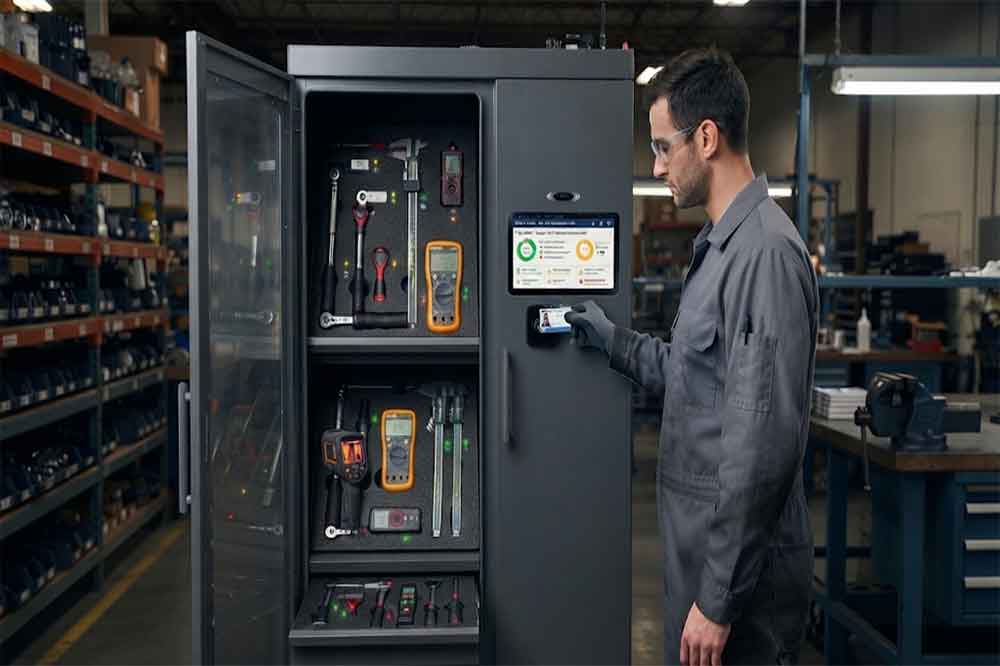
RFID tool cabinet can connect tool issuing and return processes with user identity, tool status, inventory, and transaction records. This helps tool rooms re...
More
RFID reader and antenna combos tested: See why 68% underperform. Real interference fixes, range tests, and how Cykeo survives warehouse hell.
More
RFID improves inventory management by identifying multiple tagged items without line-of-sight scanning, enabling faster receiving, counting, shipment verific...
More
Learn how to connect fixed RFID readers to SAP ERP for real-time inventory updates. Explore middleware, API integration, and data mapping best practices.
More