 Cykeo RFID IoT Solution Products R&D Manufacturer

RFID for Manufacturing: Does It Really Improve Factory Operations?
170RFID for manufacturing explained from real factory experience. See where RFID works, where it fails, and how manufacturers actually use it.
MoreAll RFID Product
Choosing a USB RFID reader is not just a matter of finding a device with the right connector. Two readers may look almost identical on a desk but behave very differently when connected to an inventory system, an RFID encoding workstation, or a custom software application.
The first question should be what the reader needs to do. Will it identify one RFID card at a registration counter? Read several tagged products during inventory work? Encode labels before shipment? Or communicate with an existing business application?
Each situation has different requirements. Understanding them before purchasing can help businesses avoid compatibility problems, unnecessary hardware costs, and delays during integration.
This guide explains the main factors to consider when selecting a USB RFID reader for a commercial project.
Before comparing reader models, identify the RFID tags already used in your project or the tags you plan to purchase. This is usually the most important first step.
RFID readers operate at different frequencies, and these frequencies are not interchangeable.
Low-frequency RFID commonly operates at 125 kHz or 134.2 kHz. It is used in certain identification, animal identification, and access-control applications.
If your project uses LF tags, confirm the supported frequency and tag format. A reader supporting one LF format may not support every other format.
High-frequency RFID commonly operates at 13.56 MHz. These readers are used for compatible cards, document management, product identification, and selected encoding applications.
NFC is related to HF RFID, but the technologies and supported functions are not identical in every implementation. Check the specific card type, chip, standard, and required operation before selecting a reader.
UHF RFID is widely used for inventory identification, item tracking, and applications involving multiple tagged objects. Many UHF systems support EPC Gen2 / ISO 18000-63, but protocol support must be verified for the specific model.
A USB UHF RFID reader may be suitable for desktop inventory registration, RFID label testing, or tag encoding. However, it cannot automatically read LF or HF tags simply because they are also RFID products.
Practical tip: If you already have RFID tags, provide the supplier with their frequency, chip information, and protocol before requesting a reader recommendation.
Not every RFID application needs to identify several tags at once.
For employee registration, membership management, or a workstation where one card is presented at a time, single-tag interaction may be sufficient.
Inventory applications can have different requirements. A business may need to identify several tagged products placed near a reader during a stock check. In this case, the reader’s anti-collision capability, antenna design, supported tag population, and software handling become important.
Multi-tag reading does not guarantee that every tag in the surrounding area will be detected. Results depend on tag orientation, distance, materials, RF interference, and the physical arrangement of the items.
Consider a desktop station used to register incoming merchandise. If staff place tagged items in a controlled reading area, a desktop UHF reader may be appropriate. If products are spread across a warehouse or move continuously along a conveyor, a fixed RFID system may be a better fit.
The goal is to match the reading method to the actual workflow rather than choose the reader with the largest advertised tag capacity.
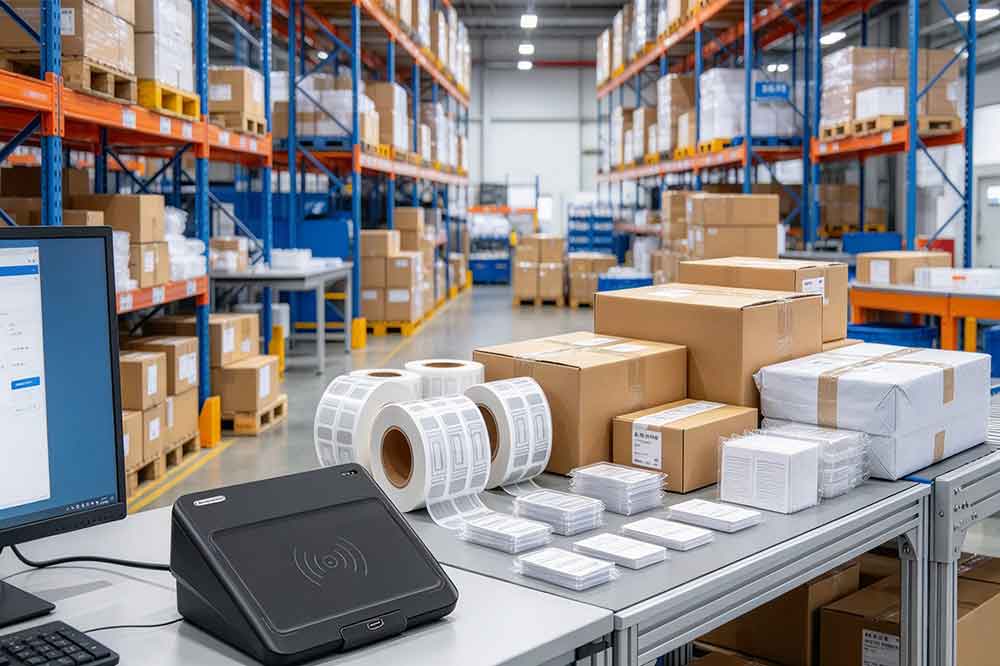
Reading distance is another specification that deserves attention before purchase.
A compact desktop USB RFID reader is typically intended for a defined working area near the device. Some applications need only close-range identification, while others require tags to be detected farther away.
Actual reading distance depends on several factors:
A specification measured under ideal laboratory conditions may not represent the performance achieved with your actual products.
For example, an RFID label attached to a cardboard package may perform differently from a similar label mounted on a metal tool. Even when both use the same RFID protocol, their antenna behavior and surrounding materials can change the reading results.
If the project requires a specific distance, tell the supplier how the tag will be positioned and what material it will be attached to. Testing representative tagged items is more useful than relying on a headline read-range figure alone.
A USB connection makes desktop RFID integration convenient, but the connector itself does not guarantee compatibility.
Some readers use USB-A, while others offer USB-C or different supported connection arrangements. The host device may be a Windows PC, an industrial computer, or an Android device.
Before ordering, confirm the following:
A reader that works with one desktop application may not work with another without additional integration. Likewise, a USB-C connector does not automatically mean that a device supports every USB-C host or mobile operating system.
For commercial deployments, test the reader on the same type of computer and operating system that will be used in production.
Software compatibility can determine whether an RFID project is easy to deploy or requires additional development.
Different USB RFID readers may offer different communication methods. The correct option depends on how the host application needs to receive tag data.
Some readers can output supported data as keyboard input. The identifier appears in the active text field, much like data entered through a keyboard.
This approach can be convenient for simple registration forms and applications that only need to receive an identifier. However, keyboard emulation may provide limited control over advanced RFID functions.
Some devices expose a serial communication interface, including a virtual COM port. The host application sends commands and receives responses according to the manufacturer’s communication protocol.
This can be suitable for custom software, but developers need the correct command documentation and interface support.
An SDK or API can provide access to supported reader functions, such as inventory operations, tag reading, writing, configuration, or other device-specific features.
Before selecting a model, confirm the available documentation, supported programming environments, sample code, operating systems, and technical support arrangements.
Do not assume that all USB RFID readers provide the same SDK functions or that an API for one model works with another.

Some projects only need to identify tags. Others need to encode or update data during product preparation.
If the application involves writing, confirm that the reader supports the required write operations and that the tags have compatible writable memory.
For example, a manufacturer may need to assign an identifier to each RFID label before a product enters distribution. A reader-writer can support this workflow when the device, tag, and encoding software are compatible.
It is also important to understand which memory area will be written. Some tag memory may be locked, password-protected, or subject to specific access conditions.
If the project needs both reading and writing, make this requirement clear when requesting a quotation. The terms “RFID reader” and “RFID reader-writer” are sometimes used loosely in product listings, so verify the actual supported functions.
A suitable reader should fit the working process, not just the technical specification sheet.
| Application | Key selection considerations |
|---|---|
| Employee or membership cards | Card frequency, chip compatibility, data output |
| Retail inventory | UHF protocol, tag placement, multi-tag performance |
| Tool and asset registration | Tag type, reading area, software database integration |
| Library management | Supported HF tag standard, workflow, encoding requirements |
| RFID label encoding | Write support, memory access, encoding software |
| Software development | SDK, API, command protocol, sample code |
| Warehouse automation | Required read zone, throughput, and possible fixed-reader alternatives |
These are starting points rather than universal rules. A library may use different RFID standards from another library, and an asset-tracking project may use LF, HF, or UHF depending on its requirements.
If your project involves continuous conveyor reading, automatic portal detection, or a wide reading zone, compare desktop USB readers with fixed RFID readers before making a final decision.
A product specification sheet is useful, but a practical test helps reveal issues that may not be obvious during initial selection.
For a business purchasing USB RFID readers for a larger deployment, a simple evaluation can include:
If several reader models are being considered, use the same tags, host computer, and test procedure for each device. This makes the comparison more meaningful.
For OEM projects or system integration, it is also useful to confirm sample availability, documentation, firmware requirements, customization options, and technical support before committing to a larger quantity.
The right USB RFID reader depends on a combination of requirements: tag frequency, supported protocol, reading distance, multi-tag performance, USB compatibility, software integration, and read/write functions.
For a simple card-registration station, a compact reader with the correct card support and straightforward data output may be enough. For a UHF inventory workstation or a custom RFID encoding system, protocol support, antenna performance, and software access may require closer evaluation.
Cykeo offers a range of USB RFID reader options for desktop and integration projects. Visit the USB RFID Reader product category to review available models and identify options for your application.
When contacting the supplier, include your RFID tag type, required reading distance, host operating system, read/write requirements, and expected project quantity. These details help the engineering team evaluate compatibility and recommend a practical solution.
Choosing a USB RFID reader starts with understanding the job it needs to perform. Frequency and tag compatibility establish the basic requirements, while reading distance, antenna performance, USB connectivity, and software integration determine whether the device will work reliably in the intended environment.
For B2B buyers and system integrators, testing a suitable reader with actual tags and software before a bulk purchase is a practical way to reduce deployment risks and avoid unnecessary integration work.
Before comparing reader specifications, it helps to understand how RFID readers communicate with tags and why LF, HF, and UHF devices are not interchangeable. Read our guide on [what a USB RFID reader is and how it works] for a practical introduction to RFID reading principles and common applications.

Discover SSD-D4AL, a USB-HID UHF RFID reader with 4/8/16 antenna options, Impinj E710/X3M1 chipset, plug-and-play USB power, and OEM customization.

SSD-D3AL is a USB-HID UHF RFID reader with 0–30 cm reading, 0–15 cm writing, over 600 tags/s recognition, USB plug-and-play operation and OEM Logo customization.

SSD-D1AL is a compact USB UHF RFID reader with Impinj E710/X3M1 chipset, USB-HID, 600+ tags/s recognition, 4/8/16 antenna support and plug-and-play USB power.

CYKEO CYKEO-D1LA USB RFID Reader is a compact desktop solution with near-field control for precise tag reading and encoding. Powered by USB, supporting ISO 18000-6C, and built for stable batch writing, this usb rfid tag reader fits retail, libraries, offices, and controlled RFID encoding tasks.

CYKEO CYKEO-D1L RFID scanner USB is a compact desktop UHF RFID scanner designed for short-range tag writing and verification. This usb rfid scanner supports batch encoding, stable 0–26 dBm output, and works across Windows, Linux, and Android systems.

CYKEO CYKEO-D1C USB RFID Card Reader is a near-field UHF desktop writer designed for secure, short-range tag encoding. With USB-C connectivity and stable 26 dBm output, this rfid reader usb c is ideal for badge issuance, label encoding, and controlled desktop RFID workflows.

CYKEO CYKEO-D2L RFID Reader USB is a compact desktop encoder built on the Impinj R500 chip. With near-field control and stable USB power, this usb rfid card reader delivers precise tag writing for offices, retail counters, and small-scale logistics encoding tasks.

CYKEO CYKEO-D3L USB RFID Tag Reader delivers stable UHF tag reading and writing for daily desktop and light industrial tasks. Designed for controlled short-range operation, this USB RFID Tag Reader works reliably with rfid tag and reader systems in libraries, tool tracking, and inventory registration.

The CYKEO CYKEO-D4L UHF RFID Tag Reader is a stable Desktop RFID Reader designed for accurate tag registration, borrowing, and return workflows. Built with the Impinj R2000 chip, this UHF RFID Tag Reader delivers controlled short-range reads for libraries, asset tracking, and inventory management environments.

The CYKEO CYKEO-D5L Desktop RFID Card Reader is a stable UHF RFID Card Reader designed for controlled short-range reading and writing. Built for libraries, tool rooms, and asset desks, this UHF RFID Card Reader supports dense tag handling, secure data processing, and easy USB integration.

The CYKEO CYKEO-D6L RFID Reader Writer is a heavy-duty Desktop RFID Reader designed for short-range, high-accuracy tag programming. Built for libraries, labs, and asset desks, this RFID Reader Writer supports batch processing, stable 33dBm output, and seamless integration with existing management systems.

Cykeo CYKEO-D8B UHF RFID tunnel and RFID Desktop Reader features 30+ items batch reading,

Cykeo CYKEO-D8A embedded RFID badge reader offers 30+ tags/sec scanning, 20cm anti-crosstalk precision, and DC 12V power for unmanned stores, warehouses, and smart inventory systems.

Cykeo’s CYKEO-D8C UHF RFID gate reader achieves 200-tag/batch scanning with adjustable power control, ideal for retail inventory and smart warehouse management.
RFID Industry Writer | IoT & Asset Tracking Analyst
James writes about RFID technology, asset tracking, and the practical challenges of digital transformation across warehousing, retail, manufacturing, and logistics.
His work focuses on how RFID is applied in real-world operations—improving inventory visibility, automating workflows, and helping businesses manage assets with greater accuracy and efficiency.
He regularly covers topics including UHF RFID, smart cabinets, RFID portals, tool tracking, warehouse automation, and industrial IoT trends..

RFID for manufacturing explained from real factory experience. See where RFID works, where it fails, and how manufacturers actually use it.
More
Explore how rfid sensors enable real-time tracking, automation, and asset visibility. Improve efficiency with Cykeo UHF RFID reader solutions.
More
Learn the best practices to maintain RFID handheld devices for longevity and performance. Discover cleaning, firmware, and battery care tips for seamless operations.
More
Explore how industrial handheld RFID readers improve warehouse automation with WMS/ERP integration and bulk inventory efficiency. Practical strategies and real use cases included.
More