 Cykeo RFID IoT Solution Products R&D Manufacturer
RFID Tags Reader: What It Does and Why Businesses Use It
102Learn how RFID tags readers work, the different types of RFID readers available, and how businesses use them for inventory tracking, access control, logistics, and asset management.
MoreAll RFID Product
When people first get into RFID projects, they usually focus on hardware.
They compare specs, ask about reading distance, and try to pick the “most powerful” reader.
But after you’ve worked on a few real deployments, you start to realize something pretty quickly:
The system doesn’t succeed or fail because of the reader — it succeeds or fails because of the software layer.
To put it simply:
the reader just spits out data.
Everything else is your job.
At its core, an RFID long range reader does one thing:
It continuously reads tag IDs and sends them out.
That’s it.
There’s no built-in logic like:
Instead, what you get looks more like this:
Sometimes dozens or even hundreds of reads per second.
If you don’t process this properly, the data is basically useless.
A lot of first-time projects get stuck here.
The assumption is:
“If I can read the tag, the system is done.”
In reality:
Reading is just step one.
You still need to deal with:
This is why SDK and API design matters more than most people expect.
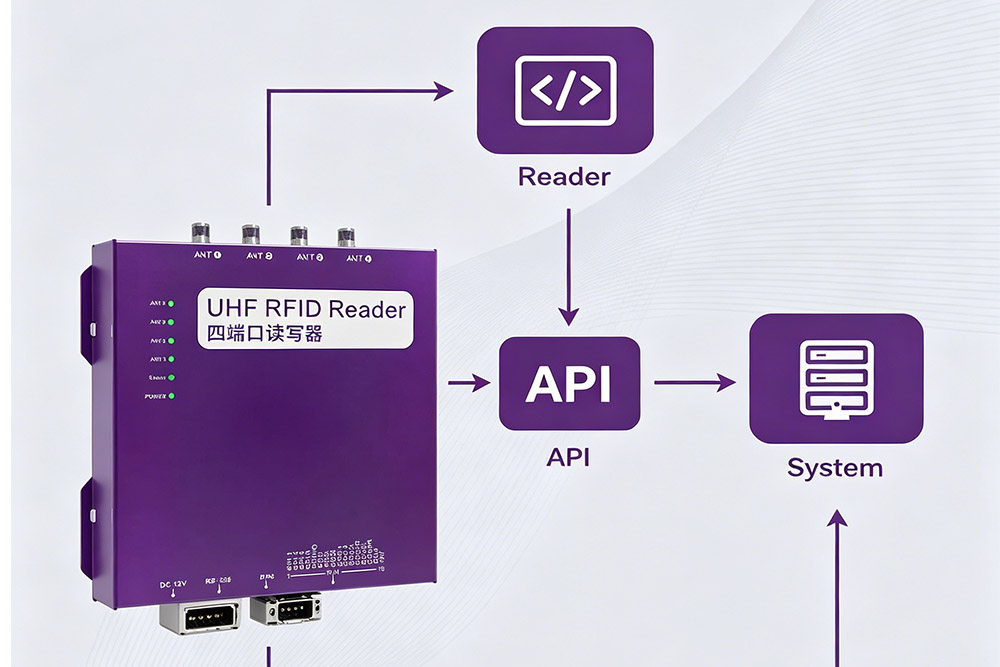
In most practical systems, the architecture looks like this:
Reader → Middleware (API / service layer) → Business system (WMS / ERP / MES)
The middle layer is where everything happens.
That’s where you:
If this layer is weak, the whole system becomes unstable — no matter how good your hardware is.
This is something people usually underestimate — until they hit problems.
Some readers come with SDKs that are:
And then instead of building your system, you spend days just trying to make the device behave properly.
A good SDK usually has:
In real projects, this can save a lot of time and frustration.
This is a big mindset shift.
Barcode scanning works like this:
→ One trigger → One result
RFID works like this:
→ Continuous scanning → Data stream
That means you cannot just take raw data and push it into your system.
You need to convert that stream into meaningful events.
If you skip filtering, your system will break. It’s that simple.
Here’s a real example:
A pallet passes through a gate.
The reader might detect the same tag 20 times in a few seconds.
If you store all of those:
→ Your inventory increases 20 times
Clearly wrong.
1. Time window filtering
Ignore repeated reads of the same tag within a few seconds.
2. State-based logic
If a tag is already processed (e.g., already “checked in”), don’t process it again.
3. Zone-based logic
Only trigger events when tags move between defined areas.
A common mistake is writing raw RFID reads directly into a database.
This leads to:
A better approach is:
→ Raw data → Processing → Event → Store
That extra step makes the system usable.
No matter how good your setup is, real environments will introduce challenges.
For example:
Multiple tags at once
High density can slow processing or cause missed reads.
Metal interference
Signals reflect unpredictably.
Network instability
Data packets can be delayed or lost.
None of these are unusual — but your system needs to handle them.
If you’re building an RFID system, this order helps avoid headaches:
Most problems happen when people do this in reverse.
If you remember just one thing, make it this:
RFID is not about reading tags — it’s about processing real-time data.
The reader is just the entry point.
The real value comes from:
If you’re a developer or system integrator, here’s a simple piece of advice:
Don’t start by asking,
“how good is the reader?”
Start by asking,
“what do I want to do with the data?”
Once that’s clear, everything else becomes much easier — including hardware selection.
Guide Recommendations
Fixed RFID Reader: Why It’s Becoming Must-Have
Fixed RFID Readers: What I Didn’t Expect and What I Learned
RFID Handheld Reader vs. Fixed Reader: Which Is Better for Retail?
Different Types of RFID Readers: A Simple Introduction
Best Budget USB RFID Readers Under $100 for Small Business Inventory Systems
RFID Module vs. RFID Reader: What’s the Difference?
Fixed RFID Reader Buying Guide: 5 Core Parameters You Must Know
What is an RFID Reader Used For?
How RFID Reader Works: The Simple Explanation
How to Choose the Best Long-Range RFID Reader for Warehouse Management
RFID Readers for Boom Barriers ,Where Efficiency Meets Access Control
Why Your Warehouse Needs Smarter RFID Readers in 2025
Understanding RFID Readers,Essential Devices for Efficient Tracking
Learn how RFID tags readers work, the different types of RFID readers available, and how businesses use them for inventory tracking, access control, logistics, and asset management.
More
How to test RFID with a phone? With NFC functionality and mobile apps, users can quickly read high-frequency RFID tags. This is ideal for field testing, verification, and early project identification. Learn the exact steps and how to troubleshoot ...
More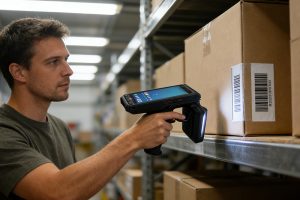
Can RFID reader read barcodes? We clarify why they are different technologies and how CYKEO provides integrated data capture solutions for both.
More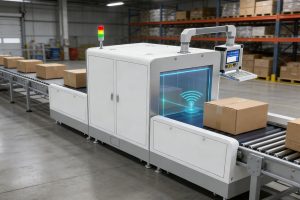
CK-TP2 RFID inventory management tunnel system enables automated batch scanning with over 400 tags per second. Designed for busy warehouses, production lines, and logistics centers, with API and SDK support for system integration.
More