 Cykeo RFID IoT Solution Products R&D Manufacturer

How Close to Read RFID Cards? Complete Guide to Read Ranges
842Wondering "how close to read RFID cards"? Discover exact read distances for LF, HF, and UHF cards, factors affecting range, and practical tips with CYKEO readers.
MoreAll RFID Product
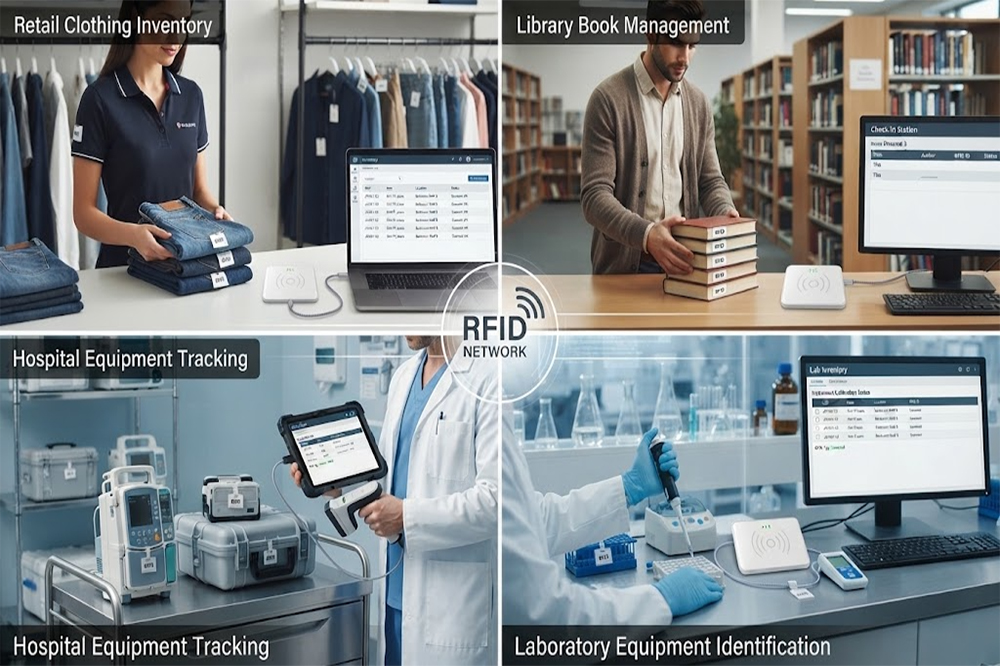
USB RFID scanners can be used far beyond warehouse inventory, including retail receiving, library circulation, hospital asset tracking, and laboratory equipment management. The right reader depends heavily on the tag, reading zone, environment, software, and number of items being identified.
USB RFID scanner is easy to associate with warehouse inventory.
That is probably the first application most people think about.
But once you look at how RFID is actually used, the same basic idea appears in quite different places. A retail store can use RFID to check products. A library can identify books without scanning each barcode individually. A hospital may use RFID to keep track of equipment. A laboratory can use it to identify instruments, samples, or other assets.
The hardware may look similar.
The workflow is not.
That distinction matters when choosing USB RFID scanner, especially for distributors and system integrators who may be sourcing readers for different projects.
The basic concept is fairly simple.
An RFID tag carries an identification number.
The RFID reader detects the tag and sends the information to a computer or software system.
With a USB RFID reader, that connection can be made directly to a PC, industrial computer, workstation, or other host device.
A typical workflow looks like this:
RFID Tag
↓
RFID Reader
↓
USB Connection
↓
Software
↓
Business Record
The record might be a product SKU.
Or a book number.
Or a hospital asset ID.
Or a laboratory equipment number.
The reader does not really care what the item represents.
The application software does.
This is one reason USB RFID technology can be reused across different industries.
Retail is one of the more visible RFID applications.
Walk into a clothing store and you will usually see racks filled with products that look almost identical.
A staff member may need to know:
With traditional barcode scanning, each item normally needs to be presented to the scanner.
RFID can make batch identification more practical.
A staff member can use an RFID reader to identify several tagged products within its reading area, depending on the reader, antenna, tags, and environment.
For a fixed workstation, a USB RFID reader can connect to the store’s computer or inventory system.
It might be used for receiving, product registration, stock verification, or returns.
For larger retail deployments, other RFID hardware may make more sense.
The point is that the USB reader is one possible building block.
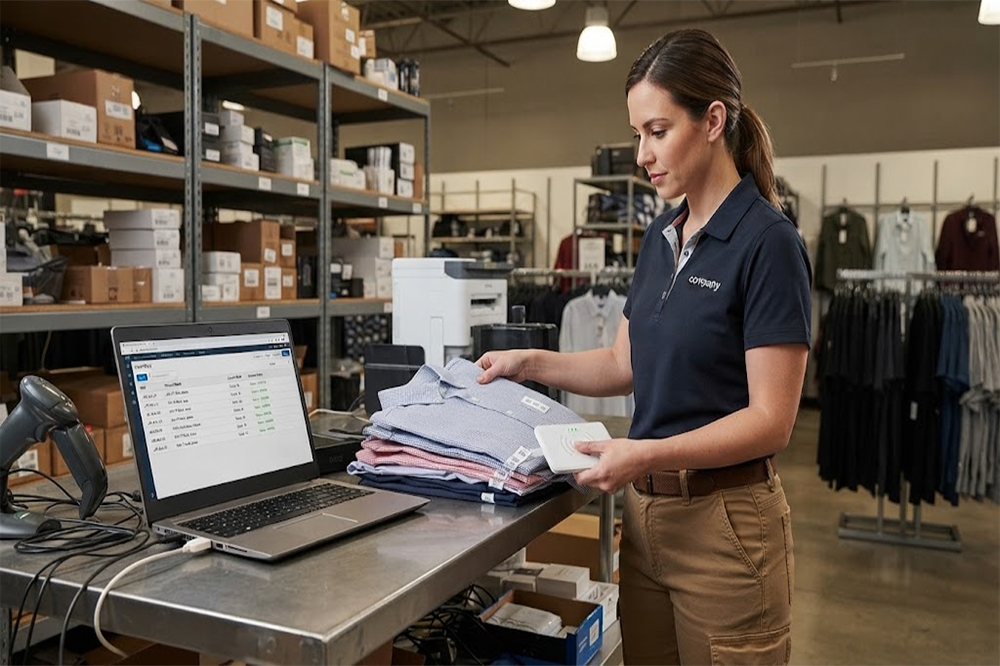
Imagine a clothing distributor receiving 500 garments.
Each garment has an RFID tag.
Instead of manually scanning every barcode, the operator places groups of products in the designated reading area.
The RFID reader detects the tags.
The software compares the results with the expected shipment.
If 497 items are detected, the system can flag the three missing IDs for further checking.
That does not mean RFID magically knows where the missing garments are.
Maybe they are still in the truck.
Maybe the tags were damaged.
Maybe the products were placed somewhere else.
But the operator now knows there is an exception to investigate.
That can save quite a bit of time during busy receiving periods.
Libraries are another interesting use case.
Every book already has an identity.
The challenge is managing thousands or tens of thousands of them without making every transaction a manual process.
RFID tags can be attached to books and associated with library records.
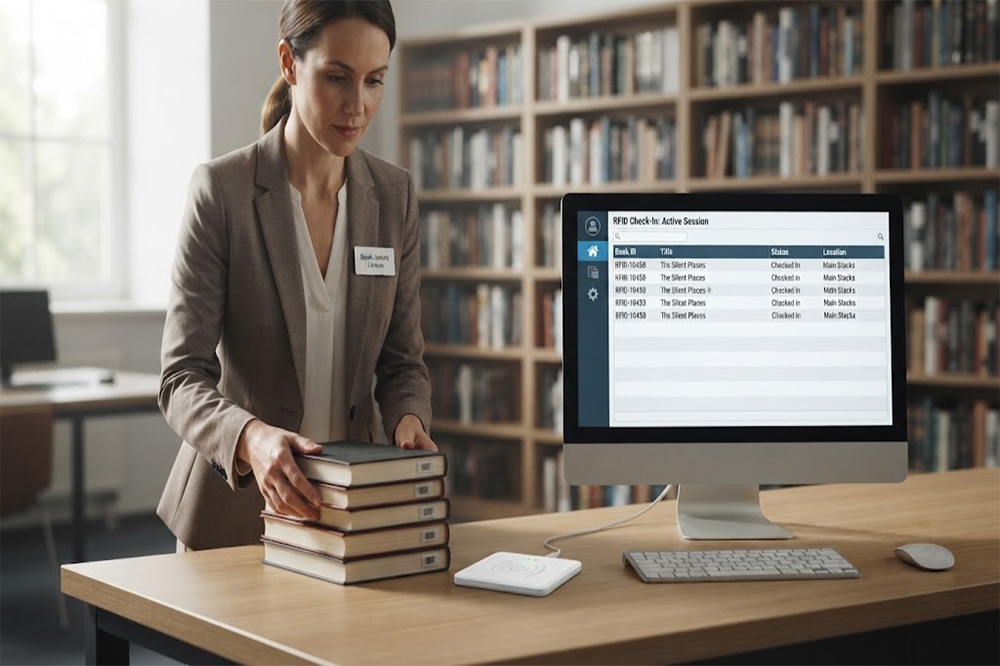
A USB RFID reader can then be used at a workstation for tasks such as:
Imagine a librarian returning a stack of 20 books.
Scanning 20 individual barcodes takes time.
With a suitable RFID setup, multiple tagged books can potentially be identified together.
The actual reading performance will depend on how the books are positioned and what RFID technology is being used.
Books are also an interesting example because paper and cardboard are relatively friendly RFID materials compared with metal.
So a library environment can be a fairly straightforward place to start testing RFID.
There is another benefit that gets less attention.
RFID can help libraries perform inventory checks more efficiently.
A missing book is not necessarily lost.
It could be:
If the RFID system can identify the item, staff have more information to work with.
For large libraries, this can become particularly useful because manual shelf-by-shelf checking is repetitive work.
Healthcare is a different environment.
The products are not sitting quietly on warehouse shelves.
Equipment moves.
A portable monitor may be needed in another department. A wheelchair may be moved to a different floor. Medical equipment may be sent for maintenance and later returned.
The question becomes:
Where is the equipment now?
RFID can help create a digital identity for these assets.
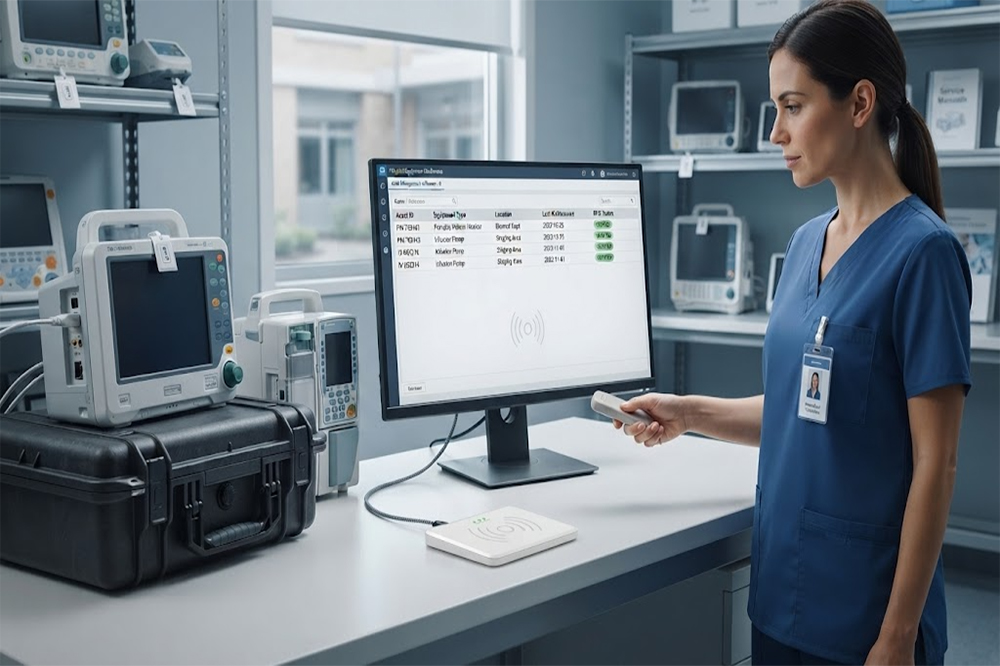
A USB RFID reader may be used at equipment stations, maintenance desks, storage areas, or registration points.
For example:
Asset ID: HSP-01882
Equipment: Patient Monitor
Department: Emergency
Status: In Service
When the equipment moves through a controlled RFID reading point, the system can update the relevant record.
For applications requiring continuous location tracking, however, a simple USB reader may not be enough.
Fixed readers, antennas, gateways, or other RFID architectures may be required.
This is an important distinction for healthcare buyers.
A hospital is full of materials that can complicate RFID.
There is metal equipment.
There are liquids.
There are dense rooms.
There are people moving around.
There are many different types of assets.
So the reader specification is only one part of the project.
Tag selection becomes important.
A tag that works well on a plastic equipment case might behave differently on a metal trolley.
Reader placement also matters.
If the system is expected to detect equipment passing through a doorway, the antenna arrangement becomes part of the design.
This is why a healthcare RFID project should normally start with the actual application and environment rather than simply asking for the reader with the longest range.
Laboratories have another type of tracking problem.
There may be hundreds of instruments, containers, samples, trays, or other items moving between workstations.
The value of an item is not always the main concern.
Sometimes the important thing is knowing exactly which item is which.
RFID can provide that identity.
A laboratory may use RFID for:
A USB RFID reader can work particularly well at a fixed laboratory workstation.
For example, a technician could place an RFID-tagged instrument near the reader.
The system identifies it and opens the relevant record.
The software could then show:
Equipment ID
Last Maintenance
Calibration Status
Assigned Department
Current Status
Again, the reader is only capturing the RFID identity.
The useful information comes from the software connected behind it.

There is a practical reason USB remains popular.
Many businesses already have computers at their workstations.
They do not necessarily want to build a completely new network architecture just to identify an item.
A USB RFID reader can provide a relatively direct hardware connection.
For example:
RFID Reader → USB → Windows PC → Application
This can be useful during:
Cykeo’s USB RFID reader solutions are designed for applications requiring RFID identification and computer integration, with support for SDK/API development depending on the reader model and application requirements.
Cykeo USB RFID Reader Products
If you are comparing USB RFID hardware for different applications, our main USB RFID Scanner Guide explains the basic reader types, features, and selection considerations before you choose a specific model.
This is probably the most important point for buyers.
A retail receiving station and a hospital equipment room may both ask for a USB RFID reader.
But they may need completely different configurations.
For retail:
Fast item identification + inventory software
For a library:
Multiple book identification + circulation system
For healthcare:
Asset identification + controlled reading zones
For laboratories:
Equipment identification + maintenance records
So when someone asks:
“What is the best USB RFID scanner?”
there is no useful answer without knowing what they are scanning.
A better question is:
“What are you trying to identify, and where will the reader be used?”
That usually gets the project moving in the right direction.
A common mistake is choosing a reader based only on advertised reading distance.
Suppose one reader is advertised at 10 meters.
Another is advertised at 5 meters.
It would be easy to assume the first one is automatically better.
Not necessarily.
If the application is a desktop library workstation where books are sitting 30 centimeters from the antenna, a 10-meter reading range might actually create problems.
You may not want the reader detecting items on the next shelf.
For a retail workstation, controlled reading can be more useful than maximum distance.
For a hospital doorway, the opposite may be true.
The desired reading zone should be defined first.
For distributors and system integrators, this is where the opportunity becomes more interesting.
A customer may initially ask for:
“20 USB RFID readers.”
But after discussing the project, the actual requirement may be:
20 readers + RFID tags + software SDK + API integration + sample testing + customized enclosure + technical support.
The reader becomes one part of a complete solution.
Cykeo supports RFID applications across readers, antennas, tags, smart cabinets, and related RFID hardware, making it possible for integrators to develop application-specific systems rather than treating the USB reader as a standalone product.
For wholesale projects, this distinction matters.
A customer buying one reader is looking for a product.
A customer deploying RFID across 50 stores, 20 libraries, or a hospital network is looking for a reliable supply partner.
Before requesting a quotation, collect a few practical details.
Books, clothing, tools, medical equipment, laboratory assets, cartons?
The tag design can strongly affect the final reading result.
One tag and 50 tags are very different applications.
Desktop, cabinet, shelf, doorway, receiving table?
Existing application, custom software, WMS, ERP, library system, hospital asset platform?
USB may be enough, but some projects require SDK/API support or other communication interfaces.
Prototype quantities and production quantities usually require different levels of testing.
These questions are more useful than starting with a simple request for “the strongest RFID scanner.”
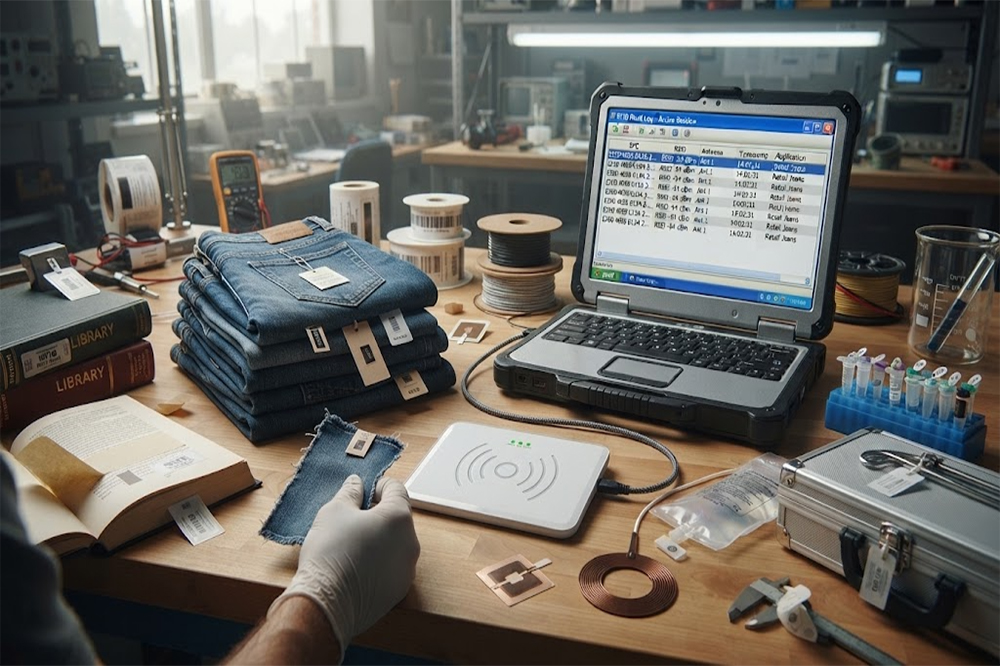
If you are a distributor, OEM, or system integrator, I would recommend testing the actual application before committing to a large order.
Take the real products.
Use the actual RFID tags.
Put them where they will really be used.
Then test the reader.
A retail clothing tag behaves differently from a laboratory metal instrument.
A stack of books behaves differently from medical equipment.
That small test can prevent a much bigger problem later.
For application-specific USB RFID readers or wholesale RFID projects, you can review Cykeo’s USB RFID reader range and discuss the required reading distance, tag type, interface, quantity, and application environment before selecting the hardware.
View Cykeo USB RFID Reader Solutions

Discover SSD-D4AL, a USB-HID UHF RFID reader with 4/8/16 antenna options, Impinj E710/X3M1 chipset, plug-and-play USB power, and OEM customization.

SSD-D3AL is a USB-HID UHF RFID reader with 0–30 cm reading, 0–15 cm writing, over 600 tags/s recognition, USB plug-and-play operation and OEM Logo customization.

SSD-D1AL is a compact USB UHF RFID reader with Impinj E710/X3M1 chipset, USB-HID, 600+ tags/s recognition, 4/8/16 antenna support and plug-and-play USB power.

CYKEO CYKEO-D1LA USB RFID Reader is a compact desktop solution with near-field control for precise tag reading and encoding. Powered by USB, supporting ISO 18000-6C, and built for stable batch writing, this usb rfid tag reader fits retail, libraries, offices, and controlled RFID encoding tasks.

CYKEO CYKEO-D1L RFID scanner USB is a compact desktop UHF RFID scanner designed for short-range tag writing and verification. This usb rfid scanner supports batch encoding, stable 0–26 dBm output, and works across Windows, Linux, and Android systems.

CYKEO CYKEO-D1C USB RFID Card Reader is a near-field UHF desktop writer designed for secure, short-range tag encoding. With USB-C connectivity and stable 26 dBm output, this rfid reader usb c is ideal for badge issuance, label encoding, and controlled desktop RFID workflows.

CYKEO CYKEO-D2L RFID Reader USB is a compact desktop encoder built on the Impinj R500 chip. With near-field control and stable USB power, this usb rfid card reader delivers precise tag writing for offices, retail counters, and small-scale logistics encoding tasks.

CYKEO CYKEO-D3L USB RFID Tag Reader delivers stable UHF tag reading and writing for daily desktop and light industrial tasks. Designed for controlled short-range operation, this USB RFID Tag Reader works reliably with rfid tag and reader systems in libraries, tool tracking, and inventory registration.

The CYKEO CYKEO-D4L UHF RFID Tag Reader is a stable Desktop RFID Reader designed for accurate tag registration, borrowing, and return workflows. Built with the Impinj R2000 chip, this UHF RFID Tag Reader delivers controlled short-range reads for libraries, asset tracking, and inventory management environments.

The CYKEO CYKEO-D5L Desktop RFID Card Reader is a stable UHF RFID Card Reader designed for controlled short-range reading and writing. Built for libraries, tool rooms, and asset desks, this UHF RFID Card Reader supports dense tag handling, secure data processing, and easy USB integration.

The CYKEO CYKEO-D6L RFID Reader Writer is a heavy-duty Desktop RFID Reader designed for short-range, high-accuracy tag programming. Built for libraries, labs, and asset desks, this RFID Reader Writer supports batch processing, stable 33dBm output, and seamless integration with existing management systems.

Cykeo CYKEO-D8B UHF RFID tunnel and RFID Desktop Reader features 30+ items batch reading,

Cykeo CYKEO-D8A embedded RFID badge reader offers 30+ tags/sec scanning, 20cm anti-crosstalk precision, and DC 12V power for unmanned stores, warehouses, and smart inventory systems.

Cykeo’s CYKEO-D8C UHF RFID gate reader achieves 200-tag/batch scanning with adjustable power control, ideal for retail inventory and smart warehouse management.
RFID Industry Writer | IoT & Asset Tracking Analyst
James writes about RFID technology, asset tracking, and the practical challenges of digital transformation across warehousing, retail, manufacturing, and logistics.
His work focuses on how RFID is applied in real-world operations—improving inventory visibility, automating workflows, and helping businesses manage assets with greater accuracy and efficiency.
He regularly covers topics including UHF RFID, smart cabinets, RFID portals, tool tracking, warehouse automation, and industrial IoT trends..

Wondering "how close to read RFID cards"? Discover exact read distances for LF, HF, and UHF cards, factors affecting range, and practical tips with CYKEO readers.
More
Wondering what RFID reader means? We explain the definition, how it works, the different types available, and how to select the right one for your application. Clear guidance from CYKEO engineers.
More
Wondering "how can I make a RFID reader read backwards"? Discover physical antenna aiming, polarization switching, data inversion techniques, and electronic beam steering with CYKEO.
More
RFID providers play crucial role in the application and promotion of this technology, offering comprehensive solutions that range from hardware to software.
More