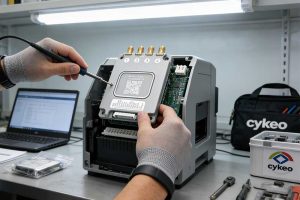
RFID works in hospital pharmacies by allowing compatible readers to identify tagged medical supplies through radio waves, while connected software records inventory movements. When RFID is combined with weighing sensors on smart shelves, staff can monitor stock changes, conduct automated inventory checks, and review issue-and-return records with less manual counting.
A hospital pharmacy or medical supply room is not simply a warehouse with smaller shelves. Staff may need to locate consumables quickly, maintain accurate stock records, restrict access to selected supplies, and determine when items were removed or returned. Manual counting can become difficult when multiple people handle stock throughout the day.
A properly configured RFID system helps connect physical supplies with digital inventory records. The practical value comes from the complete arrangement: tagged items, RFID antennas and readers, weighing sensors where required, shelf-management software, and a defined workflow for staff access and stock movement.
For Cykeo, an RFID-enabled medical supply shelf is best understood as an inventory-control solution rather than just a reader installed inside furniture. RFID identifies tagged items; weighing technology supplies an additional measurement; software combines the available data to support stock monitoring and traceability.
How Does RFID Work in Hospital Pharmacies? Understanding the System
The basic principle is straightforward, but the installation needs to account for the materials being stored, the type of tag attached to each item, and the way supplies are placed on the shelf.
A typical RFID-enabled medical supply shelf includes these components:
RFID tags: Electronic identifiers attached to compatible medical supplies, containers, or storage units.
RFID reader and antennas: Equipment that communicates with tags and receives their identification responses.
Weighing sensors: Sensors that measure changes in the load on designated shelf positions or trays.
Shelf-management software: Software that associates tag information and sensor readings with inventory records and operational events.
Network connection: A means of transmitting inventory information to a local workstation or connected management platform.
Optional access and display equipment: An access-control system or wall-mounted all-in-one computer can support authorized entry and on-site interaction, depending on the installation.
These components perform different jobs. An RFID reader does not weigh a box, and a load cell does not identify the electronic code of an individual RFID tag. The software must reconcile these data sources using a defined configuration.
1. RFID identifies tagged medical supplies
A compatible reader sends radio-frequency energy through its antenna. Passive UHF RFID tags use energy from the reader’s field to respond with encoded identification data. Unlike active RFID tags, passive tags do not need their own battery to communicate.
In many item-level inventory applications, the tag’s identifier is associated with a record in the inventory database. That record may contain the product name, item category, internal stock code, storage location, or other fields configured by the hospital.
The distinction matters: reading a tag is not the same as verifying every detail about the item. The RFID identifier must be linked to accurate product data, and the system must be configured to recognize the operational event that the read represents.
For example, a reader might detect a tagged box of examination gloves on a shelf. The software can use that tag’s identifier to retrieve its inventory record. If the box is moved, however, the system still needs reliable evidence of the movement before it should change the stock status.
2. Weighing sensors provide a second source of inventory information
The smart shelf described by Cykeo combines RFID identification with weighing technology. Medical supplies can be placed in designated trays or weighing positions, making it easier to organize containers and associate stock with specific shelf locations.
When the measured weight changes, the software can compare the new reading with the previous one. Depending on the product, packaging, calibration, and system rules, this change may indicate that supplies have been added or removed.
Weight is supporting evidence, not a universal substitute for item identification. Different products can have similar weights, packaging can vary, and a partially used container may change weight without being removed from the shelf. The system therefore needs a suitable method of correlating weight changes with RFID reads and known item quantities.
This combined approach is particularly useful when a medical supply room contains many small containers or frequently handled consumables. RFID helps identify the tagged items, while weighing sensors can help the system detect quantity-related changes at configured shelf positions.
Why Hospital Pharmacies Use RFID Smart Shelves
A medical supply room may contain gloves, syringes, dressings, specimen containers, protective equipment, and other frequently used supplies. These items do not all move at the same rate. Some are replenished daily; others remain untouched until a particular department needs them.
An RFID smart shelf can help make these movements more visible without requiring staff to scan every item individually during each inventory check.
Automatic inventory checks for routine stock control
The Cykeo medical smart shelf can be configured for scheduled inventory checks or operator-initiated checks. The supplied product description states that daily or monthly inventory checks can be completed within 10 seconds.
That figure should be treated as a manufacturer-stated product capability, not a universal RFID performance benchmark. Actual cycle time depends on shelf configuration, the number and type of tagged items, communication settings, and the time required for the software to reconcile and display the results.
For a stockroom supervisor, the practical benefit is the ability to perform routine checks more frequently. Instead of waiting for a staff member to count every storage position manually, the system can provide an inventory snapshot on demand or at configured intervals.
More consistent issue-and-return records
When staff remove or return supplies, the system can use RFID observations, shelf measurements, and configured workflow rules to update inventory records. These records can help staff investigate stock discrepancies and identify where a supply was expected to be stored.
The quality of the record depends on how the system defines a transaction. A tag detected near a shelf does not, by itself, establish who removed an item, why it was removed, or whether it was used on a patient. If the hospital needs those details, it must integrate staff authentication, access-control events, and the relevant inventory or clinical workflow.
Continuous operation with less routine manual counting
The supplied Cykeo product description specifies unattended operation and 24-hour availability. This can support stock monitoring outside normal administrative hours, provided that the equipment remains powered, the software is functioning, and the network or local data-storage arrangement is suitable.
Unattended operation does not mean maintenance-free operation. Hospitals should still define procedures for tag replacement, sensor calibration, network interruptions, exception handling, and periodic physical verification.
RFID-enabled smart shelves help hospital supply teams monitor tagged items and review inventory records.
What Accuracy Can Hospitals Expect from RFID Medical Shelves?
The Cykeo product information states that its specially designed shelf can achieve a single-scan identification rate above 99.95%. This is a product-specific claim that should be validated under the intended installation conditions before it is used as a procurement guarantee.
A meaningful acceptance test should specify what “identification rate” means. For example, is the figure calculated from all tagged items physically present, all expected tags, or repeated test reads under controlled conditions? Does it apply to one tray, a fully loaded shelf, or the entire room?
These distinctions are important because RFID performance changes with tag placement, item density, nearby metal, liquid-containing products, antenna configuration, and radio-frequency interference.
For a hospital pharmacy, test the actual combination of supplies and packaging that will be used. Small tagged packages arranged tightly together may behave differently from larger cartons placed separately. A result achieved with an empty shelf should not automatically be assumed to apply to a fully stocked one.
Standards and medical traceability
The supplied product description identifies ISO 18000-6C compatibility. ISO/IEC 18000-63 defines the air-interface parameters for passive UHF RFID systems operating in the relevant frequency range. Compatibility with an RFID air-interface protocol helps establish how readers and tags communicate; it does not, by itself, certify the entire smart shelf or guarantee medical inventory accuracy.
Healthcare identification standards also matter. GS1 provides healthcare standards for identifying products and supporting traceability across supply chains. In the United States, the FDA’s Unique Device Identification (UDI) system requires applicable medical devices to carry device identifiers according to the relevant rules. An RFID tag should not be assumed to replace a required UDI label or other legally required product marking.
Hospitals should confirm the requirements applicable to their products and jurisdiction, especially when managing medicines, regulated medical devices, sterile products, or supplies subject to lot and expiry controls.
How an RFID Medical Smart Shelf Works During Daily Operations
The system becomes useful when the shelf is connected to a clear stock-management process. A reader can detect tagged items repeatedly, but hospital staff need meaningful records: what was stored, what changed, whether the change was expected, and whether the current balance requires attention.
A practical workflow can be divided into five stages.
Step 1: Register supplies and associate RFID tags
Before items are placed on the shelf, the hospital or supplier registers the relevant inventory information. Depending on the deployment, a tag identifier may be linked to a product code, item description, storage position, package quantity, batch number, or expiry date.
Not all of this information is necessarily stored directly on the tag. In many systems, the tag contains an identifier and the software retrieves the associated details from a database.
For regulated products, the hospital should retain the required product identifiers and traceability fields in the appropriate system rather than assuming that an RFID tag alone contains a complete record.
Step 2: Assign items to trays or weighing positions
Medical supplies are placed in designated trays or shelf positions. This helps staff maintain a consistent layout and gives the system a defined location for monitoring stock changes.
The shelf layout should reflect the actual handling process. Frequently used gloves may need an easily accessible position, while less frequently used supplies can be stored elsewhere. Mixing unrelated products in one tray may make weight-based quantity estimation harder, particularly when the items have different package weights.
Step 3: Read tags and capture weight measurements
The RFID reader identifies tags within its configured reading zone. At the same time, the weighing system can provide measurements from the relevant tray or shelf position.
The software compares new observations with the existing inventory state. Depending on the configured logic, it may identify newly detected tags, tags no longer detected, or changes in measured weight.
A well-designed system should not treat every missed read as proof that an item has been removed. RFID reads can fluctuate, and a tag may be temporarily unreadable because of its orientation, nearby materials, or interference. Repeated observations and transaction rules help reduce false inventory changes.
Step 4: Update inventory and issue-and-return records
Once the software has enough evidence to classify an event, it can update the corresponding inventory record. If the installation includes an access-control system or an authenticated workstation, the record may also be associated with a staff account or access event.
For example, a staff member enters an authorized supply room, removes a tagged package, and closes the access-controlled door. The system may combine the access record with shelf data to support an audit trail. However, identifying the individual responsible for a specific item movement requires a deliberately designed association between the access event and the inventory event; the shelf cannot infer that link automatically.
Step 5: Review discrepancies and replenish stock
Staff can review the latest stock information, investigate exceptions, and replenish items when quantities fall below configured thresholds. Historical issue-and-return records can help identify frequently used supplies or recurring discrepancies.
This is where automated identification becomes operationally valuable. The goal is not simply to display a long list of tag reads. It is to give the supply team a dependable view of stock status and a practical way to resolve exceptions.
How RFID and Weighing Technology Work Together
The combination is useful because RFID and weighing sensors measure different things. RFID identifies tagged objects; a weighing sensor measures load. Neither measurement should be treated as a perfect replacement for the other.
System component
Information it provides
Important limitation
RFID reader and tags
Identification of compatible tagged items
A read may be missed or may include a tag outside the intended business transaction
Weighing sensor
Change in load at a configured shelf position
Weight alone may not distinguish products with similar weights
Inventory software
Stock records, event logic, reports, and exception handling
Results depend on accurate master data and suitable business rules
Access-control system
Authorized access and access-event records
Entry into a room does not prove which item a person took
Wall-mounted all-in-one computer
On-site display and user interaction
Availability depends on the software and network configuration
Consider a tray holding several boxes of disposable medical supplies. RFID can help identify the tagged boxes, while the load measurement provides another signal when stock is added or removed. If the two data sources disagree, the software can flag the position for review rather than silently recording an uncertain quantity.
This distinction matters when supplies are unpacked, partially consumed, or returned in different packaging. Before deployment, the integrator should confirm whether the application tracks individual items, sealed packages, storage units, or estimated quantities derived from weight.
How to Implement RFID Medical Supply Tracking in a Hospital
A successful installation begins with the inventory process, not with reader power settings. Before selecting shelf positions or configuring software, the hospital should decide what needs to be tracked, how inventory changes are recorded, and which discrepancies require staff attention.
Define the inventory unit
Decide whether the system needs to track individual products, sealed packages, storage boxes, or quantities held in a tray. This choice determines how tags are applied and how the software interprets each read.
For example, a tray holding ten sealed boxes may be managed as ten individually tagged units. If each box contains a different number of consumables, however, a tag count alone cannot establish the number of individual consumables remaining inside those boxes.
Test real packaging and shelf layouts
Do not test only with sample tags placed neatly on an empty shelf. Use the actual packaging, trays, labels, and products intended for the deployment.
During commissioning, check:
Whether all expected tags are detected when the shelf is fully stocked.
Whether tags on neighboring shelves are accidentally read.
Whether the system recognizes items added and removed from each designated position.
Whether weight changes produce sensible results for the selected product categories.
Whether repeated reads or temporary missed reads create duplicate or incorrect transactions.
Whether the system recovers appropriately after a network interruption or restart.
Metal packaging, liquid-containing products, tightly packed items, and different tag orientations may affect read performance. Antenna placement and reader settings should be tuned to the real environment rather than selected solely for maximum theoretical range.
Integrate with access control and inventory software
The Cykeo smart shelf can be configured with an optional wall-mounted all-in-one computer for on-site operation. The shelf may also work with access-control equipment and other management systems, depending on the integration design.
Before deployment, confirm how the solution will exchange data with the hospital’s existing software. Important questions include:
Can the inventory platform import existing product and location records?
Are issue-and-return events stored with timestamps?
Can authorized staff review discrepancies and correct erroneous records?
What happens if the network connection is lost?
Are user permissions and audit records available where required?
Can the system export inventory data for reporting or reconciliation?
GS1’s traceability framework describes event-based tracking in terms of what happened, when it happened, where it happened, and why it happened. These are useful design questions for a medical supply tracking system, even when a particular installation does not implement GS1 EPCIS directly.
Common Problems with RFID Smart Shelves and How to Address Them
Problem
Possible cause
Recommended response
A tagged item is missing from the inventory screen
Poor tag placement, interference, an incompatible tag, or a temporary missed read
Check tag condition and orientation, then test with the actual shelf load
Items from an adjacent position appear in the wrong zone
The RFID reading zone is too broad or antenna placement is unsuitable
Adjust the antenna configuration and verify the physical reading boundaries
The recorded quantity does not match the physical count
Weight variation, mixed products in one tray, incorrect package-weight assumptions, or incomplete tag data
Reconcile RFID and weight readings; review the product and tray configuration
The same item appears in repeated records
Repeated reads are being treated as separate business events
Use deduplication rules and explicit transaction logic
The shelf shows outdated information
Network interruption, delayed synchronization, or software failure
Check local operation, connection status, event queues, and recovery behavior
Inventory changes are difficult to attribute to a staff member
The system records stock movement but does not link it to an authenticated user
Integrate appropriate access-control or user-authentication events
A useful implementation detail is to separate RFID read events from confirmed inventory transactions. A reader may observe the same tag many times during normal operation. Those observations should not automatically become multiple issue records.
The software needs rules for consolidating observations, identifying meaningful changes, and flagging ambiguous events. This is especially important in a shared medical supply room where staff may open trays, rearrange packages, or return unused supplies.
A note on medical-device safety and compliance
RFID is used in healthcare for applications including inventory control and equipment tracking. The U.S. Food and Drug Administration also notes that electromagnetic interference from radio-frequency transmitters is a consideration for certain electronic medical devices, including implanted devices. Hospitals should assess the proposed RFID installation against applicable equipment instructions, local policies, and the clinical environment rather than assuming every location is suitable.
Likewise, RFID inventory tracking does not replace required product labeling, medication controls, sterile-storage procedures, or other clinical and regulatory safeguards. The system should support existing controls, not bypass them.
RFID identification and shelf-weight measurements provide complementary information for monitoring medical supply stock.
Frequently Asked Questions
1. How does RFID work in hospital pharmacies?
RFID readers communicate with compatible tags attached to medical supplies and receive their identification data. Inventory software associates the tag identifiers with product records and can combine RFID observations with weighing sensors or access-control events to support stock monitoring and issue-and-return tracking.
2. Can RFID smart shelves automatically count medical supplies?
They can automate identification and inventory checks for configured, tagged items. The accuracy of the resulting count depends on tag coverage, reader performance, shelf layout, item packaging, and software rules. If quantities are inferred from weight, the system also needs suitable product-weight data and calibration.
3. How quickly can an RFID medical shelf perform an inventory check?
The Cykeo product description states that its shelf can complete daily or monthly inventory checks within 10 seconds. This is a manufacturer-stated specification, so hospitals should verify the timing with the intended number of items, shelf configuration, and inventory-reporting workflow before deployment.
4. Does every medical supply need an RFID tag?
Every item that must be individually identified by the RFID system generally needs a compatible tag or another supported identification method. Some installations track sealed packages or storage containers rather than every unit inside them. The appropriate tagging level depends on inventory requirements and applicable regulations.
5. Can RFID track expiry dates and batch numbers?
RFID can support batch and expiry tracking when the relevant information is encoded on the tag or linked to its identifier in the inventory database. The information must be registered correctly and maintained as stock changes. RFID alone does not guarantee that expiry dates or batch records are accurate.
6. Can an RFID smart shelf work with a hospital access-control system?
Yes, if the shelf-management platform and access-control equipment support a suitable integration. Access records can help establish who entered a supply room and when. Linking a particular person to a specific item movement requires additional transaction logic and should not be assumed from room-entry records alone.
7. Is RFID suitable for every hospital pharmacy or medical storeroom?
Not automatically. Suitability depends on the products being tracked, packaging materials, storage layout, radio-frequency conditions, integration requirements, and clinical safety considerations. A pilot using real supplies is a sensible way to assess identification accuracy, transaction handling, and staff workflow before a wider deployment.
Cykeo CYKEO-H2B medical RFID shelf provides 5-second inventory scanning with 99.95% accuracy for healthcare consumables management. Features modular design and medical-grade compliance.
Cykeo’s RFID medical smart shelf automates hospital pharmacy inventory with 99.95% accuracy, real-time tracking & ERP integration. 4-layer design for 1000+ items. FDA DSCSA compliant.
Cykeo’s smart weighing shelf automates hospital inventory with weight-verified RFID tracking, Less than 5s audits & ERP integration. 30kg sensor precision. FDA DSCSA compliant.
Cykeo CYKEO-H2C industrial RFID smart shelf offers real-time tool/inventory tracking, 10-second audits, medical weighing trays, and SAP integration for warehouses. UHF RFID with 99.95% accuracy.
Cykeo CYKEO-H1A vehicle-mounted RFID shelf provides real-time equipment tracking for vehicles with 5-second scanning, 4-layer storage, and 3.5-inch touchscreen display.
Learn how to check RFID card numbers using phones, RFID readers, and software tools. Understand UID, card ID, tag identification, and what to verify before buying RFID cards in bulk.
This article explores five core applications of RFID in warehouse management, helping wholesale buyers understand how to achieve precise inventory tracking, workflow automation, and real-time data monitoring to boost warehouse efficiency and custo...
Need to know: is RFID module field install ZT510 possible? Yes. Learn the prerequisites, step-by-step process, and essential tools for a successful on-site upgrade of your Zebra printer.
Writing to an RFID card requires a compatible UHF RFID reader writer, encoding software, and correct memory configuration to store and verify EPC or applicat...
 Cykeo RFID IoT Solution Products R&D Manufacturer