 Cykeo RFID IoT Solution Products R&D Manufacturer
RFID Gate System: Modern Access Control That Actually Works
313how RFID gate systems provide contactless, automated access for residential, commercial, and industrial sites. Explore UHF RFID readers and integration options.
MoreAll RFID Product
You can write to an RFID card by using a compatible UHF RFID reader writer, encoding software, and the correct writable memory area of the RFID chip. The process requires selecting the card, writing EPC or User Memory data, and performing read-back verification to confirm that the information has been stored correctly.
When engineers discuss how to write to rfid card, they are usually referring to transferring identification data into the memory of a UHF RFID card through an RFID reader writer.
The operation is not similar to copying a document onto a USB drive.
A UHF RFID card contains a dedicated RFID integrated circuit with defined memory areas. The reader communicates with the chip through radio frequency signals, selects the target card, accesses the permitted memory bank, and writes the required information.
For industrial RFID systems, the writing process normally involves:
| Component | Function |
|---|---|
| UHF RFID card | Stores identification information |
| RFID reader writer | Sends commands and receives responses |
| Antenna system | Creates the RF communication field |
| Encoding software | Controls writing operations |
| Database | Provides and stores card information |
In Cykeo RFID projects, I have worked with systems where the writing operation itself took only seconds, but the engineering work was focused on something more important: ensuring every card received the correct identity and remained traceable after deployment.
A fast write operation is meaningless if the wrong asset number is stored on the wrong card.
Before learning how to write to rfid card, it is important to understand where the information will be stored.
According to GS1 EPC Gen2 specifications, UHF RFID tags commonly contain several memory banks:
| Memory Bank | Purpose |
|---|---|
| Reserved Memory | Stores security passwords |
| EPC Memory | Stores the electronic identifier |
| TID Memory | Contains chip identification information |
| User Memory | Stores additional application data when available |
GS1 explains that EPC memory is used to store Electronic Product Codes, while User Memory provides optional storage for additional information depending on the RFID chip design.
For most supply chain, warehouse, and asset tracking projects, EPC memory is the primary writing area.
A common architecture looks like this:
Business Record → EPC Number → RFID Card → RFID Reader → Software Platform
The RFID card usually does not need to contain every product detail.
A serialized EPC linked with a database is often enough for enterprise-level tracking.
The information written to an RFID card depends on the application.
Common examples include:
For UHF RFID applications, EPC is usually the first choice because it provides a standardized identifier.
GS1 describes EPC as a method for representing unique identifiers on RAIN RFID tags, allowing physical objects to connect with digital information systems.
However, some projects require additional information.
For example:
A warehouse pallet may only need an EPC number.
A maintenance tool may require an additional inspection record stored in User Memory.
The correct approach depends on how the RFID system will be used after deployment.
The actual writing process follows a controlled communication sequence.
A typical UHF RFID card writing workflow includes:
The verification step is often ignored in simple demonstrations but becomes critical in production environments.
During field deployment, I have seen operators encode hundreds of RFID cards in a single shift. A single incorrect write can create problems weeks later when inventory systems cannot match the physical item with the database record.
That is why professional RFID encoding stations normally include automatic verification.
A successful command response does not always mean the complete business process succeeded.
A reliable RFID writing workflow should confirm:
Expected Data → Written Data → Read-back Data
All three values should match.
A production record may include:
| Data Item | Example |
|---|---|
| Card ID | RFID-000582 |
| EPC Value | Serialized identifier |
| Write Result | Successful |
| Verification | Passed |
| Operator | Production user |
| Timestamp | Recorded |
This creates accountability.
If a customer later finds an incorrectly labeled asset, engineers can trace when the card was programmed and which data was assigned.
Industrial RFID writing is different from laboratory testing.
A clean test bench may contain only one RFID card.
A real production environment may include:
The writing process must be designed around the final environment.
For example, a warehouse RFID card attached to a plastic container may behave differently from the same card tested on a desktop.
The antenna position, RF power, tag orientation, and surrounding materials can influence performance.
GS1 notes that RFID read performance depends on multiple environmental factors, including tag orientation, antenna characteristics, reader configuration, and surrounding conditions.
Writing should therefore be tested with the actual card installation method, not only with loose samples.
Choosing the card first is one of the most important steps.
Before configuring the RFID writer, confirm:
| Selection Factor | Why It Matters |
|---|---|
| RFID chip model | Determines memory and commands |
| EPC capacity | Determines identifier size |
| User Memory | Determines additional storage capability |
| Operating environment | Affects antenna performance |
| Security features | Controls rewriting and protection |
Two RFID cards may look identical but contain different RFID chips.
One may support User Memory.
Another may only provide EPC storage.
The physical appearance does not tell the complete technical story.

A professional RFID card writer is usually connected to software.
The software determines:
For small projects, manufacturer software may be sufficient.
For larger industrial deployments, integration through SDK or API is often preferred.
Cykeo UHF RFID solutions support software integration for applications requiring customized RFID workflows.
Examples include:
The RFID card is only one part of the complete system.
The real value comes from connecting the physical identifier with operational data.
A common mistake is programming cards before deciding how EPC values will be generated.
The identifier structure should be planned first.
Not every RFID card supports the same writable areas.
Always confirm the RFID chip specification before deployment.
A card that responds to a write command is not automatically ready for production.
Always perform read-back verification.
When writing fails, the cause may be:
More power is not always the solution.
Moving from a single test card to production requires a different mindset.
When companies ask how to write to rfid card for thousands of products, the challenge is no longer only the RF communication. The real challenge is maintaining accuracy, speed, and traceability throughout the entire encoding process.
A reliable industrial writing station normally connects the RFID writer with the company database.
A practical workflow may include:
| Stage | Operation |
|---|---|
| Data preparation | Generate unique EPC numbers or asset IDs |
| Card presentation | Place the RFID card inside the writing zone |
| Tag selection | Confirm the correct RFID card |
| Data writing | Write EPC or User Memory information |
| Verification | Read the card again |
| Recording | Save encoding results |
This approach creates a complete history of every programmed RFID card.
In real projects, the writing process is often only a small part of the system. The larger engineering task is preventing data mismatch between the physical card and the enterprise software.
A warehouse operator does not care that an RFID chip successfully received data.
They need to know that the correct pallet, tool, container, or product is connected to the correct digital record.
Batch RFID card writing requires controlled communication.
A UHF RFID reader can often detect many tags at the same time, which is useful for inventory counting. However, during writing, multiple responses can create unwanted results if the system cannot identify the intended card.
A professional batch-writing environment usually uses:
For example, a tool manufacturer may need to encode 5,000 RFID cards for equipment tracking.
The system should not simply write numbers sequentially.
It should confirm:
Tool record → Assigned EPC → Physical RFID card → Verified write result
This connection prevents duplicate identifiers and reduces manual checking after deployment.
The same UHF RFID reader writer may behave differently with different RFID cards.
The reason is the RFID chip inside the card.
Important factors include:
| Factor | Impact on Writing |
|---|---|
| RFID IC model | Determines supported commands |
| EPC memory size | Determines identifier capacity |
| User Memory | Allows additional stored information |
| Antenna design | Influences RF communication |
| Card material | Affects final performance |
A plastic RFID card used in access management and an RFID tag attached to industrial equipment may both operate in the UHF frequency range, but their antenna structures and applications can be completely different.
This is why experienced RFID engineers test actual samples before selecting thousands of units.
A specification sheet is important.
Real-world testing is still necessary.
Most UHF RFID card writing projects involve two possible data areas:
EPC is normally used as the primary identifier.
Examples:
User Memory can store additional information when supported by the RFID chip.
Examples:
The choice depends on the system design.
A common industrial architecture is:
RFID card EPC → Database lookup → Complete information displayed in software
This avoids storing unnecessary data directly on the RFID card.
For large deployments, this method provides easier management because information can be updated in the database without rewriting every physical card.
After testing is completed, some applications require RFID memory protection.
Examples include:
GS1 explains that Gen2v2 RAIN RFID technology includes security features such as protected memory access and authentication mechanisms.
Possible protection methods include:
However, security settings should be applied carefully.
During development, RFID engineers normally keep cards writable because adjustments may still be required.
A practical sequence is:
Locking too early can turn a simple configuration mistake into a permanent hardware problem.
Cykeo focuses on UHF RFID systems where card writing is part of a complete identification workflow.
The engineering approach considers:
For OEM applications, the CYKEO-M4L UHF RFID module provides an integrated RFID platform with RF front-end and baseband processing capabilities. It supports EPC C1G2 / ISO18000-6C communication, adjustable output power up to 33 dBm, dense tag recognition, filtering functions, and API integration.
For desktop encoding environments, RFID reader writers can provide controlled card programming, data verification, and connection with management software.
For industrial environments, fixed RFID readers can support larger deployment scenarios where tags are written, read, and managed as part of an automated workflow.
The correct solution depends on the application.
A small card registration station and an automated factory encoding line require different engineering priorities.

Yes, many RFID cards support rewriting if the writable memory has not been locked. The available write operations depend on the RFID chip model, memory configuration, and security settings.
A typical setup requires a compatible UHF RFID card, RFID reader writer, antenna system, encoding software, and a computer or industrial controller. Larger systems may also connect with ERP, WMS, or asset-management software.
Most industrial applications write an EPC identifier because it provides a unique reference for the physical item. Additional information can be stored in User Memory when supported and required.
Common reasons include locked memory, unsupported write commands, incorrect memory selection, incompatible RFID chips, or software configuration problems. Reading and writing are different operations.
Use a read-after-write process. The system should read the stored EPC or User Memory value and compare it with the original data source before accepting the card as successfully encoded.
Yes, industrial RFID systems can support batch writing. However, controlled tag selection, verification, and database integration are necessary to prevent duplicate or incorrect card assignments.
No. The RFID writing communication between the reader and card can operate locally. Internet or network connections are only required when integrating the writing process with cloud platforms or remote databases.
Before starting mass production, confirm:
✓ The RFID card chip matches the reader writer.
✓ The EPC structure has been defined.
✓ User Memory requirements are clear.
✓ Duplicate identifiers are prevented.
✓ Writing results are automatically verified.
✓ The final installation environment has been tested.
✓ Security locking is applied only after validation.
✓ Encoding records are stored for traceability.
A reliable RFID writing system is built through controlled processes, not simply through stronger RF power or faster equipment.
Understanding how to write to rfid card requires combining RFID hardware, memory structure, software logic, and operational planning.
The writing command itself is only one step.
A complete UHF RFID card writing solution should ensure:
From desktop RFID programming stations to industrial OEM integration, Cykeo approaches RFID writing as part of a complete identification ecosystem rather than an isolated operation.
A successful RFID project begins with accurate writing, but it succeeds through reliable data management.

Discover SSD-D4AL, a USB-HID UHF RFID reader with 4/8/16 antenna options, Impinj E710/X3M1 chipset, plug-and-play USB power, and OEM customization.

SSD-D3AL is a USB-HID UHF RFID reader with 0–30 cm reading, 0–15 cm writing, over 600 tags/s recognition, USB plug-and-play operation and OEM Logo customization.

SSD-D1AL is a compact USB UHF RFID reader with Impinj E710/X3M1 chipset, USB-HID, 600+ tags/s recognition, 4/8/16 antenna support and plug-and-play USB power.

CYKEO CYKEO-D1LA USB RFID Reader is a compact desktop solution with near-field control for precise tag reading and encoding. Powered by USB, supporting ISO 18000-6C, and built for stable batch writing, this usb rfid tag reader fits retail, libraries, offices, and controlled RFID encoding tasks.

CYKEO CYKEO-D1L RFID scanner USB is a compact desktop UHF RFID scanner designed for short-range tag writing and verification. This usb rfid scanner supports batch encoding, stable 0–26 dBm output, and works across Windows, Linux, and Android systems.

CYKEO CYKEO-D1C USB RFID Card Reader is a near-field UHF desktop writer designed for secure, short-range tag encoding. With USB-C connectivity and stable 26 dBm output, this rfid reader usb c is ideal for badge issuance, label encoding, and controlled desktop RFID workflows.

CYKEO CYKEO-D2L RFID Reader USB is a compact desktop encoder built on the Impinj R500 chip. With near-field control and stable USB power, this usb rfid card reader delivers precise tag writing for offices, retail counters, and small-scale logistics encoding tasks.

CYKEO CYKEO-D3L USB RFID Tag Reader delivers stable UHF tag reading and writing for daily desktop and light industrial tasks. Designed for controlled short-range operation, this USB RFID Tag Reader works reliably with rfid tag and reader systems in libraries, tool tracking, and inventory registration.

The CYKEO CYKEO-D4L UHF RFID Tag Reader is a stable Desktop RFID Reader designed for accurate tag registration, borrowing, and return workflows. Built with the Impinj R2000 chip, this UHF RFID Tag Reader delivers controlled short-range reads for libraries, asset tracking, and inventory management environments.

The CYKEO CYKEO-D5L Desktop RFID Card Reader is a stable UHF RFID Card Reader designed for controlled short-range reading and writing. Built for libraries, tool rooms, and asset desks, this UHF RFID Card Reader supports dense tag handling, secure data processing, and easy USB integration.

The CYKEO CYKEO-D6L RFID Reader Writer is a heavy-duty Desktop RFID Reader designed for short-range, high-accuracy tag programming. Built for libraries, labs, and asset desks, this RFID Reader Writer supports batch processing, stable 33dBm output, and seamless integration with existing management systems.

Cykeo CYKEO-D8B UHF RFID tunnel and RFID Desktop Reader features 30+ items batch reading,

Cykeo CYKEO-D8A embedded RFID badge reader offers 30+ tags/sec scanning, 20cm anti-crosstalk precision, and DC 12V power for unmanned stores, warehouses, and smart inventory systems.

Cykeo’s CYKEO-D8C UHF RFID gate reader achieves 200-tag/batch scanning with adjustable power control, ideal for retail inventory and smart warehouse management.

how RFID gate systems provide contactless, automated access for residential, commercial, and industrial sites. Explore UHF RFID readers and integration options.
More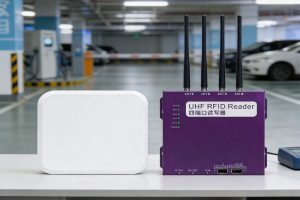
A practical procurement perspective on hospital parking systems using RFID, focusing on hardware selection, modular reader integration, long-term cost control, and system compatibility.
More
RFID tag antennas play a vital role in read performance. This article explores how to choose the appropriate antenna structure and frequency for typical applications like warehouse logistics, medical tracking, and metallic environments—helping bus...
More
Learn how to detect RFID tags using smartphones, RFID readers, testing methods, and visual inspection. Discover how RFID tags work and the easiest ways to identify them.
More