 Cykeo RFID IoT Solution Products R&D Manufacturer
what is rfid tag number
105An RFID tag number is a unique identifier stored in an RFID tag that connects physical items with digital inventory and management systems.
MoreAll RFID Product
No, a standard RFID reader cannot directly read barcodes because RFID uses radio-frequency communication, while barcodes require optical scanning. Some integrated terminals support both functions, but they need dedicated barcode-scanning hardware alongside the RFID reader. Choosing the right device depends on whether your workflow involves printed codes, electronic tags, or both.
This distinction is important when selecting inventory equipment. A desktop RFID reader/writer may be excellent at registering electronic tags, encoding identifiers, and verifying written data, yet it will not automatically decode a printed QR code or product barcode. The reverse is also true: a conventional barcode scanner cannot interrogate an electronic RFID tag without an RFID reading component.
For businesses evaluating identification equipment, the practical question is not simply which technology is faster. It is which device can capture the data already attached to the products and reliably deliver that data to the inventory application.
RFID and barcodes both identify products, tools, documents, and inventory items, but they use different physical mechanisms.
A barcode represents information through a printed visual pattern. A scanner uses an optical sensor or laser-based mechanism, depending on the device, to capture and decode that pattern.
RFID, or radio-frequency identification, uses radio waves to communicate with an electronic tag. In a typical passive UHF RFID system, the reader sends a signal and a compatible tag responds with its identifier or other supported information.
The distinction affects more than the scanning method. It determines which labels are compatible, what hardware must be installed, and how the resulting data enters the business system.
| Feature | RFID reader | Barcode scanner |
|---|---|---|
| Identification method | Radio-frequency communication | Optical scanning |
| Required visual access | Direct line of sight is generally unnecessary | The code must be optically accessible |
| Multiple-item reading | Supported by suitable RFID systems | Usually one code per scan |
| Identification medium | Electronic RFID tag | Printed barcode or 2D code |
| Tag or label writing | Supported when the RFID reader/writer and tag allow it | A scanner normally reads codes rather than encoding RFID tags |
| Common applications | Inventory counting, asset identification, tag encoding, automated movement capture | Retail checkout, shipment verification, product identification |
| Can it read the other format alone? | No, unless suitable barcode-scanning hardware is also provided | No, unless an RFID reader is also provided |
GS1, the global standards organization for supply-chain identification, maintains separate resources for RFID and barcodes. Its standards help businesses understand the different technologies and the identification data used across products and supply chains.
These resources are useful starting points when a company needs to support both RFID and conventional barcode identification.
Consider a warehouse employee receiving a batch of cartons. Each carton has a printed barcode, but only some products have RFID tags. A barcode scanner can identify the printed labels, while a compatible RFID reader can identify the electronic tags. An RFID-only desktop device cannot retrieve the printed barcode information simply because the label is within range.
The situation becomes more interesting when the business is preparing RFID tags for new inventory. Staff may use a desktop RFID reader/writer to encode tag identifiers and then use barcode scanning equipment to associate those identifiers with existing product codes.
The two technologies can work together, but the system must know how their identifiers relate to the same item. Without that mapping, a barcode number and an RFID identifier may remain two separate pieces of data rather than a usable inventory record.
The Cykeo SSD-D1AL is a desktop RFID reader/writer designed for close-range tag identification and encoding. It is intended for tasks such as registering RFID tags, writing tag data, checking written information, and supporting small desktop identification or checkout workflows.
Its role is different from that of a barcode scanner. The SSD-D1AL works with compatible electronic RFID tags; a printed barcode still requires an optical scanner or camera with suitable decoding software.
Suitable for a fixed workstation where staff repeatedly register, read, or write RFID tags.
The supplied specifications state a reading range of up to 30 cm and a writing range of up to 10 cm, helping keep desktop tag operations within a relatively controlled area.
The supplied product information includes automatic card-writing and reading demo software, batch writing, tag filtering, and C# and Java development resources.
The supplied SSD-D1AL specifications also state a maximum port output of 33 dBm and identify the Impinj R500 as the reader platform. These are product-specific details, not general characteristics of every desktop RFID reader. The actual operating distance and write success rate should be validated with the intended tags, antenna arrangement, and application.
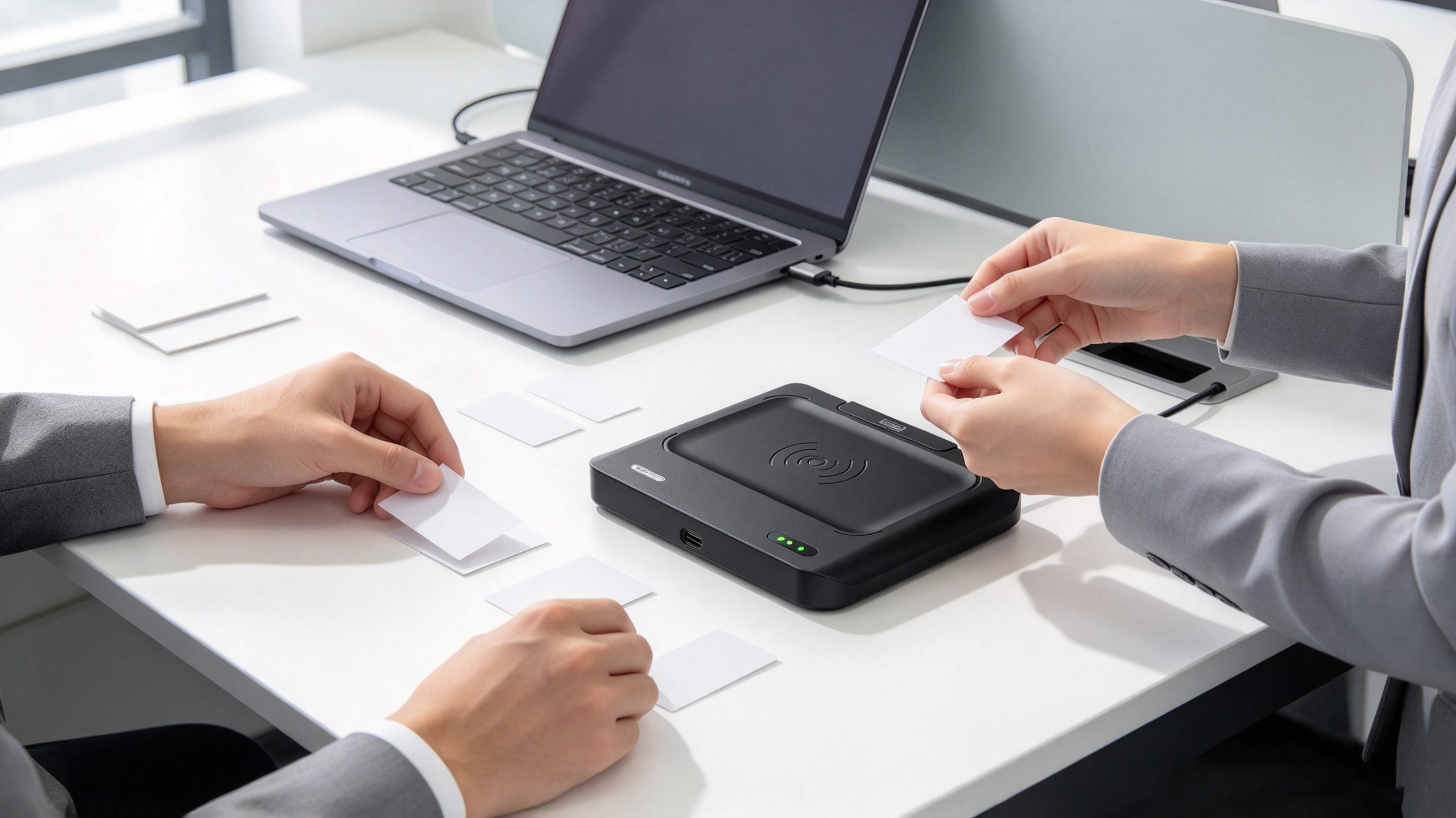
No. Based on the supplied specifications, the SSD-D1AL should be positioned as an RFID tag reader/writer, not a barcode scanner. Its near-field antenna helps control the RFID reading area, and its writing functionality supports electronic tag encoding. Neither feature enables optical barcode decoding.
If a workstation must process both printed barcodes and RFID tags, a practical arrangement is to use the SSD-D1AL for RFID operations and a compatible USB barcode scanner for printed codes. The application can then associate the barcode value with the RFID identifier, provided the data mapping and business rules are implemented correctly.
This arrangement is especially useful when products arrive with existing barcode labels but require RFID tags for subsequent stock counting or asset tracking.
The right device depends on the type of identifier attached to the product and the task employees need to perform. An RFID reader identifies compatible electronic tags, while a barcode scanner captures printed codes. If a business needs to read both, it must select a dual-function device or connect separate RFID and barcode equipment.
The distinction becomes particularly important at a desktop workstation. A tag-encoding station may process hundreds of RFID labels during product registration, while a barcode scanner retrieves existing product codes from packaging or printed labels. These tasks can happen together, but they require different reading hardware.
| Business requirement | Recommended equipment | Why |
|---|---|---|
| Read printed product barcodes | Barcode scanner | Designed to decode optical labels |
| Read electronic RFID tags | Compatible RFID reader | Communicates with electronic tags using radio waves |
| Encode RFID tag data | RFID reader/writer | Supports writing to compatible, writable tags |
| Read both barcodes and RFID tags | Integrated dual-function terminal or separate devices | Provides both optical and radio-frequency reading |
| Register RFID tags at a desk | Desktop RFID reader/writer, such as Cykeo SSD-D1AL | Supports close-range tag reading and encoding |
| Associate barcode numbers with RFID identifiers | Both reading technologies plus suitable software | Allows the application to link the two identifiers to one inventory record |
Before purchasing equipment, check the supported RFID frequency, protocol, tag type, barcode formats, software interfaces, and connectivity. Similar-looking devices can have very different capabilities.
A business does not necessarily need to replace its existing barcode system to introduce RFID. In many cases, a staged approach is more practical: retain barcode scanning for existing labels and use RFID where electronic identification provides a clear operational benefit.
Imagine a company preparing tagged products for a warehouse inventory system. Each product already has a printed barcode containing its stock-keeping unit (SKU) or product number.
A workable registration process might look like this:
The exact encoding procedure depends on the tag type, memory layout, protocol, and application design. Writing a value to a tag is not the same as creating a complete inventory record; the software must also save the relevant product information.
A barcode and an RFID tag may contain different identifiers for the same product. For example, a barcode might identify a product model, while the RFID tag identifies an individual item. This is not necessarily a problem, provided the software understands the relationship.
If every unit of a product uses the same barcode but each item has its own RFID identifier, the system can use the barcode to identify the product type and RFID to distinguish individual units. That distinction can support item-level tracking when the business has configured the tags and database accordingly.
GS1’s EPC/RFID standards provide guidance on electronic product identification. For businesses exchanging supply-chain event information between systems, GS1 EPCIS provides a standardized framework for sharing information about product movements and related events.
The Cykeo SSD-D1AL is designed for desktop RFID tag reading and writing, particularly where a controlled reading area and repeatable tag encoding are important. According to the supplied product specifications, it uses an Impinj R500 platform and a near-field antenna to limit the effective reading and writing area.
Its stated specifications include:
These figures describe the supplied product specifications, not guaranteed performance under every operating condition. Actual results can vary with tag design, antenna configuration, tag orientation, and the surrounding environment.
At a desktop encoding station, the objective is often to read or write the intended tag without inadvertently interacting with nearby tags. A relatively short operating range can help operators position individual tags consistently and reduce unintended reads from neighboring items.
For example, an employee encoding a batch of product labels may place each tag within the intended writing zone, write the required data, and verify the result before moving to the next tag. Batch writing and tag filtering can help streamline the process when the application and tag configuration support the intended workflow.
However, short-range operation alone does not guarantee that only one tag will be affected. If several tags are placed close together, their positions and the reader’s configuration still matter. Test the actual labels and encoding procedure before relying on the equipment for production volumes.
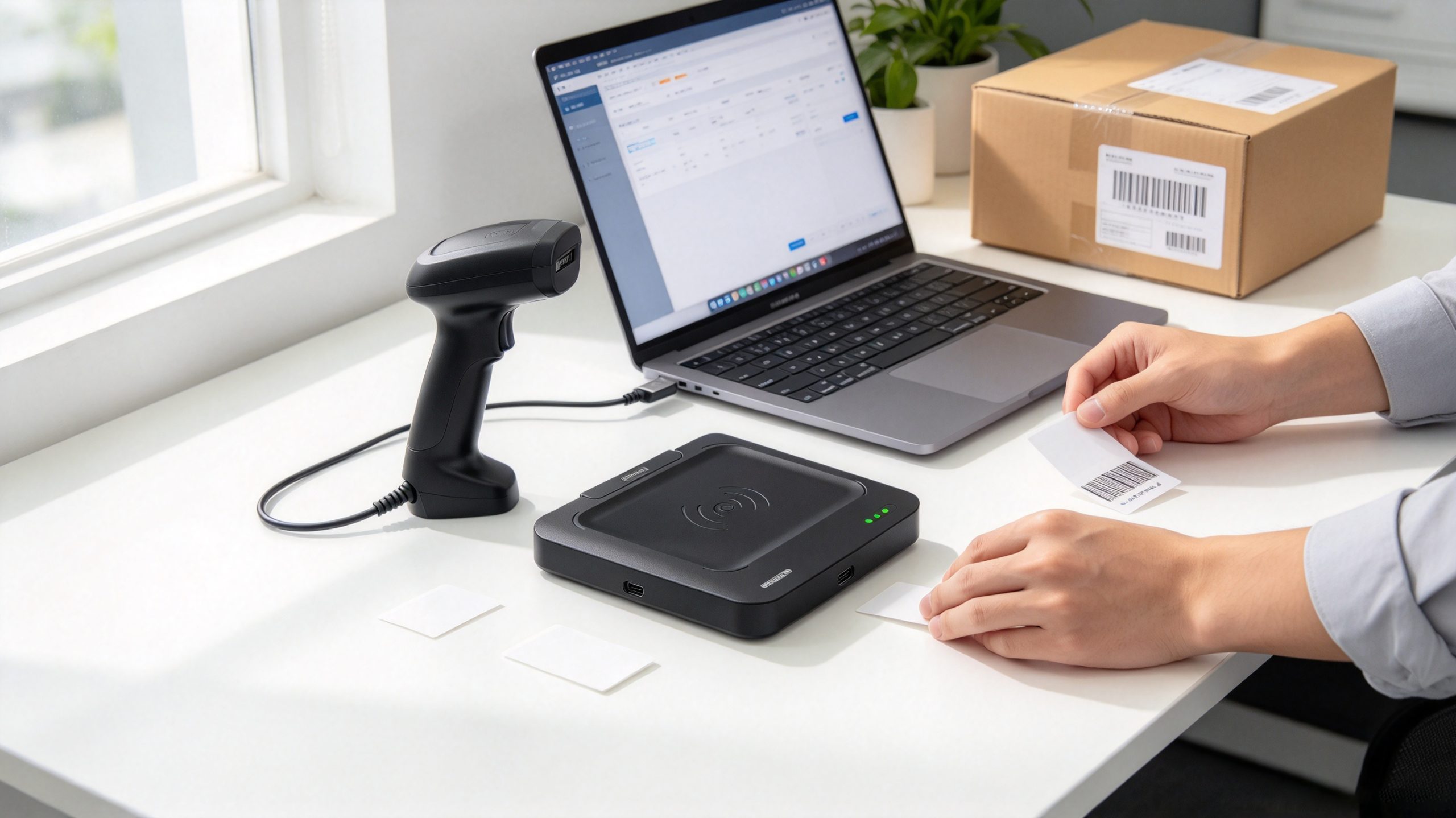
Product descriptions sometimes use broad terms such as “scanner,” “reader,” or “data collector.” These labels do not confirm that a device supports both technologies.
What to do: Check the manufacturer’s specifications for a dedicated barcode imager or scanning engine. For the SSD-D1AL, the supplied specifications establish RFID reading and writing functionality, not barcode decoding.
An RFID reader may only support reading, or it may support both reading and writing. Writing also depends on whether the tag is writable and whether the required memory area is accessible.
What to do: Confirm the reader/writer functions, tag protocol, memory permissions, and encoding software before purchasing equipment for a tag-personalization workflow.
A specified range is not a universal guarantee for every tag, surface, or working environment. A label that performs well on cardboard may behave differently when mounted on metal or placed near liquid.
What to do: Test the intended tag on the actual product and packaging. Evaluate both reading and writing, especially if successful encoding is essential to the process.
Reading a barcode and reading an RFID identifier are only the data-capture steps. The inventory system must interpret those values correctly.
What to do: Confirm that the software can link the identifiers, prevent incorrect duplicate transactions, and record the resulting product or asset information.
No. A standard RFID reader uses radio-frequency communication to identify compatible electronic tags, whereas a barcode scanner uses optical hardware to decode printed codes. A device can support both functions if it includes the appropriate RFID and barcode-reading components.
No, not with its RFID radio alone. A QR code is an optical two-dimensional code. Reading it requires a suitable camera or barcode imager and decoding software. A combined data-collection terminal may offer both QR-code scanning and RFID reading.
No. A conventional barcode scanner cannot communicate with electronic RFID tags. It can read a printed barcode associated with a product, but RFID identification requires compatible RFID reader hardware.
The supplied SSD-D1AL specifications describe a desktop RFID reader/writer with a near-field antenna, tag-reading and writing functions, batch writing, filtering, and C# and Java development resources. They do not establish barcode-scanning capability. Use a separate barcode scanner if printed codes must also be read.
Yes, according to the supplied product specifications, the SSD-D1AL supports RFID tag writing, including batch writing and automatic read/write demo software. Successful writing depends on tag compatibility, writable memory, configuration, and the actual operating environment.
The supplied specifications state a reading range within 30 cm and a writing range within 10 cm. These are stated operating ranges rather than guaranteed distances for every tag. Actual performance should be validated with the intended tag model, mounting conditions, and workstation setup.
A combined terminal can simplify work when employees frequently switch between barcode scanning and RFID inventory tasks. Separate devices may be more practical when RFID encoding happens at a fixed desktop station and barcode scanning takes place elsewhere. The decision should account for the workflow, software integration, device costs, and maintenance requirements.
Before choosing an RFID reader, barcode scanner, or combined terminal, define what employees need to do at each workstation.
For desktop tag registration, the Cykeo SSD-D1AL is a relevant option to evaluate because its supplied specifications focus on controlled-range RFID reading and writing. Its role should remain distinct from barcode decoding unless separate barcode hardware is added to the workstation.
The best setup is the one that captures the required identifiers consistently and transfers them into the correct inventory records. Equipment selection should follow that requirement, rather than assuming one reader can handle every identification technology.

Discover SSD-D4AL, a USB-HID UHF RFID reader with 4/8/16 antenna options, Impinj E710/X3M1 chipset, plug-and-play USB power, and OEM customization.

SSD-D3AL is a USB-HID UHF RFID reader with 0–30 cm reading, 0–15 cm writing, over 600 tags/s recognition, USB plug-and-play operation and OEM Logo customization.

SSD-D1AL is a compact USB UHF RFID reader with Impinj E710/X3M1 chipset, USB-HID, 600+ tags/s recognition, 4/8/16 antenna support and plug-and-play USB power.

CYKEO CYKEO-D1LA USB RFID Reader is a compact desktop solution with near-field control for precise tag reading and encoding. Powered by USB, supporting ISO 18000-6C, and built for stable batch writing, this usb rfid tag reader fits retail, libraries, offices, and controlled RFID encoding tasks.

CYKEO CYKEO-D1L RFID scanner USB is a compact desktop UHF RFID scanner designed for short-range tag writing and verification. This usb rfid scanner supports batch encoding, stable 0–26 dBm output, and works across Windows, Linux, and Android systems.

CYKEO CYKEO-D1C USB RFID Card Reader is a near-field UHF desktop writer designed for secure, short-range tag encoding. With USB-C connectivity and stable 26 dBm output, this rfid reader usb c is ideal for badge issuance, label encoding, and controlled desktop RFID workflows.

CYKEO CYKEO-D2L RFID Reader USB is a compact desktop encoder built on the Impinj R500 chip. With near-field control and stable USB power, this usb rfid card reader delivers precise tag writing for offices, retail counters, and small-scale logistics encoding tasks.

CYKEO CYKEO-D3L USB RFID Tag Reader delivers stable UHF tag reading and writing for daily desktop and light industrial tasks. Designed for controlled short-range operation, this USB RFID Tag Reader works reliably with rfid tag and reader systems in libraries, tool tracking, and inventory registration.

The CYKEO CYKEO-D4L UHF RFID Tag Reader is a stable Desktop RFID Reader designed for accurate tag registration, borrowing, and return workflows. Built with the Impinj R2000 chip, this UHF RFID Tag Reader delivers controlled short-range reads for libraries, asset tracking, and inventory management environments.

The CYKEO CYKEO-D5L Desktop RFID Card Reader is a stable UHF RFID Card Reader designed for controlled short-range reading and writing. Built for libraries, tool rooms, and asset desks, this UHF RFID Card Reader supports dense tag handling, secure data processing, and easy USB integration.

The CYKEO CYKEO-D6L RFID Reader Writer is a heavy-duty Desktop RFID Reader designed for short-range, high-accuracy tag programming. Built for libraries, labs, and asset desks, this RFID Reader Writer supports batch processing, stable 33dBm output, and seamless integration with existing management systems.

Cykeo CYKEO-D8B UHF RFID tunnel and RFID Desktop Reader features 30+ items batch reading,

Cykeo CYKEO-D8A embedded RFID badge reader offers 30+ tags/sec scanning, 20cm anti-crosstalk precision, and DC 12V power for unmanned stores, warehouses, and smart inventory systems.

Cykeo’s CYKEO-D8C UHF RFID gate reader achieves 200-tag/batch scanning with adjustable power control, ideal for retail inventory and smart warehouse management.

An RFID tag number is a unique identifier stored in an RFID tag that connects physical items with digital inventory and management systems.
More
UHF or HF anti metal RFID tag? This guide explains real-world differences in performance, cost, and use cases.
More
A long range RFID scanner can automate vehicle identification at toll roads, private roads, industrial parks, fleet entrances, and transportation checkpoints...
More
An RFID inventory system uses radio waves to identify tagged items and capture inventory data without requiring direct visual contact with every label. It he...
More