 Cykeo RFID IoT Solution Products R&D Manufacturer

How heat resistant RFID works
154Discover heat resistant RFID solutions designed for extreme environments. Ensure reliable tracking in high-temperature industries with durable, high-performance RFID tags.
MoreAll RFID Product
USB RFID reader may work perfectly during initial testing but behave differently after it is connected to a business computer, inventory application, or production workstation. Sometimes the computer cannot detect the device. In other cases, the reader connects successfully but fails to identify tags or send the expected data to the software.
These problems do not always mean the RFID reader is defective. The cause may be an incompatible tag, an incorrect output mode, a missing driver, an unsuitable reading environment, or a software configuration issue.
A structured troubleshooting process helps purchasing teams, engineers, and system integrators identify the source of a problem before replacing hardware. This guide covers common USB RFID reader issues, practical checks, and questions to ask a supplier when additional technical support is needed.
One of the first problems users encounter is that the computer does not appear to recognize the connected reader.
The device may not appear in the expected system interface, the application may report that no reader is available, or the reader may connect and disconnect repeatedly.
Start with the physical connection. Inspect the USB cable, connector, and port. If possible, test another suitable USB port and a known-good cable. Avoid introducing additional USB hubs during initial troubleshooting, as they can add another variable.
Next, check how the reader is designed to communicate with the computer. A reader using HID keyboard emulation may appear as a human interface device, while a virtual COM model may require a compatible driver and appear as a serial port. SDK-based devices may also require specific software components.
Open the operating system’s device management tools and check whether the reader appears correctly. Look for warning symbols, driver errors, or repeated connection changes.
If the reader is not recognized, verify the manufacturer’s installation instructions before installing or removing drivers.
Provide the reader model, operating system version, connection method, and any error message. A screenshot of the device status can help technical support narrow down the issue.
Do not assume that every USB RFID reader uses the same driver or appears under the same device category.
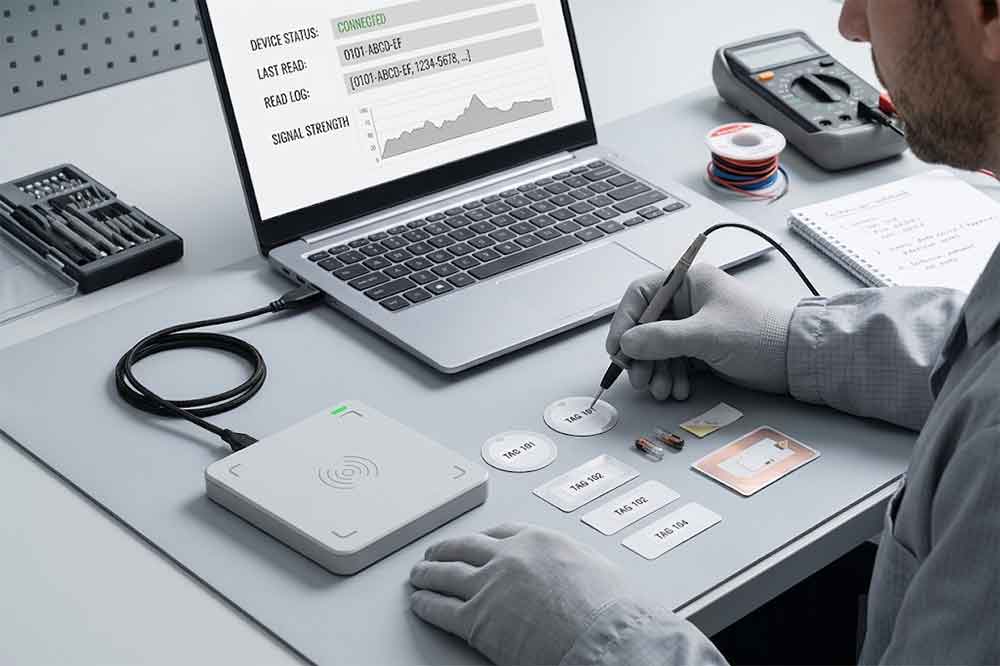
A reader may connect normally while failing to identify a tag. In this situation, the USB connection may be working correctly, but the RFID reading conditions need further investigation.
RFID tags operate at specific frequency bands and use particular air-interface protocols. A reader designed for one frequency does not automatically support tags designed for another.
For example, an LF reader, an HF reader operating at 13.56 MHz, and a UHF reader serve different tag families and applications. Before testing, confirm that the tag type is supported by the reader.
Also check whether the tag is damaged, incorrectly positioned, or unsuitable for the intended application.
Move the tag closer to the reader and test it at several positions. For a close-range reader, the intended reading distance may be only a few centimeters. A UHF reader may support a different working range, depending on its antenna, tag, settings, and environment.
Do not judge performance using only one tag or one position. Test multiple known-good tags and record the conditions under which each one can be read.
Metal surfaces and liquids can affect RFID performance, particularly in UHF applications. A tag that works well in free air may perform differently when attached to a metal tool, liquid container, or other product.
Use a tag designed for the actual material where necessary, and test it in the intended installation environment.
For more detail, see our guide to USB RFID reader reading range.
This problem can be confusing because the reader may successfully identify a tag, yet the expected information does not appear in the software.
The key is to distinguish between reading the tag and delivering its data to the target application.
In HID keyboard-emulation mode, tag data is usually sent to the active input field. If the cursor is in another window, the data may appear somewhere unexpected or seem to disappear.
Open a simple text editor, select the input area, and scan a known tag. If the tag ID appears there, the reader’s basic output path may be working, and the issue may be related to the target application or its configuration.
For virtual COM communication, confirm that the correct port is selected and that the application uses the protocol supported by the reader.
For SDK-based integration, verify that the correct library, device settings, and supported functions are being used.
The application may expect a different representation of the tag ID. For example, it may require a hexadecimal identifier while the reader is configured to output another format.
Check whether the reader adds a prefix, suffix, delimiter, or line ending. These settings can affect how the application parses the received data.
Our guide to USB RFID reader data output modes explains the differences between HID, virtual COM, and software-based integration.
Sometimes the reader outputs data, but the value does not match what the application expects.
First, establish which tag field the project requires. Depending on the tag and reader, the application may use a UID, EPC, or another supported memory field. These identifiers are not interchangeable in every application.
Next, compare the reader output with the tag information available through a known-good test tool or the manufacturer’s software. Check whether the output has been converted, shortened, padded, or formatted differently.
If the project reads user memory or performs write operations, verify that the selected tag supports the required operation and that the correct memory area and access conditions are being used.
Avoid changing database records simply to compensate for an unexplained output difference. Identify the expected data format first, then decide whether the reader configuration or application logic needs adjustment.
Repeated reads are common in RFID systems. A reader may continuously detect a tag while the tag remains within its reading field. This behavior is not necessarily a hardware fault.
The correct response depends on the application.
For example, an asset registration workflow may need to create only one record when a tag is presented. A monitoring system, on the other hand, may need to record repeated observations over time.
Check whether the reader supports a trigger mode, inventory timing controls, or duplicate-suppression options. Available functions vary by model.
If filtering must be performed in software, the application may temporarily ignore repeated reads of the same identifier within a defined time window. The appropriate interval depends on the workflow and should be tested carefully.
For example, suppressing repeated reads for too long could hide a legitimate second scan. A system that records movement events may need different logic from a simple check-in form.
Define the required behavior before adjusting reader settings.
A reader may identify tags reliably in one location but miss them in another. This can happen after equipment is installed near metal structures, electrical devices, cables, or other sources of interference.
Start by reproducing the problem under controlled conditions. Test the same tag, reader, distance, and orientation in a relatively clear environment. Then introduce the actual product, mounting position, and surrounding materials.
For UHF systems, antenna orientation, tag placement, metal, liquid, and nearby RF activity can affect results. For other frequencies, coil alignment, coupling, tag construction, and the intended operating distance may also matter.
Check whether the problem affects all tags or only a specific tag type. If only certain tags fail, investigate tag compatibility and placement before assuming that the reader itself is faulty.
Where possible, document the successful and unsuccessful reading positions. This information is more useful than a general report that the reader has a short range.
Different computers may have different operating systems, driver versions, USB configurations, permissions, and application dependencies.
If the reader works on one computer but not another, compare the two environments instead of immediately changing the reader configuration.
Check the following:
For projects deployed across many workstations, document the working configuration. This makes it easier to reproduce the setup and diagnose later problems.
Before bulk deployment, test the reader on the actual computer types that will be used in production.
When a USB RFID reader fails, changing several settings at once makes the cause harder to identify. A step-by-step test is more reliable.
Step 1: Confirm the connection. Check the cable, USB port, power, and device recognition.
Step 2: Verify tag compatibility. Confirm the frequency, protocol, and supported tag type.
Step 3: Test a known-good tag. Use a tag already confirmed to work with the reader.
Step 4: Check basic output. For HID, test in a text editor. For virtual COM or SDK-based readers, use the manufacturer’s supported test utility or sample application.
Step 5: Verify the data format. Compare the returned identifier with the expected value and check any prefix, suffix, or conversion settings.
Step 6: Reproduce the actual environment. Test the reader with the real products, materials, distance, and mounting position.
Step 7: Record the result. Document the model, firmware or software version, operating system, tag type, configuration, and error message.
If the problem remains, send this information to the supplier along with a short video or screenshot where appropriate. A clear reproduction procedure helps technical support determine whether the issue relates to hardware, configuration, tags, or software.
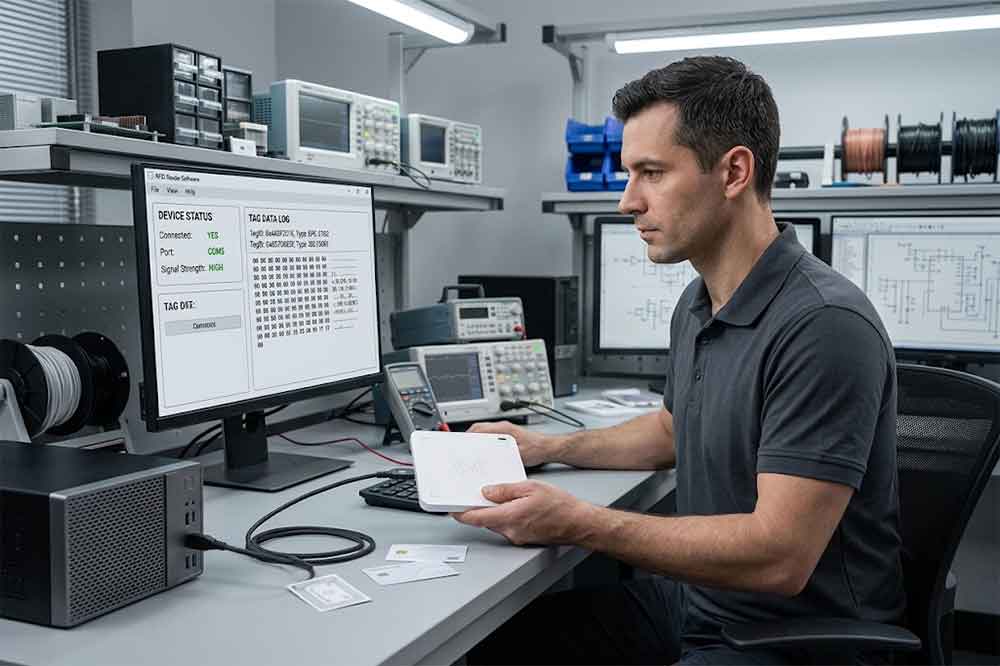
Troubleshooting is easier when technical requirements are clear before an order is placed.
Ask the supplier to confirm the supported RFID frequencies and tag protocols, USB communication modes, operating system compatibility, driver requirements, and availability of SDKs or protocol documentation.
For projects with specific performance requirements, provide representative tags and describe the actual application. Ask whether the supplier can support sample testing and provide guidance on configuration.
If the reader will be integrated into custom software, verify the availability of test tools, sample code, and technical support. If the project requires OEM or ODM customization, document the required interface, output format, and expected workflow before production.
A small pre-production test can uncover compatibility issues before they affect an entire deployment.
USB RFID reader troubleshooting begins with identifying which part of the process is failing: the USB connection, tag reading, data output, or application integration. Checking these stages separately helps teams avoid unnecessary hardware replacement and resolve problems more efficiently.
For B2B deployments, the most effective approach combines known-good tags, a controlled test environment, documented software settings, and clear communication with the supplier. Testing the reader with the intended tags and application before bulk purchasing can reduce integration delays and improve deployment reliability.
1. Why is my USB RFID reader not detected by the computer?
Check the USB cable, port, driver installation, and operating system compatibility. Also confirm whether the reader uses HID, virtual COM, or another supported communication interface.
2. Why does my USB RFID reader connect but fail to read tags?
Verify that the tag frequency and protocol are supported. Then test a known-good tag at different positions and distances, considering the surrounding materials.
3. Why does the RFID tag ID not appear in my software?
Check the output mode, active input field, COM port, protocol, and expected data format. Test with a text editor or the supplier’s supported utility where appropriate.
4. Why does my RFID reader read the same tag repeatedly?
Repeated reads can be normal. Check whether the reader supports trigger modes or duplicate filtering, and configure the application according to the intended workflow.
5. What information should I provide when requesting technical support?
Provide the reader model, operating system, tag type, connection mode, software version, error message, and steps to reproduce the problem. Screenshots or a short video may also help.

Discover SSD-D4AL, a USB-HID UHF RFID reader with 4/8/16 antenna options, Impinj E710/X3M1 chipset, plug-and-play USB power, and OEM customization.

SSD-D3AL is a USB-HID UHF RFID reader with 0–30 cm reading, 0–15 cm writing, over 600 tags/s recognition, USB plug-and-play operation and OEM Logo customization.

SSD-D1AL is a compact USB UHF RFID reader with Impinj E710/X3M1 chipset, USB-HID, 600+ tags/s recognition, 4/8/16 antenna support and plug-and-play USB power.

CYKEO CYKEO-D1LA USB RFID Reader is a compact desktop solution with near-field control for precise tag reading and encoding. Powered by USB, supporting ISO 18000-6C, and built for stable batch writing, this usb rfid tag reader fits retail, libraries, offices, and controlled RFID encoding tasks.

CYKEO CYKEO-D1L RFID scanner USB is a compact desktop UHF RFID scanner designed for short-range tag writing and verification. This usb rfid scanner supports batch encoding, stable 0–26 dBm output, and works across Windows, Linux, and Android systems.

CYKEO CYKEO-D1C USB RFID Card Reader is a near-field UHF desktop writer designed for secure, short-range tag encoding. With USB-C connectivity and stable 26 dBm output, this rfid reader usb c is ideal for badge issuance, label encoding, and controlled desktop RFID workflows.

CYKEO CYKEO-D2L RFID Reader USB is a compact desktop encoder built on the Impinj R500 chip. With near-field control and stable USB power, this usb rfid card reader delivers precise tag writing for offices, retail counters, and small-scale logistics encoding tasks.

CYKEO CYKEO-D3L USB RFID Tag Reader delivers stable UHF tag reading and writing for daily desktop and light industrial tasks. Designed for controlled short-range operation, this USB RFID Tag Reader works reliably with rfid tag and reader systems in libraries, tool tracking, and inventory registration.

The CYKEO CYKEO-D4L UHF RFID Tag Reader is a stable Desktop RFID Reader designed for accurate tag registration, borrowing, and return workflows. Built with the Impinj R2000 chip, this UHF RFID Tag Reader delivers controlled short-range reads for libraries, asset tracking, and inventory management environments.

The CYKEO CYKEO-D5L Desktop RFID Card Reader is a stable UHF RFID Card Reader designed for controlled short-range reading and writing. Built for libraries, tool rooms, and asset desks, this UHF RFID Card Reader supports dense tag handling, secure data processing, and easy USB integration.

The CYKEO CYKEO-D6L RFID Reader Writer is a heavy-duty Desktop RFID Reader designed for short-range, high-accuracy tag programming. Built for libraries, labs, and asset desks, this RFID Reader Writer supports batch processing, stable 33dBm output, and seamless integration with existing management systems.

Cykeo CYKEO-D8B UHF RFID tunnel and RFID Desktop Reader features 30+ items batch reading,

Cykeo CYKEO-D8A embedded RFID badge reader offers 30+ tags/sec scanning, 20cm anti-crosstalk precision, and DC 12V power for unmanned stores, warehouses, and smart inventory systems.

Cykeo’s CYKEO-D8C UHF RFID gate reader achieves 200-tag/batch scanning with adjustable power control, ideal for retail inventory and smart warehouse management.
RFID Industry Writer | IoT & Asset Tracking Analyst
James writes about RFID technology, asset tracking, and the practical challenges of digital transformation across warehousing, retail, manufacturing, and logistics.
His work focuses on how RFID is applied in real-world operations—improving inventory visibility, automating workflows, and helping businesses manage assets with greater accuracy and efficiency.
He regularly covers topics including UHF RFID, smart cabinets, RFID portals, tool tracking, warehouse automation, and industrial IoT trends..

Discover heat resistant RFID solutions designed for extreme environments. Ensure reliable tracking in high-temperature industries with durable, high-performance RFID tags.
More
Can phone read RFID card like hotel keys or access cards? We explain the compatibility, limitations, and professional solutions from CYKEO.
More
RFID tool cabinet can help tool cribs manage shared tools, checkout and return, inventory, user access, and tool locations in one system. It gives tool room ...
More
Cykeo, a leading IoT hardware solutions provider, announces the grand opening of its Shenzhen smart factory, expanding its national production network to 25,000㎡. Explore how Cykeo leverages RFID technology, 200+ patents, and global certification...
More