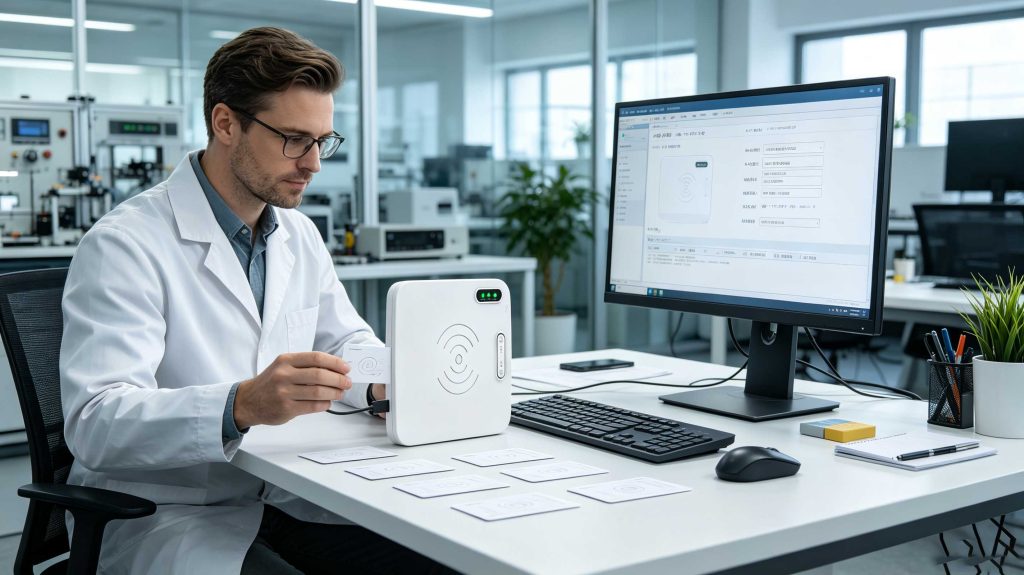
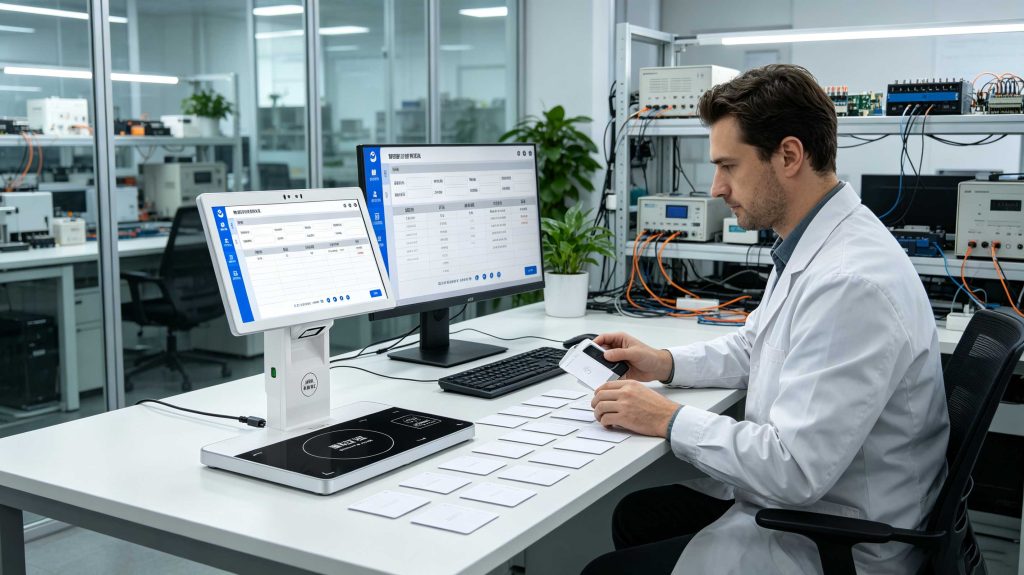
How to set rfid card? An RFID card is set by using a compatible RFID reader writer to configure, encode, or update card data. The process requires matching card frequency, selecting correct software, writing information, and verifying the programmed result.
Understanding How to Set RFID Card in Real Applications
Setting an RFID card is not only a software operation. In professional RFID deployments, card configuration involves selecting suitable hardware, confirming communication protocols, defining memory areas, and ensuring the written information can be correctly recognized by the target system.
From practical RFID engineering projects, one detail appears repeatedly: many failed card setups are caused by using the wrong combination of card type and reader. An HF 13.56 MHz RFID card cannot be configured by a UHF reader designed for logistics applications. The hardware must communicate using the same frequency and protocol.
At Cykeo, RFID engineers work with card issuing stations, desktop RFID writers, warehouse labeling systems, and industrial identification projects. During testing, engineers usually verify three things before mass deployment:
Whether the RFID card frequency matches the reader
Whether the memory area supports writing operations
Whether the software correctly formats and verifies data
According to GS1 RFID standards, RFID systems rely on communication between tags, readers, and software platforms to exchange identification information. Proper configuration is essential because RFID data becomes useful only when it can be accurately captured and interpreted by business systems.
How to Set RFID Card Step by Step
1. Identify the RFID Card Type
Before setting an RFID card, the first step is identifying the card technology.
Common RFID card categories include:
RFID Type
Frequency
Common Usage
LF RFID Card
125–134 kHz
Access control, identification
HF RFID Card
13.56 MHz
Smart cards, libraries, NFC applications
UHF RFID Tag/Card
860–960 MHz
Inventory, logistics, asset tracking
The selected RFID writer must support the same frequency as the card.
A common mistake in real projects is assuming every RFID card works with every RFID reader. Frequency compatibility is the foundation of successful card setup.
2. Connect RFID Card Writer Hardware
After selecting the correct card, connect the RFID reader writer to the computer system.
For professional card setup stations, the hardware usually includes:
RFID reader writer device
USB communication connection
RFID programming software
Card management database
Cykeo desktop RFID writers are designed for controlled card programming environments. The device uses a near-field antenna structure to limit unnecessary reading and writing areas.
This design is especially useful when operators need to configure one RFID card at a time without affecting nearby cards.
Technical features include:
Impinj R500 RFID platform
Maximum output power up to 33 dBm
Reading distance controlled within approximately 30 cm
Writing distance controlled within approximately 10 cm
Mini USB communication
C# and Java development resources
3. Write Data to RFID Card
The actual setup process depends on the RFID card memory structure and application requirements.
Typical writable information includes:
Unique identification numbers
Product information
Asset management codes
User identification data
Application-specific parameters
During deployment, experienced engineers usually avoid writing unnecessary information into RFID memory. Keeping data structure simple improves system stability and makes future maintenance easier.
A practical RFID card setup workflow:
Stage
Operation
Preparation
Select compatible RFID card and reader
Connection
Connect RFID writer with software
Configuration
Select memory area and data format
Writing
Transfer information to RFID card
Verification
Read card again and confirm accuracy
Professional RFID card setup requires compatible hardware, software, and controlled programming conditions.
Important Factors When Setting RFID Cards
Card Compatibility
Different RFID cards store information differently. Always confirm:
Frequency
Protocol
Memory capacity
Write permission
Software Configuration
RFID programming software determines how information is organized and transferred.
Professional applications often require:
Automatic writing functions
Batch programming
Data verification
Tag filtering
Database connection
Writing Accuracy
A successful RFID card setup requires verification after writing.
Reading the card again after programming helps confirm:
Data was stored correctly
The RFID chip responds normally
The system can recognize the card
Cykeo RFID Card Setup Experience
In practical RFID projects, the challenge is rarely the writing operation itself. The difficult part is creating a stable workflow that operators can repeat thousands of times.
For organizations managing RFID cards regularly, a reliable writing platform reduces manual mistakes and improves daily operational efficiency.
How to Set RFID Card for Enterprise Applications
In small projects, setting an RFID card may involve writing only an identification number. In enterprise environments, RFID card setup usually becomes part of a larger identification workflow.
A professional RFID card management system normally includes:
Component
Purpose
RFID Card
Stores identification and application data
RFID Reader Writer
Reads existing information and writes new data
Programming Software
Defines data format and writing process
Database System
Stores card-user or asset information
Application Platform
Uses RFID information for business operations
For example, a company issuing employee RFID access cards may need to register card IDs, assign permissions, verify written data, and connect the card information with an access management platform.
The card setup process is therefore not only about writing information into a chip. It is about ensuring the card can communicate correctly with the complete system.
How Cykeo RFID Writer Supports RFID Card Configuration
Cykeo desktop RFID writing solutions are developed for environments where operators need stable and repeatable card programming.
During real deployment, users often face several practical challenges:
Multiple cards need to be programmed quickly
Operators need simple software operation
Writing distance must be controlled
Incorrect card writing must be avoided
Existing software systems require integration
Cykeo RFID desktop writers address these requirements through hardware and software optimization.
Controlled Reading and Writing Area
A common problem in RFID card setup stations is accidental reading or writing of nearby cards.
Cykeo uses a near-field antenna design to create a controlled operating area:
Reading range: within approximately 30 cm
Writing range: within approximately 10 cm
This helps operators focus on the target RFID card during programming.
Stable Writing Performance
RFID card writing requires stable RF communication.
Cykeo desktop RFID writer features:
Impinj R500 RFID chip platform
Up to 33 dBm output power
High-performance signal processing
Reliable read/write operation
This design supports long-term applications such as:
RFID card issuing
Asset label registration
Library management
Retail identification systems
Small-scale RFID payment terminals
Software Development Support
Different companies have different RFID workflows.
Cykeo provides:
C# development resources
Java development resources
SDK integration support
Demonstration software
Developers can integrate RFID card setup functions into customized applications instead of relying only on standalone software.
RFID Card Setup Workflow Example
A typical enterprise RFID card setup process:
Step 1: Prepare RFID Cards
Confirm:
RFID frequency
Chip type
Memory structure
Writing permissions
Step 2: Connect RFID Writer
Connect the RFID writer through USB and open the programming software.
Step 3: Configure Card Data
Define:
Card identification number
User information
Product information
Application parameters
Step 4: Write and Verify
The system writes information into the RFID chip and reads the card again to confirm successful programming.
Step 5: Register in Business System
The programmed RFID card can then be connected with:
Access control systems
Inventory platforms
Asset management software
Retail applications
RFID card programming combines hardware reliability and software verification for accurate identification.
RFID Card Setup Applications
Access Control
RFID cards are commonly configured for:
Employee identification
Building access
Visitor management
The card stores an ID number that connects with the access management system.
Retail and Payment Applications
RFID cards can be configured for:
Customer identification
Membership systems
Small-scale payment applications
Libraries and Document Management
Libraries use RFID cards and labels for:
Member registration
Borrowing management
Item tracking
Industrial Asset Management
Manufacturing companies use RFID configuration for:
Tool identification
Equipment management
Production tracking
Frequently Asked Questions About How to Set RFID Card
1. What device is needed to set an RFID card?
An RFID reader writer and compatible programming software are required. The reader must support the same frequency and protocol as the RFID card.
2. Can every RFID card be programmed?
No. Some RFID cards are read-only or have protected memory areas. Writable RFID cards depend on chip type and security settings.
3. Can I set multiple RFID cards at the same time?
Yes. Professional RFID writing systems can support batch programming when combined with suitable software and workflow design.
4. Why does my RFID card fail after programming?
Possible reasons include incorrect data format, unsupported memory writing, incompatible frequency, or failed verification.
5. How long does it take to set an RFID card?
The writing time depends on the chip type, data size, reader performance, and software process. Batch writing can significantly improve efficiency.
6. Can RFID cards be rewritten?
Some RFID cards support rewriting if the memory area allows modification. The correct RFID writer and software are required.
7. Can RFID card setup software be customized?
Yes. RFID systems with SDKs and APIs can be integrated into customized business applications.
SSD-D3AL is a USB-HID UHF RFID reader with 0–30 cm reading, 0–15 cm writing, over 600 tags/s recognition, USB plug-and-play operation and OEM Logo customization.
SSD-D1AL is a compact USB UHF RFID reader with Impinj E710/X3M1 chipset, USB-HID, 600+ tags/s recognition, 4/8/16 antenna support and plug-and-play USB power.
CYKEO CYKEO-D1LA USB RFID Reader is a compact desktop solution with near-field control for precise tag reading and encoding. Powered by USB, supporting ISO 18000-6C, and built for stable batch writing, this usb rfid tag reader fits retail, libraries, offices, and controlled RFID encoding tasks.
CYKEO CYKEO-D1L RFID scanner USB is a compact desktop UHF RFID scanner designed for short-range tag writing and verification. This usb rfid scanner supports batch encoding, stable 0–26 dBm output, and works across Windows, Linux, and Android systems.
CYKEO CYKEO-D1C USB RFID Card Reader is a near-field UHF desktop writer designed for secure, short-range tag encoding. With USB-C connectivity and stable 26 dBm output, this rfid reader usb c is ideal for badge issuance, label encoding, and controlled desktop RFID workflows.
CYKEO CYKEO-D2L RFID Reader USB is a compact desktop encoder built on the Impinj R500 chip. With near-field control and stable USB power, this usb rfid card reader delivers precise tag writing for offices, retail counters, and small-scale logistics encoding tasks.
CYKEO CYKEO-D3L USB RFID Tag Reader delivers stable UHF tag reading and writing for daily desktop and light industrial tasks. Designed for controlled short-range operation, this USB RFID Tag Reader works reliably with rfid tag and reader systems in libraries, tool tracking, and inventory registration.
The CYKEO CYKEO-D4L UHF RFID Tag Reader is a stable Desktop RFID Reader designed for accurate tag registration, borrowing, and return workflows. Built with the Impinj R2000 chip, this UHF RFID Tag Reader delivers controlled short-range reads for libraries, asset tracking, and inventory management environments.
The CYKEO CYKEO-D5L Desktop RFID Card Reader is a stable UHF RFID Card Reader designed for controlled short-range reading and writing. Built for libraries, tool rooms, and asset desks, this UHF RFID Card Reader supports dense tag handling, secure data processing, and easy USB integration.
The CYKEO CYKEO-D6L RFID Reader Writer is a heavy-duty Desktop RFID Reader designed for short-range, high-accuracy tag programming. Built for libraries, labs, and asset desks, this RFID Reader Writer supports batch processing, stable 33dBm output, and seamless integration with existing management systems.
Cykeo CYKEO-D8A embedded RFID badge reader offers 30+ tags/sec scanning, 20cm anti-crosstalk precision, and DC 12V power for unmanned stores, warehouses, and smart inventory systems.
Cykeo’s CYKEO-D8C UHF RFID gate reader achieves 200-tag/batch scanning with adjustable power control, ideal for retail inventory and smart warehouse management.
Learn proven strategies to improve RFID handheld reader battery life in field operations. Discover power-saving settings, maintenance tips, and Cykeo’s rugged solutions.
A RFID tag is read by a compatible RFID reader that sends radio signals, receives tag data, and transfers information to software for processing and tracking.
Discover how long range RFID scanners are used in logistics for pallet tracking, shipment verification, warehouse automation, and vehicle management. Practic...
 Cykeo RFID IoT Solution Products R&D Manufacturer