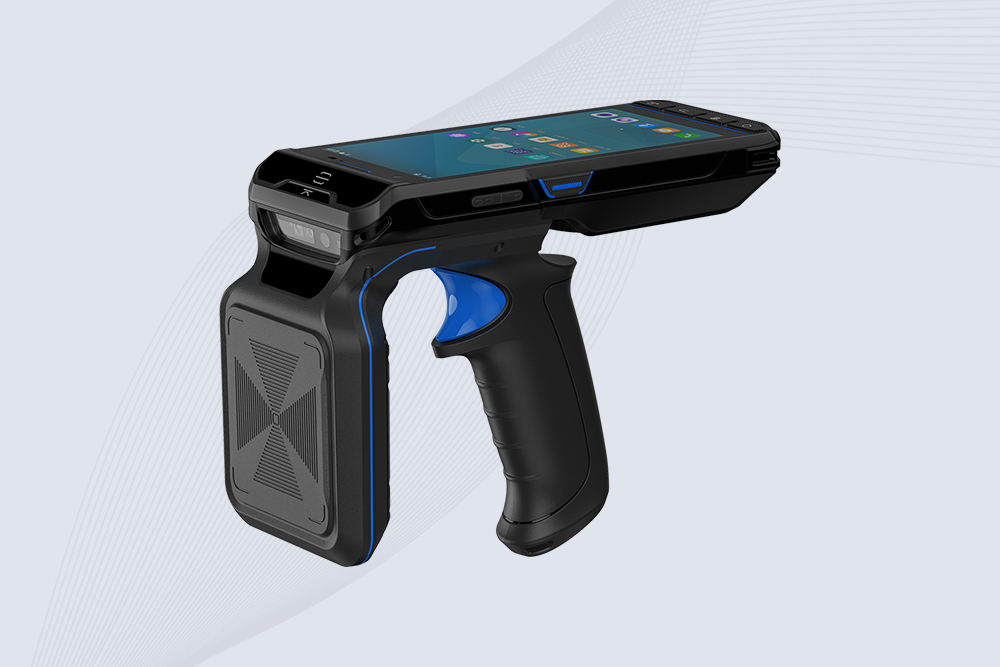
Integrating handheld RFID scanners with inventory software eliminates manual data entry, reduces errors, and delivers real-time stock visibility. While the process varies by platform, most systems follow a similar workflow. Here’s how to ensure a smooth setup, whether you’re using SAP, Fishbowl, or custom solutions.
1. Pre-Integration Checklist
Verify Software Compatibility: Ensure your inventory software supports RFID data formats (e.g., EPC, CSV) and APIs like REST or SOAP.
Update Firmware: Install the latest scanner firmware to avoid driver conflicts.
Tag Standardization: Use consistent tag encoding (e.g., GS1 standards) for seamless data mapping.
2. Connect via Bluetooth/Wi-Fi
Most handheld RFID scanners pair with devices via:
Bluetooth Low Energy (BLE): Ideal for mobile tablets or smartphones.
Wi-Fi Direct: Faster for bulk data transfers in warehouses.
For Cykeo scanners, the DeviceLink app auto-detects compatible software and configures protocols like MQTT or HTTP/S.
3. Configure Data Sync Settings
Field Mapping: Match RFID tag fields (e.g., SKU, location) to your software’s database columns.
Sync Frequency: Choose real-time, batch, or on-demand updates based on workflow needs.
Error Handling: Set rules to flag mismatched tags or duplicate entries.
4. Test and Validate
Dry Run: Scan 50–100 tags and verify accuracy in the software’s dashboard.
Stress Test: Simulate peak loads (1,000+ tags) to check for latency or crashes.
User Training: Teach teams to resolve common sync errors like “Tag Not Recognized.”
5. Advanced Automation
For large-scale operations, enable:
Auto-Replenishment Alerts: Trigger purchase orders when stock dips below thresholds.
Audit Trails: Log timestamps, user IDs, and locations for compliance.
Multi-Scanner Networks: Sync data from 10+ scanners to a central hub.
Why Cykeo Simplifies Integration
Cykeo’s scanners include pre-built connectors for platforms like Zebra Savanna and Oracle SCM, cutting setup time by 75%. A retail chain using Cykeo integrated 200 scanners across 10 stores in under 48 hours, achieving 99.8% data accuracy.
Discover how the RFID Pharmacy Security Cabinet enhances security, automates inventory management, and ensures regulatory compliance. Learn about RFID reader module and antenna integration benefits.
Learn how to safely update firmware on handheld RFID readers like Zebra or Impinj. Follow our detailed guide to avoid errors, improve performance, and enable new features.
Planning your setup? We clarify the question 'do RFID reader antennas take a lot of electricity' and break down the real power consumption of RFID systems.
Learn what a rfid system is, how radio-frequency identification works, and where RFID tags and readers deliver practical value in retail, logistics, healthcare, and industry.
 Cykeo RFID IoT Solution Products R&D Manufacturer