 Cykeo RFID IoT Solution Products R&D Manufacturer
USB RFID Reader Buying Guide: How to Choose the Right RFID Scanner
147Choosing a USB RFID reader is mainly about matching the reader, tag, antenna, reading zone, environment, and software to the actual application. For wholesal...
MoreAll RFID Product
If you’re considering RFID for tools, you’re probably past the “what is RFID” stage.
The real question now is:
“How do we actually build a working system?”
This is where many projects succeed—or fail.
Because RFID is not just hardware.
It’s a combination of:
And if one part doesn’t match your real operation, the whole system becomes unreliable.
Before choosing any hardware, start here:
What tools are you tracking?
Ask:
This determines everything else.
This step is critical—and often underestimated.
For industrial tools, especially metal ones:
You need UHF anti-metal RFID tags
Otherwise:
Small tools need compact tags
Heavy tools can use rugged tags
There are several ways to read RFID tags:
For most industrial projects, this is the best option.
Why?
Because it combines:
into one system.
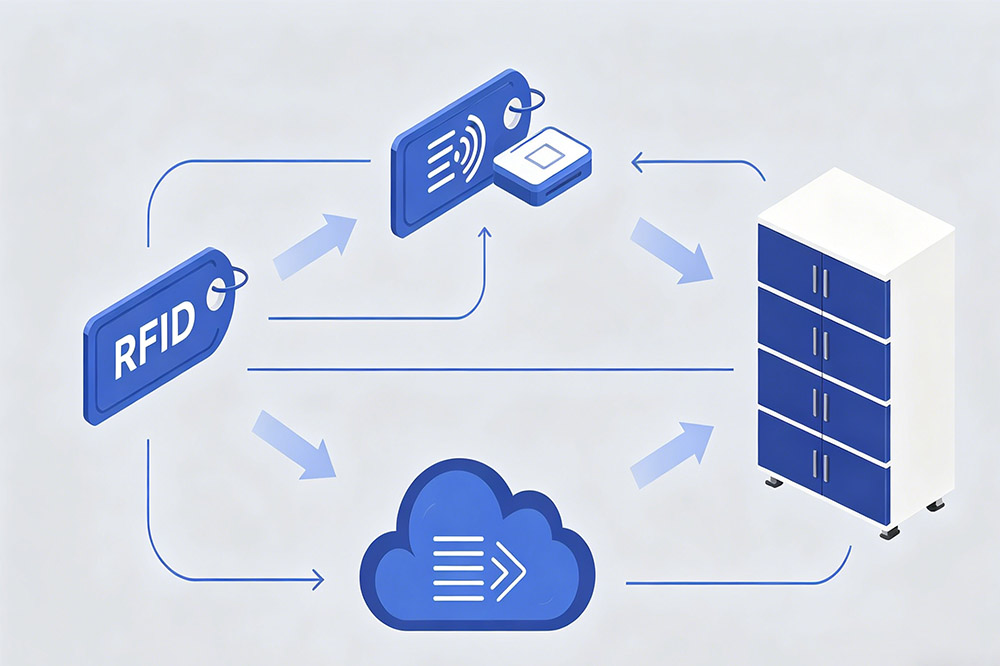
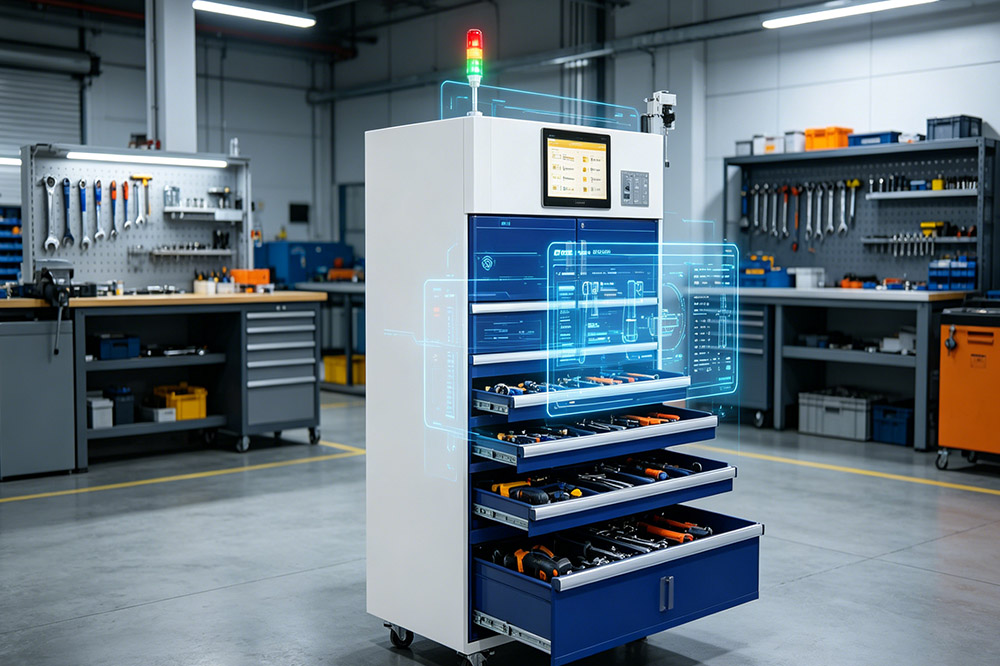
In real deployments, many companies use systems like the CK-GT1 RFID Tool Cabinet as the core of their setup.
It provides:
This simplifies system design significantly.
This is where most RFID projects fail.
Technology is easy. Workflow is hard.
You need to define:
Simple workflows perform best.
Hardware tracks tools—but software makes it useful.
Basic features include:
Advanced features:
Never skip this step.
Start with:
A small pilot project
Test:
Fix issues early before scaling.
Once the pilot works:
RFID systems are scalable—but only if designed correctly from the start.
Metal tools require anti-metal tags
System must match real working habits
Complex systems often fail in daily use
Leads to expensive mistakes
Building an RFID tool tracking system is not complicated.
But building one that actually works in real conditions requires:
RFID for tools is most effective when it becomes invisible—
working in the background without slowing people down.
RFID Tool Cabinets
CYKEO-GT1 RFID Intelligent Tool Cabinet
CYKEO-GGT1 Intelligent Weighing Cabinet
CYKEO-GT7 RFID Inventory Tool Cabinet
CYKEO-TC RFID Multi-Drawer Tool Cart
CYKEO-GTC4 INDUSTRIAL RFID TOOL CART
CYKEO-GTC7 RFID Aviation Maintenance Cart
CYKEO-GTC7A RFID Real-Time Tool Tracking Cart
CYKEO-GTC4B RFID Mobile Tool Cart
CYKEO-GTC4C RFID Workshop Tool Control Cart
CYKEO-GTC4A Multi-drawer RFID Tool Cart
CYKEO-GTC4D RFID Tool Tracking Cart
CYKEO-GT3A COMPACT RFID TOOL CABINET
CYKEO-GT1A INDOOR RFID CABINET
CYKEO-GT4A RFID Secure Tool Cabinet
CYKEO-GT2B RFID Aviation Tool Cabinet
CYKEO-GTC5 RFID tool tracking system
CYKEO-GT3B RFID Tool Inventory System Cabinet
CYKEO-GT3 UHF RFID Tool Cabinet
CYKEO-GT4 RFID Multi-Drawer Tool Cabinet
CYKEO-GT2 INDUSTRIAL RFID TOOL CABINET
CK-GT2A INDUSTRIAL RFID CABINET
CK-GT1B INDUSTRIALRFID TOOL CABINET
CK-GT3C RFID Tool Checkout System Cabinet
RFID Reader Antennas
CYKEO-A11 UHF RFID reader antenna
CYKEO-A10 UHF RFID HIGH GAIN ANTENNA
CYKEO-PHF3 SMART HIGH-FREQUENCY POSITIONING ANTENNA
CYKEO-A5B 5dBi Industrial Linear RFID Antenna
CYKEO-B12 12dBi UHF Long Range RFID Antenna
CYKEO-B10 Long Distance RFID Antenna
CYKEO-A6 UHF RFID panel antenna
CK-A3 industrial antenna RFID UHF
CYKEO-B5 directional RFID antenna
CYKEO-A5C High-Gain UHF RFID Antenna System
CYKEO-A7 Flexible RFID Antenna
CYKEO-B5A industrial Passive RFID Antenna
CYKEO-A9B High Gain RFID Antenna
CYKEO-A8A INDUSTRIAL UHF RFID ANTENNA
CYKEO-A9 9dBi UHF RFID Antenna
CYKEO-A12 12dBi RFID Circular Polarized Antenna
CYKEO-A5 5dBi UHF RFID Circular Polarized Antenna
CYKEO-A8 8dBi HIGH-GAIN UHF RFID ANTENNA
CYKEO-A9A 9dBi UHF RFID HIGH-GAIN ANTENNA

Choosing a USB RFID reader is mainly about matching the reader, tag, antenna, reading zone, environment, and software to the actual application. For wholesal...
More
Understand the key differences between passive and active RFID antennas, their pros and cons, and how to select the best option for industrial, retail, or logistics applications.
More
The customer raised the problems and requirements for RFID Gate Reader products. We listen to the customer's answers about the environment in which the product is used. Give each other all opinions to each other about the project situation and ex...
More
A real-world perspective on deploying biometric and high-security RFID key cabinets, including integration, network setup, and lessons from sensitive-site installations.
More