what is rfid software? RFID software is a digital platform that collects RFID tag data from readers, processes identification information, and connects physical assets with enterprise systems for automated tracking, inventory control, and operational management.
RFID software is the intelligence layer between RFID hardware and business applications. An RFID reader can capture hundreds of tag signals per second, but without software processing, those signals are only raw electronic data.
During Cykeo RFID system deployment projects, we rarely start with hardware installation. The first discussion is usually about workflow:
Where does the item enter?
Who needs the information?
Which system should receive the data?
A warehouse, hospital pharmacy, or retail store may all use RFID technology, but their software requirements are completely different.
Understanding the Role of RFID Software in Real Applications
In practical RFID projects, software is responsible for transforming tag identification into usable business information.
A complete RFID software platform normally manages:
RFID reader communication
Tag data collection
Data filtering and processing
Inventory synchronization
User management
System integration
Reporting and analytics
Event alarms
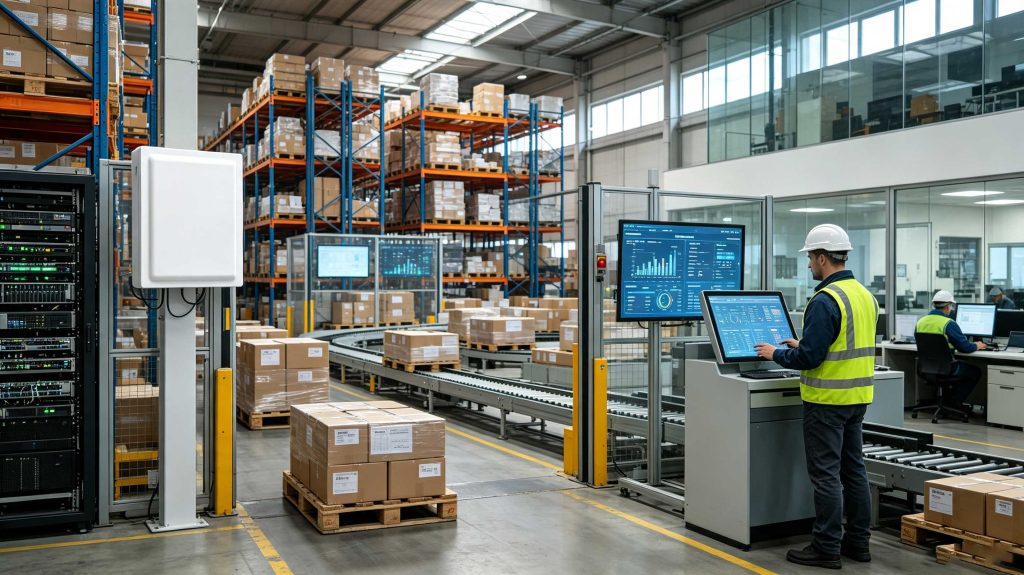
For example, when a pallet passes through an RFID portal, the reader captures multiple EPC numbers instantly. RFID software determines which tags are valid, removes duplicate readings, identifies the movement event, and updates the warehouse management system.
Without this processing layer, companies only have RFID signals.
With RFID software, they have operational visibility.
RFID software transforms collected tag information into real-time operational data.
RFID Software Core Functions
1. RFID Reader Management
RFID software communicates with different types of readers, including:
Fixed UHF RFID readers
Handheld RFID scanners
Desktop RFID writers
Integrated RFID portals
A professional platform manages:
Reader connection status
Antenna configuration
Reading parameters
Communication protocols
Cykeo RFID solutions support integration with enterprise systems through software interfaces, allowing customers to build customized applications according to operational requirements.
2. Tag Data Processing
RFID environments generate large amounts of identification data.
A single reading zone may detect:
Correct tags
Duplicate signals
Temporary signals
Nearby unrelated tags
RFID software applies filtering algorithms to ensure only meaningful events enter the business system.
This is especially important in:
Warehouse receiving areas
Retail checkout systems
Medical supply rooms
Manufacturing production lines
A reader may say:
“Tag EPC 123456 detected.”
The software must answer:
“Which product is this, where should it go, and what action should happen next?”
Why RFID Software Is Important for Modern Businesses
According to GS1, RFID technology helps companies improve supply chain visibility by automatically identifying products and capturing movement information throughout operations. RFID software is the key component that converts this identification capability into usable business intelligence.
Main Business Benefits
Function
Business Value
Automatic identification
Reduces manual scanning
Real-time tracking
Improves inventory visibility
Data integration
Connects ERP/WMS/POS systems
Automated reporting
Supports faster decisions
Error reduction
Improves operational accuracy
In our RFID projects, one common situation appears repeatedly:
Companies often believe RFID hardware creates automation.
Actually, automation begins when software understands the collected information.
RFID Software Integration With Enterprise Systems
Modern RFID software is usually connected with existing business platforms.
Common integrations include:
Warehouse Management System (WMS)
Used for:
Receiving verification
Inventory counting
Shipment confirmation
Location tracking
Enterprise Resource Planning (ERP)
Used for:
Product records
Purchase information
Stock management
Retail POS Systems
Used for:
RFID self-checkout
Smart inventory updates
Loss prevention
Manufacturing Execution Systems (MES)
Used for:
Production tracking
Tool management
Work-in-process monitoring
Cykeo RFID Software Solution Approach
Cykeo focuses on combining RFID hardware performance with practical software integration.
A typical RFID solution includes:
Hardware Layer
RFID tags
UHF RFID readers
RFID antennas
RFID encoding devices
Communication Layer
USB
Ethernet
Serial communication
API interfaces
Software Layer
Reader control
Tag management
Data processing
Application integration
This layered structure allows RFID systems to expand from a small desktop tag-writing station into enterprise-level inventory management platforms.
RFID Software Performance Considerations
When selecting RFID software, companies should evaluate:
Evaluation Point
Why It Matters
Reader compatibility
Supports different hardware environments
Data processing speed
Handles large tag volumes
API availability
Enables custom development
Database support
Maintains historical records
User interface
Improves daily operation
A warehouse processing thousands of items every day does not need complicated software.
It needs reliable software.
The best RFID platforms stay invisible during operation because employees simply see faster workflows.
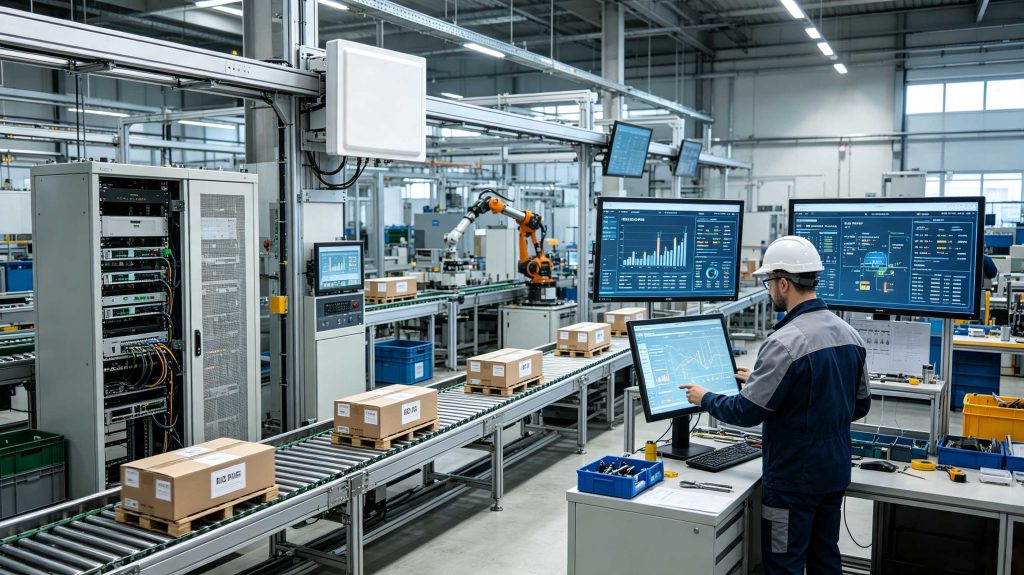
Real-time RFID software provides visibility into inventory movement and asset status.
Cykeo RFID Software Technical Advantages
RFID software determines whether an RFID project becomes a simple data collection system or a complete intelligent management platform.
At Cykeo, we have participated in RFID deployments covering retail stores, warehouses, hospitals, tool management, and industrial production environments. One lesson repeatedly appears:
The reader captures information. The software creates business value.
A successful RFID software platform must understand the environment where data is generated.
A hospital pharmacy cares about expiration dates and supply availability.
A warehouse cares about receiving speed and inventory accuracy.
A retail store cares about product visibility and customer checkout experience.
The software architecture must follow the workflow, not force the workflow to follow the software.
Cykeo RFID Software Technical Advantages
1. Powerful RFID Device Integration Capability
Cykeo RFID software is designed to connect different RFID hardware devices into one unified management environment.
Supported device categories include:
Fixed UHF RFID readers
RFID desktop writers
Handheld RFID scanners
Integrated RFID portals
RFID smart cabinets
The software layer manages communication between hardware and enterprise applications.
A complete RFID system normally requires middleware between readers and business software because raw tag reads must be filtered, processed, and converted into meaningful events.
For example:
A reader detects:
EPC: E28011606000000001
The software converts this into:
“Medical consumable A entered storage room B at 09:32.”
That conversion is where operational intelligence begins.
2. High-Speed RFID Data Processing
Large RFID deployments generate significant amounts of reading data.
A warehouse entrance may detect hundreds of tags during a short period.
Without intelligent processing, companies face:
Duplicate reads
Incorrect inventory updates
False movement records
Database overload
Cykeo RFID software applies data filtering and event processing to improve system reliability.
Typical processing functions include:
Function
Purpose
Tag filtering
Removes unnecessary repeated reads
Data validation
Ensures accurate identification
Event generation
Converts reads into business actions
Data synchronization
Updates enterprise systems
Historical storage
Supports tracking and analysis
This architecture follows the common RFID software stack:
Tags → Readers → Data Processing → Business Applications → Analytics
RFID software integrates identification hardware with enterprise applications to enable automated operations.
Layer 1: RFID Hardware Layer
The hardware layer contains physical identification devices.
Main components:
RFID Tags
Store unique identification information.
Applications include:
Retail product labels
Medical supply tags
Industrial asset tags
Tool tracking tags
RFID Readers
Capture tag information through radio frequency communication.
Examples:
Warehouse gate readers
Retail checkout readers
Desktop encoding readers
Industrial monitoring readers
Layer 2: RFID Middleware Layer
Middleware is the bridge between hardware and software applications.
Its responsibilities include:
Reader communication
Tag data filtering
Event management
Device monitoring
Protocol conversion
Academic research on RFID enterprise integration highlights that RFID middleware plays a central role in managing reader data and connecting RFID events with business information systems.
Layer 3: Enterprise Application Layer
This layer connects RFID information with daily business operations.
Common systems:
System
RFID Software Function
WMS
Warehouse inventory tracking
ERP
Product and material management
MES
Manufacturing process tracking
POS
Retail checkout
Healthcare system
Medical inventory control
RFID Software vs Barcode Software Comparison
Feature
RFID Software
Barcode Software
Identification method
Radio frequency
Optical scanning
Multiple item reading
Yes
Usually one-by-one
Direct visibility required
No
Yes
Automated tracking
Strong
Limited
Real-time monitoring
Available
Limited
Data volume handling
High
Lower
IoT integration
Easier
More limited
The difference is most obvious in high-volume environments.
A barcode system records actions when employees scan.
An RFID software system can continuously record movement events automatically.
RFID Software Industry Case Studies
1. Smart Retail Management
Retail businesses use RFID software for:
Product inventory visibility
Smart checkout
Loss prevention
Store replenishment
A typical retail scenario:
A customer places several tagged products on an RFID checkout platform.
The system automatically identifies products, calculates payment information, and updates inventory records.
No individual barcode scanning is required.
2. Hospital Pharmacy and Medical Inventory
Hospitals require precise inventory control.
RFID software helps manage:
Medicine storage
Surgical supplies
Medical consumables
Expiration monitoring
A hospital supply manager can quickly identify:
What items are available
Where they are stored
Which products need replenishment
3. Manufacturing Asset Tracking
Industrial companies often struggle with:
Missing tools
Equipment location
Maintenance records
RFID software creates a digital record for each asset.
Instead of asking:
“Where is the tool?”
Operators can check:
“When was it last used and by whom?”
RFID Software Deployment Strategy
Step 1: Define Business Objectives
Before software configuration, identify:
Tracking requirements
Data volume
Integration targets
User workflows
Different applications require different software logic.
Step 2: Select RFID Hardware Compatibility
Confirm:
Reader communication methods
Supported protocols
API availability
Network requirements
Cykeo provides development support including software interfaces and integration resources for customers building customized RFID applications.
Step 3: Configure Data Processing Rules
Important settings include:
Read filtering
Tag grouping
Event triggers
Alarm conditions
For example:
A warehouse may define:
“Receiving door RFID event = inventory arrival.”
Step 4: Connect Enterprise Systems
Typical connections:
RFID software → WMS
RFID software → ERP
RFID software → POS
RFID software → MES
The objective is not collecting more RFID data.
The objective is making better business decisions.
FAQ: RFID Software
1. What is RFID software used for?
RFID software collects tag data from RFID readers, processes identification information, and connects physical objects with business systems.
2. Does RFID software replace ERP systems?
No. RFID software usually works together with ERP, WMS, MES, and other enterprise systems.
3. Can RFID software manage multiple RFID readers?
Yes. Enterprise RFID software can manage multiple readers, antennas, and locations from one platform.
4. Is RFID software suitable for warehouses?
Yes. RFID software is widely used for inventory tracking, receiving, shipping verification, and asset management.
5. Can RFID software support custom development?
Yes. Professional RFID platforms usually provide APIs, SDKs, and communication interfaces for customized applications.
6. What industries use RFID software?
Common industries include:
Retail
Healthcare
Logistics
Manufacturing
Transportation
Government asset management
Why RFID Software Matters
RFID technology is no longer only about reading tags.
The real transformation happens when RFID software connects physical objects with digital systems.
From warehouse inventory to hospital supplies and retail checkout, RFID software creates a bridge between real-world operations and intelligent management.
Cykeo develops RFID hardware and software solutions designed for practical industrial environments, helping companies build reliable tracking systems with scalable architecture.
The future of RFID is not simply identifying objects.
It is understanding every movement, every location, and every operational decision behind those objects.
Discover the top handheld RFID readers for libraries. Compare features, integration with systems like Koha or Sierra, and improve checkout efficiency with our expert picks.
Understand the key factors affecting the 2025 pricing of RFID handheld readers—from reading range and operating systems to configuration options. This comprehensive guide helps international buyers make informed purchasing decisions.
Find out if budget RFID scanners can handle retail apparel inventory tracking. Compare accuracy, UHF performance, and top affordable models for clothing stores.
 Cykeo RFID IoT Solution Products R&D Manufacturer