 Cykeo RFID IoT Solution Products R&D Manufacturer
How to Connect Cykeo RFID Antennas: Getting It Right the First Time
268Setting up your hardware? Learn how to connect Cykeo RFID antennas correctly to your reader, including compatibility checks, cable types, and essential safety tips.
MoreAll RFID Product
When people start working with RFID, they usually focus on the “main parts” — readers, antennas, and tags. That’s normal. But once a project actually goes live, you quickly realize something:
Auxiliary equipment is what makes the system truly usable.
One of the most overlooked — but super practical — components is GPIO.
Let’s break it down in plain English, no fluff.
GPIO stands for General Purpose Input/Output.
Sounds technical, but it’s really not complicated:
Think of it like a switch interface between your RFID system and real-world devices.
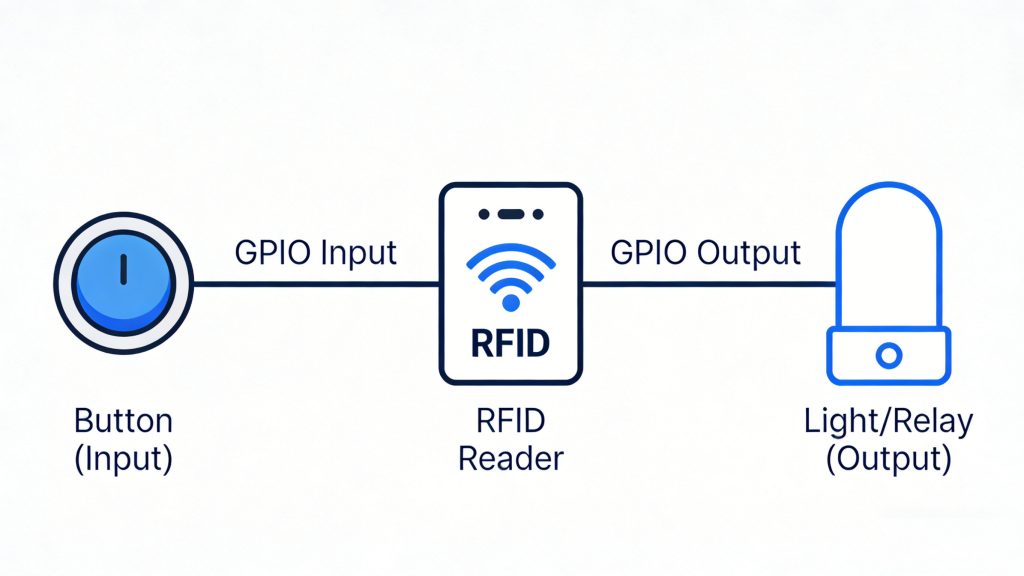
One sentence:
It turns “reading a tag” into a real-world action.
Reading a tag alone doesn’t do much. The real value is what happens after the tag is read — opening a door, triggering an alarm, starting a process. That’s where GPIO comes in.
This is probably the most common setup:
Typical flow:
RFID reader → tag detected → GPIO output → door controller
If you’re doing any kind of access system, GPIO is almost always involved.
Simple but extremely useful:
A lot of people skip this at first — and regret it later. Without feedback, operators have no idea if the system is working or not.
This is the input side of GPIO.
Examples:
Common in:
Key idea: don’t read continuously — read when triggered.
This makes the system more stable and efficient.
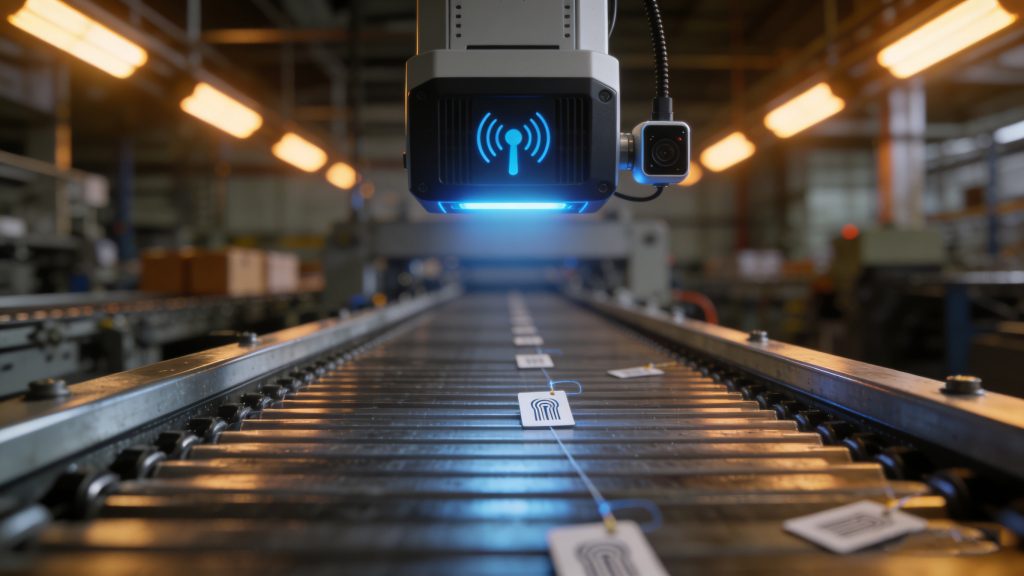
A more advanced use case:
Example:
This is widely used in logistics and warehouse automation.
Two common setups:
Many industrial RFID readers already have GPIO ports:
You just wire them directly — no extra hardware needed.
If you need more control or more ports, you can add:
This is more common in complex or large-scale projects.
This is where most real-world problems happen.
Different devices use different voltages (5V, 12V, 24V).
Wrong connection = best case, it doesn’t work
Worst case, you damage the device
Very common on-site issues:
Result: unstable system, random failures
Examples:
The system ends up behaving unpredictably
Let’s say you’re building a warehouse exit control system:
If not authorized:
That’s a classic RFID + GPIO setup.
A lot of people focus only on “can the system read tags?”
But in real projects, the real question is:
What happens after the tag is read?
That’s where GPIO makes all the difference.
If your project involves:
Then GPIO is not optional — it’s essential.
If you’re working on a specific project (like a gate system or production line), getting the GPIO logic right early will save you a lot of headaches later.
Setting up your hardware? Learn how to connect Cykeo RFID antennas correctly to your reader, including compatibility checks, cable types, and essential safety tips.
More
Learn key ISO standards for RFID in supply chain management, including ISO 17363 and 18000-6C. Discover how Cykeo’s solutions ensure global compliance and efficiency.
More
125kHz RFID reader, with its unique performance characteristics, plays an irreplaceable role in many use cases.
More
Curious about the technology? Learn how RFID reader works in plain language—from powering tags to decoding data for inventory and tracking systems.
More