 Cykeo RFID IoT Solution Products R&D Manufacturer

RFID Scanner Design: A Visual Guide to Form and Function
1385Curious what RFID scanners look like? Explore designs, sizes, and applications of handheld, fixed, and integrated RFID scanners across industries.
MoreAll RFID Product
A busy library does not have much time to spare at the circulation desk. Books arrive in stacks, students return several items at once, and staff still need to handle reservations, returns, and shelf checks. When every item must be processed individually, routine work can take longer than expected.
A USB RFID reader for library book management offers another way to handle these tasks. Instead of relying entirely on barcode scanning, staff can use radio frequency identification (RFID) to read compatible tags attached to books and other library materials.
The reader is only one part of the system. The RFID tags, workstation, library management software, and operating procedures all affect how well the solution works. Choosing the right reader means looking at the entire workflow rather than the hardware alone.
Libraries looking to upgrade their circulation desks can explore our USB RFID readers for library workstation applications to find hardware options for book identification and software integration.
RFID reader communicates with electronic tags through radio waves. Each compatible tag carries identification data that allows the library system to associate a physical item with its digital record.
In many library deployments, UHF RFID technology is used for book identification and inventory tasks. However, libraries may also operate HF or other RFID systems, depending on their existing infrastructure. A reader must support the same frequency and relevant tag protocol as the tags already in use.
A USB RFID reader connects to a computer or workstation through a USB interface. This makes it useful for staff who need a reader close to their daily working area without installing a separate network connection for every device.
Depending on its design and software integration, the reader can support book registration, circulation workflows, inventory checks, and other identification tasks.
It is important to distinguish between reading a tag and completing a library transaction. The reader obtains the tag data. The library application determines which book the data represents and what action should follow.
Circulation desks are a practical starting point for USB RFID deployment.
When a reader identifies a compatible tag, the software can retrieve the corresponding book record. Staff can then complete a checkout or return transaction through the library’s normal workflow.
Some systems can process several tagged books in one reading operation. The actual result depends on reader performance, tag placement, the distance between items, and the surrounding RF environment.
For a library handling a large number of returns each morning, reducing repetitive scanning can make a noticeable difference. Staff still need to resolve overdue items, damaged books, reservations, and other exceptions through the management system.
Similar identification workflows are also used outside libraries. Our guide to USB RFID readers for retail inventory management explains how RFID can support stock identification and routine inventory tasks.
New books often need to be registered before they reach the shelves. A USB RFID reader can help staff associate an RFID tag with the correct bibliographic and item records.
A typical workflow includes assigning an item number, encoding or reading the tag as required, and confirming that the identifier matches the correct record.
Libraries should establish a clear procedure for checking this association. A tag that contains the wrong item identifier can cause problems later, even when the reader itself works correctly.
Where tag writing is required, the selected reader must explicitly support the necessary write functions and tag protocol.
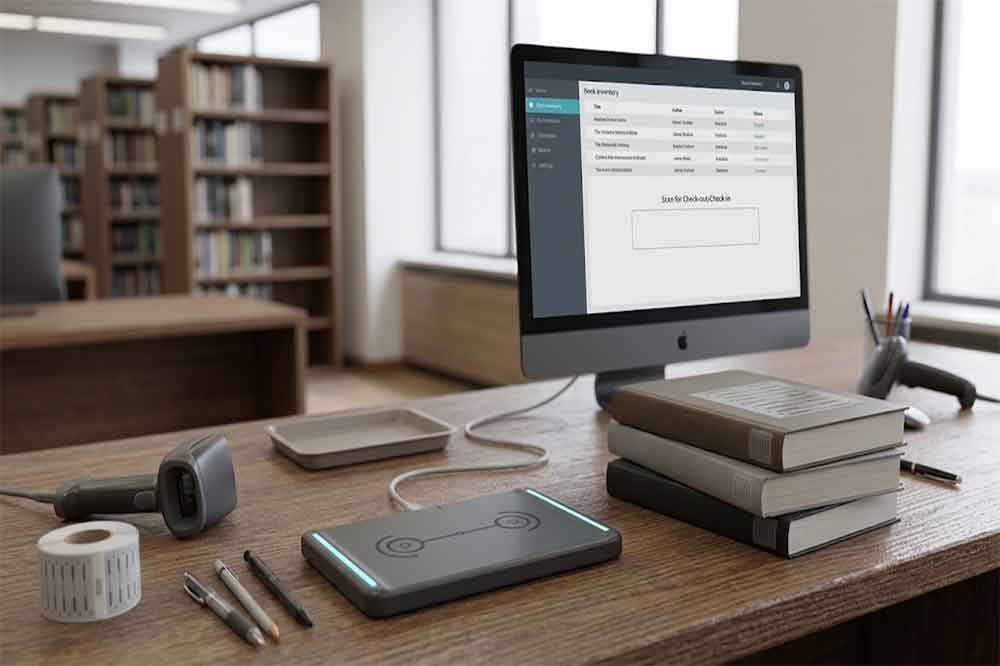
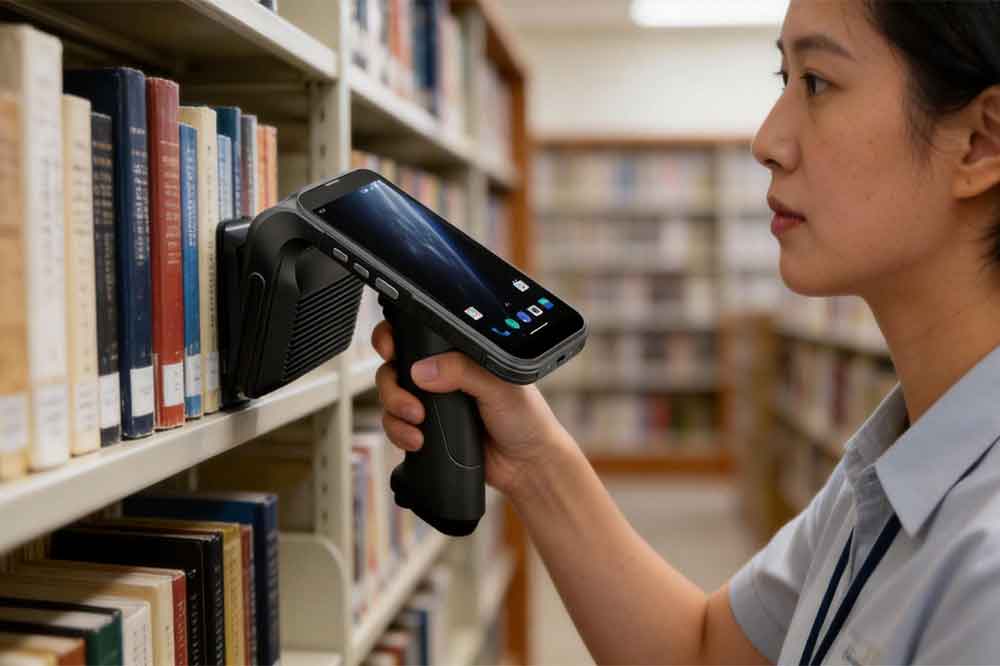
Inventory work is another area where RFID can be useful. Staff can move through book aisles with compatible handheld equipment or use a suitable reading workstation to identify tagged items.
A fixed USB reader at a desk is not automatically suitable for scanning an entire shelf. Its antenna configuration, effective reading area, and intended operating distance determine where it performs best.
For large-scale shelf inventory, a dedicated handheld RFID reader may be more appropriate. A USB desktop reader is generally better suited to close-range identification, book processing, and workstation-based tasks.
The equipment should match the actual job instead of forcing one reader type to cover every application.
Returned books often accumulate before staff can sort them by department, shelf, or reservation status.
A USB RFID workstation can help identify individual books or compatible groups of tagged items. Once the software receives the identifiers, it can display the corresponding records and support sorting decisions.
This can be useful in university libraries, school libraries, and public libraries where staff handle mixed batches of books throughout the day.
For reliable operation, the reading process should make it clear which items have been identified and which still require attention.
USB is widely used for connecting peripherals to desktop computers and workstations. For library equipment, this provides a straightforward option when the reader is installed at an existing service desk.
Simple workstation connection. Staff can use the reader at a computer that already runs the library application, subject to operating-system and driver compatibility.
Compact installation. A desktop reader can sit beside a keyboard, monitor, or book-processing area without requiring a separate network connection for basic communication.
Convenient software testing. Developers can connect a reader to a test computer while checking tag identification, data formatting, and application responses.
Practical deployment for multiple desks. Libraries can equip selected workstations according to their needs instead of installing the same hardware throughout the building.
USB connectivity does not guarantee that every reader works immediately with every library application. Some devices require a driver, a software development kit (SDK), a serial communication interface, or a custom integration layer.
Before deployment, confirm the supported operating systems, communication mode, and software requirements.
Frequency compatibility should be checked first. A UHF reader cannot automatically replace an HF reader simply because both devices use RFID.
For example, a library with existing UHF book tags needs a reader that supports the appropriate UHF frequency band and tag protocol for that installation.
Replacing readers without checking the existing tags can lead to unnecessary hardware costs and deployment delays.
A longer reading range is not always better for a library workstation.
If a reader detects tags on books sitting nearby, staff may receive identifiers for items they are not currently processing. This can complicate checkout operations or introduce unwanted records into the workflow.
The reading range should suit the physical setup. Antenna design, reader power settings, tag orientation, book arrangement, and nearby metal or electronic equipment can all affect results.
Test the reader with actual library books rather than relying solely on a laboratory specification.
Some RFID readers support anti-collision functions that allow multiple compatible tags to be identified during a reading session.
This can be helpful when processing several books together. However, the number of tags successfully identified depends on the reader, tag quality, tag spacing, orientation, and RF conditions.
Buyers should test representative stacks of books, including different sizes and cover materials. A successful demonstration with a few widely spaced tags does not necessarily reflect a crowded circulation desk.
A library automation system needs to convert tag data into useful actions. The reader should therefore fit the software team’s integration approach.
Depending on the device, integration may use keyboard emulation, serial communication, a vendor SDK, or another documented interface.
Before ordering, ask the supplier for:
For software developers and solution providers, these details can be more important than the reader’s physical appearance.
A typical library workstation follows a straightforward process.
Step 1: Identify the book. The reader detects a compatible RFID tag and retrieves its identifier.
Step 2: Transfer the data. The reader sends the identifier to the connected computer through its supported interface.
Step 3: Match the record. The library application looks up the identifier in its database or associated item records.
Step 4: Complete the operation. Staff confirm or process the relevant action, such as checkout, return, registration, or inventory verification.
Step 5: Handle exceptions. If the identifier is unknown, duplicated, or associated with an unexpected record, the software should flag the issue for review.
The exact implementation depends on the library management platform. A USB connection alone does not create a complete circulation system, and it does not automatically provide access to every library database.
System integrators should test the full workflow, including normal transactions, duplicate reads, missing records, and communication interruptions.
USB RFID integration is also relevant to other item-level tracking applications. Read our guide to USB RFID readers for jewelry inventory management for another example of reader deployment and inventory workflows.
One common issue is inconsistent reading across different books. Some tags may be positioned differently, damaged, or affected by the materials around them. Testing a representative selection of books before installation helps identify these issues early.
Another problem is unwanted reads. When multiple tagged items are close to the reader, the system may detect books outside the intended transaction. Adjusting the antenna arrangement, reading area, or software workflow can help reduce this risk.
Software integration also deserves attention. A reader may successfully return tag identifiers while the library application fails to interpret them correctly. Check the data format, communication settings, and record-matching logic during commissioning.
Finally, staff training should not be overlooked. Employees need to understand how to position books, confirm successful reads, and deal with items that the system does not recognize.
A small amount of preparation can prevent repeated interruptions after the equipment enters daily use.
The best reader depends on the library’s existing equipment and the task it needs to perform.
For a small library looking to improve a circulation desk, a compact USB reader may be sufficient. A university library processing large batches of materials may need a different reader configuration, more advanced software integration, or additional equipment for inventory work.
Before requesting a quotation, prepare a short specification covering:
These details allow the supplier to recommend a suitable model and help the engineering team identify potential integration issues before mass deployment.
For RFID solution providers, this is also an opportunity to build a library-specific package that combines readers, tags, software, and technical support.
A USB RFID reader for library book management can make book identification and workstation-based processing more convenient. Its value depends on how well the reader matches the existing tags, the reading environment, and the library software.
For a successful deployment, test the hardware with real books, confirm the supported communication interface, and validate the complete transaction workflow. These checks help libraries and system integrators choose equipment that fits daily operations rather than relying on specifications alone.
It is a device that reads compatible RFID tags attached to books and transfers their identification data to a connected system for circulation, registration, or inventory tasks.
Some readers support multiple-tag identification. Actual performance depends on the reader, tag protocol, book arrangement, antenna design, and surrounding RF conditions.
Yes, if the reader’s communication interface and data format are compatible with the software or can be integrated through a suitable SDK or middleware.
Not directly. The reader must support the frequency and tag protocol used by the existing library tags. Check compatibility before replacing equipment.
It can support workstation-based identification and certain inventory tasks. For scanning entire shelves while walking through the library, a dedicated handheld RFID reader may be more suitable.

Discover SSD-D4AL, a USB-HID UHF RFID reader with 4/8/16 antenna options, Impinj E710/X3M1 chipset, plug-and-play USB power, and OEM customization.

SSD-D3AL is a USB-HID UHF RFID reader with 0–30 cm reading, 0–15 cm writing, over 600 tags/s recognition, USB plug-and-play operation and OEM Logo customization.

SSD-D1AL is a compact USB UHF RFID reader with Impinj E710/X3M1 chipset, USB-HID, 600+ tags/s recognition, 4/8/16 antenna support and plug-and-play USB power.
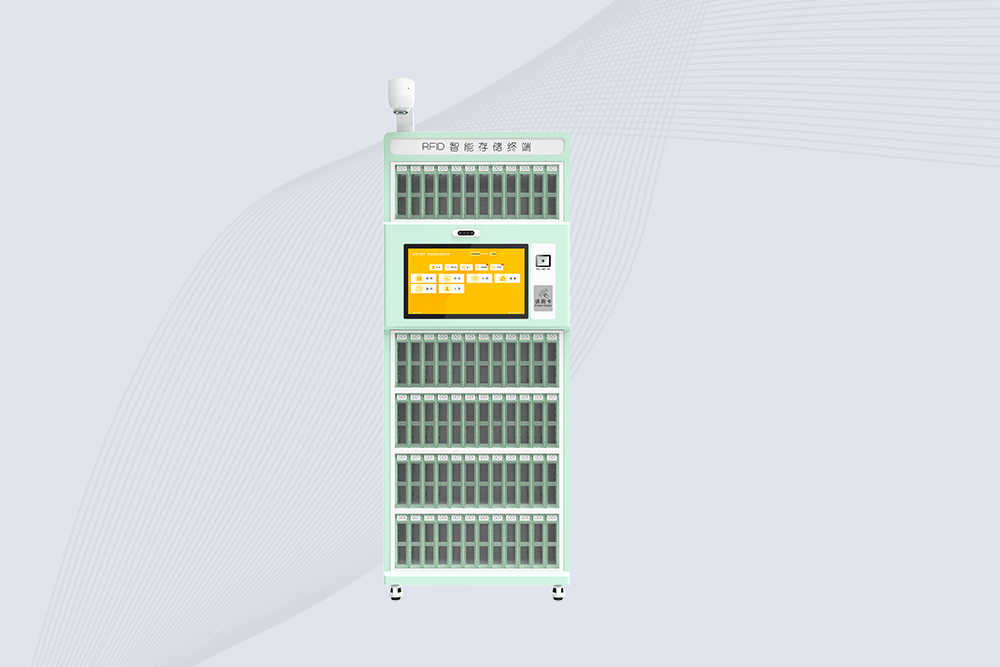
Cykeo’s RFID Library Management Cabinet offers 72-cell precision control for archives/labs/retail. Features dual-band UHF/HF scanning, facial authentication & cloud sync. ISO 18000-6C/15693 certified.
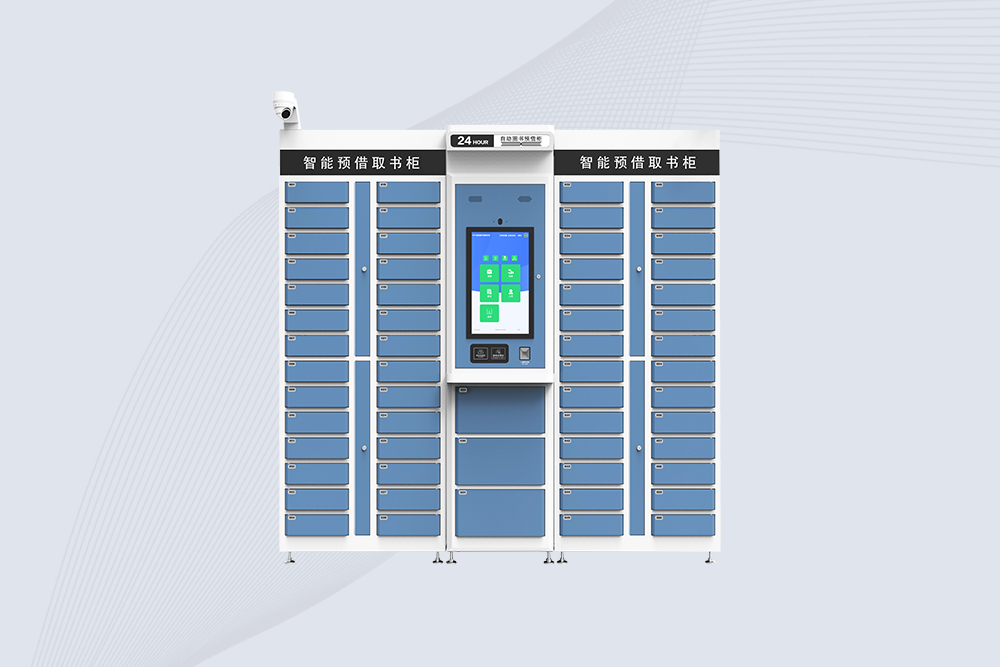
Cykeo’s RFID Smart Library Cabinet enables 24/7 book reservations with 59 compartments, biometric security & cloud sync. Ideal for universities/public libraries. Windows/Android OS.
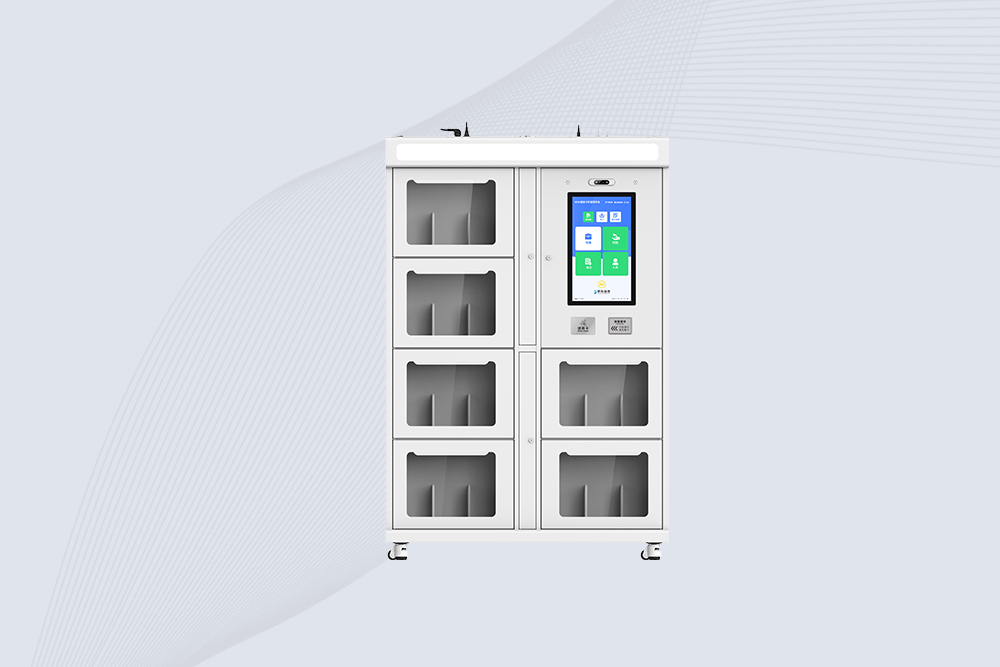
Cykeo’s RFID Book Inventory Cabinet features 7 compartments, Impinj R2000 UHF technology & dual OS for libraries/archives. 99.98% recognition accuracy with solar/cloud options.
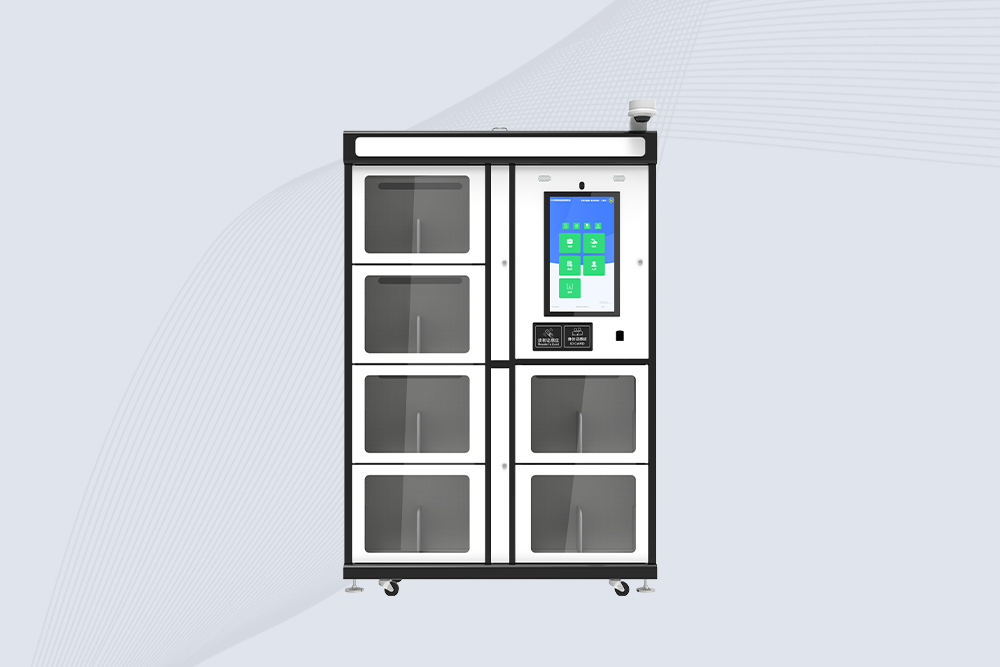
Cykeo’s industrial RFID School Library Cabinet features Impinj R2000 UHF technology, 21.5″ touchscreen & customizable compartments for academic archives, museums and libraries. Dual OS supports Windows/Android.
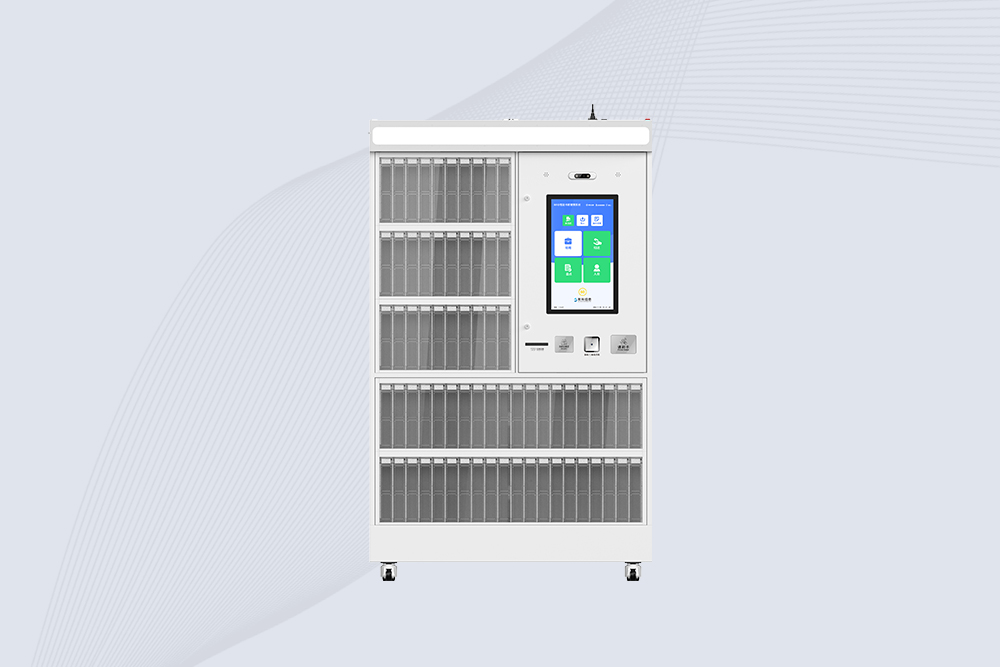
Cykeo’s RFID Mobile Library Cabinet enables 24/7 self-service book lending with 100-tag RFID scanning, facial recognition & solar power. Ideal for schools/communities.
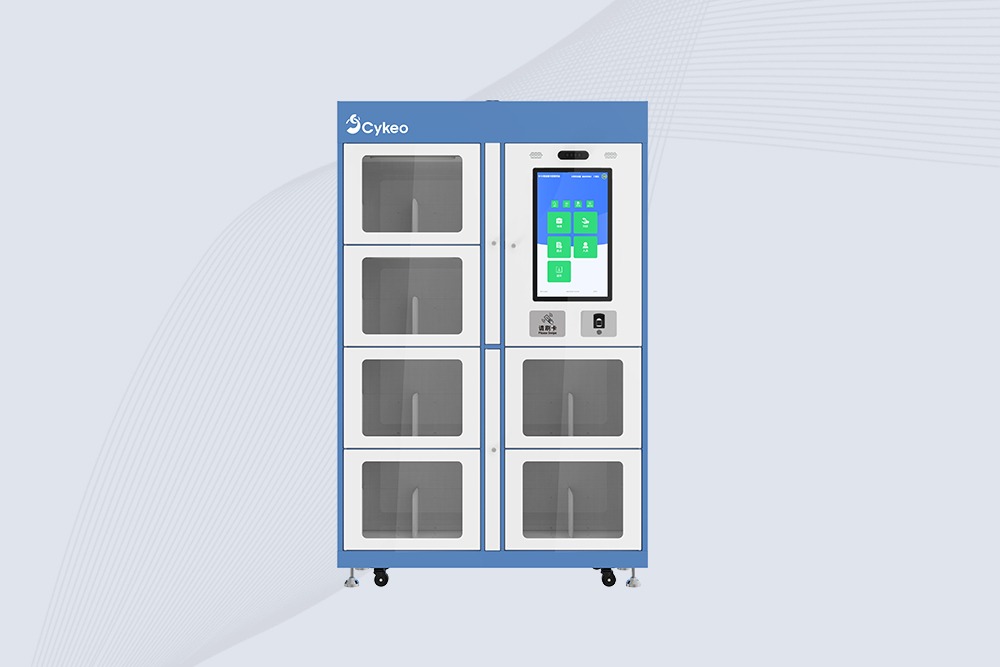
Cykeo CYKEO-G68B RFID smart bookcase features BookEye™ technology, 175-book capacity, and SAP integration for automated library management. Industrial-grade construction for 24/7 unmanned operations.

CYKEO CYKEO-D1LA USB RFID Reader is a compact desktop solution with near-field control for precise tag reading and encoding. Powered by USB, supporting ISO 18000-6C, and built for stable batch writing, this usb rfid tag reader fits retail, libraries, offices, and controlled RFID encoding tasks.

CYKEO CYKEO-D1L RFID scanner USB is a compact desktop UHF RFID scanner designed for short-range tag writing and verification. This usb rfid scanner supports batch encoding, stable 0–26 dBm output, and works across Windows, Linux, and Android systems.

CYKEO CYKEO-D1C USB RFID Card Reader is a near-field UHF desktop writer designed for secure, short-range tag encoding. With USB-C connectivity and stable 26 dBm output, this rfid reader usb c is ideal for badge issuance, label encoding, and controlled desktop RFID workflows.

CYKEO CYKEO-D2L RFID Reader USB is a compact desktop encoder built on the Impinj R500 chip. With near-field control and stable USB power, this usb rfid card reader delivers precise tag writing for offices, retail counters, and small-scale logistics encoding tasks.

CYKEO CYKEO-D3L USB RFID Tag Reader delivers stable UHF tag reading and writing for daily desktop and light industrial tasks. Designed for controlled short-range operation, this USB RFID Tag Reader works reliably with rfid tag and reader systems in libraries, tool tracking, and inventory registration.

The CYKEO CYKEO-D4L UHF RFID Tag Reader is a stable Desktop RFID Reader designed for accurate tag registration, borrowing, and return workflows. Built with the Impinj R2000 chip, this UHF RFID Tag Reader delivers controlled short-range reads for libraries, asset tracking, and inventory management environments.

The CYKEO CYKEO-D5L Desktop RFID Card Reader is a stable UHF RFID Card Reader designed for controlled short-range reading and writing. Built for libraries, tool rooms, and asset desks, this UHF RFID Card Reader supports dense tag handling, secure data processing, and easy USB integration.

The CYKEO CYKEO-D6L RFID Reader Writer is a heavy-duty Desktop RFID Reader designed for short-range, high-accuracy tag programming. Built for libraries, labs, and asset desks, this RFID Reader Writer supports batch processing, stable 33dBm output, and seamless integration with existing management systems.

Cykeo CYKEO-D8B UHF RFID tunnel and RFID Desktop Reader features 30+ items batch reading,

Cykeo CYKEO-D8A embedded RFID badge reader offers 30+ tags/sec scanning, 20cm anti-crosstalk precision, and DC 12V power for unmanned stores, warehouses, and smart inventory systems.

Cykeo’s CYKEO-D8C UHF RFID gate reader achieves 200-tag/batch scanning with adjustable power control, ideal for retail inventory and smart warehouse management.
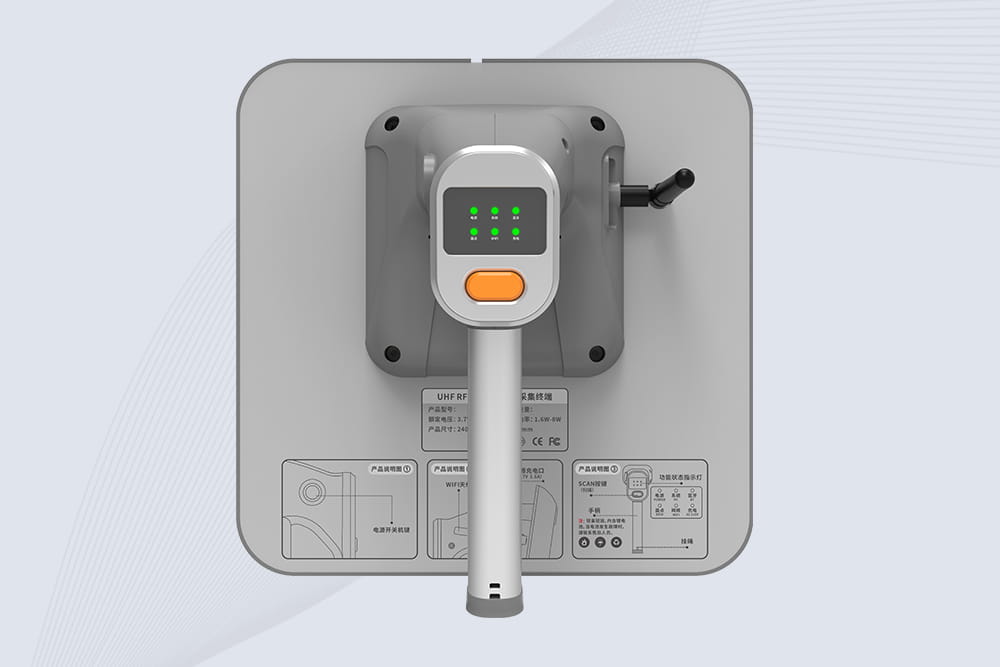
Cykeo CYKEO-B9 UHF Bluetooth handheld RFID scanner features 12m UHF range, 200+ tags/sec scanning, IP67 rugged design for retail/warehouse/pharma. Supports Android SDK & real-time Bluetooth 5.0 transmission.
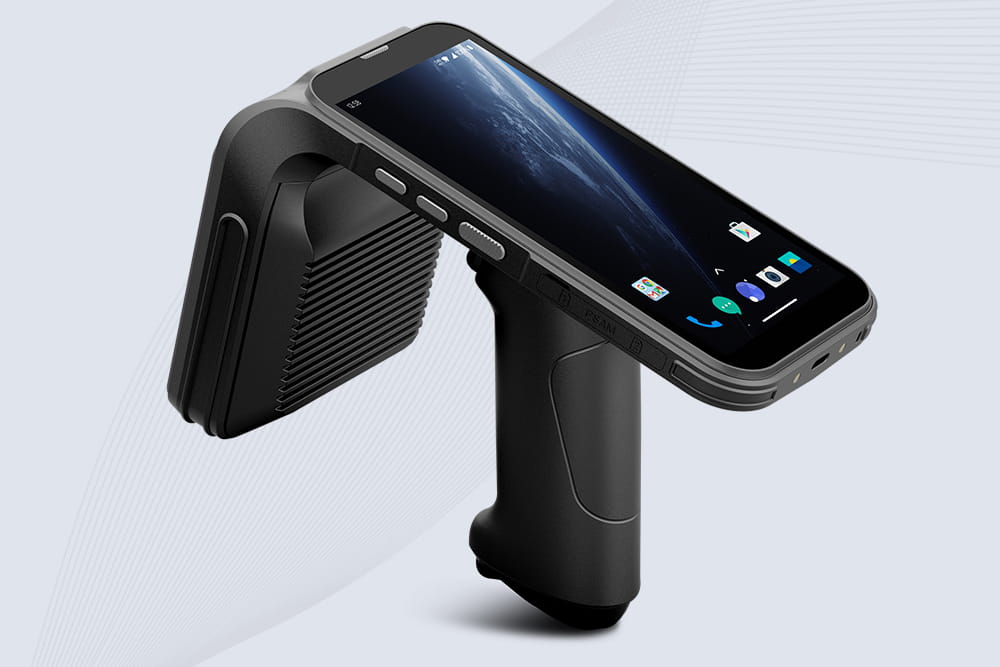
Cykeo CYKEO-B4 UHF Handheld RFID Reader scanner delivers 1300 tags/sec reading, 30m UHF range, and 12-hour battery life. IP65 rugged design with barcode/NFC/ID scanning for retail/manufacturing/logistics.
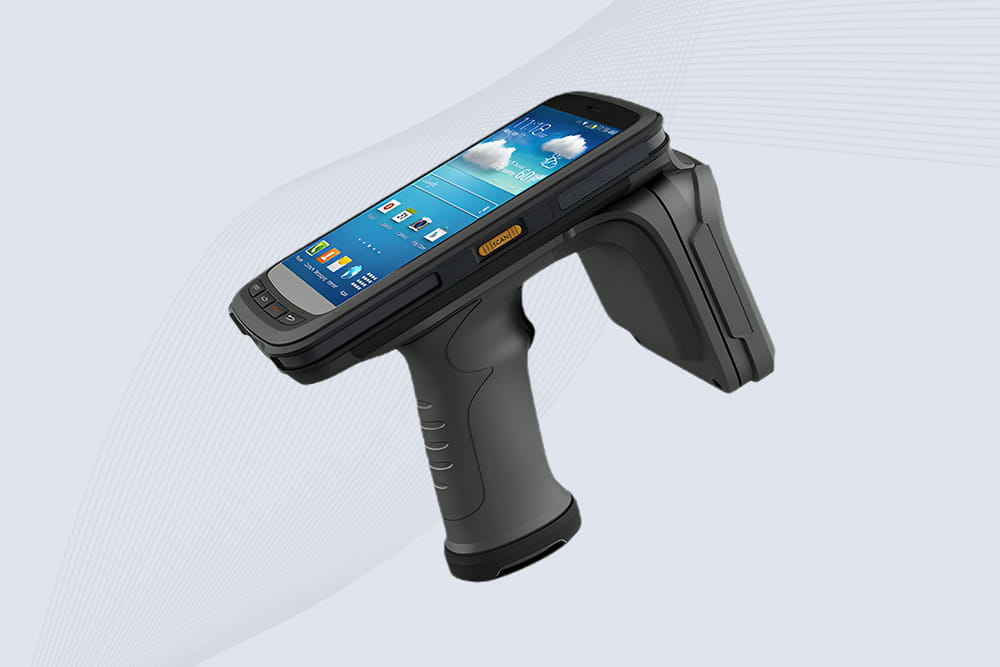
Cykeo CYKEO-B2 industrial UHF RFID handheld Scanner offers 10m range, 500 tags/sec scanning, Android 11 OS, and IP65 rugged design for retail/warehouse/manufacturing.
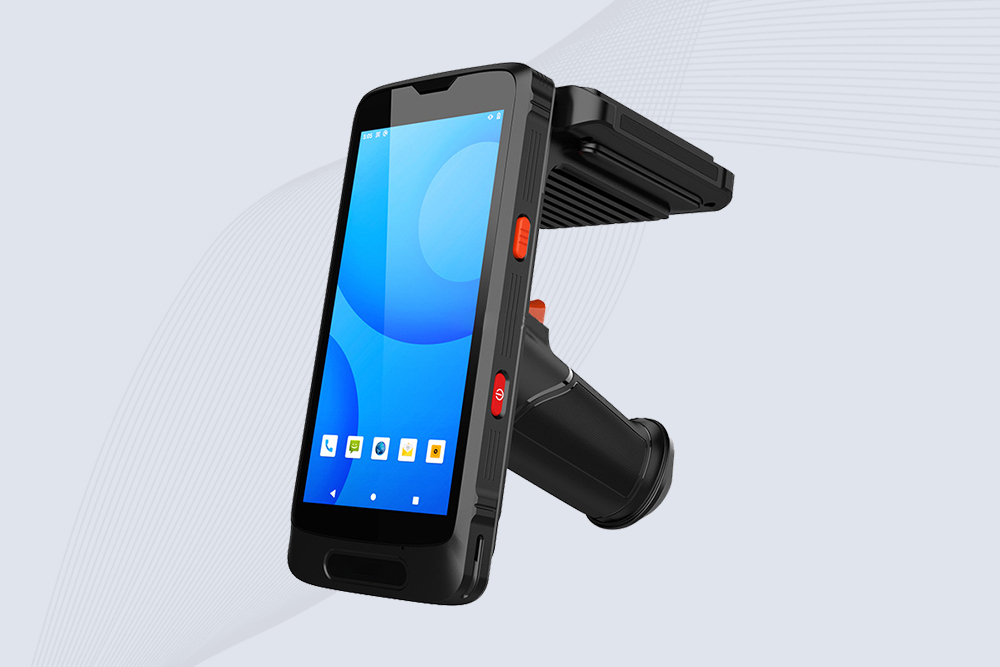
Cykeo CYKEO-B3 industrial RFID Reader Handheld, terminal offers 2m read range, multi-protocol scanning (NFC/barcode/ID), Android 10 OS, and IP65 ruggedness for logistics/retail/manufacturing.
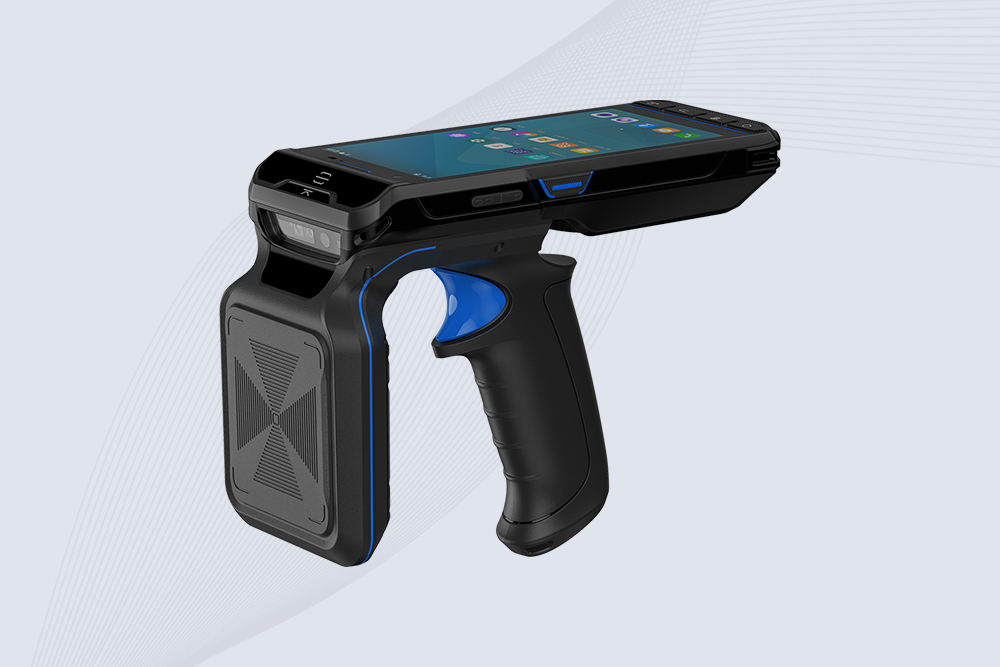
Cykeo CYKEO-B3L industrial handheld UHF RFID Reader terminal features 20m read range, 500 tags/sec scanning, Android 13 OS, 12-hour battery for logistics/retail/manufacturing. Supports barcode/NFC/ID reading.
RFID Industry Writer | IoT & Asset Tracking Analyst
James writes about RFID technology, asset tracking, and the practical challenges of digital transformation across warehousing, retail, manufacturing, and logistics.
His work focuses on how RFID is applied in real-world operations—improving inventory visibility, automating workflows, and helping businesses manage assets with greater accuracy and efficiency.
He regularly covers topics including UHF RFID, smart cabinets, RFID portals, tool tracking, warehouse automation, and industrial IoT trends..
Curious what RFID scanners look like? Explore designs, sizes, and applications of handheld, fixed, and integrated RFID scanners across industries.
More
Tired of missing stock and slow counts? Discover how RFID inventory tags can speed up your inventory process, improve accuracy, and give you real-time visibility—without the headaches of manual tracking.
More
RFID equipment tracking gives real visibility into where tools, machines, and assets actually are. Learn how it works and when it pays off.
More
Learn how long passive RFID tags last, what affects RFID tag lifespan, and how businesses choose durable RFID tags for inventory, logistics, retail, and industrial tracking.
More