 Cykeo RFID IoT Solution Products R&D Manufacturer










Barcode Reader vs RFID Reader: The Ultimate Scanning Showdown
1054Compare barcode readers vs RFID readers for inventory, speed, cost & use cases. Discover when each excels and how Cykeo’s solutions bridge the gap.
MoreAll RFID Product
You’ve set up RFID antennas in your factory, but half your machinery tags aren’t scanning. Workers are crawling under forklifts to manually log assets, and inventory counts are a guessing game. Metal isn’t just your core material—it’s your RFID system’s worst enemy. Here’s how to fight back against interference and reclaim reliable tracking without overhauling your entire setup.
RFID signals bounce off metal like ping-pong balls, causing three headaches:
Real Cost: A Cykeo client lost 12 hours weekly rescanning metal parts before fixing their setup.
a. Elevate and Angle
b. Zone Your Facility
c. Avoid “Mirror” Surfaces
Pro Tip: Use a $20 laser pointer to simulate signal paths and find reflection hotspots.
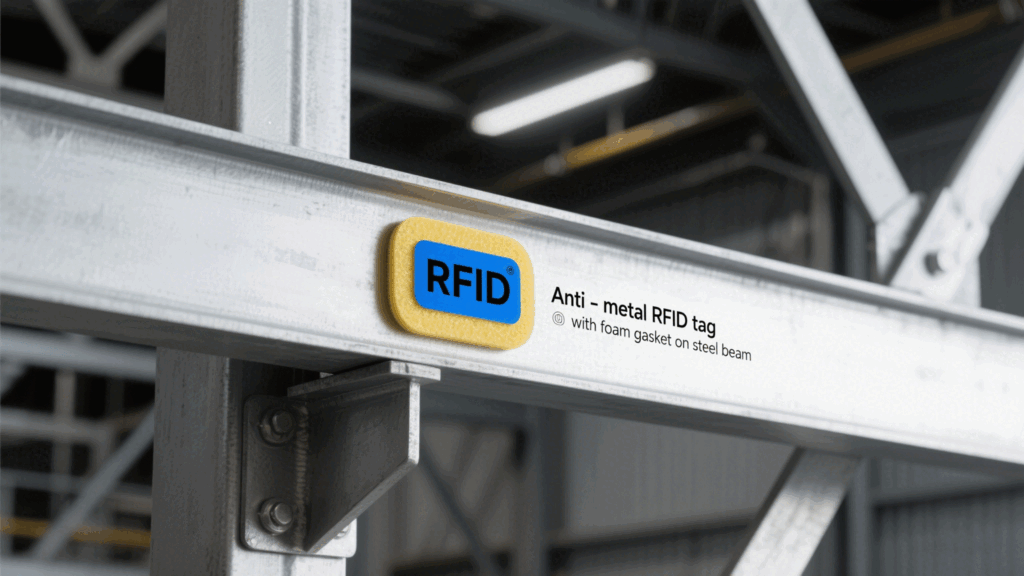
a. Anti-Metal Tags
b. Tag Placement
c. Test Before Scaling
a. Dampen Reflections
b. Block Interference Sources
c. Tune Reader Settings

If hacks aren’t enough:
Case Study: A warehouse using Cykeo’s LF antennas boosted read rates from 55% to 90% on metal pallets.
Takeaway: Beating RFID interference in metal-rich facilities isn’t about spending more—it’s about working smarter. Elevate antennas, tweak tags, and zone your space to turn chaotic reflections into crisp scans. Start small, test relentlessly, and remember: even a 20% improvement saves hours of manual work.
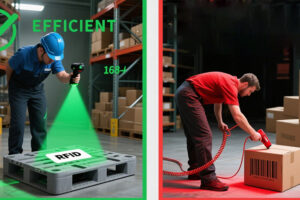
Compare barcode readers vs RFID readers for inventory, speed, cost & use cases. Discover when each excels and how Cykeo’s solutions bridge the gap.
More
Vehicle RFID tags are transforming modern transportation with fast, accurate identification and tracking. Discover how this technology improves traffic flow, toll collection, and logistics management.
More
how to rfid passive antennas work
More
You know that awkward moment in class or at work when someone has to call out names, and half the time it’s wrong, or you lose track of who’s in or out? Well, that’s where RFID attendance monitoring systems step in, quietly fixing all those little...
More