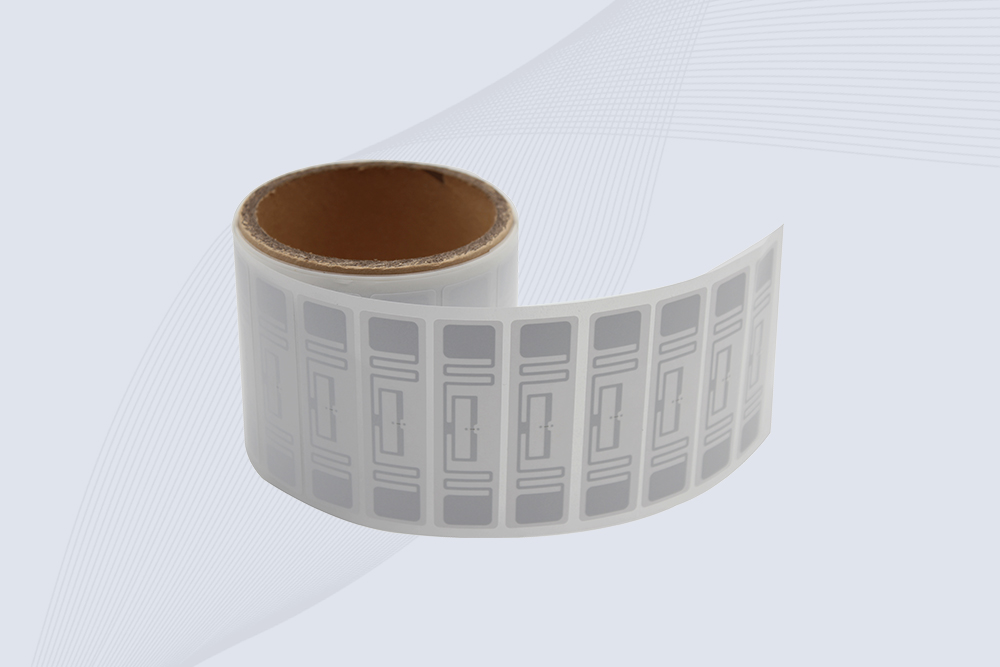
An RFID tag works by using an antenna and an integrated circuit to communicate identification data to a compatible RFID reader. Passive tags obtain energy from the reader’s radio field, while active tags use an internal battery. The reader captures the tag’s response, and connected software interprets the data for tracking or identification.
The small label attached to a carton can look unremarkable. Yet inside it, an antenna and chip perform a very different job from a printed barcode. The tag does not need to be positioned in front of a camera to communicate. Depending on its design, frequency, and operating conditions, it can respond to a reader from a short distance or across a defined warehouse reading zone.
Understanding how RFID tags work requires looking beyond the chip itself. A tag must be compatible with the reader, receive suitable RF energy or have its own power source, and communicate under the conditions created by its mounting surface and surroundings. The reader then needs to interpret the response correctly.
For a business evaluating RFID, this distinction matters. A tag that reads reliably on a desk may behave differently when attached to a metal tool, placed against a liquid-filled product, or packed tightly among other tagged items. Successful identification depends on the complete application—not simply on whether a tag contains a chip.
What Is an RFID Tag?
RFID stands for Radio Frequency Identification. An RFID tag is a transponder that uses radio-frequency communication to provide identification data or other supported information to a reader.
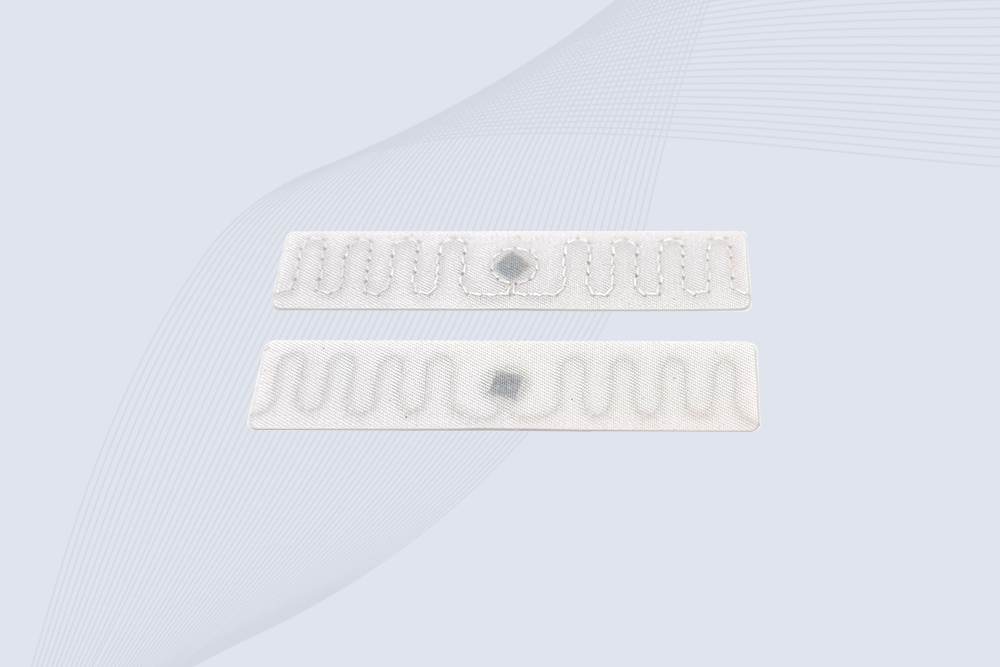
A typical passive RFID tag contains two principal parts:
An integrated circuit (IC): Processes the tag’s operations and stores or manages its supported data.
An antenna: Couples with the reader’s RF field and enables communication.
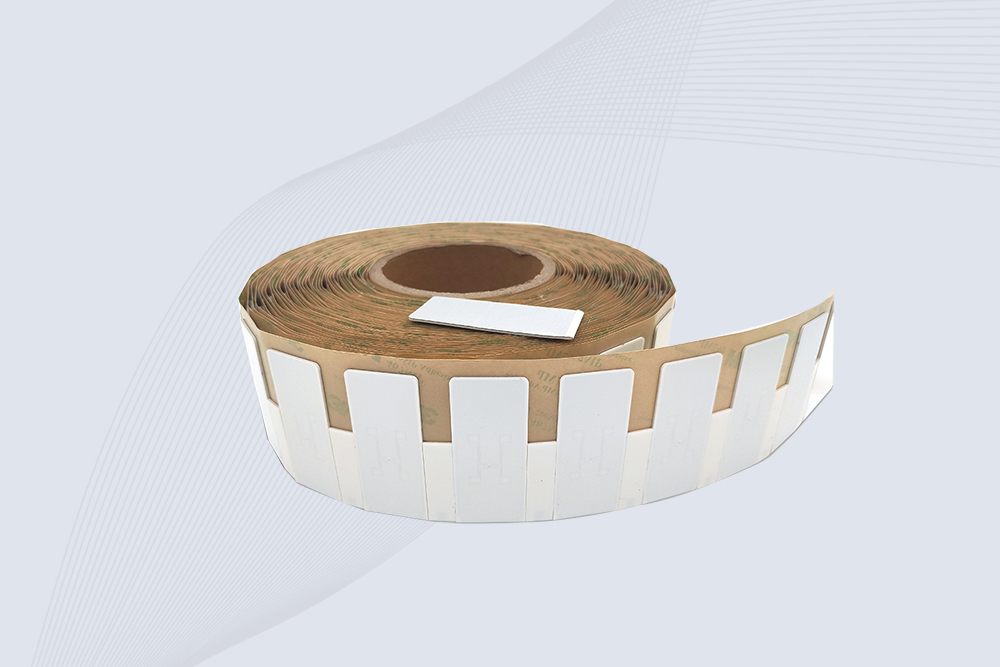
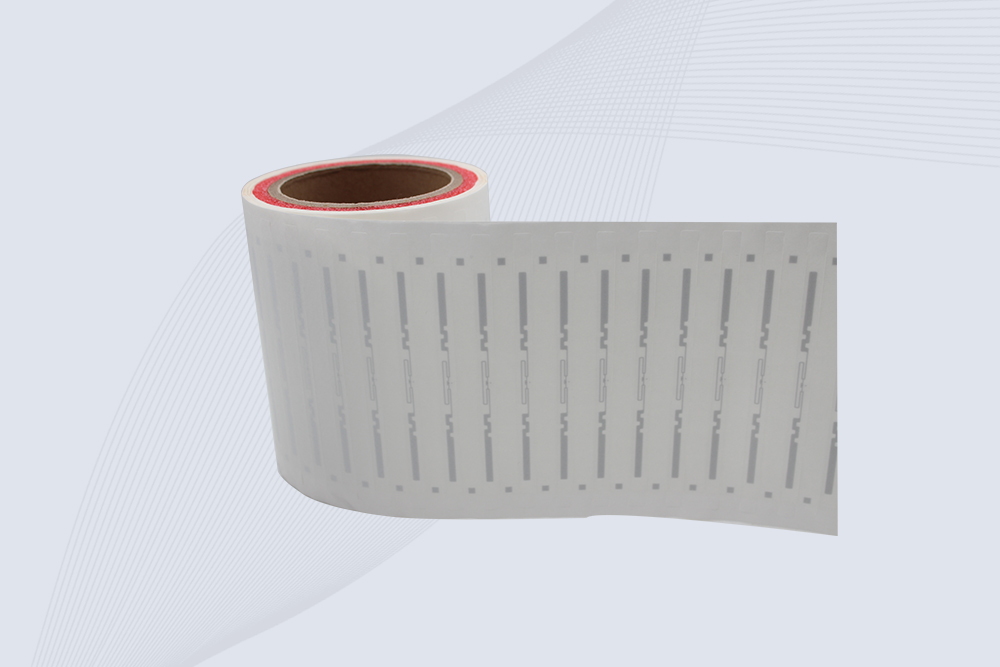
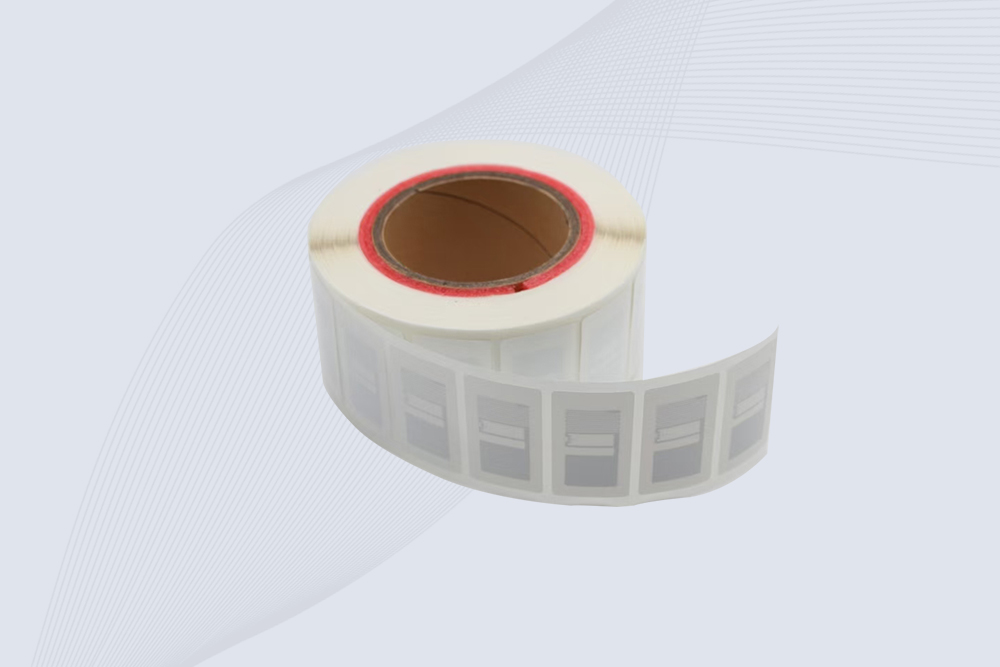
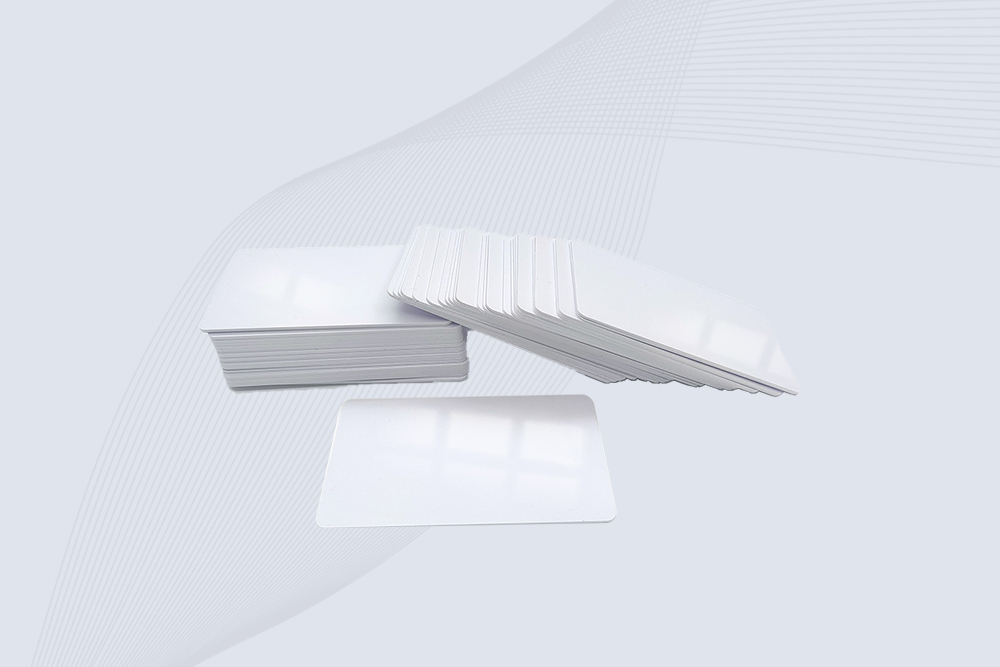
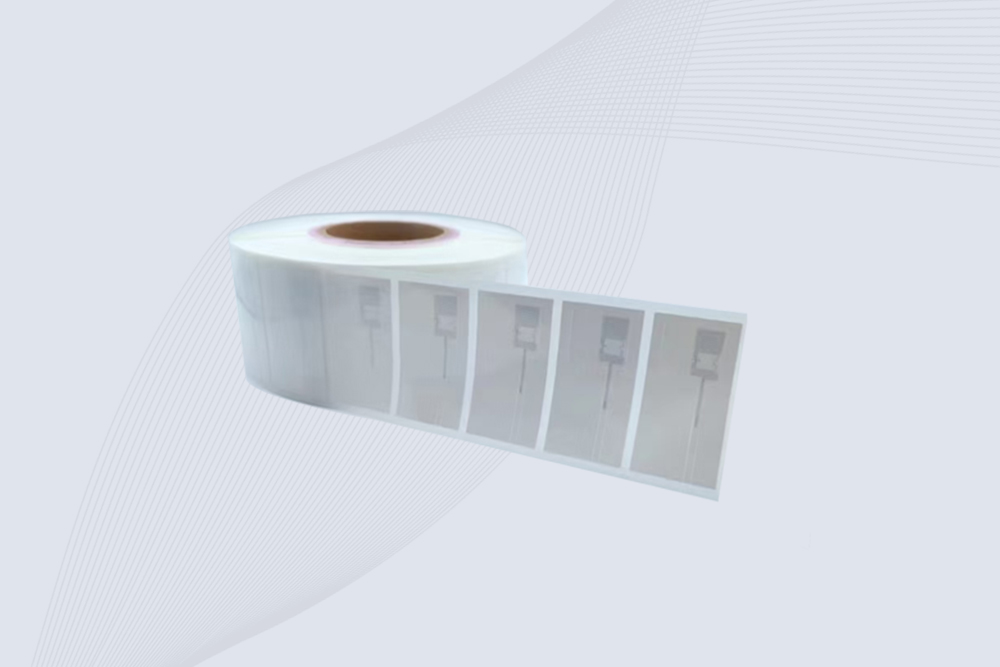
The tag may be supplied as a paper label, a plastic card, a hard tag, an industrial housing, or an inlay incorporated into product packaging. The visible form varies, but the underlying purpose remains similar: to provide a machine-readable identifier through an appropriate RFID interface.
Not every RFID tag works in exactly the same way. Passive, active, and battery-assisted passive designs have different power arrangements. LF, HF, and UHF tags also operate using different frequency ranges and communication characteristics.
What information does an RFID tag store?
An RFID tag may store an identifier, manufacturer-assigned information, application-specific data, or additional memory fields supported by its chip. In many inventory systems, the tag carries an identifier that links to a more detailed record in a database.
For example, a warehouse tag might contain an Electronic Product Code (EPC) associated with a particular product or logistics item. The inventory system can use that identifier to retrieve the product description, stock status, assigned location, or shipment information.
This approach avoids requiring every detail about a product to be stored directly on the tag. It also means that reading a tag does not automatically reveal every detail about the object: the application must have the appropriate data and permission to interpret the identifier.
The distinction is useful during system planning. If a tag can be read but the software cannot match its identifier to a valid inventory record, the radio communication may be working correctly while the business process is not.
How RFID Tag Works: The Basic Operating Principle
A common passive RFID tag does not continuously transmit a radio signal on its own. Instead, it responds when a compatible reader establishes the conditions needed for communication.
In passive UHF RFID, the reader transmits an RF signal. The tag antenna receives energy from that field, enabling the chip to operate. When the reader communicates with the tag according to the supported protocol, the tag responds by modulating the signal reflected by its antenna. This is known as backscatter communication.
The reader detects and decodes the response, then makes the resulting data available to the host system. GS1’s EPC Gen2 standard specifies the air-interface communication for passive UHF RFID systems operating in the 860–960 MHz range. The actual operating band and permitted settings depend on regional regulations.
How a passive RFID tag works step by step
The reader generates an RF field. Its antenna transmits a signal using a configured frequency and power level.
The tag receives energy. A compatible passive tag captures some of the RF energy through its antenna.
The chip becomes operational. If the tag receives sufficient usable energy, its integrated circuit can respond to the reader.
The tag returns information. The tag communicates through the method supported by its frequency and protocol; passive UHF tags commonly use backscatter.
The reader decodes the response. The reader extracts the tag data and passes it to the connected software or host device.
The application uses the identifier. Software can match the identifier to an item record and apply rules for inventory, asset tracking, or another business process.
The sequence above describes a typical passive UHF tag. HF and LF systems use different coupling and communication characteristics, while active RFID tags have their own power source. Their exact operating principles should be checked against the relevant technology and product specification.
Main types of RFID tags and how they work
The tag’s power source and operating frequency influence how it communicates, how far it can be read, and where it is useful. Selecting the wrong type can create problems even when the reader itself is functioning properly.
Passive RFID tags
Passive RFID tags do not require an internal battery to power their normal radio communication. They draw energy from the reader’s field and respond using the supported communication protocol.
GS1 explains that passive tags backscatter the reader’s signal, while active tags use a radio transmitter and typically have their own power source. Battery-assisted passive (BAP) tags use a battery to support chip circuitry or other functions but still communicate through backscatter.
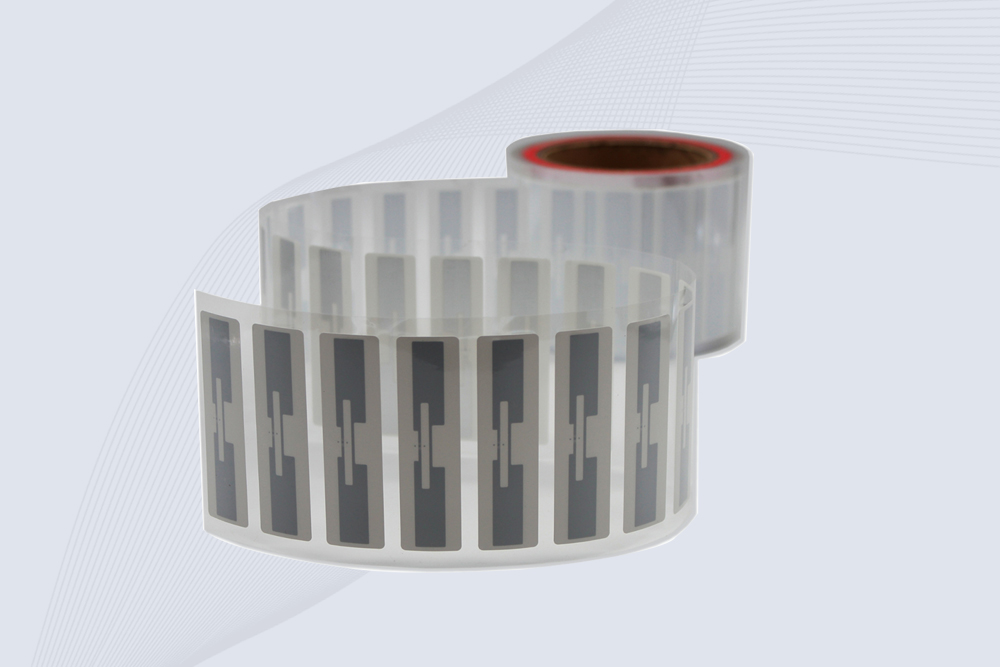
Passive tags are widely used for inventory, retail products, logistics, and asset identification because they can be manufactured in small, lightweight formats. A paper-thin UHF label, for example, can be attached to a carton without adding a separate battery.
Active RFID tags
Active RFID tags have their own power source and typically transmit a signal using an onboard radio. Some active systems allow readers or receivers to detect transmissions periodically, supporting applications that need longer communication distances or ongoing asset monitoring.
GS1 notes that active RFID can achieve ranges of 100 meters or more, depending on the system. That is a general capability, not a guaranteed distance for every active tag.
Active tags are usually larger and more expensive than basic passive labels. They may be appropriate for high-value assets, selected industrial applications, and location-monitoring systems where the additional capability justifies the cost.
Battery-assisted passive tags
Battery-assisted passive tags occupy a middle ground. A battery can power the chip or attached sensors, but the tag still communicates with a reader through backscatter rather than using the same broadcast approach as a typical active tag.
This distinction matters when evaluating specifications. A battery inside a tag does not automatically mean that the tag is an active RFID device. Check the manufacturer’s communication method and supported reader technology.
RFID tag frequencies: LF, HF, and UHF
RFID tags operate at different frequencies. A tag designed for one frequency should not be assumed to work with a reader designed for another.
Frequency category
Common frequency
Typical use
Practical consideration
Low frequency (LF)
125–134 kHz
Certain access-control and identification applications
Usually short-range communication
High frequency (HF)
13.56 MHz
Contactless cards, selected document and item-tracking applications
Card and reader protocol compatibility matters
Ultra-high frequency (UHF)
Commonly 860–960 MHz at the standards level
Retail inventory, warehouse tracking, and logistics
Tag orientation, mounting material, and antenna placement strongly affect results
GS1 identifies passive UHF tags, also known as RAIN RFID tags, as a widely used technology for industrial and supply-chain identification. GS1’s EPC Gen2 air-interface specification covers passive UHF communication in the 860–960 MHz range.
Why frequency affects tag performance
Frequency is only one part of the design. LF and HF systems commonly use magnetic-field coupling, while passive UHF systems typically use far-field radio communication and backscatter.
The practical implication is straightforward: select the tag for the actual object and mounting position. Testing an ordinary paper label in open air does not establish how it will perform when attached to a steel tool cabinet or a bottle containing liquid.
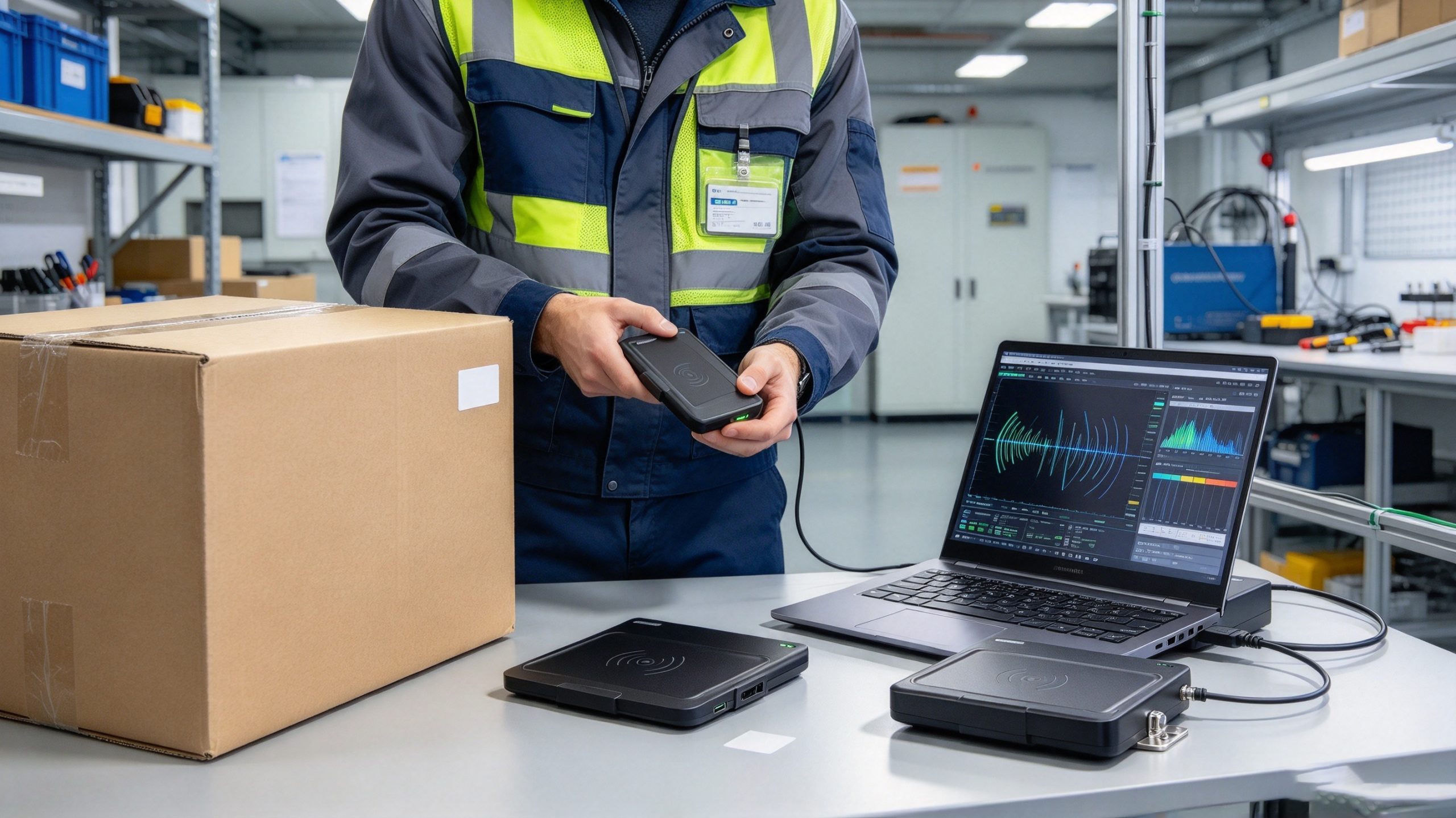
An RFID tag communicates with a compatible reader so tagged goods can be identified without scanning each label optically.
How far can an RFID tag be read?
There is no single reading distance that applies to every RFID tag. Range depends on the frequency, tag design, reader output, antenna characteristics, orientation, surrounding materials, and radio conditions.
GS1’s guidance gives a useful general reference: passive LF and HF tags can be read up to around one meter in some applications, although access-control and payment uses often operate at distances of only a few centimeters. Passive UHF tags are typically read over several meters, with up to 15 meters possible in special circumstances. Active tags can reach 100 meters or more, depending on the system.
These figures are indicative, not promises for a specific product.
A tag’s reading distance can also change with the object to which it is attached. A label facing the antenna may perform differently from one turned sideways. A UHF tag on an ordinary carton may respond more reliably than the same tag placed directly against metal or a liquid container.
When validating a system, measure more than the maximum distance. Check whether the tag can be read consistently at the expected position, whether nearby tags are captured unintentionally, and whether items remain readable while moving at normal operating speed.
Common RFID tag problems and practical checks
When a tag cannot be read, the cause may lie in the tag, reader, installation, or software. A systematic check is more useful than immediately replacing the hardware.
Problem
Possible explanation
What to check
Tag is not detected
Incompatible frequency or protocol
Confirm the tag and reader specifications
Reading distance is unexpectedly short
Poor mounting position, orientation, or RF conditions
Test the tag on the actual item and adjust positioning
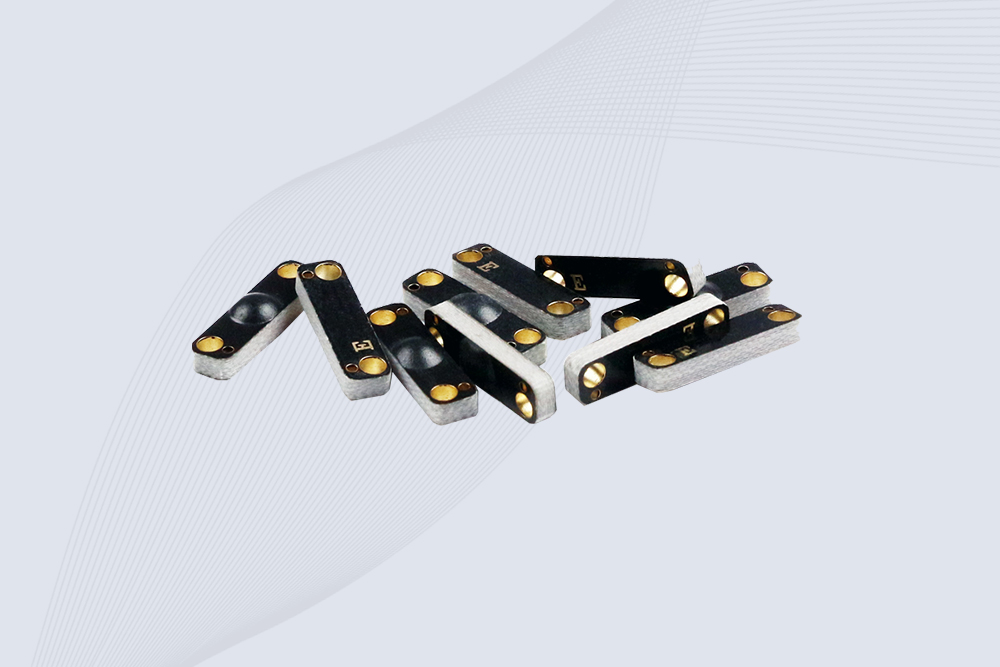
Metal-mounted tag performs poorly
Ordinary tag design is unsuitable for the mounting surface
Evaluate a tag specifically designed for metal
Liquid products are difficult to read
Liquid changes the RF environment, particularly for UHF tags
Test an appropriate tag and mounting location
Tag reads, but the application cannot identify the item
The identifier is missing, duplicated, or mapped incorrectly
Check tag data and the corresponding database record
Several tags are missed in a batch
Tag placement, dense packing, antenna coverage, or reader settings may be involved
Test representative loads under normal operating conditions
One useful diagnostic rule: separate radio performance from data interpretation. If the reader receives the expected identifier, investigate the software mapping before changing antenna power. If the reader does not receive it, inspect tag compatibility, mounting, orientation, and RF coverage first.
What data can an RFID tag store?
An RFID tag can store an identifier and, depending on its chip, additional application data. In many inventory systems, the tag carries a unique item identifier while the business database stores the detailed product record.
GS1 explains that a typical RAIN RFID tag may store up to 8 KB of data, although many low-cost tags store only a 96-bit or 128-bit identifier. The actual capacity depends on the chip and tag design.
For passive UHF tags that follow the GS1 EPC Gen2 model, memory is organized into logical banks with different purposes:
Memory bank
Purpose
Reserved memory
Holds access and kill passwords in the Gen2 memory model
EPC memory
Stores the Electronic Product Code or related identifier data
TID memory
Identifies the tag chip and its capabilities; some tags include a serial number
User memory
Optional space for application-specific information
These banks are not interchangeable. For example, TID describes the tag itself, while EPC normally identifies the object to which the tag is assigned. User memory can hold extra information when the tag supports it.
Does every RFID tag store the full product record?
No. A common design is to store an identifier on the tag and retrieve the product details from a database. This keeps the tag data compact and lets the business update its inventory records without rewriting every tag whenever a product’s status changes.
Some applications do store additional information on the tag. GS1 notes that supported RAIN RFID tags can carry fields such as batch or lot numbers and expiry dates in user memory. Whether that is useful depends on the chip capacity, data format, and operational requirements.
Consider a warehouse receiving a carton of products. The tag might provide the identifier that the system matches to the purchase order. The software can then retrieve the expected quantity, supplier, storage location, and receiving status. If the tag is readable but the identifier is not registered in the system, the warehouse still needs to resolve that data mismatch.
How is data written to an RFID tag?
Some RFID tags are read-only for a particular application or have memory that is locked after encoding. Other tags support writing or updating specified memory fields using a compatible reader/writer.
A typical encoding workflow looks like this:
Select a compatible tag and reader/writer. Confirm frequency, protocol, memory capacity, and supported write commands.
Prepare the data. Generate the identifier or application data using the required format.
Write the data. Use the reader/writer software to write to the intended memory bank.
Read back and verify. Confirm that the written data matches the expected value.
Apply protection if required. Depending on the tag and application, configure supported memory locks or access controls.
Register the tag. Link its identifier to the correct product, asset, or database record.
Writing data is not the same as registering an item in a business system. A tag may contain a valid identifier while the inventory application has no record for it. A reliable encoding station should therefore validate both the tag data and the associated business record.
When does an RFID tag need to be rewritten?
Common examples include assigning a new identifier during asset registration, updating supported application data, or configuring memory protection. Many inventory deployments rarely need to rewrite a tag after its initial encoding because the tag serves primarily as an identifier.
Before selecting a writable tag, check whether the application truly needs on-tag updates. Additional memory may increase tag cost, and writing adds a verification step. If most product information is already managed in a database, a compact identifier-only tag may be sufficient.
How secure are RFID tags?
RFID security depends on the tag type, protocol, reader configuration, and the wider system. A basic tag identifier should not automatically be treated as proof that an item is genuine or that a person is authorized to perform an action.
For passive UHF tags, the GS1 Gen2 specifications include memory access controls and a kill command. Supported lock functions can restrict certain read or write operations, while a successful kill command can permanently disable a compatible tag. These functions have specific requirements and limitations; they are not a substitute for an overall security design.
A few practical considerations are worth addressing during system design:
Protect writable memory: Where supported, configure suitable access controls and manage passwords securely.
Avoid treating an identifier as authentication: A readable EPC identifies an object in the system; it does not by itself prove authenticity.
Protect the database and application: Limit who can assign identifiers, alter product records, or approve transactions.
Plan for tag replacement: If tamper detection or counterfeit resistance matters, evaluate the available tag features and verification process rather than relying on a generic RFID label.
Consider privacy: Collect and retain only the information required for the application, and define how associated records are accessed and protected.
GS1’s guidance for EPC/RFID consumer-product applications emphasizes that EPC/RFID tags generally identify products rather than store consumers’ personally identifiable information. Businesses must still protect any personal information they associate with RFID readings in their own systems
The right security controls depend on what the tag is being used to do. A label used to count cardboard cartons has different security requirements from a tag used in a high-value asset process or an access-control system.
Why RFID tags fail to read reliably
An RFID tag can be correctly manufactured and still perform poorly in its intended location. The reading conditions matter as much as the tag’s nominal specifications.
Metal, liquids, and tag placement
Metal can reflect RF energy or detune a tag antenna. Liquids can absorb or alter RF energy, especially in UHF applications. A tag designed for ordinary cardboard may therefore be unsuitable when mounted directly on a steel enclosure or a liquid-filled container.
The answer is not always to increase reader power. A higher setting may extend the reading zone and capture nearby tags that should not be part of the transaction. The more useful response is to test an appropriate tag design, adjust the mounting position, and verify the antenna layout.
Tag orientation and crowded loads
Tag performance can change when its antenna is rotated relative to the reader antenna. Dense loads can introduce additional variation because the tags are positioned differently and the surrounding products affect the radio environment.
For a warehouse pilot, test several representative conditions:
Tags mounted in different orientations.
Cartons loaded to normal operating density.
Products placed in their actual storage or shipping containers.
Items moving through the reading zone at realistic speed.
Tags close to the intended reading area but outside the transaction boundary.
Record missed and unexpected reads separately. A system that captures every expected tag but also reads items from the adjacent shelf may still require changes to the antenna layout or software rules.
The tag reads, but the application does not recognize it
This is often a data problem rather than an RF problem. The reader may have successfully decoded the tag, but the identifier could be missing from the database, assigned to the wrong product, or formatted differently from what the application expects.
A practical troubleshooting sequence is:
Confirm that the tag and reader are compatible.
Check whether the reader captures the identifier consistently.
Verify that the identifier matches the value assigned during encoding.
Confirm that the identifier exists in the application database.
Trace the data through the reader interface, middleware, and business application.
Repeat the test after correcting the underlying issue.
This separation of radio performance from data processing saves time. Replacing a tag or changing the reader’s power settings will not fix an incorrect database mapping.
Choosing the right RFID tag for your application
A tag should be selected for the object it will identify and the process in which it will be read. Start with the required frequency and protocol, then consider mounting surface, operating distance, memory, environmental protection, and cost.
Application
Tag characteristics to evaluate
Important test
Retail products and apparel
Lightweight passive UHF labels, suitable adhesive and encoding
Read items in realistic packaging and shelf arrangements
Warehouse cartons and pallets
Passive UHF tags compatible with the fixed-reader system
Test full loads at normal movement speed
Metal tools and equipment
Tags specifically designed for metal mounting or the intended installation
Test on the actual tool or enclosure
Liquid products
Tag design and mounting position suited to the product
Test with the actual container and contents
Contactless cards
Correct frequency and supported card protocol
Verify reader/card compatibility and required security features
High-value assets
Suitable tag durability, identification, and security capabilities
Test both reading reliability and asset-verification procedures
For a UHF inventory deployment, confirm that the tag and reader support the same air-interface protocol, such as EPC Gen2 / ISO/IEC 18000-63 where applicable. Then verify the tag’s regional operating requirements, memory needs, and mounting suitability before placing a large order.
A practical tag-selection checklist
Before approving a tag for production, check:
The tag is compatible with the reader’s frequency and protocol.
Its identifier format fits the application’s data model.
The tag can be attached securely to the intended object.
Reading performance is acceptable with the real mounting material.
Memory capacity meets the actual requirement.
Any required write protection or other security feature is supported.
A pilot has tested the tag in realistic operating conditions.
A successful sample test should use the intended reader and application. If tags will be applied to metal tools, test them on those tools—not on a cardboard sample. If the tags will be read on moving cartons, test moving cartons rather than a stationary label on a desk.
RFID tags should be tested on the actual products and mounting surfaces before a system is deployed.
Frequently asked questions about how rfid tag works
1. Does an RFID tag need a battery?
A passive RFID tag does not need an internal battery for its normal radio communication; it obtains energy from the reader’s field. An active RFID tag has its own power source. A battery-assisted passive tag uses a battery for supported functions but communicates through backscatter.
2. Can RFID tags be read through packaging?
Often, yes. RFID does not require optical line of sight, so compatible tags may be read through ordinary packaging when the radio conditions are suitable. Metal, liquids, tag orientation, packaging density, and reader configuration can affect performance, so test the actual product and packaging.
3. Can an RFID tag be rewritten?
Some RFID tags support writing or updating selected memory fields, while others may be read-only for a particular application or have locked memory. Check the tag’s memory layout, protocol, and supported write functions before purchasing. After writing, read the tag back and verify the data.
4. How much information can an RFID tag store?
Capacity depends on the chip and tag design. GS1 states that RAIN RFID tags typically carry no more than 8 KB, while simple identifier tags may contain only a 96-bit or 128-bit identifier. Many systems use the tag’s identifier to retrieve detailed information from a database.
5. Can RFID tags work on metal?
Yes, but the tag must be suitable for the mounting conditions. Ordinary RFID labels can perform poorly when attached directly to metal because the surface changes the antenna’s operating environment. On-metal tags or a different mounting arrangement may be needed.
6. Are RFID tags secure?
Security varies by tag and system. Some compatible tags support password-protected memory access, locking, or other protocol features. These controls do not automatically prove that a product is authentic. Applications involving sensitive data or valuable assets also need appropriate software, access controls, and verification procedures.
7. What is the difference between an RFID tag and an RFID reader?
The tag is attached to the item and provides identification data. The reader communicates with compatible tags and captures their responses. Connected software interprets the identifiers and uses them in processes such as inventory tracking, asset management, or access control.
CYKEO Passive RFID Tags are made for wet and high-humidity environments where standard labels do not last. This rfid passive tag is often used around liquids, chemicals and temperature changes, providing stable reading distance and long data life for industrial tracking.
CYKEO CYKEO-PCB1504 Metal RFID Tags is a compact anti-metal UHF RFID solution built for direct mounting on metal surfaces. With stable 8-meter read range, Ucode-8 chip, and long data retention, this rfid metal tag fits tools, containers, automotive parts, and industrial asset tracking.
CYKEO CYKEO-PCB7020 On-Metal RFID Tags are designed for reliable tracking on steel and metal surfaces. Built with an FR4 epoxy body and industrial-grade chips, these On-Metal RFID Tags deliver stable performance, long data life, and chemical resistance, making them a dependable RFID anti-metal tag for harsh environments.
The CYKEO CYKEO-60-25 Anti-Metal RFID Tag is built for metal surfaces where standard tags fail. Designed for long-range performance, harsh environments, and stable data retention, this Anti-Metal RFID Tag is ideal for industrial assets, containers, and equipment tracking using on metal RFID tags.
The CYKEO RFID Laundry Tag is designed for long-term textile identification in harsh laundry environments. Built to withstand high heat, chemicals, and repeated washing, this RFID Laundry Tag delivers stable performance for hotels, hospitals, and industrial laundry operations using laundry rfid tags at scale.
The CYKEO CYKEO-125-7 RFID Book Tag is designed for reliable book and document tracking in libraries and archives. This RFID Book Tag delivers long read range, dense placement support, and stable performance on shelves, making it a practical rfid tag on books for library automation, file management, and archival systems.
CYKEO RFID tags in hospitals are designed for sterile environments where accuracy matters. These autoclavable RFID tags support long-term tracking of surgical tools, implants, and medications, helping hospitals improve visibility, compliance, and patient safety.
CYKEO RFID Cable Tie Tag is built for reliable identification on metal surfaces. This UHF RFID Cable Tie Tag is widely used in rfid tags for inventory systems, industrial asset management and Hospital RFID Tags, offering stable read performance, long service life and global EPC Gen2 compatibility.
CYKEO RFID Asset Tag is designed for stable identification of metal assets in industrial environments. This UHF RFID Asset Tag is commonly used for rfid tag asset tracking on equipment, tools and containers, providing reliable reads, long service life and ISO/IEC 18000-6C support.
CYKEO UHF RFID Card is designed for fast identification and long-term use in industrial and commercial systems. Supporting ISO 18000-6C, this UHF RFID Card works at 860–960 MHz and is suitable for custom RFID cards used in asset tracking, access control and inventory management.
CYKEO HF RFID Cards are designed for secure and stable access control systems. These 13.56 MHz RFID key cards support ISO 14443-A, reliable rewriting and long service life, making HF RFID Cards suitable for offices, campuses, events and membership management.
CYKEO UHF RFID Tag is designed for reliable tracking of metal jewelry and high-value items. This Jewelry RFID Tag supports long-range reading up to 8 meters, anti-counterfeit protection and stable performance on metal, making it suitable for retail, inventory control and asset management.
Learn how a long range RFID scanner for vehicle identification improves parking management, factory access, logistics, ports, and fleet operations. Discover how to choose the right RFID solution for wholesale and OEM projects.
radio frequency identification tags rfid enable fast, contactless tracking for logistics, retail, and manufacturing. Learn real deployment insights, data, and use cases with Cykeo.
Facing rfid reader not working issues? Discover practical troubleshooting tips, common failure causes, and proven CYKEO solutions to restore stable RFID performance fast.
RFID readers identify, read, and sometimes write RFID tag data to connect physical objects with digital systems for inventory, tracking, and automation.
 Cykeo RFID IoT Solution Products R&D Manufacturer