If you’re just stepping into the world of RFID (Radio Frequency Identification), it can feel like stepping into a maze of technical terms—readers, antennas, modules, frequencies, protocols. I remember when I first started, I was staring at diagrams thinking, “How do all these things actually talk to each other?”
The truth is, RFID is conceptually simple: it lets objects identify themselves wirelessly. But the trick lies in picking the right hardware, placing antennas properly, and understanding how different frequency ranges behave. In this guide, I’ll walk you through the essentials, peppered with real-life examples and practical insights, including CYKEO products that I’ve seen in actual industrial setups.
How RFID Actually Works
At its core, an RFID system has three main players: tags, readers, and antennas.
Here’s how they talk to each other:
The reader sends out radio waves.
The antenna broadcasts those waves across a zone.
A tag enters the zone and gets powered by the signal.
The tag reflects back its stored ID to the reader.
It happens almost instantly. Unlike barcodes, you don’t need to point or line up anything. You could have a pallet full of items, and the system can read all of them at once. That was the first moment I realized how much time RFID can save in warehouses—manual scanning suddenly felt prehistoric.
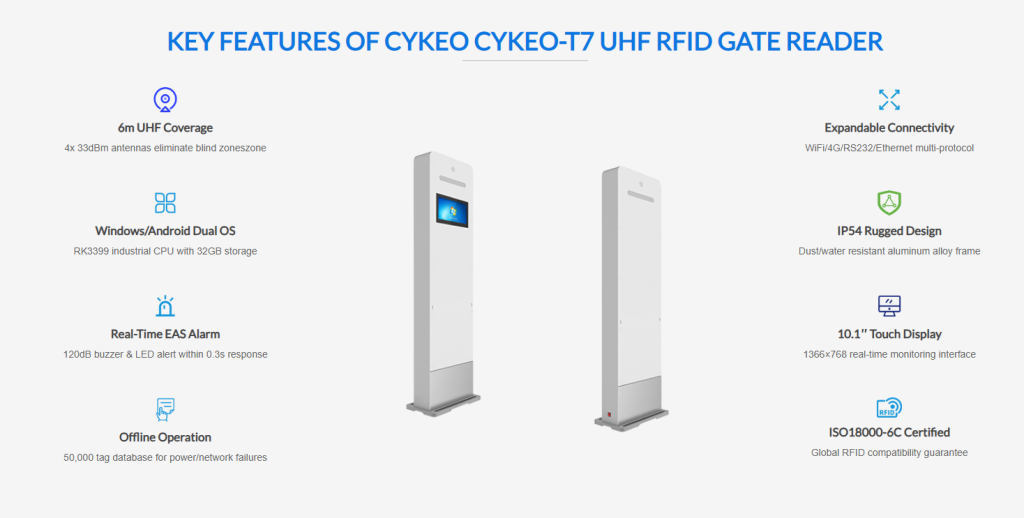
For industrial setups, CYKEO CK‑T7 UHF RFID Gate Reader is a solid example. It can detect hundreds of tagged items in a 4–6 meter range. I’ve seen a small distribution center cut down inventory checking from hours to just minutes with this setup.
Breaking Down the Components
1. RFID Tags
Tags are like tiny digital IDs for your assets. Each has:
A microchip storing information
A tiny antenna for communication
Tags come in different flavors:
Passive: No battery, cheaper, short range—great for warehouse stock items.
Active: Battery-powered, longer range—used for vehicle tracking or large assets.
Semi-passive: Battery assists communication but still responds to the reader—handy for sensor integration.
In practice, the type you pick depends on your environment. For instance, CYKEO RFID tags are often used in smart cabinets or tool tracking. I’ve personally watched a lab implement these, and it cut misplacement issues dramatically.
2. Readers
Readers are the brains of the system—they generate the signal, process returns, and feed data to software.
Depending on your needs, readers might be:
Fixed readers at doors or warehouse gates
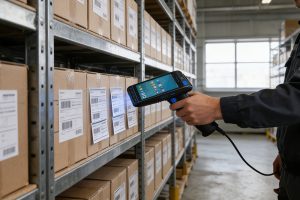
Handheld readers for spot checks
Embedded modules inside machines or cabinets
The CYKEO CK‑A9A Reader & Antenna Combo is particularly useful in production lines. It combines a UHF reader with a 9 dBi antenna, making tag detection stable and reliable even in a busy factory.
A tip from experience: placement matters. Mounting a reader too close to metal walls can distort signals. Always test in the actual environment before final installation.
3. Antennas
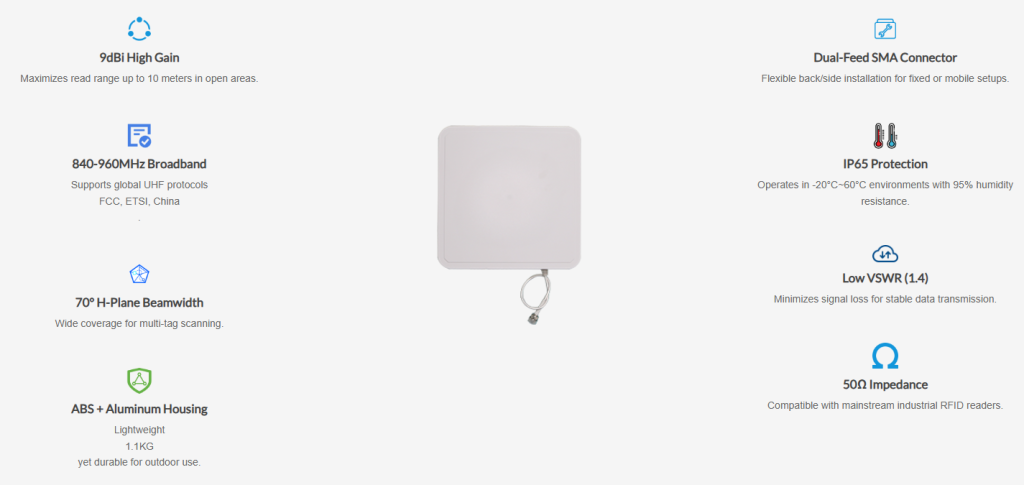
Antennas define your reading zone. The bigger the gain, the further you can read. The orientation matters too—linearly polarized antennas favor one direction, while circularly polarized antennas handle tags in multiple angles.
For example, CYKEO CK‑A6 6dBi Panel Antenna is perfect for wall-mounted applications in warehouses. I’ve seen these integrated with CK‑T7 readers at a fulfillment center—pallets could be read without any manual intervention.
4. Embedded Modules and Smart Devices
For kiosks, lockers, or automated machines, you don’t always want a big standalone reader. That’s where modules come in:
CYKEO CK‑M16L 16-Port Module: Handles multiple antennas simultaneously for large warehouses or complex sorting systems.
Embedded modules let you hide RFID functionality inside existing devices, which I’ve noticed greatly improves adoption—staff don’t have to “learn” a new gadget.
5. Smart Cabinets
Smart cabinets take RFID to the next level—they track items as soon as they’re stored or removed.
For example, the CYKEO CK‑G68B RFID Smart Cabinet automatically records inventory in real time. I visited a medical facility using these cabinets, and they cut asset misplacement by nearly 90%—a small investment for a huge operational improvement.
Frequency Basics
RFID comes in three main frequency ranges:
Frequency
Use Case
Notes
LF (125 kHz)
Animal ID, door access
Short range, good near liquids/metals
HF (13.56 MHz)
Contactless cards, libraries
Short range, secure
UHF (860–960 MHz)
Warehouses, logistics
Long range, fast multi-tag reads
From personal experience, most industrial and logistics systems go with UHF—it balances range and speed nicely.
Common Challenges and Lessons Learned
Even though RFID sounds magical, I’ve learned that real-world deployments have hurdles:
Metal surfaces and liquids can block signals
Tag orientation matters for linear antennas
Antenna placement and environmental noise can reduce read rates
A lesson from a warehouse rollout: running small pilot tests saves months of frustration. Fine-tuning antennas, tag types, and reader placement early prevents major headaches later.
Real-World Applications
Warehouse Automation – Gates and antennas automatically log incoming/outgoing pallets.
Asset Tracking – Tools, medical devices, or IT equipment tracked without manual checklists.
Smart Cabinets – Automated item logging in labs, workshops, or offices.
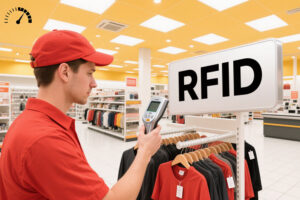
Retail Inventory – Fast stock counts without stopping the workflow.
Define your tracking goals – What objects, what environment, what frequency of updates?
Choose the right tags – Passive, active, semi-passive? Surface material and placement matter.
Select readers and antennas – Fixed vs handheld, gain, and range. Test in the actual environment.
Integrate with software – Your ERP, WMS, or custom database should consume the RFID data.
Test and iterate – Start small, scale once you know your system works reliably.
Closing Thoughts
RFID is deceptively simple in concept but powerful in practice. The key is understanding how tags, readers, antennas, and smart modules interact, then designing the system for your real environment.
From my experience, combining UHF rfid readers, panel rfid antennas, and smart rfid cabinets dramatically reduces manual work and boosts operational visibility. If you’re starting out, focus on small pilots, practical placement, and proper frequency choice, and you’ll quickly see why RFID has become a staple in modern supply chains and smart facilities.
Wondering "can you read 2 RFID tags next to each other"? Discover how RFID anti-collision works, tag spacing requirements, and solutions for reliable multi-tag reading with CYKEO.
Explore the benefits and challenges of using long-range RFID readers for retail inventory. Learn how Cykeo’s solutions streamline stock management in stores and warehouses.
Discover how RFID modules optimize EV battery recycling—tracking health, ensuring compliance, and reducing costs. Learn Cykeo’s solutions for sustainable battery management.
 Cykeo RFID IoT Solution Products R&D Manufacturer