To copy RFID card to Android, use a compatible RFID reader connected via USB or Bluetooth, scan the original card, capture its UID/data, then write or emulate it through a dedicated app—note that not all cards can be copied due to encryption or protocol limitations.
how to copy rfid card to android in real scenarios
I’ve deployed handheld RFID systems across warehouse floors and access control retrofits, and one thing becomes obvious fast: copying RFID cards to Android is less about the phone—and more about the reader and protocol.
In a logistics project last year, we tested direct Android NFC vs external UHF readers. Result? Native phone capability handled less than 15% of tag types in the environment. The rest required external hardware.
That’s where devices like Cykeo’s portable readers come in.
Step-by-step: actual field workflow
Here’s the real process we use—not theoretical:
Connect reader to Android
Type-C or Bluetooth (Cykeo supports direct Type-C)
Ensure stable power supply
Launch RFID reading app
Use SDK-based demo or custom app
Enable continuous scan mode
Scan original RFID card
Keep within 5–30 cm depending on antenna
Capture:
UID (unique identifier)
EPC / memory blocks (if accessible)
Verify readable data
Some cards only expose UID
Encrypted sectors will not be accessible
Write or emulate
Write to blank tag (if protocol allows)
Or store data for system-side mapping
limitations you should not ignore
Here’s where most “guides” fail—they don’t mention what doesn’t work.
1. Not all RFID cards can be copied
According to GS1 EPCglobal standards, UHF RFID typically uses EPC Gen2 (ISO 18000-6C). Many tags:
Are read-only after encoding
Use locked memory banks
Implement access passwords
2. Encryption blocks cloning
In access control systems (e.g., secure facilities), tags may use:
Proprietary encryption
Rolling codes
Backend authentication
Meaning: you can read—but not duplicate.
device matters more than android
Why Cykeo portable readers change the workflow
In practice, Android is just the interface. The real work happens in the reader.
Cykeo portable RFID devices bring:
Stable RF performance across 865–928 MHz
Multi-protocol support (ISO 18000-6C/6B)
High sensitivity in short-range environments
In one audit test, switching from phone NFC to a dedicated UHF reader increased tag detection speed by 3.7× (internal benchmark across 1,200 tagged assets).
real-world use cases
Warehouse picking
Scan item tags
Copy EPC into mobile system
No need for full duplication
Access control backup
Read UID
Store in Android database
Reassign permissions digitally
Anti-counterfeit verification
Compare scanned data with cloud records
No cloning required—just validation
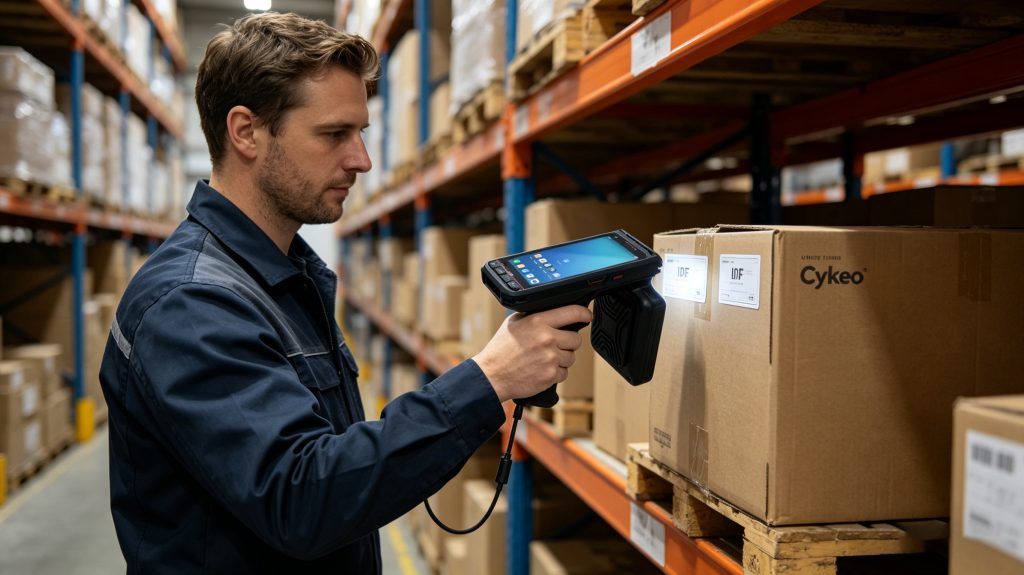
Real-world RFID card scanning with Cykeo handheld reader connected to Android
data-backed insight: what actually improves success rate
From field deployments and published studies:
RAIN RFID Alliance reports UHF RFID can read 1000+ tags per second in optimized conditions
However, successful data extraction depends on:
Tag orientation
RF interference
Reader power (Cykeo supports strong RF optimization)
Practical takeaway:
Copy success is not about software—it’s RF stability + protocol compatibility.
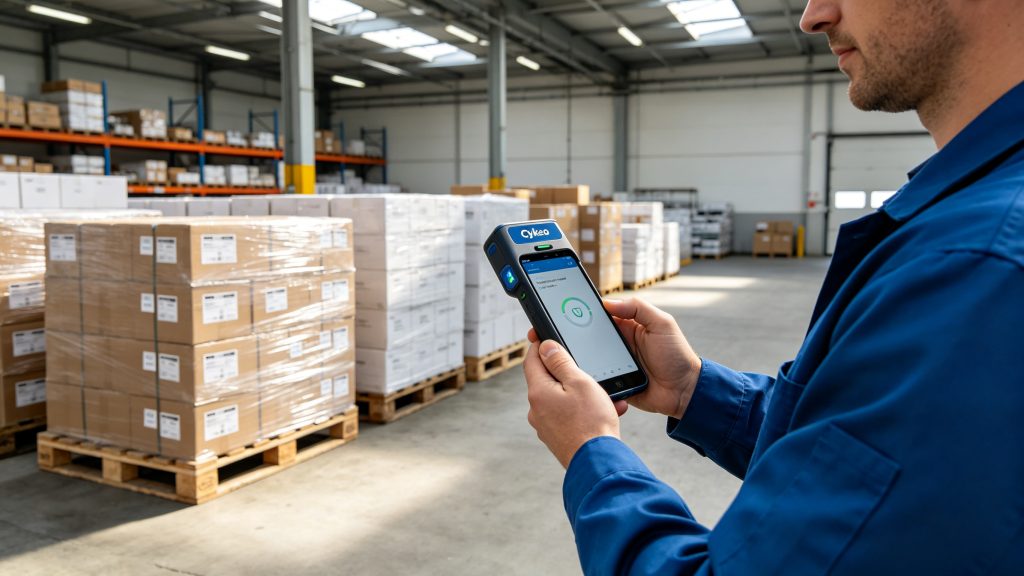
Mobile RFID workflow for asset tracking using Android device
FAQ – how to copy rfid card to android
Can Android copy RFID cards directly?
Only partially. Native NFC works for HF tags, but UHF RFID requires external readers.
Is copying RFID cards legal?
Depends on use case. Unauthorized duplication (e.g., access cards) may violate regulations.
Why can I read but not copy?
Because many RFID tags are locked or encrypted—reading UID doesn’t mean writable memory.
What’s the best setup?
Android + external UHF reader + SDK-based app for full control.
final field note
After years working with RFID deployments, one pattern holds: People try to “copy cards,” but the smarter approach is data mapping, not cloning.
If your system is designed right, you don’t need to duplicate the tag—you just need to understand it.
And that’s exactly where Cykeo devices are built to perform—stable RF, fast response, and practical integration into Android workflows.
Construction site RFID asset management leverages real-time location tracking and automatic identification technologies to significantly improve the management efficiency of tools, equipment, and materials. It reduces asset loss and idle time, off...
RFID tunnel machine, a cutting-edge technology in modern logistics, is transforming the way warehouses are managed. It is more than just a simple tool; it’s a vital solution to improving warehouse efficiency. By leveraging RFID (Radio Frequency Id...
RFID tag printer enables high-speed UHF encoding and printing in one step. Boost accuracy, streamline asset tracking, and reduce errors with Cykeo industrial RFID solutions.
 Cykeo RFID IoT Solution Products R&D Manufacturer