Introduction: Why Care About Android RFID Emulator?
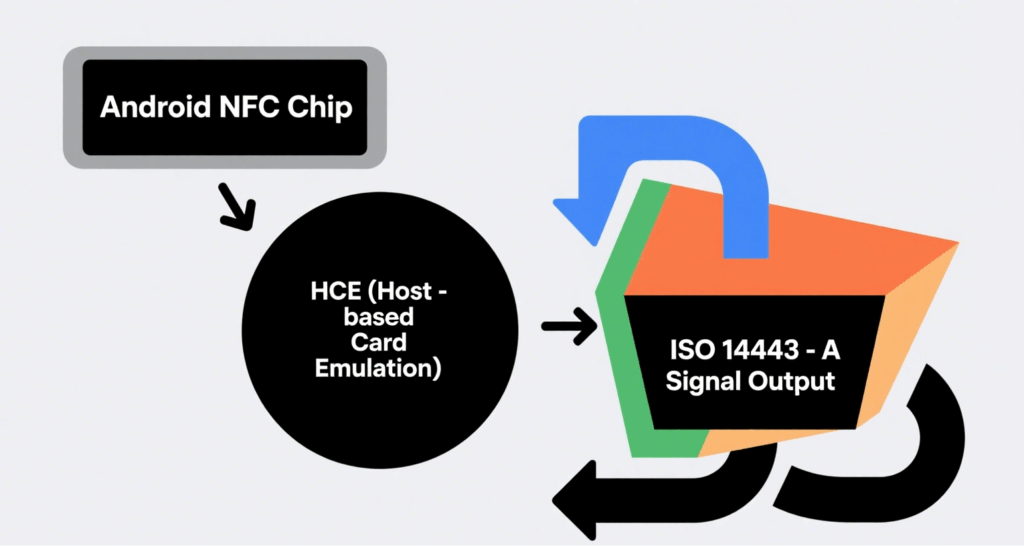
In traditional RFID projects, developers often rely on physical tags in bulk for functional validation and system debugging. The Android RFID Emulator uses the phone’s built-in NFC module and Host-based Card Emulation (HCE) to simulate a “virtual tag” compliant with ISO 14443-A/B protocols. This eliminates the cost and logistics constraints of physical tags during R&D, testing, and prototyping phases, offering a more flexible solution for system integrators and device manufacturers.
How It Works: How HCE Turns Phones into RFID Tags
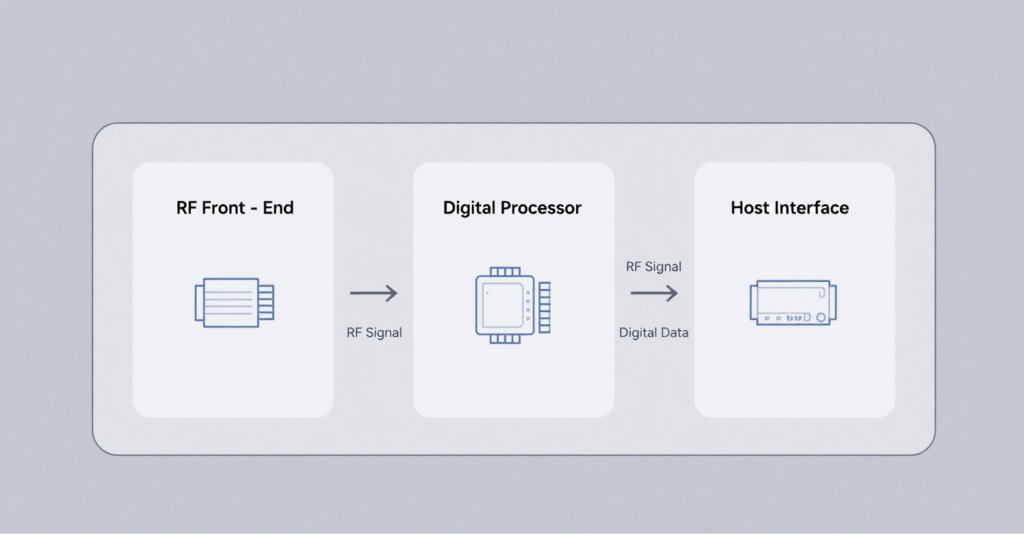
NFC Controller: At the hardware layer, it generates a 13.56 MHz RF field.
System Service (NfcService): Manages APDU command transmission and reception.
HCE Service: Java/Kotlin service at the app layer, responsible for interpreting commands and returning data.
ISO 7816-4 APDU: Defines the data packet format exchanged between the reader and emulator.
When the RFID reader activates the field, the Android phone enters card emulation mode. The app maps the registered AID to the HCE Service, which responds on behalf of the virtual card.
Core Components and Technical Requirements
Component
Description
Key Notes
NFC-enabled Android Device
Recommended: Android 8.0+ with NXP/Qualcomm NFC chips
Stable RF power and read range
Android SDK
Offers HostApduService and CardEmulation APIs
AID registration and APDU parsing
Secure Storage (Optional)
Android Keystore or Secure Element (SE)
For storing keys and sensitive data
Key Application Scenarios
Access Control Simulation: Verify door reader compatibility before deployment.
RFID Firmware/Software Debugging: Quickly switch UID and data blocks.
Payment or Ticketing Sandbox: Simulate cards in offline environments.
Education & Training: Demonstrate RFID protocols in classrooms.
Advantages: Why Use an Emulator?
Cost Efficiency: No need to purchase large quantities of disposable tags.
Rapid Iteration: Instant data updates shorten test cycles.
Portability: A single phone is enough for on-site debugging.
Programmability: Custom APDU logic integrates easily with CI/CD pipelines.
Limitations and Security Considerations
Limited RF Power: Mobile antennas have short read ranges (<4 cm).
Compatibility Issues: Some legacy readers only accept fixed-length UIDs.
Security Risks: Malicious emulation may lead to access control fraud—countermeasures include UID whitelisting and read-distance detection.
Step-by-Step Guide: Setting Up an Android RFID Emulator
Prepare the Environment: Install Android Studio 2023+, create an Empty Activity project.
Implement HostApduService: Override processCommandApdu() and onDeactivated().
Register AID: Define AID in res/xml/apduservice.xml.
Deploy & Debug: Use an RFID reader to send APDU and verify responses.
Best Practices: Enhancing Stability and Security
Tune CLF Parameters: Use an oscilloscope to monitor field strength and fine-tune antenna matching.
Dynamic UID Simulation: Match the format and length of real card UIDs.
Power Management: Deactivate RF in onDeactivated() to conserve battery.
Secure Storage: Store sensitive keys in Android Keystore or SE.
Conclusion
The Android RFID Emulator has become a vital tool in the RFID ecosystem to reduce testing costs and accelerate product launches. With the rise of wearable devices and Matter/NFC interoperability standards, RFID emulation is expanding from smartphones to smartwatches and rings—offering more flexible solutions for access control, payment, and logistics tracking. To address compatibility and security challenges, companies should incorporate measures like hardware whitelisting and two-factor authentication to ensure robust system performance.
CYKEO CYKEO-D1LA USB RFID Reader is a compact desktop solution with near-field control for precise tag reading and encoding. Powered by USB, supporting ISO 18000-6C, and built for stable batch writing, this usb rfid tag reader fits retail, libraries, offices, and controlled RFID encoding tasks.
CYKEO CYKEO-D1L RFID scanner USB is a compact desktop UHF RFID scanner designed for short-range tag writing and verification. This usb rfid scanner supports batch encoding, stable 0–26 dBm output, and works across Windows, Linux, and Android systems.
CYKEO CYKEO-D1C USB RFID Card Reader is a near-field UHF desktop writer designed for secure, short-range tag encoding. With USB-C connectivity and stable 26 dBm output, this rfid reader usb c is ideal for badge issuance, label encoding, and controlled desktop RFID workflows.
CYKEO CYKEO-D2L RFID Reader USB is a compact desktop encoder built on the Impinj R500 chip. With near-field control and stable USB power, this usb rfid card reader delivers precise tag writing for offices, retail counters, and small-scale logistics encoding tasks.
Can an RFID reader read multiple tags at once? Absolutely—UHF readers handle 500–750+ tags per second. But there’s a catch. Learn about anti-collision, real-world limits, and what kills read rates.
Discover how RFID key management systems work, their benefits, and why businesses choose RFID technology for secure, efficient, and automated key control.
High Frequency (HF) RFID automatic identification technology is driving the intelligent transformation of various industries. It is widely used in logistics, retail, healthcare, and many other fields.
 Cykeo RFID IoT Solution Products R&D Manufacturer