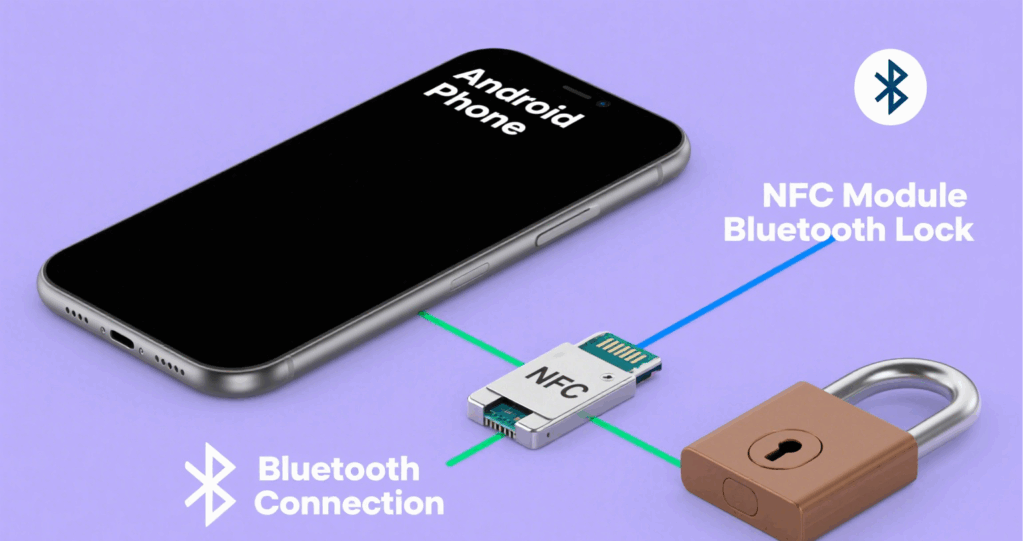
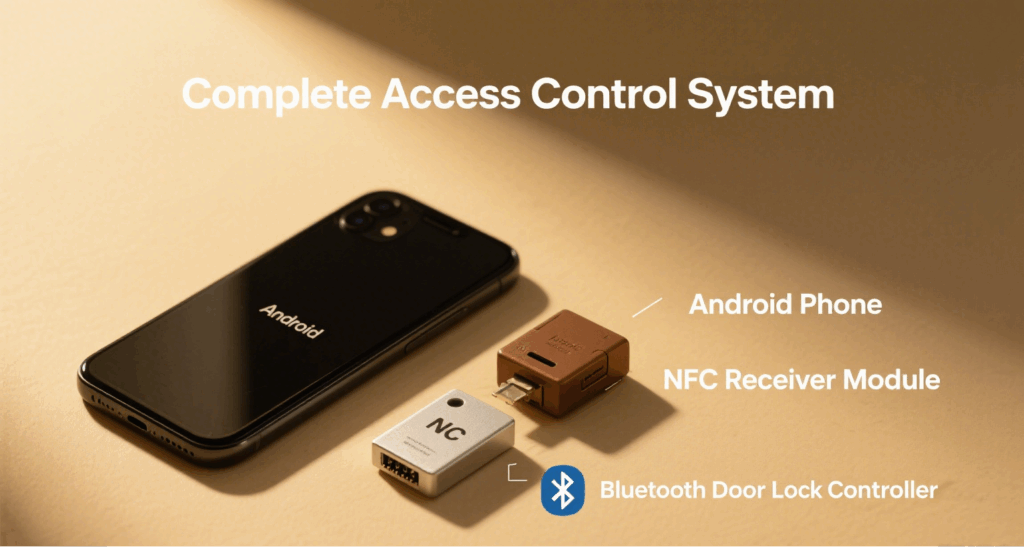
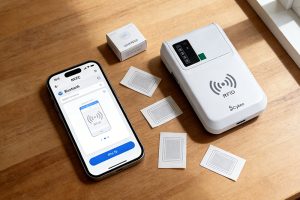
In IoT education, smart building integration, and access control development, low-cost, visual, and interactive demo platform significantly improves teaching and presentation efficiency. By using an Android phone as RFID card emulator, paired with a Bluetooth smart lock and NFC reader module, users can demonstrate a full “tap-to-unlock” workflow. This setup is ideal for:
Classroom and hands-on training
Customer prototype demonstrations
Fast hardware solution validation
System Components: The 3 Core Modules
Component
Function
Recommended Devices
Android smartphone (NFC)
Emulates RFID card using HCE app
Google Pixel, Samsung S series, etc.
NFC Reader Module
Receives the emulated RFID signal
PN532 (UART mode), RC522 (13.56MHz)
Bluetooth Smart Lock
Unlocks when authorized UID is detected
BLE controller + electric lock module
Configure Android RFID Emulator
To configure your Android phone for RFID emulation:
Enable NFC and Host Card Emulation (HCE) in settings
Use Android Studio to create a custom app with HostApduService
Register AIDs (e.g., F0010203040506) and APDU response rules
Install and launch the app to start simulating RFID cards
This process allows your phone to behave like a 13.56 MHz smart card when near reader.
Set Up the NFC Reader Module
Use the PN532 module and connect it via UART or USB to a controller such as a Raspberry Pi, Arduino, or PC.
Steps:
Configure the PN532 to work in UART or USB mode
Develop a program to continuously listen for NFC signals and read the UID
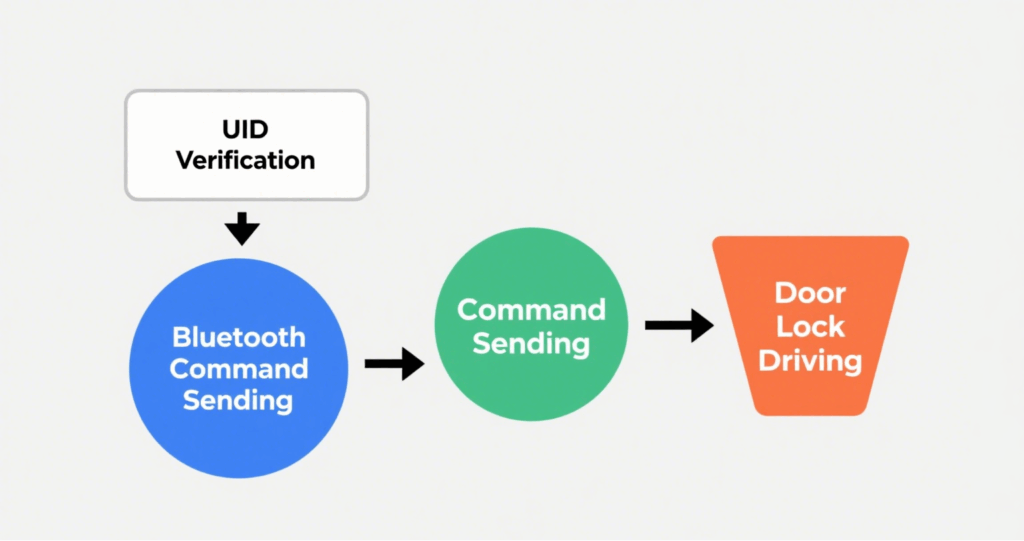
Verify if the UID is authorized, then send the unlock signal to the Bluetooth module
This makes the NFC reader act as a gatekeeper for access validation.
Implement the Bluetooth Smart Lock Logic
Once the NFC module confirms a valid UID:
It sends an unlock command to the Bluetooth module
The module triggers the relay to open the lock (for a preset duration)
It provides feedback via a buzzer or LED light
After a short delay, the system automatically relocks the door
You can implement communication using BLE GATT profiles or serial AT commands.
Full System Workflow
Here’s how the complete system works:
The user opens the RFID emulator app on their Android phone
They tap the phone on the NFC module
The module reads the UID and checks against the authorized list
If valid, the system sends a BLE command to unlock
The door unlocks, and the system provides feedback (e.g., green LED)
You can optionally integrate a web dashboard or display panel for demonstrations
This step-by-step process is excellent for classrooms, trade shows, and client presentations.
Application Scenarios and Expansion Ideas
This system offers strong value for education, integration demos, and proof-of-concept development:
Technical training on RFID/NFC systems
Client-facing access control solution demos
Early-stage interaction design testing
On-site product exhibits and trade shows
Expansion Ideas:
Add web dashboard → View and record unlock logs in real time Integrate facial recognition or fingerprint scanner → Enable multi-factor authentication Connect to a cloud platform → Simulate a SaaS access control backend
Conclusion: Build a Low-Cost Yet Powerful Teaching & Demo Platform
By combining an Android RFID Emulator, a standard NFC module, and a Bluetooth smart lock, educators and integrators can quickly build a fully functional, cost-efficient, and visually intuitive access control demo system. It not only enhances training and customer engagement but also accelerates the rapid prototyping process for modern IoT-based door access systems.
Cykeo’s CYKEO-T1D industrial RFID ceiling reader features 500 tags/sec scanning, IP54 protection, and -20℃~60℃ operation for retail/warehouse security. Supports ISO18000-6C and GB/T29768 protocols.
Cykeo’s ceiling-mounted RFID reader enables hands-free 5m inventory tracking with 500 tags/min speed. Features dual alerts, ERP integration, and IP54 rating for warehouse security.
Cykeo CK-T1E RFID gate system features 120° coverage, AI motion filtering, and 5m detection for retail/warehouse security. IP67 rugged design with ERP integration.
Learn how to choose and procure long-range RFID readers for industrial asset tracking. Covers reading distance, throughput, durability, and model recommendations for warehouses, logistics, and production lines.
Protect your RFID systems from cyber threats with encryption, access controls, and compliance tactics. Learn how Cykeo’s solutions safeguard sensitive data in critical industries.
Can you read RFID with NFC? We explain the technical relationship between these technologies and when NFC is sufficient versus when you need dedicated RFID systems.
 Cykeo RFID IoT Solution Products R&D Manufacturer